1. Introduktion
Tak for købetasing the lightmaXX Nano PAR FX 3x 4 W LED RGBW. This compact and powerful LED PAR spot is designed for various lighting applications, offering vibrant RGBW color mixing and dynamic strobe effects. This manual provides essential information for safe operation, setup, and maintenance of your device. Please read it thoroughly before use.
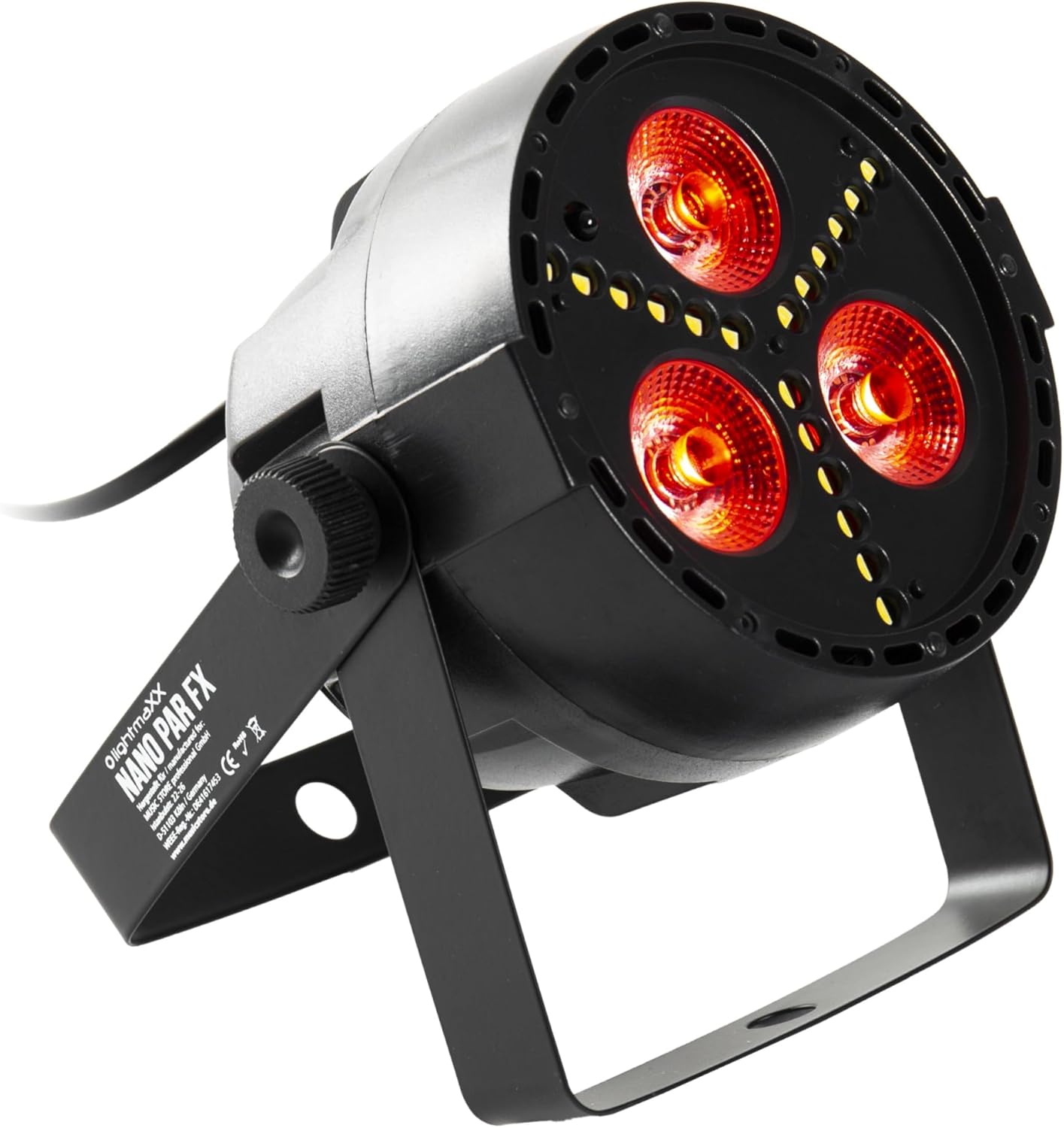
Figure 1: lightmaXX Nano PAR FX LED PAR Spot
2. Sikkerhedsinstruktioner
To ensure safe operation, please observe the following safety instructions:
- Strømforsyning: Connect the device only to a grounded power outlet with the correct voltage (230V AC).
- Ventilation: Sørg for tilstrækkelig ventilation omkring enheden. Bloker ikke ventilationsåbningerne.
- Fugtighed: Do not expose the device to rain or moisture. Do not use it in damp miljøer.
- Temperatur: Brug enheden inden for det angivne temperaturområde. Undgå ekstrem varme eller kulde.
- Håndtering: Håndter enheden forsigtigt. Undgå at tabe den eller udsætte den for hårde stød.
- Opretholdelse: Overlad al service til kvalificeret servicepersonale. Forsøg ikke at reparere enheden selv.
- Lysoutput: Avoid looking directly into the light source, as it can cause eye damage.
3. Opsætning
3.1 Fysisk placering
The lightmaXX Nano PAR FX is designed as a floor spot but can also be mounted using its adjustable bracket. Ensure the mounting surface or location is stable and can support the weight of the fixture. Allow sufficient space around the unit for proper ventilation.
3.2 Forbindelser
Connect the power cable to a suitable power outlet. For DMX control, connect a DMX cable from your DMX controller to the DMX IN port of the fixture. If linking multiple units, connect a DMX cable from the DMX OUT port of the first fixture to the DMX IN port of the next, and so on.

Figure 2: Rear panel with DMX ports and control display
4. Betjeningsvejledning
4.1 Kontrolpanel
The rear panel features a digital display and four control buttons: MENU, UP, DOWN, and ENTER. These buttons allow you to navigate through the settings and select various operating modes.
- MENU: Tryk for at gennemgå hovedmenuens punkter.
- OP: Increases values or moves up in menu options.
- NED: Decreases values or moves down in menu options.
- GÅ IND: Bekræfter et valg eller går ind i en undermenu.
4.2 Fjernbetjening
The lightmaXX Nano PAR FX comes with an infrared (IR) remote control for convenient operation. Ensure there is a clear line of sight between the remote and the fixture's IR receiver.

Figure 3: Product with Remote Control
4.3 driftstilstande
The fixture offers several built-in operating modes, accessible via the control panel or remote:
- Automatisk tilstand: Cycles through pre-programmed light shows automatically.
- Lydtilstand: Reagerer på musik eller lyd via en indbygget mikrofon.
- Springtilstand: Changes colors abruptly.
- Fade-tilstand: Jævne overgange mellem farver.
- Strobetilstand: Producerer en blinkende lyseffekt.
4.4 Color Mixing
The Nano PAR FX features RGBW LEDs, allowing for a wide spectrum of colors. You can select individual colors or mix them to create custom hues using the remote control or DMX.

Figur 4: Eksamples of color outputs

Rødt lysudbytte

Green Light Output
4.5 DMX-drift
For professional control, the Nano PAR FX can be operated via DMX512. Set the DMX address using the control panel. Consult the DMX channel chart (typically found in a separate DMX manual or product sheet) for specific channel assignments for color, dimming, strobe, and mode control.
5. Vedligeholdelse
5.1 Rengøring
Regular cleaning helps maintain optimal performance and extends the lifespan of your fixture.
- Afbryd strømmen før rengøring.
- Brug en blød, fnugfri klud til at tørre ydersiden af.
- Brug en specialiseret linserensemiddel og en blød klud til linser for at undgå ridser.
- Brug ikke slibende rengøringsmidler eller opløsningsmidler.
5.2 Opbevaring
Når armaturet ikke er i brug, skal det opbevares tørt og støvfrit, helst i originalemballagen eller et beskyttende etui.
6. Fejlfinding
| Problem | Mulig årsag | Løsning |
|---|---|---|
| Ingen strøm | Power cable disconnected; no power from outlet; faulty fuse. | Kontroller strømkablets forbindelse; test stikkontakten; udskift sikringen om nødvendigt. |
| Ingen lysudgang | Fixture in standby; incorrect mode selected; DMX signal issue. | Check power and mode settings; verify DMX connection and address. |
| Fjernbetjening virker ikke | Battery low/dead; IR receiver blocked; too far from fixture. | Replace battery; ensure clear line of sight; move closer to fixture. |
| DMX control issues | Forkert DMX-adresse; defekt DMX-kabel; problem med DMX-controlleren. | Verify DMX address; test DMX cable; check DMX controller. |
7. Specifikationer
| Feature | Specifikation |
|---|---|
| Mærke | lightmaXX |
| Fabrikant | lightmaXX |
| Modelnummer | LIG0015652-000 |
| Produktmål (L x B x H) | 12.9 x 12.9 x 12.8 cm |
| Varens vægt | 620 gram |
| Stil | Moderne |
| Farve | Black (fixture), RGBW (light output) |
| Maksimal watt | 20 watt |
| Voltage | 230 volt (AC) |
| Pære type | Lysdiode (LED) |
| Lyskildetype | Diode électroluminescente (LED) |
8. Garanti og support
This product is subject to the standard return policy of 30 days from the date of purchase. For technical support, service, or warranty inquiries, please contact your retailer or the lightmaXX customer service department. Please have your model number (LIG0015652-000) and proof of purchase ready when contacting support.


