1. Introduktion
This manual provides essential information for setting up, operating, and maintaining your HP Spectre x360 2-in-1 Laptop. This device combines the power of a traditional laptop with the versatility of a tablet, featuring a 15.6-inch 4K UHD touchscreen display and an Intel Core i7-8565U processor.
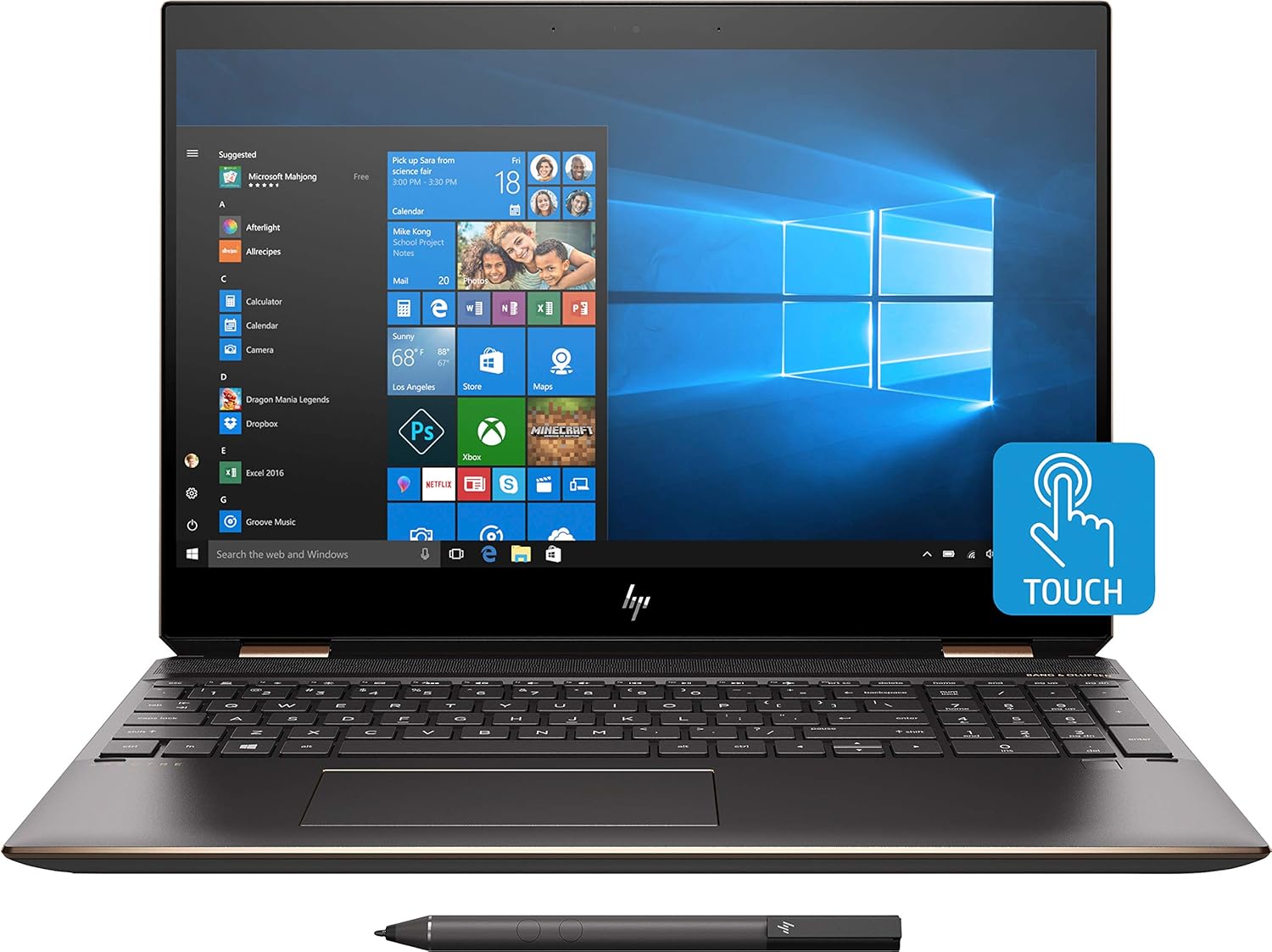
Billede 1.1: Forside view of the HP Spectre x360 in laptop configuration.
2. Opsætning
2.1 Indledende tænding
- Unpack your HP Spectre x360 laptop and all accessories.
- Tilslut strømadapteren til den bærbare computer og en stikkontakt.
- Tryk på tænd/sluk-knappen for at tænde enheden.
- Follow the on-screen instructions to complete the initial Windows 10 Home setup, including language, region, and user account creation.
2.2 Tilslutning til et trådløst netværk
- During the Windows setup or afterward, click the Wi-Fi icon in the taskbar.
- Vælg dit ønskede trådløse netværk fra listen.
- Indtast netværkssikkerhedsnøglen (adgangskoden), hvis du bliver bedt om det.
- Klik på "Opret forbindelse".
2.3 HP Active Stylus Setup
The HP Active Stylus is included for enhanced interaction with the touchscreen. Ensure the stylus has a working battery. The stylus should automatically pair with your device. If not, refer to the Windows Bluetooth settings for manual pairing.

Image 2.1: HP Spectre x360 with included Active Stylus.
3. Betjeningsvejledning
3.1 2-i-1-funktionalitet
The HP Spectre x360 can seamlessly transition between laptop, tablet, tent, and stand modes. Gently rotate the screen backward to switch modes. The system will automatically detect the orientation and adjust the display and keyboard functionality accordingly.

Image 3.1: HP Spectre x360 in a convertible mode.
3.2 Touchscreen and Stylus Usage
The 4K UHD touchscreen supports multi-touch gestures for intuitive navigation. Use the included HP Active Stylus for precise input, drawing, and note-taking directly on the screen. The stylus offers pressure sensitivity for a natural writing and drawing experience.
3.3 Tastatur og touchpad
The full-size backlit keyboard provides comfortable typing in various lighting conditions. Adjust backlight intensity using the function keys. The HP Imagepad supports multi-touch gestures for scrolling, zooming, and navigating.
3.4 Porte og tilslutningsmuligheder
Din bærbare computer er udstyret med forskellige porte til tilslutning af eksterne enheder:
- 1 Thunderbolt 3 Port: For high-speed data transfer (up to 40 Gb/s), DisplayPort 1.2, and HP Sleep and Charge functionality.
- 1 USB 3.1 Type-C Gen 1 Port: For data transfer (up to 5 Gb/s), DisplayPort 1.2, and HP Sleep and Charge functionality.
- 1 USB 3.1 Gen 1 Port: For connecting standard USB devices and HP Sleep and Charge functionality.
- 1 HDMI-port: Til tilslutning til eksterne skærme eller projektorer.
- 1 Headphone/Microphone Combo Jack: Til lydindgang og -udgang.

Billede 3.2: Side profile of the HP Spectre x360 displaying its connectivity ports.
3.5 Lydsystem
Experience rich audio with the Bang & Olufsen dual speakers. The integrated dual array digital microphone ensures clear voice input for calls and recordings.
3.6 Sikkerhedsfunktioner
The HP Spectre x360 includes advanced security features:
- Fingeraftrykslæser: Located on the keyboard deck for quick and secure login.
- HP Wide Vision FHD IR Camera: Supports Windows Hello for secure facial recognition login.
4. Vedligeholdelse
4.1 Rengøring af din bærbare computer
- Brug en blød, fnugfri klud lidt dampskylles med vand eller en skærmrens for at rengøre skærmen.
- Brug en blød, tør klud til tastatur og kabinet. Undgå skrappe kemikalier.
4.2 Pleje af batterier
- For at forlænge batteriets levetid, undgå ekstreme temperaturer.
- Lad batteriet aflades til under 20% med jævne mellemrum, før det genoplades.
4.3 Softwareopdateringer
Søg regelmæssigt efter og installer Windows-opdateringer og HP-driveropdateringer for at sikre optimal ydeevne og sikkerhed.
5. Fejlfinding
This section addresses common issues you might encounter. For more detailed troubleshooting, refer to the HP support webwebsted.
- Ingen strøm: Sørg for, at strømadapteren er korrekt tilsluttet, og at stikkontakten fungerer. Prøv en anden stikkontakt.
- Visningsproblemer: If the screen is blank, try pressing the power button briefly or connecting to an external monitor to diagnose.
- Problemer med Wi-Fi-forbindelse: Check if Wi-Fi is enabled. Restart your router and laptop.
- Touchskærm reagerer ikke: Restart the laptop. Ensure no physical obstructions are on the screen.
6. Specifikationer
| Feature | Detalje |
|---|---|
| Modelnavn | HP Spectre x360 2-in-1 (Model: Spectre) |
| Processor | Intel Core i7-8565U (up to 4.6GHz) |
| Grafik | NVIDIA GeForce MX150 (2GB GDDR5 dedicated) |
| VÆDDER | 16 GB DDR4-2400 SDRAM |
| Opbevaring | 512 GB PCIe NVMe M.2 SSD |
| Vise | 15.6" diagonal 4K IPS eDP micro-edge BrightView WLED-backlit (3840 x 2160) Touchscreen |
| Operativsystem | Windows 10 Home 64 |
| Trådløs forbindelse | Intel 802.11b/g/n/ac (2x2) Wi-Fi and Bluetooth 4.2 Combo |
| Havne | 1x Thunderbolt 3, 1x USB 3.1 Type-C Gen 1, 1x USB 3.1 Gen 1, 1x HDMI, 1x Headphone/Microphone Combo |
| Lyd | Bang & Olufsen, Dual Speakers |
| Kamera | HP Wide Vision FHD IR-kamera med integreret dual array digital mikrofon |
| Inkluderet tilbehør | HP Active Stylus, HP Sleeve |
| Farve | Mørk askesølv |
| Dimensioner (LxBxH) | 14.2 x 9.8 x 0.8 tommer |
| Varens vægt | 12.3 ounces (ca. 0.35 kg) |
| Gennemsnitlig batterilevetid | Op til 17.5 timer |
7. Garanti og support
For garantioplysninger, teknisk support og yderligere ressourcer, besøg venligst den officielle HP-supportside. website. You can find detailed documentation, driver downloads, and contact options there.
HP Support Webwebsted: www.hp.com/support