1. Vigtige sikkerhedsoplysninger
Please read all instructions and safety warnings carefully before using the DOMAS TENS EMS Unit. Failure to follow these instructions may result in injury or device malfunction.
- Keep the device dry and away from water. Do not use while bathing or near water sources.
- Consult a healthcare professional before use, especially if you have pre-existing medical conditions, are pregnant, have a pacemaker, or any other implanted electronic device.
- Do not apply electrode pads over open wounds, rashes, swollen, red, infected, or inflamed skin areas.
- Do not apply electrode pads over the carotid sinus nerves (front of the neck), on the head, or directly over the heart.
- Opbevares utilgængeligt for børn.
- Stop brugen, hvis du oplever bivirkninger såsom hudirritation, ubehag eller svimmelhed.
- Udsagn vedrørende denne enhed er ikke blevet evalueret af FDA og er ikke beregnet til at diagnosticere, behandle, helbrede eller forebygge nogen sygdom eller helbredstilstand.
2. Produktet er slutview
The DOMAS Touch Screen TENS EMS Unit is a dual-channel muscle stimulator designed for temporary relief of pain associated with sore and aching muscles due to strain from exercise or normal household and work activities. It features a touch screen interface, 24 modes, and adjustable intensity levels.

Figure 2.1: The DOMAS Touch Screen TENS EMS Unit, showing the main device, electrode pads, and charging adapter.
2.1 Nøglefunktioner
- Berøringsfølsom skærm: Intuitive interface for easy navigation and selection.
- 24 Massage Modes: A variety of pre-programmed modes for different types of stimulation.
- 20 intensitetsniveauer: Customizable intensity to suit individual comfort and needs.
- Dobbeltkanalsudgang: Allows for simultaneous treatment of two different body areas or two people.
- Justerbar timer: Sessioner kan indstilles fra 10 til 60 minutter.
- USB genopladelig: Built-in lithium battery for convenient charging.
- Bærbart design: Compact and lightweight for use at home or on the go.
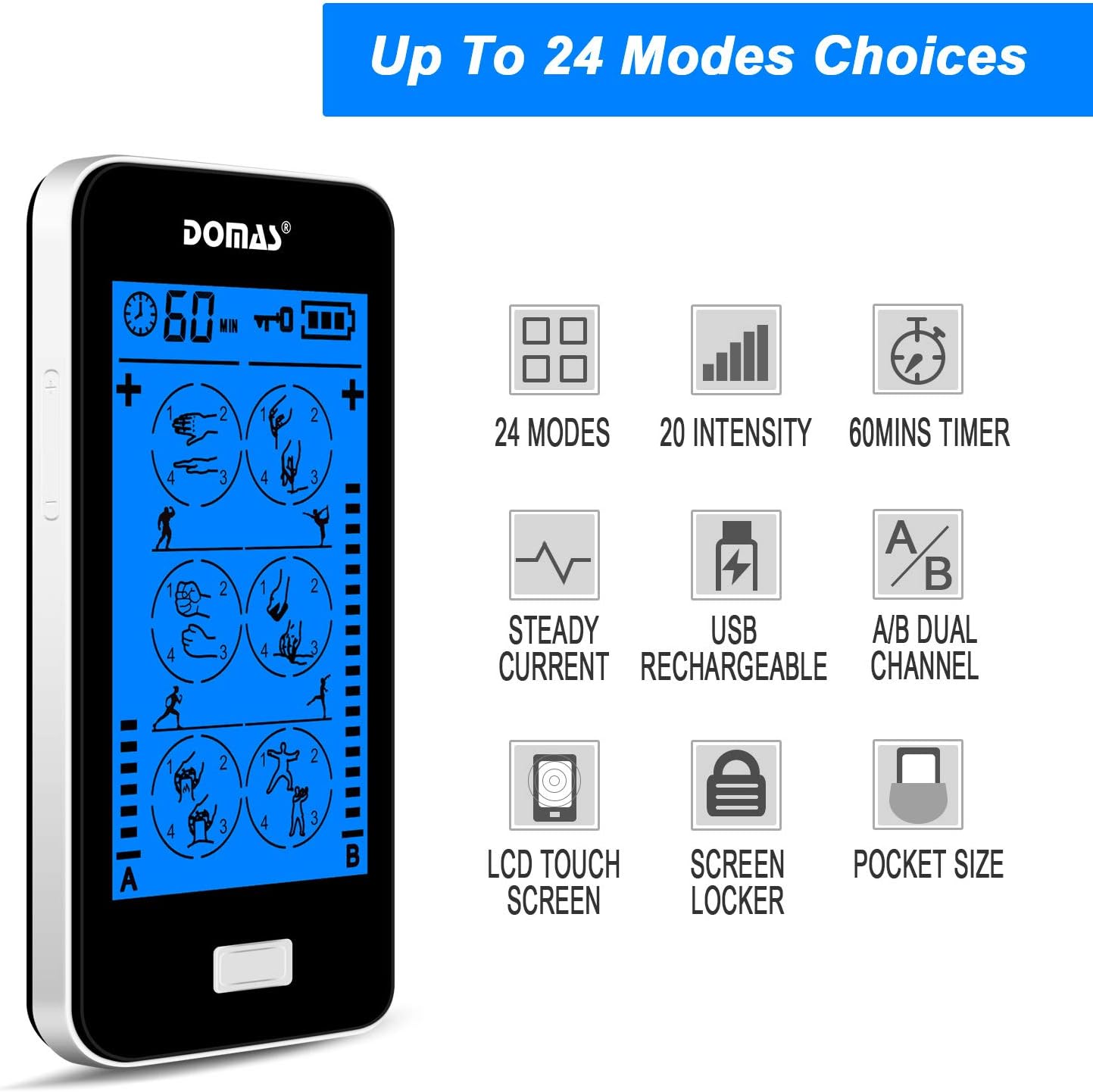
Figure 2.2: Visual representation of the unit's key features, including mode count, intensity levels, and portability.
2.2 Pakkens indhold
Upon opening your DOMAS TENS EMS Unit package, please ensure all the following items are present:
- DOMAS Touch Screen TENS EMS Unit
- Elektrodepuder (forskellige størrelser)
- Lead ledninger
- USB opladningskabel
- AC Adapter
- Pad Holder/Storage Pouch
- Instruktionsmanual

Figure 2.3: All components included in the DOMAS TENS EMS Unit package.
2.3 Enhedskomponenter
Familiarize yourself with the different parts of your TENS EMS unit:

Figure 2.4: Labeled diagram of the DOMAS TENS EMS Unit's external features.
- A & B Dual-output Channel: Ports for connecting lead wires to electrode pads.
- Timer display: Shows remaining treatment time.
- Tænd/sluk -knap: For at tænde eller slukke for enheden.
- Intensity Adjustment Buttons (+/-): To increase or decrease stimulation intensity for each channel.
- Låseknap: To prevent accidental changes during use.
- Rechargeable USB Port: Til opladning af enheden.
- Berøringsskærm: Main interface for mode selection and settings.
3. Opsætning
Follow these steps to prepare your DOMAS TENS EMS Unit for use:
3.1 Opladning af enheden
- Connect the USB charging cable to the device's USB port.
- Sæt den anden ende af USB-kablet i AC-adapteren.
- Insert the AC adapter into a standard wall outlet.
- The battery indicator on the screen will show charging status. Charge fully before first use.

Figure 3.1: Connecting the USB charging cable to the device.
3.2 Tilslutning af elektrodepuder
- Sørg for, at enheden er slukket.
- Connect the lead wires to the electrode pads by snapping them onto the metal studs.
- Plug the lead wires into the A and/or B output ports on the top of the device.

Figure 3.2: Attaching the lead wire to an electrode pad.
3.3 Påsætning af elektrodepuder
- Clean and dry the skin area where you intend to place the pads.
- Carefully peel the transparent protective film from the adhesive side of the electrode pads. Retain the film for storage.
- Place the pads firmly on the desired treatment area. Ensure good skin contact.

Figure 3.3: Visual guide for connecting pads and applying them to the skin.
4. Betjeningsvejledning
Once the device is set up, follow these steps to begin your therapy session:
- Tænd: Press and hold the Power ON/OFF button located on the top of the device until the screen illuminates.
- Vælg tilstand: The touch screen will display various massage modes. Tap on your desired mode icon to select it. The device offers 24 different modes, each providing a unique stimulation pattern.
- Juster intensitet: Use the '+' and '-' buttons on the sides of the device to adjust the intensity level for Channel A and Channel B independently. Start with the lowest intensity and gradually increase until you feel a comfortable, yet effective, sensation. Avoid increasing intensity to an uncomfortable level.
- Indstil timer: The default session time is usually 20 minutes. You can adjust the timer by tapping the timer icon on the screen and selecting your preferred duration (e.g., 10, 20, 30, 40, 50, 60 minutes).
- Lock Screen (Optional): To prevent accidental changes during a session, press the Lock button. The screen will lock, and a lock icon will appear. Press it again to unlock.
- Afslut session: The device will automatically turn off once the timer expires. To manually end a session, press and hold the Power ON/OFF button.

Figure 4.1: The touch screen interface showing available massage modes and settings.
4.1 Mode Selection Guide
The unit offers 24 distinct modes. Experiment with different modes to find what works best for your specific needs and comfort. Common mode categories include:
- Massage: Gentle, rhythmic pulses for relaxation.
- Æltning: Deeper, more intense pressure simulation.
- Acupuncture: Sharp, tapping sensations.
- Cupping: Suction-like sensation.
- Skrabning: Gliding, scraping sensation.
- Tapping: Quick, light pulses.

Figur 4.2: Eksamples of body areas suitable for TENS EMS therapy and the variety of modes available.
5. Vedligeholdelse
Proper care and maintenance will extend the life of your DOMAS TENS EMS Unit and its accessories.
5.1 Rengøring af enheden
- Turn off the device and disconnect all wires before cleaning.
- Tør enheden af med en blød, damp klæde. Brug ikke slibende rengøringsmidler eller nedsænk enheden i vand.
- Sørg for, at enheden er helt tør, før den opbevares eller tages i brug igen.
5.2 Pleje af elektrodepuder
- After each use, gently remove the pads from your skin.
- Place the adhesive side of the pads back onto the transparent protective film.
- Store the pads in the provided storage pouch to keep them clean and prevent drying out.
- Hvis puderne mister deres klæbrighed, skal du forsigtigt tørre den klæbende overflade af med enamp cloth and let air dry. Replace pads when they no longer adhere well to the skin.
5.3 Opbevaring
- Opbevar enheden og tilbehøret et køligt, tørt sted, væk fra direkte sollys og ekstreme temperaturer.
- Keep the device and pads in the provided storage pouch or a clean, dry container.
6. Fejlfinding
If you encounter issues with your DOMAS TENS EMS Unit, refer to the following common troubleshooting tips:
| Problem | Mulig årsag | Løsning |
|---|---|---|
| Enheden tændes ikke. | Low battery or device not charged. | Charge the device fully using the provided USB cable and AC adapter. |
| Ingen eller svag følelse. |
|
|
| Pads lose stickiness quickly. | Skin is oily or dirty; pads are drying out. | Clean skin thoroughly before application. After use, place pads back on the protective film and store in the pouch. Gently wipe adhesive with a damp cloth if needed. Replace pads when necessary. |
| Skærmen reagerer ikke eller fryser. | Midlertidig softwarefejl. | Press and hold the Power ON/OFF button for 10-15 seconds to perform a hard reset. If the issue persists, contact customer support. |
| Discomfort or skin irritation. | Intensity too high; allergic reaction to pads; improper pad placement. | Decrease intensity immediately. Discontinue use if irritation persists. Ensure pads are not placed over sensitive or broken skin. Try different pad placement. |
7. Specifikationer
Technical details for the DOMAS Touch Screen TENS EMS Unit:
- Modelnummer: 898a53b9-6ac2-4d6b-9e0a-edbe601818f0
- Strømkilde: Batteridrevet (USB genopladelig)
- Materiale: Plast
- Kanaler: Dual Output (A & B)
- Tilstande: 24
- Intensitetsniveauer: 20
- Timer: Justerbar (f.eks. 10-60 minutter)
- Dimensioner: Cirka 6.06 x 3.54 x 3.07 tommer
- Vægt: Cirka 15.2 ounce
- Fabrikant: DOMAS
8. Garanti og support
DOMAS is committed to providing high-quality products. For specific warranty information, please refer to the warranty card included in your product packaging or contact DOMAS customer support directly.
8.1 Kundesupport
If you have any questions, require assistance, or experience issues not covered in this manual, please contact DOMAS customer support. Contact details can typically be found on the product packaging, the official DOMAS webwebstedet eller via din købsplatform.
