1. Introduktion
Thank you for choosing the VBESTLIFE Portable MP3 Player. This device is designed for convenient music playback and FM radio reception. It features a compact design, an LCD screen, and supports TF cards for expandable storage. This manual provides detailed instructions to help you get started and make the most of your MP3 player.
2. Pakkens indhold
Tjek venligst pakken for følgende varer:
- 1 x VBESTLIFE Portable MP3 Player
- 1 x par høretelefoner
- 1 x brugermanual
3. Produktet er slutview
The VBESTLIFE MP3 Player features a sleek design with a wear-resistant mirror finish, making it both stylish and durable. Familiarize yourself with the device components:
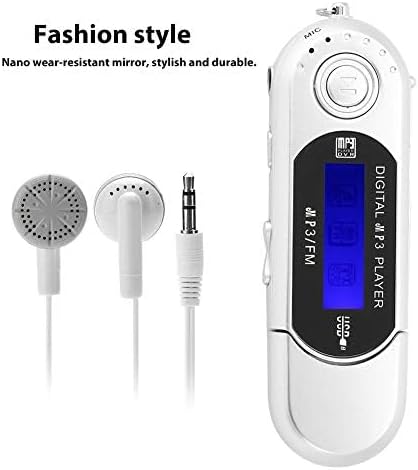
Figure 3.1: Stylish Design. This image displays the VBESTLIFE MP3 player alongside its included earphones, highlighting its compact and fashionable design with a nano wear-resistant mirror.

Figure 3.2: MP3 Player Components. This image shows a blue VBESTLIFE MP3 player with various parts labeled, including the USB interface, display screen, microphone, open key, headphone jack, lock key, and volume controls.
- USB-grænseflade: Til tilslutning til en computer for dataoverførsel og opladning.
- Skærm: Shows playback information, menu options, and radio frequency.
- Mikrofon (MIC): For potential recording functions (if supported, not explicitly stated but visible).
- Åben nøgle: Likely for accessing internal components or specific functions.
- Hovedtelefonstik: 3.5mm port for connecting earphones.
- Lock Key (HOLD): Forhindrer utilsigtede tryk på knapper.
- Volumen +/-: Justerer lydudgangsniveauet.
- Play/Pause/Mode Button: Central button for playback control and mode switching.
- Frem/Tilbage-knapper: For navigating tracks or radio frequencies.
4. Opsætning
4.1. Indsættelse af et TF-kort
The MP3 player supports TF (MicroSD) cards up to 32GB for storing your music files. A TF card is not included and must be purchased separately.
- Find TF-kortstikket på siden af MP3-afspilleren.
- Sæt forsigtigt TF-kortet i stikket, indtil det klikker på plads. Sørg for, at kortet er vendt korrekt.
- To remove the TF card, push it gently inward until it springs out.
4.2. Strømforsyning til enheden
The MP3 player requires one AAA battery (not included) for operation.
- Locate the battery compartment, usually on the back or side of the device.
- Åbn dækslet til rummet.
- Isæt et AAA-batteri, og sørg for at polariteten (+/-) vender korrekt.
- Luk batterirummets dæksel forsvarligt.
4.3. Connecting to a Computer (Plug and Play)
The device supports USB 2.0 for high-speed data transfer and operates as a plug-and-play device, requiring no special software installation.
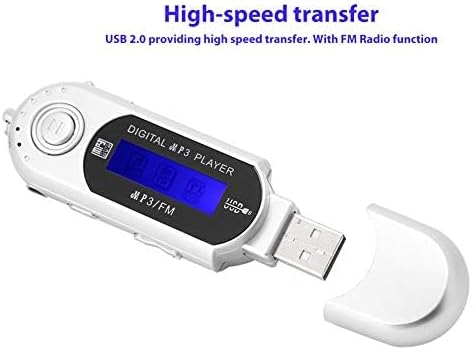
Figur 4.1: USB-forbindelse. This image shows the VBESTLIFE MP3 player with its integrated USB connector exposed, ready to be plugged into a computer for high-speed data transfer.
- Remove the protective cap from the USB connector.
- Plug the MP3 player directly into an available USB port on your computer.
- Your computer should recognize the device as a removable disk. You can then drag and drop MP3 files onto the device's storage or the inserted TF card.
- Always safely eject the device from your computer before unplugging it to prevent data corruption.
5. Betjeningsvejledning
5.1. Tænd/sluk
- For at tænde: Press and hold the Play/Pause button (central button) for a few seconds until the screen lights up.
- For at slukke: Tryk og hold Afspil/Pause-knappen nede igen, indtil skærmen slukker.
5.2. Musikafspilning
After powering on, the player will typically enter music playback mode if music files are present on the device or TF card.
- Afspil/pause: Press the central Play/Pause button to start or pause playback.
- Næste nummer: Press the Forward button (usually labeled with a right arrow or >>).
- Forrige nummer: Press the Backward button (usually labeled with a left arrow or <<).
- Lydstyrkejustering: Use the Volume +/- buttons to increase or decrease the sound level.
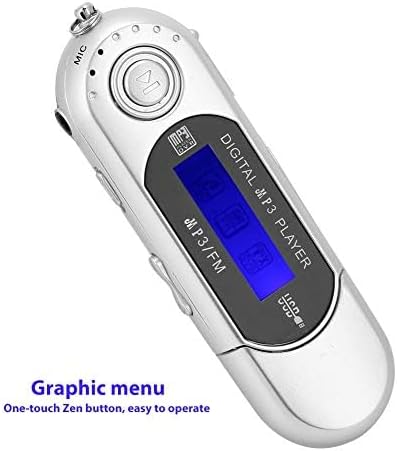
Figure 5.1: Graphic Menu. This image shows the MP3 player's LCD screen displaying a graphic menu, indicating ease of navigation with its one-touch Zen button.
5.3. FM-radiofunktion
The MP3 player includes an FM radio function.
- Skift til FM-tilstand: While the device is on, press and hold the Play/Pause button (or a dedicated Mode button if available) twice quickly to switch to FM radio mode.
- Indstil stationer: Use the Forward or Backward buttons to scan for radio stations.
- Lydstyrkejustering: Use the Volume +/- buttons to adjust the radio volume.
5.4. Sprogindstillinger
The device supports multiple languages, including English (default), Spanish, and Portuguese.
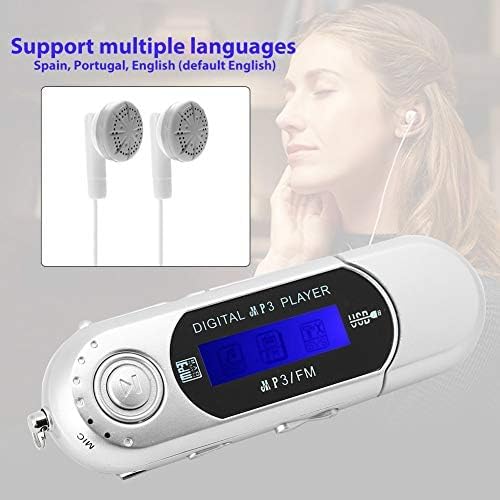
Figure 5.2: Language Support. This image highlights the MP3 player's capability to support multiple languages, including Spanish, Portuguese, and English (default).
To change the language, navigate through the device's menu using the Play/Pause and Forward/Backward buttons until you find the "Language" option. Select your desired language.
5.5. Automatisk nedlukning
To conserve battery life, the player features an automatic shutdown function. You can set the automatic shutdown time through the device's settings menu.
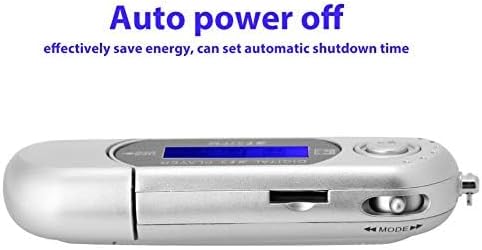
Figure 5.3: Auto Power Off Feature. Denne side view of the MP3 player illustrates its auto power-off capability, designed to save energy by allowing users to set an automatic shutdown time.
5.6. Lock Key (HOLD)
Slide the Lock key (HOLD) to prevent accidental button presses during playback or when carrying the device.
6. Vedligeholdelse
- Hold enheden tør. Fugt kan beskadige elektroniske komponenter.
- Rengør enheden med en blød, tør klud. Brug ikke skrappe kemikalier eller slibende rengøringsmidler.
- Undgå at tabe enheden eller udsætte den for kraftige stød.
- When not in use for extended periods, remove the AAA battery to prevent leakage.
7. Fejlfinding
| Problem | Mulig årsag | Løsning |
|---|---|---|
| Enheden tænder ikke. | Batteriet er dødt eller isat forkert. | Replace the AAA battery with a new one, ensuring correct polarity. |
| Computeren genkender ikke enheden. | Loose USB connection, faulty USB port, or driver issue. |
|
| Ingen lyd fra høretelefoner. | Earphones not properly connected, volume too low, or faulty earphones. |
|
| Kan ikke afspille musik files. | Ikke understøttet file format, no music files on device/TF card, or corrupted files. |
|
| FM radio not working or poor reception. | Weak signal, not in FM mode, or earphones not connected (often act as antenna). |
|
8. Specifikationer
| Mærke | VBESTLIFE |
| Modelnummer | VBESTLIFEgo9snz072u-02 |
| Dimensioner | 95 x 26 x 16 mm |
| Vægt | 26 g |
| Farveindstillinger | Black, Silver, Blue (availability may vary) |
| Skærmstørrelse | 1 tommer |
| Understøttede lydformater | MP3 |
| Hukommelseslagringskapacitet | Supports up to 32GB TF card (card not included) |
| Forbindelsesteknologi | USB 2.0 |
| Strømkilde | 1 x AAA-batterier (medfølger ikke) |
| Særlige funktioner | Portable, FM Radio, Automatic Shutdown, Multi-language Support |
9. Garanti og support
For warranty information or technical support, please refer to the documentation provided with your purchase or contact your retailer. VBESTLIFE strives to provide reliable products and customer service.


