Indledning
This manual provides essential instructions for the safe and efficient setup, operation, and maintenance of your Vertiv VR3100 42U Server Rack Enclosure. Please read this manual thoroughly before installation and retain it for future reference.
Produkt overview
The Vertiv VR3100 is a robust 42U server rack enclosure designed for high-density IT environments. It offers a deep frame for increased usable depth, supporting a wide range of equipment including servers, storage devices, PDUs, UPSs, console servers, and KVM switches. Key features include tool-less installation options for accessories, reversible doors, and adjustable leveling feet.
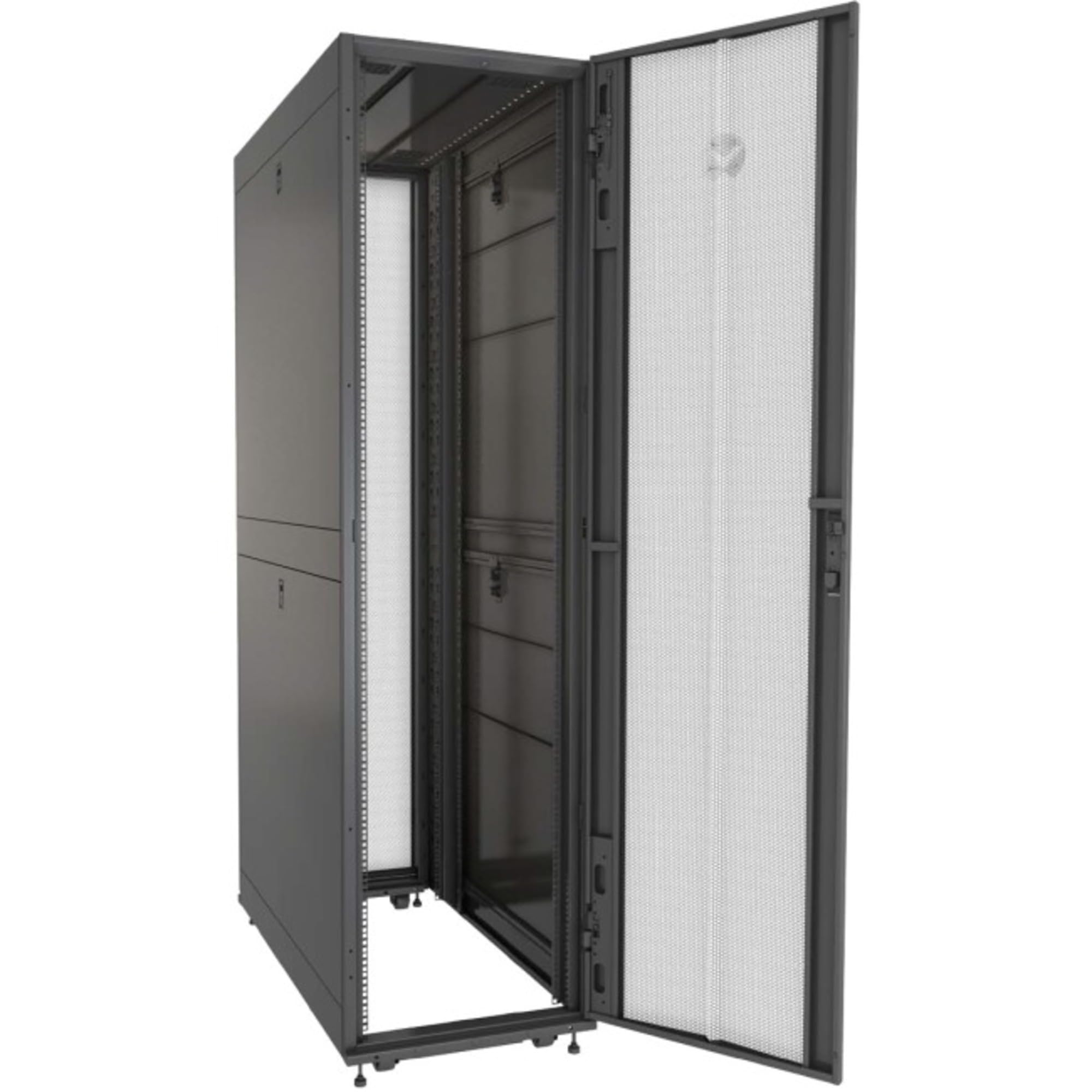
Figur 1: Vertiv VR3100 42U Server Rack Enclosure with its front perforated door open, revealing the internal mounting rails and cable management options. The rack is shown with leveling feet installed.
Opsætning og installation
1. Udpakning og inspektion
Carefully unpack the server rack and all components. Inspect for any shipping damage. Retain packaging materials for potential future transport.
Inkluderede komponenter:
- M6 cage nuts and M6 screws (50 pieces)
- Baying Hardware
- Edge Grommet
- Combination T30 Torx L-key with Phillips head
- Cage nut insertion tool
- T30 Extension Driver
2. Caster and Leveling Feet Installation
The rack is delivered with casters and adjustable leveling feet. Ensure the rack is positioned in its final location before adjusting the leveling feet for stability. Use the leveling feet to raise the rack slightly off the casters and ensure it is level on uneven surfaces.
3. Door Reversal (Optional)
The single perforated locking door and split perforated locking door can be reversed in the field to suit your installation requirements. Refer to the detailed diagrams in the full product manual for specific instructions on reversing the door hinges and latches.
4. Side Panel Management
The rack features split side panels with a single locking slam latch for easy single-person installation and removal. To remove, disengage the slam latch and lift the panel. To install, align the panel and engage the latch.
5. Top Cover Panel
The top cover panel is designed for easy removal to facilitate cable routing and access. It includes entry holes capable of accommodating up to 2000 Cat 6 cables or a 60A PDU plug.
6. Skinneinstallation
The rack includes two sets of 19-inch EIA rails for mounting sliding shelves and other equipment. These rails are adjustable to accommodate various equipment depths. Utilize the provided M6 cage nuts and screws for secure mounting.
Betjeningsvejledning
1. Equipment Loading
When loading equipment, distribute weight evenly within the rack. The Vertiv VR3100 has a static load capacity of 3,000 pounds and a dynamic load capacity of 2,500 pounds. Always adhere to these limits to ensure stability and safety.
2. Kabelforvaltning
Utilize the integrated cable management features and zero U spaces for organizing cables. The zero U spaces are equipped with brackets and mounting holes for tool-less installation and removal of cable management accessories.
3. PDU and UPS Installation
The rack supports the installation of various PDUs and UPSs. The zero U spaces facilitate tool-less installation of rack PDUs. Ensure proper power distribution and grounding for all installed equipment.
Opretholdelse
1. Generel rengøring
Regularly clean the exterior surfaces of the rack with a soft, damp cloth. Avoid abrasive cleaners or solvents. Ensure ventilation openings are free from dust and obstructions.
2. Komponentinspektion
Periodically inspect all fasteners, hinges, and latches for tightness and proper function. Verify that all installed equipment is securely mounted and cables are properly routed and secured.
Fejlfinding
If you encounter issues with your Vertiv VR3100 rack, consider the following:
- Stabilitetsproblemer: Ensure leveling feet are properly adjusted and the rack is on a stable, level surface.
- Door/Panel Alignment: Check hinges and latches for proper alignment. Adjust as necessary.
- Montering af udstyr: Verify that all cage nuts and screws are securely fastened.
For persistent issues, refer to the comprehensive Vertiv support resources or contact customer service.
Specifikationer
| Feature | Detalje |
|---|---|
| Mærke | Vertiv |
| Modelnummer | VR3100 |
| Rack enheder | 42U |
| Dimensioner (HxBxD) | 2000mm x 600mm x 1100mm (78.74"H x 23.62"W x 43.31"D) |
| Varens vægt | 280 pund |
| Statisk belastningskapacitet | 3,000 pund |
| Dynamisk lasteevne | 2,500 pund |
| Materiale | Legeret stål |
| Kompatible enheder | Server |
Garantioplysninger
For detailed warranty terms and conditions, please refer to the official Vertiv webwebstedet eller garantikortet, der fulgte med dit produkt. Gem din købsbevis til garantikrav.
Støtte
For technical assistance, product inquiries, or to access additional resources, please visit the official Vertiv support website or contact their customer service department. Contact information can typically be found on the Vertiv webwebsted eller i produktemballagen.
Vertiv Webwebsted: www.vertiv.com


