Indledning
Thank you for choosing the Monarch Specialties Computer Desk. This desk combines industrial design with rustic charm, offering a functional and stylish solution for your home office. Featuring a spacious tabletop, two side drawers with metal pulls, and a wide middle drawer with a leather pull, this desk is designed to accommodate your computer and other office essentials. This manual provides detailed instructions for assembly, operation, maintenance, and troubleshooting to ensure a long-lasting and satisfying experience with your new furniture.

Image: Monarch Specialties Computer Desk in a home office setting, showcasindens design og funktionalitet.
Sikkerhedsoplysninger
Please read all instructions carefully before assembly and use. Failure to follow these guidelines may result in injury or damage to the product.
- Hold alle små dele og emballagematerialer væk fra børn og kæledyr for at forhindre kvælningsfare.
- Assemble the desk on a soft, clean surface (e.g., carpet or cardboard) to prevent scratching.
- Ensure all screws and fasteners are securely tightened before using the desk. Periodically check and re-tighten as needed.
- Do not overload the desk or drawers. Refer to the specifications for weight capacities.
- Undgå at placere varme genstande direkte på skrivebordets overflade uden beskyttende polstring.
- Stå eller sid ikke på skrivebordet.
- Hvis der mangler eller er beskadigede dele, må du ikke fortsætte med monteringen. Kontakt kundesupport med det samme.
Reservedelsliste
Before beginning assembly, verify that all components are present and undamaged. The following is a general list of parts you should expect:
- Bordplade
- Side Drawer Units (2)
- Middle Drawer Unit (1)
- Metalben (4)
- Metal Crossbar (1)
- Drawer Pulls (3 - 2 metal, 1 leather)
- Samlebeslag (skruer, bolte, skiver, unbrakonøgle)

Image: Detailed diagram showing the dimensions of the Monarch Specialties Computer Desk and its individual drawer components.
Opsætning og montering
Assembly is required for this product. It is recommended to have two people for easier and safer assembly. Please follow these general steps:
- Udpak og identificer dele: Carefully remove all components from the packaging. Lay them out on a clean, soft surface. Refer to the parts list and diagrams to identify each piece.
- Attach Legs to Desk Top: Secure the metal legs to the underside of the desk top panel using the provided screws and an Allen wrench. Ensure the legs are oriented correctly as per the diagram.
- Installer tværstang: Attach the metal crossbar between the legs to provide additional stability.
- Saml skuffer: Follow the specific instructions for assembling the drawer boxes. This typically involves attaching the front, back, and side panels, and then the bottom panel.
- Installer skuffeglidere: Attach the drawer glides to the inside of the desk frame and to the sides of the assembled drawers. Ensure they are aligned for smooth operation.
- Indsæt skuffer: Skub forsigtigt de samlede skuffer ind i deres respektive rum.
- Attach Drawer Pulls: Secure the metal and leather drawer pulls to the front of each drawer.
- Endelig kontrol: Once assembled, gently lift and move the desk to its desired location. Ensure all connections are tight and the desk is stable.

Image: The Monarch Specialties Computer Desk fully assembled, showcasing its taupe wood-look finish and black metal legs.
Betjeningsvejledning
The Monarch Specialties Computer Desk is designed for straightforward use in a home office environment.
- Skrivebordsoverflade: Use the spacious tabletop for your computer, laptop, monitor, and other work essentials. Consider using a desk pad to protect the surface from scratches and spills.
- Skuffer: The desk features two side drawers and one wide middle drawer. Pull the respective handles to open and push to close. Ensure drawers are fully closed when not in use to prevent accidental opening or damage.
- Vægtfordeling: Distribute weight evenly across the desk surface and within the drawers to maintain stability and prevent tipping.
- Kabelstyring: While not explicitly designed with cable management features, you can use adhesive cable clips or ties (not included) to organize wires behind the desk for a tidy workspace.
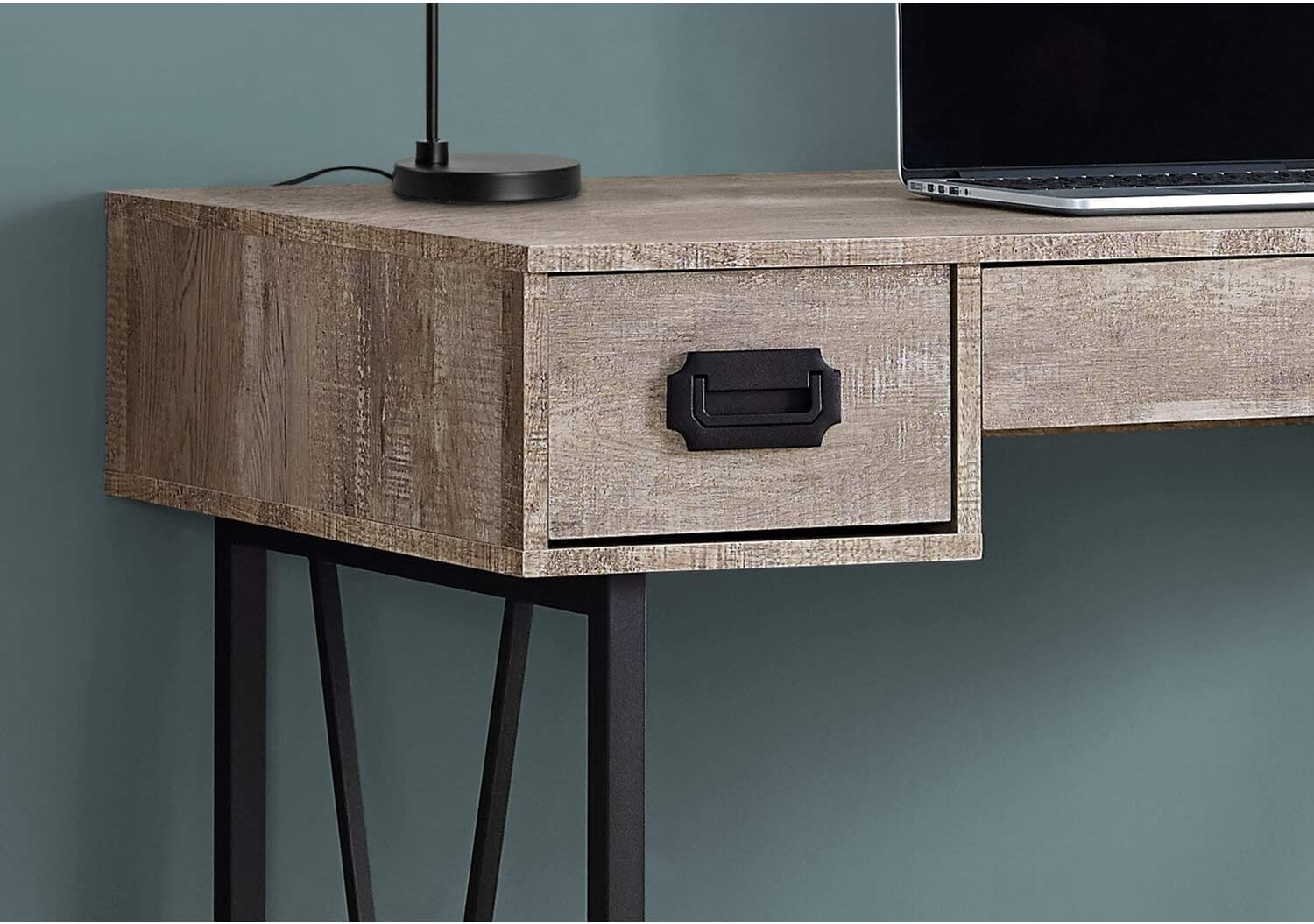
Billede: Et nærbillede view of one of the side drawers on the Monarch Specialties Computer Desk, highlighting the metal pull handle and wood-look finish.
Pleje og vedligeholdelse
Korrekt pleje vil forlænge levetiden og udseendet af dit skrivebord.
- Rensning: Tør skrivebordets overflade og ben af med en blød, tør kludamp klud. Undgå at bruge skrappe kemikalier, slibende rengøringsmidler eller polermidler, der kan beskadige finishen.
- Spild: Immediately wipe up any spills to prevent staining or damage to the laminate finish.
- Varme og fugt: Protect the surface from extreme heat and moisture. Use coasters for drinks and heat pads for hot items.
- Sollys: Undgå langvarig udsættelse for direkte sollys, da dette kan forårsage falmning eller misfarvning over tid.
- Hardware: Kontrollér regelmæssigt alle skruer og fastgørelseselementer for at sikre, at de forbliver stramme. Spænd efter behov for at opretholde stabiliteten.
- Flytning: Når du flytter skrivebordet, skal du løfte det i stedet for at trække det for at undgå at beskadige ben og stel.
Fejlfinding
Her er løsninger på almindelige problemer, du kan støde på:
- Skrivebordet er vaklende:
Løsning: Ensure all assembly screws and bolts are securely tightened. Check that the desk is on a level surface. If not, use furniture glides or shims under the legs to stabilize it. - Skuffer sidder fast eller glider ikke jævnt:
Løsning: Check that the drawer glides are properly aligned and free of obstructions. Ensure the drawers are not overloaded. A small amount of silicone spray on the glides can improve smoothness. - Manglende eller beskadigede dele:
Løsning: Do not attempt to assemble the product with missing or damaged parts. Contact Monarch Specialties customer support with your model number and a description of the issue to request replacement parts. - Overfladeridser:
Løsning: For minor scratches, furniture repair markers or wax sticks matching the finish color may help. Always use a desk pad or protective mat to prevent future scratches.
Specifikationer
| Feature | Detalje |
|---|---|
| Mærke | Monark specialiteter |
| Modelnummer | jeg 7414 |
| Produktmål (D x B x H) | 23.75" D x 47.25" B x 30.75" H |
| Farve | Taupe |
| Stil | CONTEMPORARY, INDUSTRIAL, MODERN |
| Grundmateriale | Metal |
| Finish Type | Konstrueret træ |
| Speciel funktion | Kompakt |
| Antal skuffer | 3 (2 side, 1 middle) |
| Varens vægt | 61 pund |
| Montering påkrævet | Ja |
Garanti og support
Monarch Specialties products are manufactured to high standards. For specific warranty information, please refer to the documentation included with your purchase or visit the official Monarch Specialties website. If you require assistance with assembly, have questions about your product, or need to report missing/damaged parts, please contact Monarch Specialties customer support directly. Keep your purchase receipt and model number handy for faster service.
For mere information kan du besøge Monarch Specialties Store on Amazon.


