1. Vigtige sikkerhedsinstruktioner
Please read all instructions before using this appliance. Failure to follow these instructions may result in electric shock, fire, or serious injury. Keep this manual for future reference.
- Må ikke bruges udendørs eller på våde overflader.
- Må ikke bruges som legetøj. Omhyggelig opmærksomhed er nødvendig, når den bruges af eller i nærheden af børn.
- Brug kun som beskrevet i denne manual. Brug kun producentens anbefalede tilbehør.
- Må ikke bruges med beskadiget ledning eller stik. Hvis apparatet ikke fungerer, som det skal, er blevet tabt, beskadiget, efterladt udendørs eller tabt i vand, skal det returneres til et servicecenter.
- Undlad at trække eller bære i snoren, bruge snoren som håndtag, lukke en dør på snoren eller trække snoren rundt om skarpe kanter eller hjørner. Kør ikke apparatet over ledningen. Hold ledningen væk fra opvarmede overflader.
- Tag ikke stikket ud ved at trække i ledningen. For at tage stikket ud skal du tage fat i stikket, ikke i ledningen.
- Håndter ikke stikket eller apparatet med våde hænder.
- Stik ikke genstande ind i åbninger. Må ikke bruges med blokerede åbninger; holdes fri for støv, fnug, hår og alt, hvad der kan reducere luftstrømmen.
- Hold hår, løstsiddende tøj, fingre og alle dele af kroppen væk fra åbninger og bevægelige dele.
- Tag ikke noget op, der brænder eller ryger, såsom cigaretter, tændstikker eller varm aske.
- Må ikke bruges til at opsamle brændbare eller brændbare væsker, såsom benzin, eller brug i områder, hvor de kan være til stede.
- Må ikke bruges uden støvkop og/eller filtre på plads.
- Sluk for alle knapper, før du trækker stikket ud.
- Vær ekstra forsigtig ved rengøring på trapper.
- Dette produkt indeholder kemikalier, der af staten Californien vides at forårsage kræft og fødselsdefekter eller anden reproduktionsskade.
2. Produktkomponenter

Figure 2.1: All components included with the Eureka NEC122 PowerPlush Cordless Stick Vacuum Cleaner.
The Eureka NEC122 PowerPlush Cordless Stick Vacuum Cleaner comes with the following components:
- Main Handheld Unit (with dust cup and motor)
- Forlængerstav
- Motorized PowerPlush Floor Nozzle
- Detachable 21.6V Lithium-Ion Battery
- Opladningsadapter
- Sprækkeværktøj
- Støvbørste
- Wall Mount with accessory storage
3. Opsætning
3.1 Montering
Assemble the vacuum cleaner by connecting the extension wand to the main handheld unit, then attach the motorized PowerPlush floor nozzle to the other end of the extension wand. Ensure all connections click securely into place.

Figure 3.1: The Eureka NEC122 PowerPlush Cordless Stick Vacuum Cleaner fully assembled.
3.2 Opladning af batteriet
Before first use, fully charge the 21.6V Lithium-Ion battery. The battery is detachable for convenient charging and storage.

Figure 3.2: The detachable 21.6V battery can be easily removed for charging or replacement.
Connect the charging adapter to the battery and plug it into a power outlet. The battery indicator lights will show the charging status. A full charge typically takes several hours. Do not operate the vacuum while it is charging.
4. Betjeningsvejledning
4.1 Tænd/sluk
To turn the vacuum on, press the power button located on the handle. Press it again to turn the vacuum off. The vacuum features a trigger that stays on until pressed again, eliminating the need to hold it down continuously.
4.2 Brug af støvsugeren
The Eureka NEC122 PowerPlush is designed for efficient cleaning on hard floors. The soft plush brush roll effectively picks up both fine dust and larger particles.

Figure 4.1: The motorized PowerPlush brushroll is specifically designed for optimal performance on hard floors.
Its lightweight design (approximately 5.3 lbs) and swivel steering make it easy to maneuver around furniture and clean hard-to-reach areas, including under furniture and high surfaces.
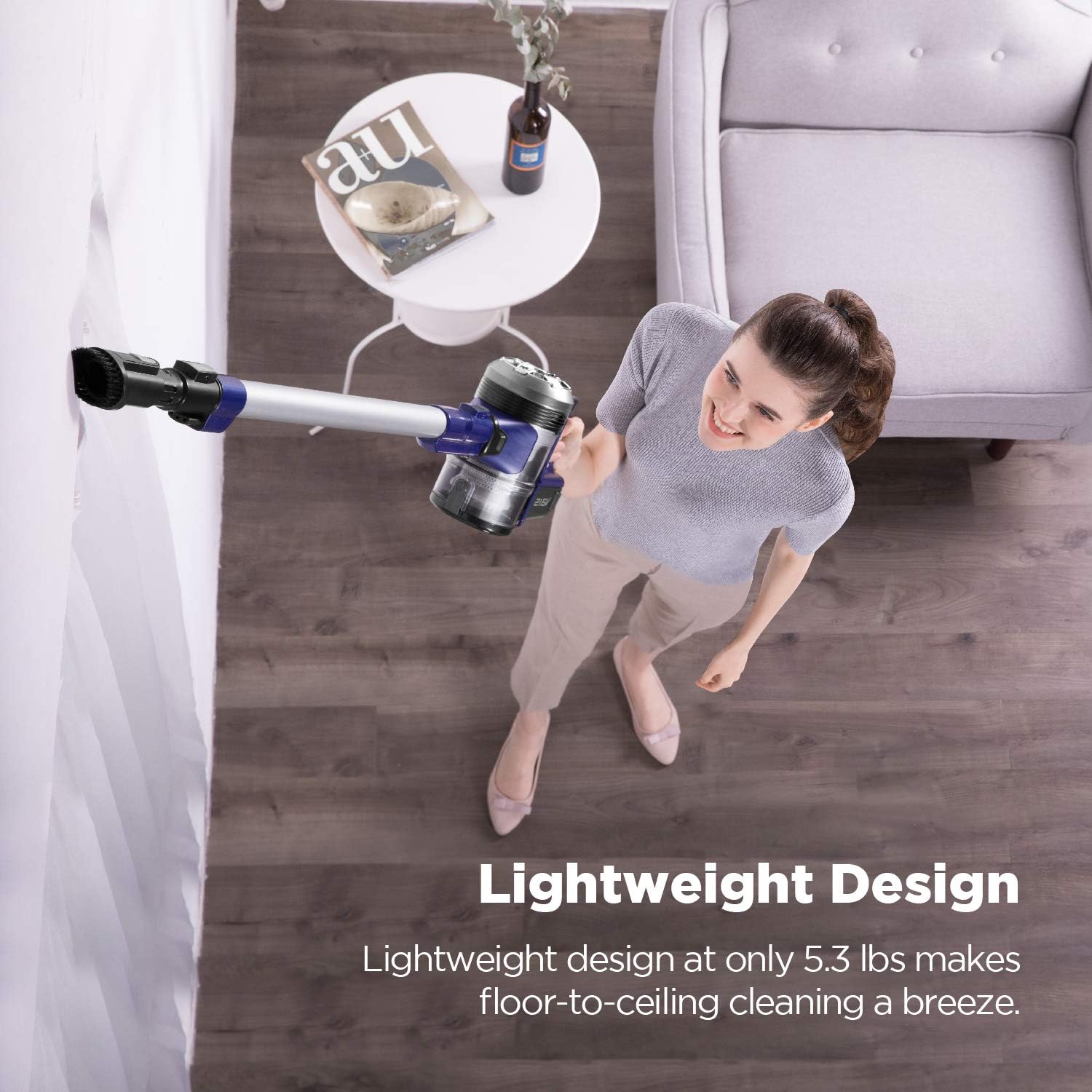
Figure 4.2: The lightweight design allows for easy floor-to-ceiling cleaning.
4.3 batteriindikatorlamper
The battery indicator lights on the main unit provide real-time information about the battery's charge level, allowing you to plan your cleaning tasks efficiently.
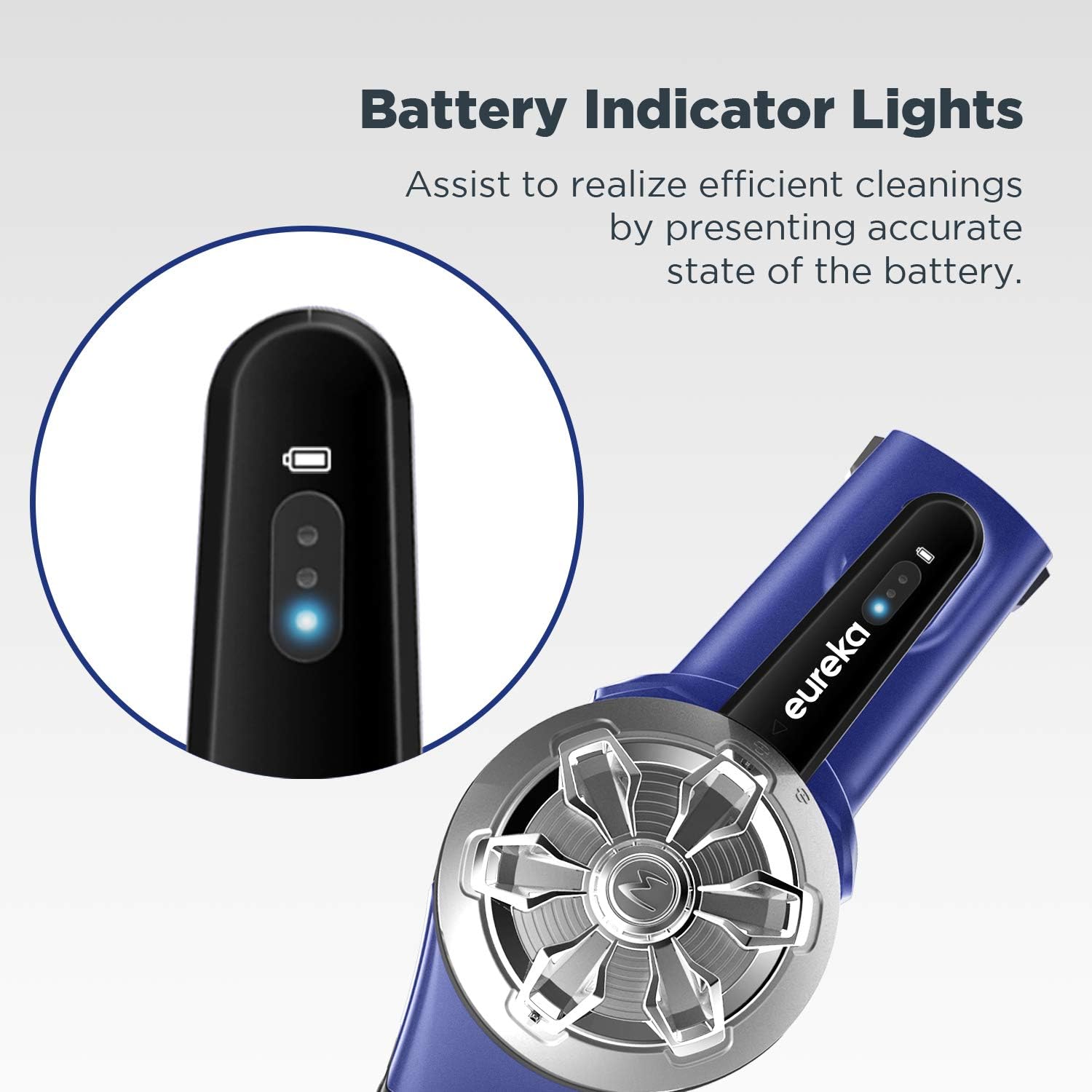
Figure 4.3: Battery indicator lights display the current charge status.
4.4 Brug af tilbehør
The included crevice tool and dusting brush can be attached directly to the handheld unit or the extension wand for versatile cleaning of upholstery, tight spaces, and delicate surfaces.
4.5 Opbevaring
The vacuum comes with a wall mount that includes storage for the two cleaning tools. This allows for convenient and organized storage of your vacuum and its accessories.
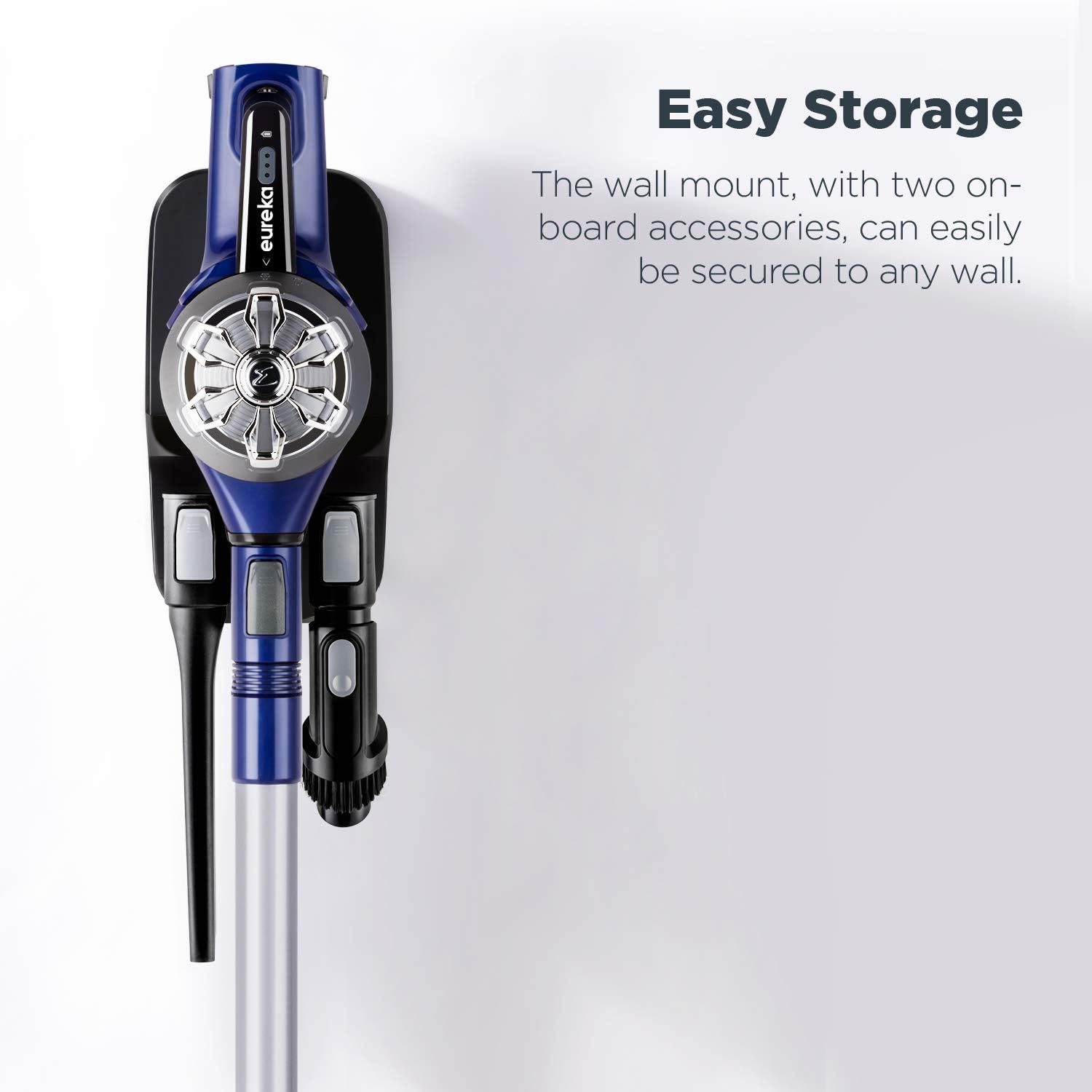
Figure 4.4: The wall mount provides easy storage for the vacuum and its accessories.
5. Vedligeholdelse
5.1 Tømning af støvbeholderen
Empty the dust cup regularly to maintain optimal suction. Simply press the release button to expel dirt directly into a trash bin, or twist off the dust cup and empty it by hand.
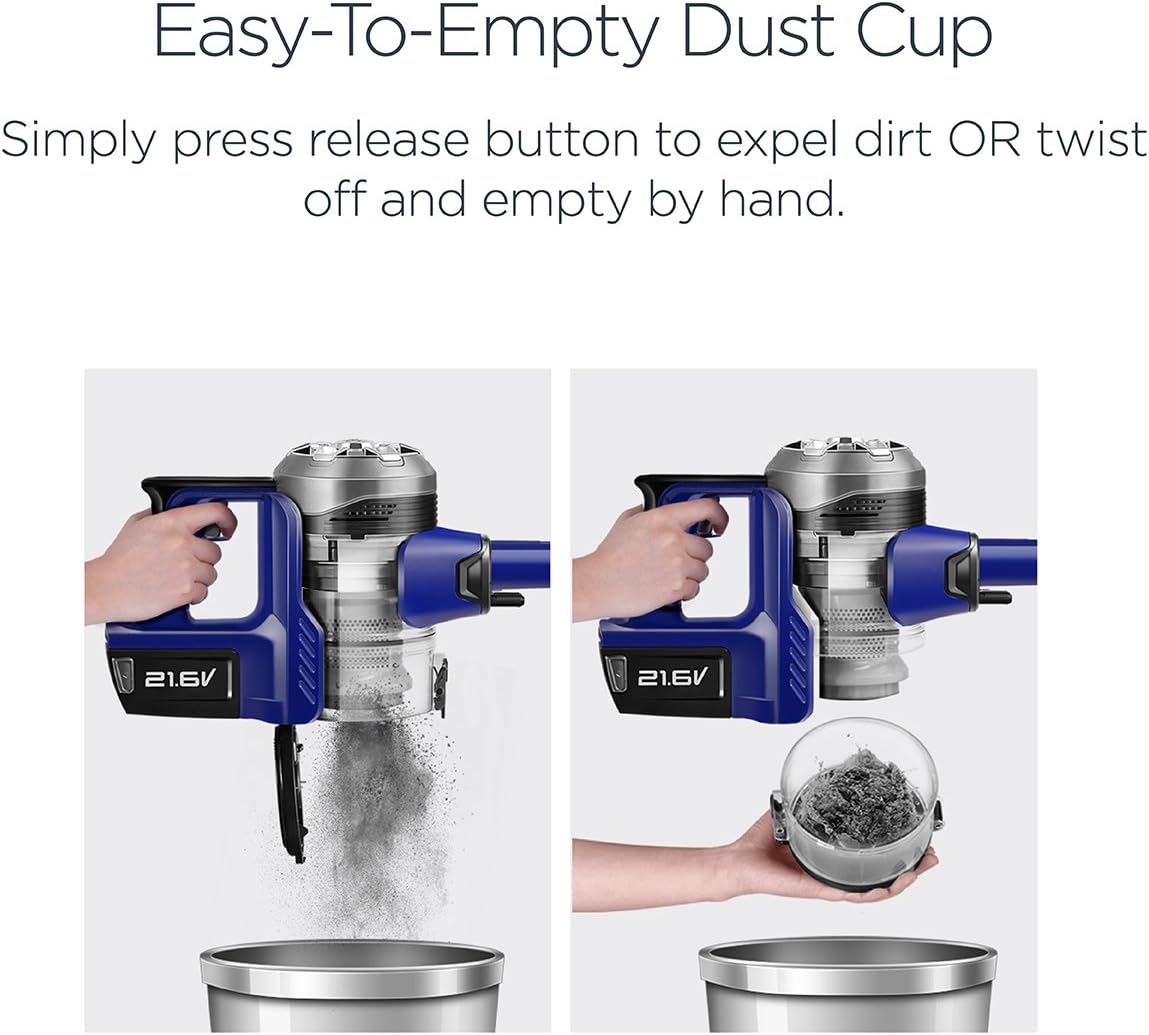
Figure 5.1: The dust cup can be emptied with a press of a button or by twisting it off.
5.2 Rengøring af filteret
The vacuum features a washable anti-allergen filter. For best performance, clean the filter frequently. Remove the filter from the dust cup, rinse it under running water until clean, and allow it to air dry completely for at least 24 hours before reinserting. Do not use the vacuum with a wet filter.

Figure 5.2: The washable anti-allergen filter helps capture microscopic dust.
5.3 Rengøring af børstevalsen
Periodically check the PowerPlush brush roll for tangled hair or debris. Remove any obstructions to ensure efficient cleaning and prevent damage to the motor.
6. Fejlfinding
| Problem | Mulig årsag | Løsning |
|---|---|---|
| Vakuum tænder ikke | Batteriet er ikke opladet eller ikke isat korrekt. | Sørg for, at batteriet er fuldt opladet og isat sikkert. |
| Nedsat sugeeffekt | Dust cup is full; filter is clogged; brush roll is obstructed. | Empty dust cup; clean or replace filter; remove obstructions from brush roll. |
| Børsterullen roterer ikke | Obstruction in brush roll; floor nozzle not properly attached. | Clear any debris from brush roll; ensure floor nozzle is securely connected. |
| Kort batterilevetid | Batteriet er ikke fuldt opladet; batteriet forringes over tid. | Sørg for, at batteriet er fuldt opladet før brug. Overvej at købeasing a replacement battery if performance significantly degrades. |
7. Specifikationer
| Feature | Detalje |
|---|---|
| Mærke | Eureka |
| Modelnavn | NEC122 |
| Magt | 21.6V (110 watts) |
| Batteritype | Lithium-ion |
| Batterilevetid | Cirka 25 minutter |
| Filtertype | Washable Cloth Filter |
| Vægt | 5.3 pund |
| Dimensioner (L x B x H) | 8.5 x 9.5 x 43.5 tommer |
| Anbefalet brug | Hårdt Gulv |
| Særlige funktioner | 2-Way easy empty, Bagless, Cordless, Lightweight, Self-Propelled, Washable Filter, Clear brushroll window, Hard floor expertise, Powerful suction, Swivel steering |
8. Garanti og support
The Eureka NEC122 PowerPlush Cordless Stick Vacuum Cleaner comes with a 2 års begrænset garanti on the vacuum unit and a 12 måneders begrænset garanti på batteriet.
For warranty claims, technical support, or to purchase replacement parts, please visit the official Eureka store or contact Eureka customer service.
Eureka Store: https://www.amazon.com/stores/Eureka/page/2C146D16-2E09-4B35-81CF-B1382470E3EF


