1. Introduktion
This manual provides essential information for the safe and efficient operation of your Pyle 40 Inch LED TV with Built-in CD/DVD Player, Model PTVDLED40.5. Please read this manual thoroughly before using the product and retain it for future reference.

Billede: Forside view of the Pyle 40 Inch LED TV, showing the screen displaying a landscape, a remote control, and a hand inserting a disc into the side-loading DVD player.
2. Sikkerhedsoplysninger
ADVARSEL: FOR AT MINDSKE RISIKOEN FOR ELEKTRISK STØD, MÅ LÆGGET (ELLER BAGSIDEN) IKKE FJERNES. INGEN DELE, SOM BRUGEREN SERVICES INDE. OVERVIS SERVICE TIL KVALIFICERET SERVICEPERSONAL.
- Læs disse instruktioner.
- Gem disse instruktioner.
- Overhold alle advarsler.
- Følg alle instruktioner.
- Brug ikke dette apparat i nærheden af vand.
- Rengør kun med en tør klud.
- Bloker ikke ventilationsåbninger. Installer i overensstemmelse med producentens anvisninger.
- Må ikke installeres i nærheden af varmekilder såsom radiatorer, varmeapparater, komfurer eller andre apparater (inklusive ampløftere), der producerer varme.
- Undgå at omgå sikkerhedsformålet med det polariserede stik eller stik med jordforbindelse. Et polariseret stik har to knive, hvor den ene er bredere end den anden. Et stik med jordforbindelse har to knive og et tredje jordstik. Det brede blad eller det tredje ben er tilvejebragt for din sikkerhed. Hvis det medfølgende stik ikke passer i din stikkontakt, skal du kontakte en elektriker for at få udskiftet den forældede stikkontakt.
- Beskyt netledningen mod at blive trådt på eller klemt, især ved stik, stikkontakter og det sted, hvor de kommer ud af apparatet.
- Brug kun tilbehør/tilbehør specificeret af producenten.
- Brug kun den vogn, stativ, stativ, beslag eller bord, der er specificeret af producenten eller solgt sammen med apparatet. Når en vogn bruges, skal du være forsigtig, når du flytter kombinationen af vognen/apparatet for at undgå skader ved at vælte.
- Træk stikket ud af dette apparat under tordenvejr, eller når det ikke skal bruges i længere perioder.
- Overlad al service til kvalificeret servicepersonale. Service er påkrævet, når apparatet er blevet beskadiget på nogen måde, såsom strømforsyningsledning eller stik er beskadiget, væske er blevet spildt, eller genstande er faldet ind i apparatet, apparatet har været udsat for regn eller fugt, ikke fungerer normalt , eller er blevet droppet.
3. Pakkens indhold
Bekræft, at alle nedenstående varer er inkluderet i din pakke:
- Pyle 40 Inch HD LED TV (Model PTVDLED40.5)
- Fjernbetjening med fuld funktion
- (2) AAA-batterier til fjernbetjening
- (2) Base Stands
- Mounting Screws for Base Stands
- Strømledning

Image: Included accessories for the Pyle 40 Inch LED TV, showing the remote control, power cord, two base stands, and screws.
4. Produktet er slutview
4.1 Foran View
Billede: Forside view of the Pyle 40 Inch LED TV, showcasing the screen and the Pyle logo.
- Skærmvisning: 40-inch D-LED Backlight display.
- Pyle Logo: Indicates brand.
- IR -sensor: Til fjernbetjeningssignaler.
- Strømindikator: LED-lys, der angiver strømstatus.
4.2 Sidepanelkontrol

Image: Close-up of the side panel controls on the Pyle 40 Inch LED TV, showing buttons for volume, channel, menu, input, and power.
- VOL +/-: Justerer lydstyrken.
- CH +/-: Skifter kanaler.
- MENU: Accesses the on-screen menu.
- INPUT: Vælger inputkilde (HDMI, AV osv.).
- MAGT: Tænder eller slukker for tv'et.
4.3 Bagpaneltilslutninger

Billede: Bagside view of the Pyle 40 Inch LED TV, highlighting the various input and output ports.

Image: Detailed close-up of the input/output ports on the Pyle 40 Inch LED TV, including HDMI, VGA, PC Audio, RF, Earphone, USB, Coaxial, Audio Out, Mini YPbPr, and Video/Audio In (RCA).
- HDMI (x3): High-Definition Multimedia Interface-indgange til digital lyd/video.
- YPbPr (komponentvideo): Analog video input (green, blue, red) for high-quality analog video.
- RCA (L/R Audio, Video): Analog audio (white, red) and composite video (yellow) inputs.
- VGA/PC: Video Graphics Array input for connecting a computer.
- PC lyd: Lydindgang til VGA-tilslutning.
- RF (Antenna): Input for connecting an antenna or cable TV.
- Optical (Digital) Audio Out: Digital audio output for connecting to a soundbar or receiver.
- Hovedtelefoner: 3.5 mm lydudgang til hovedtelefoner.
- USB: For service or media playback (check manual for specific functionality).
- Koaksial: Digital lydudgang.
4.4 Built-in CD/DVD Player
The TV features a side-loading CD/DVD player. Insert discs gently into the slot located on the side of the television.
Billede: Side view of the Pyle 40 Inch LED TV, clearly showing the slot for the built-in CD/DVD player.
5. Opsætning
5.1 Attaching the Base Stands
- Placer forsigtigt tv-skærmen med nedad på en blød, ren overflade for at undgå ridser.
- Align each base stand with the corresponding slots on the bottom of the TV.
- Fastgør hver stativ med de medfølgende skruer. Sørg for, at de er spændt godt fast.

Image: The Pyle 40 Inch LED TV shown with its two base stands securely attached, ready for placement on a flat surface.
5.2 Vægmontering (valgfrit)
The TV is VESA mounting compatible (200mm x 200mm). Remove the base stands if you intend to wall mount the television. Use a VESA-compatible wall mount kit (sold separately) and follow the instructions provided with the wall mount.
WARNING: Wall mounting should be performed by qualified personnel to prevent injury or damage.
5.3 Tilslutning af strøm
- Connect the power cord to the AC input on the back of the TV.
- Plug the other end of the power cord into a standard electrical outlet (100-240V, 50/60Hz).
5.4 Tilslutning af eksterne enheder
Refer to the "Rear Panel Connections" section for port locations.
- HDMI-enheder: Connect HDMI cables from your devices (e.g., Blu-ray player, game console) to the HDMI ports on the TV.
- Component Video (YPbPr) Devices: Connect component video cables (green, blue, red) and RCA audio cables (white, red) from your device to the corresponding inputs.
- Composite Video (RCA) Devices: Connect composite video cable (yellow) and RCA audio cables (white, red) from your device to the corresponding inputs.
- Antenne/kabel: Connect an RF coaxial cable from your antenna or cable wall outlet to the RF input.
- PC-forbindelse: Connect a VGA cable from your computer to the VGA port and an audio cable from your computer's audio output to the PC Audio input.
6. Betjening
6.1 Tænd/sluk
Tryk på MAGT button on the remote control or the side panel to turn the TV on or off.
6.2 Fjernbetjening
Insert two 'AAA' batteries into the remote control, observing polarity. Point the remote control towards the TV's IR sensor.
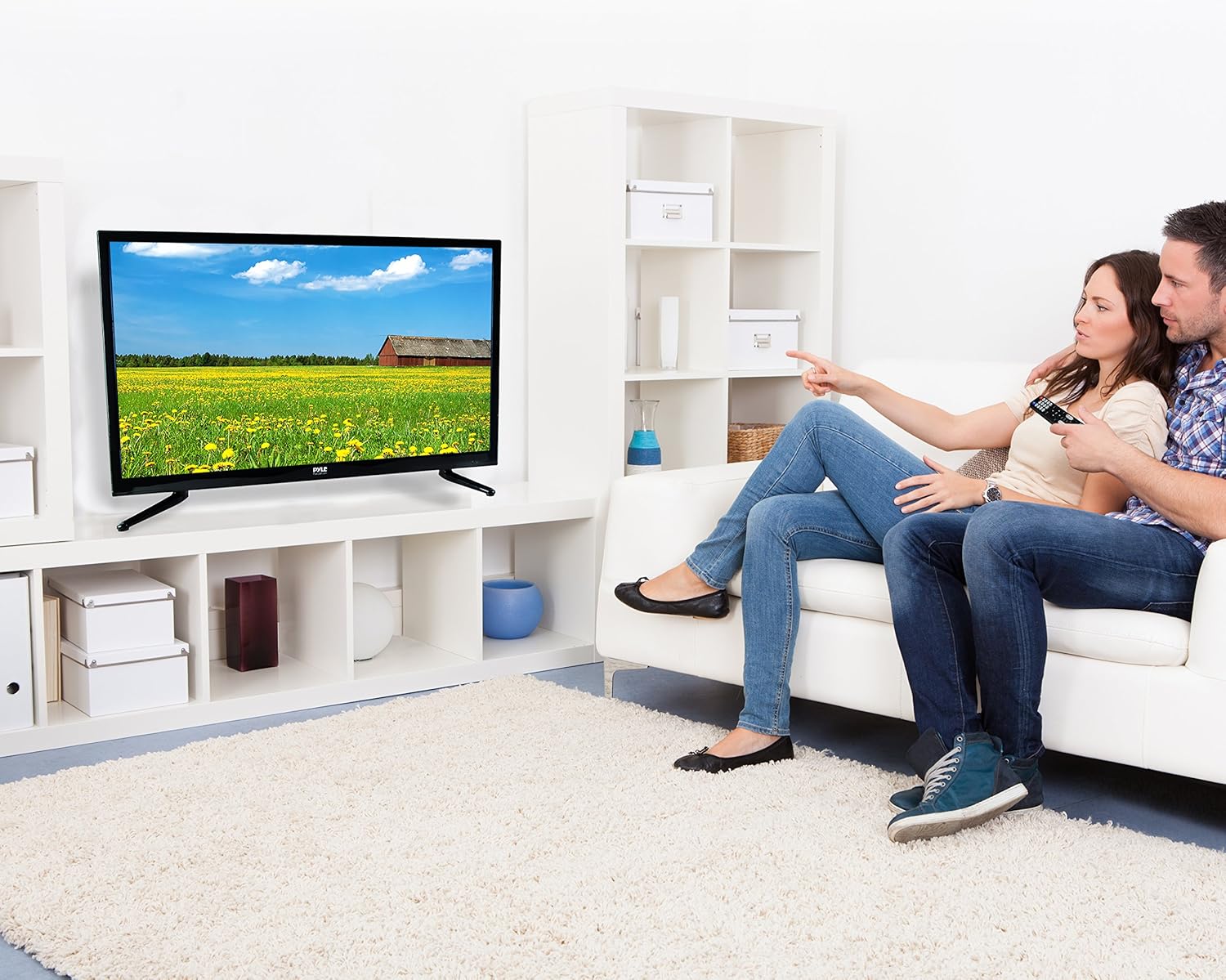
Image: The full-function remote control for the Pyle 40 Inch LED TV, showing various buttons for power, input, volume, channel, menu, and media playback.
- MAGT: Tænder/slukker tv'et.
- INPUT: Vælger inputkilden.
- VOL +/-: Justerer lydstyrken.
- CH +/-: Skifter kanaler.
- MENU: Åbner hovedmenuen.
- Navigationsknapper (Op/Ned/Venstre/Højre/OK): Naviger i menuindstillinger.
- EXIT/BACK: Exits current menu or goes back.
- STUM: Slår lyden til/fra.
- DVD Controls: Play, Pause, Stop, Fast Forward, Rewind, Next/Previous Track.
- V-CHIP: Accesses V-Chip settings for parental control.
- CC (undertekster): Slår undertekster til/fra.
- SOVE: Indstiller sleep-timeren.
6.3 Valg af indgangskilde
Tryk på INPUT button on the remote control to cycle through available input sources (TV, HDMI1, HDMI2, HDMI3, YPbPr, AV, VGA, DVD).
6.4 Using the Built-in CD/DVD Player
- Sørg for, at tv'et er tændt.
- Gently insert a compatible disc (DVD, DVD+/-R, DVD+/-RW, CD, CD-R, CD-RW, JPEG) into the side-loading slot with the label facing up.
- The TV should automatically switch to DVD mode. If not, press the INPUT button and select "DVD".
- Use the DVD control buttons on the remote control (Play, Pause, Stop, etc.) to manage playback.
6.5 Menufunktioner
Tryk på MENU button to access the on-screen display (OSD) menu. Use the navigation buttons to select and adjust settings.
- Billedindstillinger: Adjust brightness, contrast, color, sharpness, and picture modes (Standard, Dynamic, Movie, User).
- Lydindstillinger: Adjust bass, treble, balance, and sound modes (Standard, Music, Movie, User).
- Kanalindstillinger: Auto scan for channels, manual tuning, channel list.
- Tidsindstillinger: Set current time, sleep timer, auto power off.
- Indstillinger for valgmuligheder: Language, V-Chip (parental control), Closed Caption, display modes (16:9, 4:3, Zoom, Cinema).
7. Vedligeholdelse
- Rengøring af skærmen: Tør forsigtigt skærmen af med en blød, fnugfri klud. Fjern genstridige mærker ved atampRengør kluden med en lille mængde skærmrens, der er specielt designet til elektronik. Spray ikke rengøringsmiddel direkte på skærmen.
- Rengøring af kabinettet: Tør tv-kabinettet af med en blød, tør klud. Undgå at bruge slibende rengøringsmidler eller opløsningsmidler.
- Ventilation: Sørg for, at ventilationsåbningerne på bagsiden af tv'et ikke er blokerede for at forhindre overophedning.
- Strømledning: Kontrollér regelmæssigt netledningen for skader. Hvis den er beskadiget, skal du ophøre med at bruge den og kontakte kvalificeret servicepersonale.
8. Fejlfinding
| Problem | Mulig årsag | Løsning |
|---|---|---|
| Ingen strøm | Netledningen er ikke tilsluttet; der er ingen strøm fra stikkontakten. | Sørg for, at netledningen er sat ordentligt i. Kontroller, om stikkontakten virker, ved at tilslutte en anden enhed. |
| Intet billede, men der er lyd | Forkert indgangskilde valgt; løst videokabel. | Tryk på INPUT button to select the correct source. Check video cable connections. |
| Ingen lyd, men der er billede | Volume is muted or too low; incorrect audio cable connection. | Tryk på STUM button or increase volume. Check audio cable connections. |
| Fjernbetjening virker ikke | Batterierne er døde eller isat forkert; blokering mellem fjernbetjening og tv. | Replace batteries. Ensure correct polarity. Remove any obstructions. Point remote directly at the TV's IR sensor. |
| DVD player not reading disc | Disc is dirty, scratched, or incompatible format; disc inserted incorrectly. | Clean the disc. Try a different, known-good disc. Ensure disc is inserted with the label facing up. |
| Poor picture quality from antenna | Weak signal; antenna not positioned correctly. | Adjust antenna position. Perform an auto channel scan. Consider a stronger antenna or signal amplivligere. |
9. Specifikationer
| Feature | Detalje |
|---|---|
| Modelnummer | PTVDLED40.5 |
| Skærmstørrelse | 40.0 tommer (diagonal) |
| Display Type | D-LED Backlight |
| Skærmopløsning | 1920 x 1080 (Full HD 1080p) |
| Signalstøtte | 1080p, 1080i, 720p, 480p, 480i |
| Visningstilstande | 16:9, 4:3, Zoom, Cinema |
| Viewi vinkel | 178° Vertical, 178° Horizontal |
| Højttalerkraft | (2) x 8 Watt, 8Ω |
| Opdateringshastighed | 60 Hz |
| TV-tuner | ATSC/NTSC |
| Svartid | 6 ms |
| Maks. Farve | 16.7M |
| Kontrast | 5000:1 (50,000:1 Dynamic) |
| Lysstyrke | 250 cd/m2 |
| CD/DVD Disc Support | DVD, DVD+/-R, DVD+/-RW, CD, CD-R, CD-RW, JPEG |
| VESA-montering | 200 mm x 200 mm |
| Magt | 100-240V, 50/60Hz |
| Dimensioner (L x B x H) | 36.5'' x 3.5'' x 21.9'' (Panel Only) |
| Varens vægt | 16.32 pund |
| Inkluderede komponenter | 40'' HD LED TV, Full Function Remote Control |
| Forbindelsesteknologi | HDMI |
| Energieffektivitet | Anslåede årlige energiomkostninger: $11.52 |
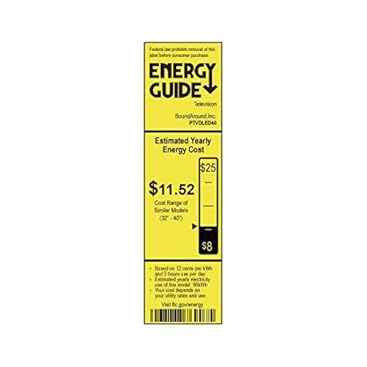
Image: Energy Guide label for the Pyle PTVDLED40 TV, showing an estimated yearly energy cost of $11.52.
10. Garanti og support
For warranty information and technical support, please refer to the warranty card included with your product or visit the official Pyle webwebsted. Gem din købskvittering som købsbevis i tilfælde af garantikrav.
For customer support inquiries, you may also refer to the Amazon kundesupportside.


