1. Introduktion
Thank you for choosing the RCA RLDEDV4001 40-Inch 1080p Full HD LED TV with Built-In DVD Player. This manual provides essential information for the safe and efficient operation of your television. Please read these instructions thoroughly before using the product and retain them for future reference.
This television combines a high-definition display with an integrated DVD player, offering a versatile entertainment solution. It features multiple input options for connecting various external devices.
2. Vigtige sikkerhedsoplysninger
Overhold følgende sikkerhedsforanstaltninger for at forhindre skader og sikre sikker drift:
- Strømkilde: Tilslut kun tv'et til den angivne strømforsyning.
- Ventilation: Sørg for tilstrækkelig ventilation. Bloker ikke ventilationsåbningerne.
- Vand og fugt: Udsæt ikke tv'et for regn eller fugt. Placer ikke genstande fyldt med væsker oven på tv'et.
- Rensning: Tag stikket ud af tv'et før rengøring. Brug en blød, tør klud.
- Service: Forsøg ikke selv at servicere dette produkt. Overlad al service til kvalificeret servicepersonale.
- Placering: Placer tv'et på en stabil, plan overflade. Undgå at placere det i direkte sollys eller i nærheden af varmekilder.
3. Hvad er der i æsken
Pak forsigtigt kassen ud, og sørg for, at alle dele er til stede:
- RCA RLDEDV4001 40-Inch LED TV with Built-In DVD Player
- TV-bord (2 stk.)
- Fjernbetjening
- Strømledning
- Brugervejledning (dette dokument)
- Skruer til montering af stativ
4. Opsætning
4.1 Udpakning
Remove the television and all accessories from the packaging. Retain the packaging materials for future transport or storage.
4.2 Montering af stativ
Sådan installeres den medfølgende stativ:
- Placer tv'et med forsiden nedad på en blød, ren overflade for at forhindre, at skærmen beskadiges.
- Juster hvert stativstykke med de tilsvarende riller i bunden af tv'et.
- Fastgør hvert stativ med de medfølgende skruer. Sørg for, at de er spændt godt fast.

4.3 Tilslutning af eksterne enheder
The RCA RLDEDV4001 offers various input ports for connecting external devices. Refer to the back panel image below for port locations.
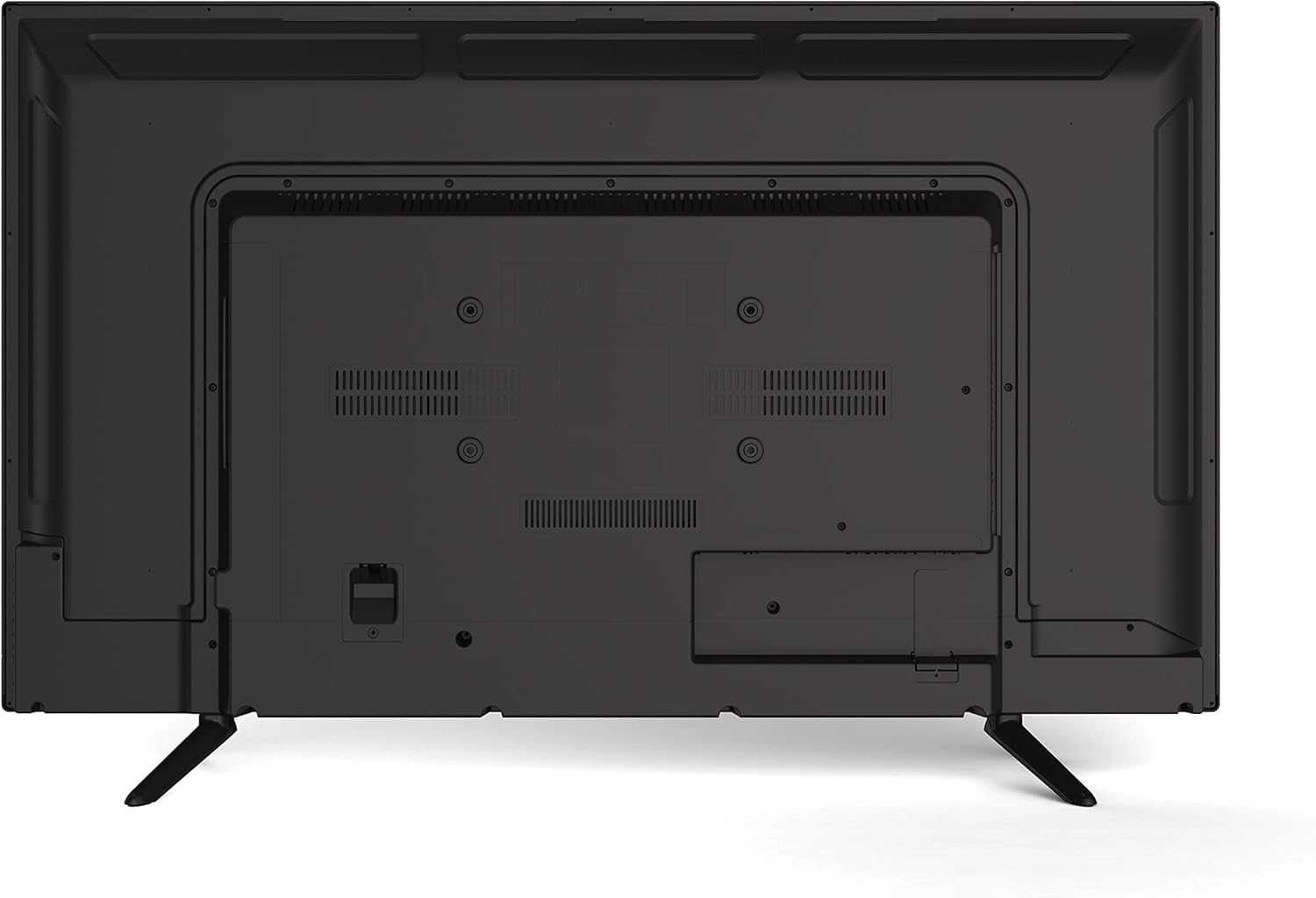
- HDMI (x3): Tilslut Blu-ray-afspillere, spillekonsoller, kabel-/satellitbokse eller andre HDMI-aktiverede enheder.
- VGA: Tilslut en computer til brug som skærm.
- RF (antenne/kabel): Tilslut en antenne til trådløse udsendelser eller en kabel-tv-forbindelse.
- YPBPR (komponentvideo): Connect devices using component video cables (red, green, blue) for video and separate audio cables (red, white).
- AV (Composite Video): Connect older devices using composite video (yellow) and stereo audio (red, white) cables.
- PC lyd: Lydindgang til VGA-tilslutning.
- Hovedtelefoner: Tilslut hovedtelefoner for privat lytning.
4.4 Strømtilslutning
After connecting all desired peripherals, plug the power cord into the TV's power input, then plug the other end into a standard electrical outlet.
5. Betjeningsvejledning
5.1 Tænd/sluk
Tryk på MAGT button on the remote control or on the TV's side panel to turn the TV on or off.
5.2 Indgangsvalg
Tryk på INPUT or KILDE button on the remote control to cycle through available input sources (TV, HDMI1, HDMI2, HDMI3, VGA, AV, YPBPR, DVD).
5.3 Channel Scan (TV Mode)
If using an antenna or cable connection, perform a channel scan:
- Switch the input to TV.
- Access the TV's menu using the MENU knappen på fjernbetjeningen.
- Naviger til Kanal or Opsætning afsnit.
- Vælge Automatisk scanning or Auto-program to search for available channels.
5.4 Betjening af DVD-afspiller
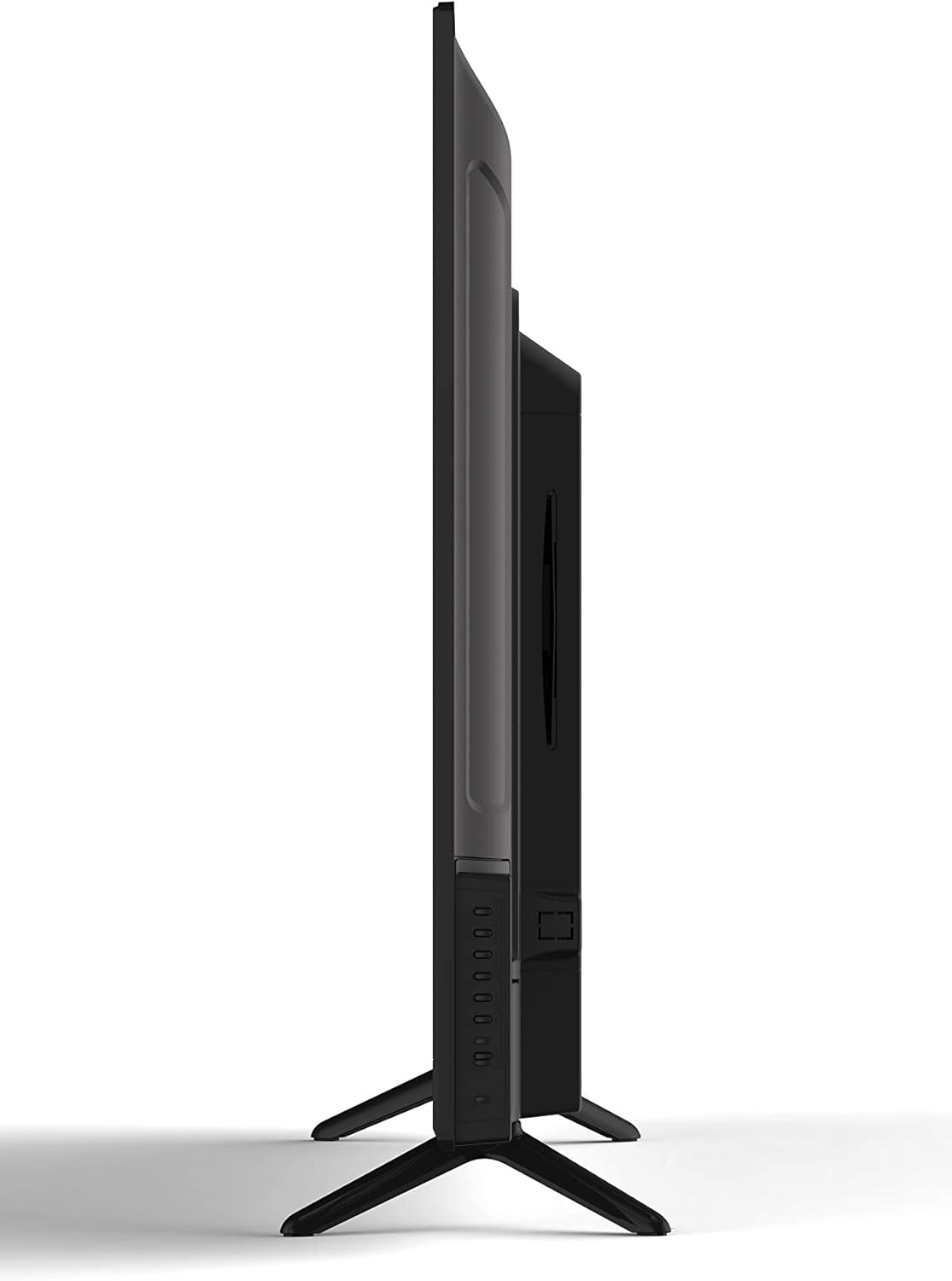
The integrated slot-loading DVD player supports standard DVD discs.
- Gently insert a DVD disc into the slot on the side of the TV, label side facing up. The TV will automatically switch to DVD input or prompt you to do so.
- Use the DVD control buttons on the remote (Play, Pause, Stop, Fast Forward, Rewind, Skip) to manage playback.
- Tryk på for at skubbe en disk ud UDSTØDE button on the remote or the TV's side panel.
5.5 Billed- og lydindstillinger
Access the TV's menu to adjust picture (brightness, contrast, color, aspect ratio) and sound (volume, bass, treble, sound mode) settings to your preference.
5.6 Sleep Timer
The sleep timer function allows you to set a specific time after which the TV will automatically turn off. Access this feature through the TV's main menu.
5.7 Multi-Language On-Screen Display (OSD)
The TV supports multiple languages for its on-screen display. You can change the OSD language in the TV's setup menu.
6. Vedligeholdelse
6.1 Rengøring af tv'et
Tag altid stikket ud af tv'et inden rengøring.
- Skærm: Use a soft, lint-free cloth specifically designed for electronics screens. Do not use abrasive cleaners or solvents.
- Skab: Wipe the cabinet with a soft, dry cloth. If necessary, use a slightly damp klud, og tør derefter straks af.
6.2 Opbevaring
Hvis du opbevarer tv'et i længere tid, skal du afbryde strømmen til det, fjerne batterierne fra fjernbetjeningen og opbevare det et køligt og tørt sted, helst i originalemballagen.
7. Fejlfinding
Before contacting support, try these common solutions:
| Problem | Mulig årsag/løsning |
|---|---|
| Ingen strøm | Ensure the power cord is securely plugged into the TV and the wall outlet. Check if the outlet is functional. |
| Intet billede, men der er lyd | Bekræft, at den korrekte inputkilde er valgt. Kontroller kabelforbindelser til eksterne enheder. |
| Ingen lyd, men billedet er til stede | Kontroller lydstyrken, og sørg for, at tv'et ikke er slået fra. Kontroller lydkabelforbindelserne til eksterne enheder. |
| DVD Not Playing / Disc Error | Ensure the disc is inserted correctly (label side up). Clean the disc for smudges or scratches. Try a different disc. |
| Fjernbetjeningen virker ikke | Replace the batteries (2 AAA required). Ensure there are no obstructions between the remote and the TV's sensor. |
8. Specifikationer
| Feature | Beskrivelse |
|---|---|
| Model | RLDEDV4001 |
| Skærmstørrelse | 40 tommer |
| Display Type | Full HD D-LED |
| Opløsning | 1920 x 1080 (1080p) |
| Aspektforhold | 16:9 |
| Lysstyrke | 450 cd/m² |
| Kontrastforhold | 1500:1 |
| Svartid | 8 ms |
| Viewing-vinkel (H/V) | 178° / 178° |
| Tuner type | ATSC/NTSC |
| Indbygget afspiller | Slot Loading DVD Player |
| Display Capabilities | 480i, 480p, 576i, 576p, 720i, 720p, 1080i, 1080p |
| HDMI -indgange | 3 |
| VGA-indgang | 1 |
| RF-indgang | 1 |
| YPBPR (Component) Input | 1 |
| AV (Composite) Input | 1 |
| PC lydindgang | 1 |
| Hovedtelefonudgang | 1 |
| Særlige funktioner | Sleep Timer, Programmable Channel Memory, Multi-Language OSD |
| Varens vægt | 19.1 pund |
| Batterier til fjernbetjening | 2 x AAA (medfølger ikke) |
9. Garanti og support
This product is sold as a Certified Refurbished item and typically comes with a minimum 90-day warranty provided by the seller. For specific warranty details, please refer to the documentation provided at the time of purchase or contact your retailer.
For technical assistance or customer support, please refer to the contact information provided by your retailer or the RCA brand's official support channels.


