1. Introduktion
This manual provides detailed instructions for the proper use and maintenance of your Sharp EL-520TG scientific calculator. The EL-520TG is designed for a wide range of mathematical and scientific calculations, featuring Direct Algebraic Logic (D.A.L.) for intuitive input, 419 functions, and 9 memory registers. Please read this manual thoroughly to ensure optimal performance and longevity of your device.

Image 1.1: Sharp EL-520TG Scientific Calculator, shown with its protective case and a premium warranty card.
2. Opsætning
2.1. Strømkilde
The Sharp EL-520TG calculator is battery-powered. Ensure fresh batteries are installed for reliable operation. Refer to the battery compartment on the back of the unit for battery type and installation instructions.
2.2. Første opstart
Tryk på ON/C key to power on the calculator. The display should show '0' or a previous calculation result. If the display is blank or dim, replace the batteries.
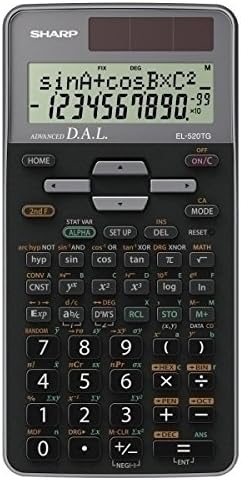
Billede 2.1: Forside view of the Sharp EL-520TG Scientific Calculator, displaying its keypad and screen.
3. Betjeningsvejledning
3.1. Grundlæggende betjening
- Tænd/sluk: Trykke ON/C to turn on. Press 2. klasse så SLUKKET at slukke.
- Indtastning af nummer: Use the numeric keys (0-9) and the decimal point key (.) to enter numbers.
- Aritmetiske operationer: Bruge +, -, ×, ÷ for addition, subtraction, multiplication, and division. Press = at udføre.
- Clear Entry: Trykke ON/C to clear the current entry.
- Slet: Brug DEL key to delete the last entered digit.
3.2. Funktioner
The EL-520TG features 419 functions, accessible directly or via the 2. klasse key for secondary functions printed above the keys.
- Direct Algebraic Logic (D.A.L.): Input calculations as they are written, following standard mathematical order of operations.
- Trigonometriske funktioner: Bruge synd, cos, tan for sine, cosine, and tangent. Use 2. klasse så sin⁻¹, cos⁻¹, tan⁻¹ for inverse trigonometric functions.
- Logarithmic Functions: Bruge log for common logarithm (base 10) and ln for natural logarithm (base e).
- Hukommelsesfunktioner: The calculator has 9 memory registers. Use STO to store a value and RCL to recall a stored value.
- Statistiske funktioner: Access statistical modes via MODE. Calculate standard deviation and other statistical values.
- Potens- og rodfunktioner: Bruge x² for square, √ for square root, and yˣ for general powers.
3.3. Visningstilstande
Adjust the display format using the OPSÆTNING menu.
- LAVE: Specifies the number of decimal places.
- SCI: Displays results in scientific notation.
- ENG: Displays results in engineering notation.
- DEG/RAD/GRAD: Selects the angle unit (degrees, radians, or gradians).
4. Vedligeholdelse
4.1. Rensning
Wipe the calculator's exterior with a soft, dry cloth. Do not use abrasive cleaners or solvents, as they may damage the casing eller display.
4.2. Udskiftning af batteri
When the display becomes dim or calculations are erratic, it is time to replace the batteries. Refer to the battery compartment cover for the correct battery type and polarity. Ensure the calculator is turned off before replacing batteries.
4.3. Opbevaring
Store the calculator in a cool, dry place, away from direct sunlight and extreme temperatures. Use the provided protective case to prevent scratches and damage to the keys and display.
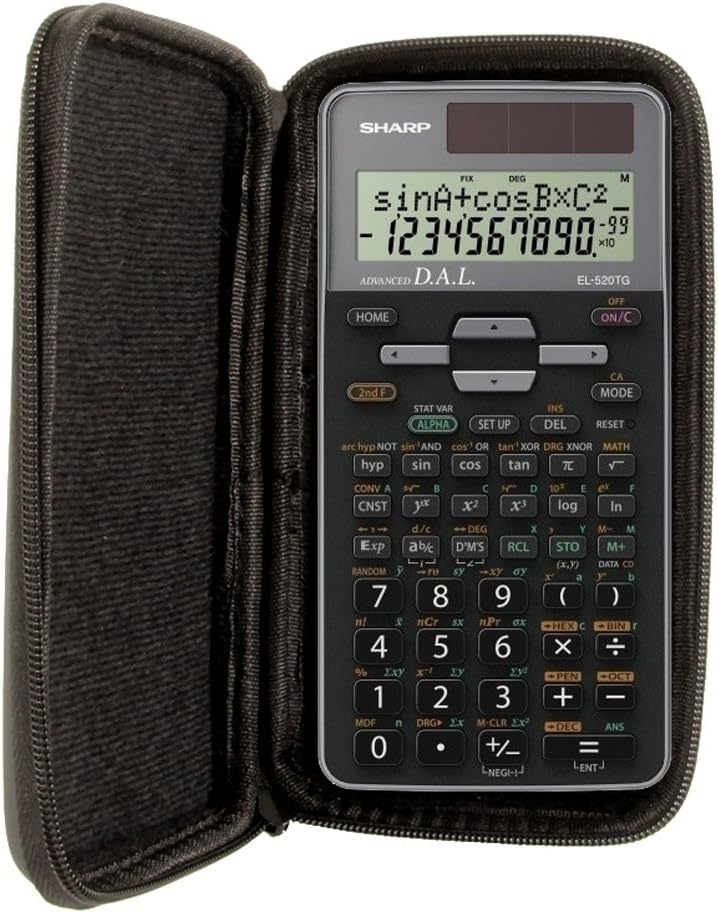
Image 4.1: The Sharp EL-520TG calculator securely stored within its protective case.

Image 4.2: The black protective case, designed to safeguard the Sharp EL-520TG calculator.
5. Fejlfinding
- Blank or Dim Display: Check battery installation. Replace batteries if necessary.
- Forkerte resultater: Verify the input values and the selected mode (e.g., DEG/RAD). Ensure all previous calculations are cleared.
- Lommeregneren reagerer ikke: Prøv at trykke på NULSTIL button (usually a small button on the back, requiring a thin object like a paperclip to press). This will clear all memory and settings.
- Fejlmeddelelser: Consult the full product manual for specific error code meanings. Common errors include 'ERROR' for mathematical impossibilities (e.g., division by zero) or 'OVERFLOW' for results exceeding the calculator's capacity.
6. Specifikationer
| Mærke | Skarp |
| Model | EL-520TG |
| Lommeregner Type | Videnskabelig / Ingeniørvidenskab |
| Funktioner | 419 |
| Hukommelsesregistre | 9 |
| Input logik | Direct Algebraic Logic (D.A.L.) |
| Strømkilde | Batteridrevet |
| UPC | 634397960069 |
7. Garanti og support
This product includes a premium warranty extension. Please refer to the warranty card for specific terms, conditions, and duration of coverage. Keep your proof of purchase for any warranty claims.

Image 7.1: The Premium Warranty card provided with the product.
For technical support or further assistance, please contact the retailer or refer to the official Sharp support channels. Detailed contact information is typically available on the product packaging or the manufacturer's webwebsted.


