Indledning
This manual provides instructions for the proper use and maintenance of your AW B990BL Neckband Wireless Bluetooth Earphones. Please read this manual thoroughly before using the product to ensure optimal performance and longevity.
The AW B990BL Neckband Wireless Bluetooth Earphones offer a convenient audio solution with a neckband design. Featuring Bluetooth V4.2 connectivity, these earphones provide up to 6 hours of talk or music time on a 1-hour charge. They are designed for wide compatibility with various devices, offering a reliable wireless experience.
Pakkens indhold
- AW B990BL Neckband Wireless Bluetooth Earphones
- USB opladningskabel
- Ørespidser (forskellige størrelser)
- Brugermanual

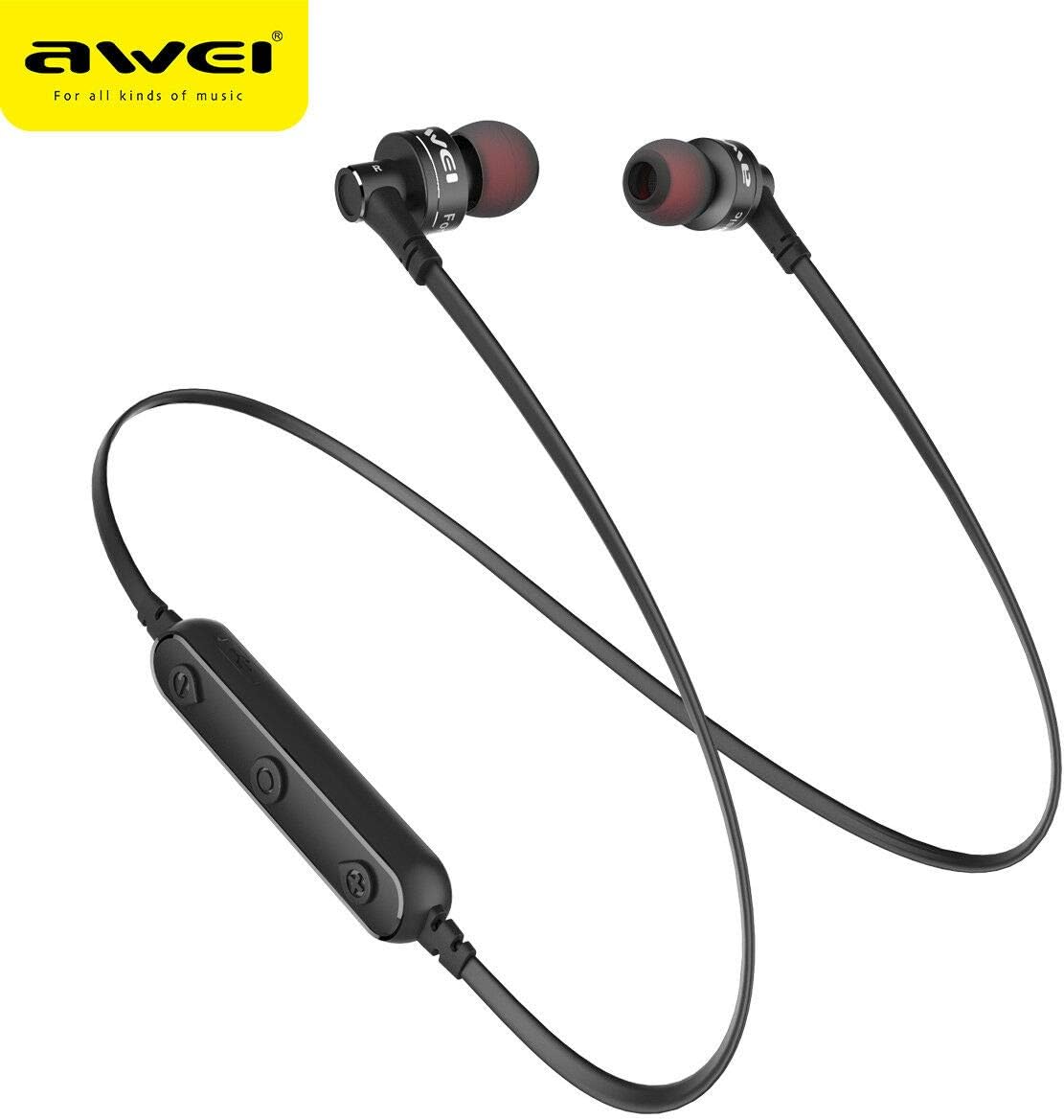
Image: The AW B990BL Neckband Wireless Bluetooth Earphones, showcasing the neckband design, earbuds, and inline control panel.
Opsætning
1. Opladning af øretelefonerne
- Connect the micro-USB end of the charging cable to the charging port on the earphone's control unit.
- Tilslut USB-A-enden af opladningskablet til en USB-strømkilde (f.eks. en computers USB-port eller en vægadapter).
- The indicator light will illuminate during charging. Once fully charged (approximately 1 hour), the indicator light will change or turn off.
- Frakobl opladningskablet, når opladningen er færdig.
Note: Ensure the earphones are fully charged before first use for optimal battery performance.
2. Bluetooth-parring
- Sørg for, at høretelefonerne er slukkede.
- Press and hold the Multi-function button (usually the center button on the control unit) for approximately 5-7 seconds until the indicator light flashes red and blue alternately. This indicates pairing mode.
- Aktiver Bluetooth på din enhed (smartphone, tablet osv.) og søg efter tilgængelige enheder.
- Select "B990BL" from the list of found devices.
- Once successfully paired, the indicator light will flash blue slowly, and you may hear a confirmation tone.
- Hvis du bliver bedt om en adgangskode, skal du indtaste "0000".
Note: The earphones will automatically attempt to reconnect to the last paired device when turned on.
Billede: Et nærbillede view of the AW B990BL earphones, highlighting the inline control panel with its buttons and charging port.
Betjeningsvejledning
Grundlæggende funktioner
- Tænd: Tryk og hold multifunktionsknappen nede i 3 sekunder.
- Sluk: Tryk og hold multifunktionsknappen nede i 3 sekunder.
- Afspil/pause: Tryk én gang på multifunktionsknappen.
- Lydstyrke op: Tryk på knappen "+".
- Skrue ned for lyden: Tryk på knappen "-".
- Næste nummer: Tryk på knappen "+", og hold den nede.
- Forrige nummer: Tryk på knappen "-" og hold den nede.
Opkaldsstyring
- Besvar opkald: Tryk én gang på multifunktionsknappen.
- Afslut opkald: Tryk én gang på multifunktionsknappen under et opkald.
- Afvis opkald: Tryk og hold multifunktionsknappen nede i 2 sekunder.
- Genopkald sidste nummer: Tryk to gange på multifunktionsknappen.
Opretholdelse
- Keep the earphones dry. Avoid exposure to extreme temperatures, humidity, or corrosive materials.
- Clean the earphones regularly with a soft, dry cloth. Do not use harsh chemicals or abrasive cleaners.
- Store the earphones in a clean, dry place when not in use.
- Undgå at tabe høretelefonerne eller udsætte dem for kraftige stød.
- Do not attempt to disassemble or modify the earphones, as this will void the warranty and may cause damage.
Fejlfinding
- Kan ikke parres med enhed:
- Ensure the earphones are in pairing mode (red and blue indicator light flashing alternately).
- Sørg for, at Bluetooth er aktiveret på din enhed, og at den er inden for 10 meter fra øretelefonerne.
- Turn off and restart both the earphones and your device, then attempt pairing again.
- Ryd tidligere Bluetooth-forbindelser på din enhed, hvis det er nødvendigt.
- Ingen lyd eller lav lydstyrke:
- Kontroller lydstyrkeniveauerne på både øretelefonerne og din tilsluttede enhed.
- Sørg for, at øretelefonerne er korrekt tilsluttet din enhed.
- Prøv at afspille forskellige lydkilder for at udelukke et problem med medierne file.
- Høretelefoner oplader ikke:
- Ensure the charging cable is securely connected to both the earphones and the power source.
- Try a different USB charging cable or power source.
- Tjek opladningsporten for snavs eller skader.
Specifikationer
| Feature | Detalje |
|---|---|
| Modelnavn | B990BL |
| Bluetooth version | V4.2 |
| Opladningstid | 1 time |
| Taletid | 6 timer |
| Musik Tid | 6 timer |
| Forbindelsesteknologi | Trådløs |
| Følsomhed | 96 dB |
| Produktdimensioner | 4 x 10 x 16.5 cm |
| Vægt | 4.54 g |
| Fabrikant | Awei |
Garanti og support
For warranty information or technical support, please refer to the documentation provided with your purchase or contact the retailer where the product was acquired. Keep your proof of purchase for warranty claims.