1. Introduktion
This manual provides detailed instructions for the setup, operation, and maintenance of your KADAMS Battery Digital Alarm Clock. Please read this manual thoroughly before using the device to ensure proper function and longevity.

Figure 1: KADAMS Battery Digital Alarm Clock (Front View)
This image shows the front of the KADAMS digital alarm clock, featuring a large, clear LCD display. The display shows the time (10:58 AM), date (March 29, Thursday), temperature (64.7°F), and humidity (56%). The clock is white with a minimalist design.
2. Nøglefunktioner
- Tidsvisning: 12/24 hour format switchable.
- Indendørs temperatur: Celsius (°C) and Fahrenheit (°F) switchable. Range: -10°C to 50°C (14°F to 122°F). Displays LL/HH outside range.
- Indendørs luftfugtighed: Relative Humidity (RH) range 10% - 99%. Displays LL/HH outside range.
- Kalender: Month, Date (mm/dd), and Day of Week (3 characters).
- Alarm funktion: Rings for 2 minutes, with increasing intensity. Automatically stops.
- Snooze-funktion: 5-minute repeat, no limit on repeats.
- Baggrundsbelysning: Activates for 10 seconds when button is pressed.
- Batteriindikator: Displays on LCD when battery power is low (below 2.45V).
- LCD skærm: Eye-friendly color for better vision and wider viewing vinkler.
- Power Cut Memory: Presets are memorized if batteries are re-assembled within 30 seconds.
3. Opsætning
3.1 Batteriinstallation
The KADAMS Digital Alarm Clock requires 2 x AA-alkaliske batterier (not included). It is recommended to use new batteries for optimal performance.
- Find batterirummet på bagsiden af uret.
- Skub batterirummets dæksel op.
- Insert two new AA alkaline batteries, ensuring the correct polarity (+ and -) as indicated inside the compartment.
- Luk batterirummets dæksel forsvarligt.
Vigtig: Do not mix alkaline and rechargeable batteries. If the clock is not used for an extended period, remove the batteries to prevent leakage.

Figur 2: Bagside View with Controls and Battery Compartment
This image displays the back of the KADAMS digital alarm clock, highlighting the battery compartment and the control buttons. The buttons are clearly labeled for setting time, alarm, and adjusting values.
4. Betjeningsvejledning
The clock features several buttons on the back for setting and adjusting functions:
- TID knap: Bruges til at gå ind i tidsindstillingstilstand.
- SÆT knap: Used to confirm settings or cycle through setting options.
- UP (▲) knap: Used to increase values or switch modes.
- NED (▼) knap: Used to decrease values or switch modes.
- ON/OFF knap: Used to activate/deactivate the alarm.
- SNOOZE / LYS button (top): Activates backlight and snooze function.
4.1 Indstilling af tid og dato
- Tryk og hold på TID -knappen i 3 sekunder for at gå ind i tidsindstillingstilstand. Timecifrene blinker.
- Brug UP or NED knapper for at justere timen.
- Tryk på SÆT button to confirm the hour and move to minute setting. The minute digits will flash.
- Brug UP or NED knapper for at justere minutterne.
- Tryk på SÆT button to confirm minutes and move to year setting.
- Continue using UP/NED og SÆT to set the Year, Month, and Date. The day of the week will automatically adjust based on the date.
- Når du har indstillet datoen, skal du trykke på SÆT for at afslutte indstillingstilstand.
- To switch between 12-hour (AM/PM) and 24-hour format, press the UP button while in normal time display mode.
4.2 Indstilling af alarm
- Tryk og hold på ALARM button (often indicated by a bell icon) for 3 seconds to enter alarm setting mode. The alarm hour digits will flash.
- Brug UP or NED knapper for at justere alarmtiden.
- Tryk på SÆT button to confirm the alarm hour and move to alarm minute setting. The alarm minute digits will flash.
- Brug UP or NED knapper til at justere alarmens minutter.
- Tryk på SÆT knappen for at afslutte alarmindstillingstilstand.
- For at aktivere eller deaktivere alarmen skal du trykke på ON/OFF knappen. Et alarmikon vises på displayet, når den er aktiveret.
4.3 Snooze- og baggrundsbelysningsfunktion
The large button on the top of the clock serves two functions:
- Baggrundsbelysning: Tryk på SNOOZE / LYS button briefly to illuminate the LCD screen. The backlight will remain active for approximately 10 seconds.
- Udsæt: Når alarmen ringer, skal du trykke på SNOOZE / LYS button to temporarily silence the alarm. The alarm will sound again after 5 minutes. This function can be repeated indefinitely.

Figure 3: Snooze/Light Button Location
This image shows the top of the KADAMS digital alarm clock, with an arrow pointing to the "SNOOZE/LIGHT" button. Text overlays explain its functions: "Press button to Light-Up LCD Screen Deactivates after 10 seconds" and "Press button to Turn Off Alarm Sound 5 Minute Repeat".
4.4 Temperatur- og fugtighedsvisning
The clock continuously displays indoor temperature and relative humidity.
- Temperaturenhed: For at skifte mellem Celsius (°C) og Fahrenheit (°F), tryk på NED button while in normal time display mode.
- Skærmområde: If the temperature or humidity falls outside the measurable range, the display will show "LL" (Low) or "HH" (High).
5. Vedligeholdelse
5.1 Udskiftning af batteri
When the battery indicator appears on the LCD screen, it signifies that the battery power is low (below 2.45V). Replace both AA batteries promptly to ensure continued accurate operation. Follow the battery installation steps in Section 3.1.
5.2 Rengøring
To clean the clock, gently wipe the surface with a soft, dry cloth. Do not use abrasive cleaners, solvents, or immerse the clock in water.
6. Fejlfinding
| Problem | Mulig årsag | Løsning |
|---|---|---|
| Skærmen er svag eller tom. | Low batteries or incorrect battery installation. | Udskift batterierne med nye AA alkaline-batterier, og sørg for at polariteten vender korrekt. |
| Temperature/Humidity shows "LL" or "HH". | Environmental conditions outside the measurable range. | This is normal. The clock will display readings once conditions return within the range (-10°C to 50°C for temp, 10% to 99% for humidity). |
| Alarmen lyder ikke. | Alarmen er ikke aktiveret eller indstillet forkert. | Ensure the alarm is turned ON (alarm icon visible). Verify the alarm time is set correctly. |
| Day of the week is incorrect. | Year or date is set incorrectly. | Re-enter the correct Year, Month, and Date. The day of the week is calculated automatically. |
| Screen is too dark to read without backlight. | This is a characteristic of the LCD panel. | Press the SNOOZE/LIGHT button for temporary illumination. Ensure adequate ambient lighting for continuous viewing without backlight. |
7. Specifikationer
- Model: K0337STHW
- Dimensioner: L 145mm * H 62mm * W 44mm (5.7 in * 2.4 in * 1.7 in)
- Nettovægt: 165 g (0.36 lbs)
- Strømkilde: 2 x AA Alkaline Batteries (3.0V total)
- Temperaturområde: -10°C til 50°C (14°F til 122°F)
- Fugtighedsområde: 10% RH - 99% RH
- Skærmtype: Digital LCD
- Farve: Hvid
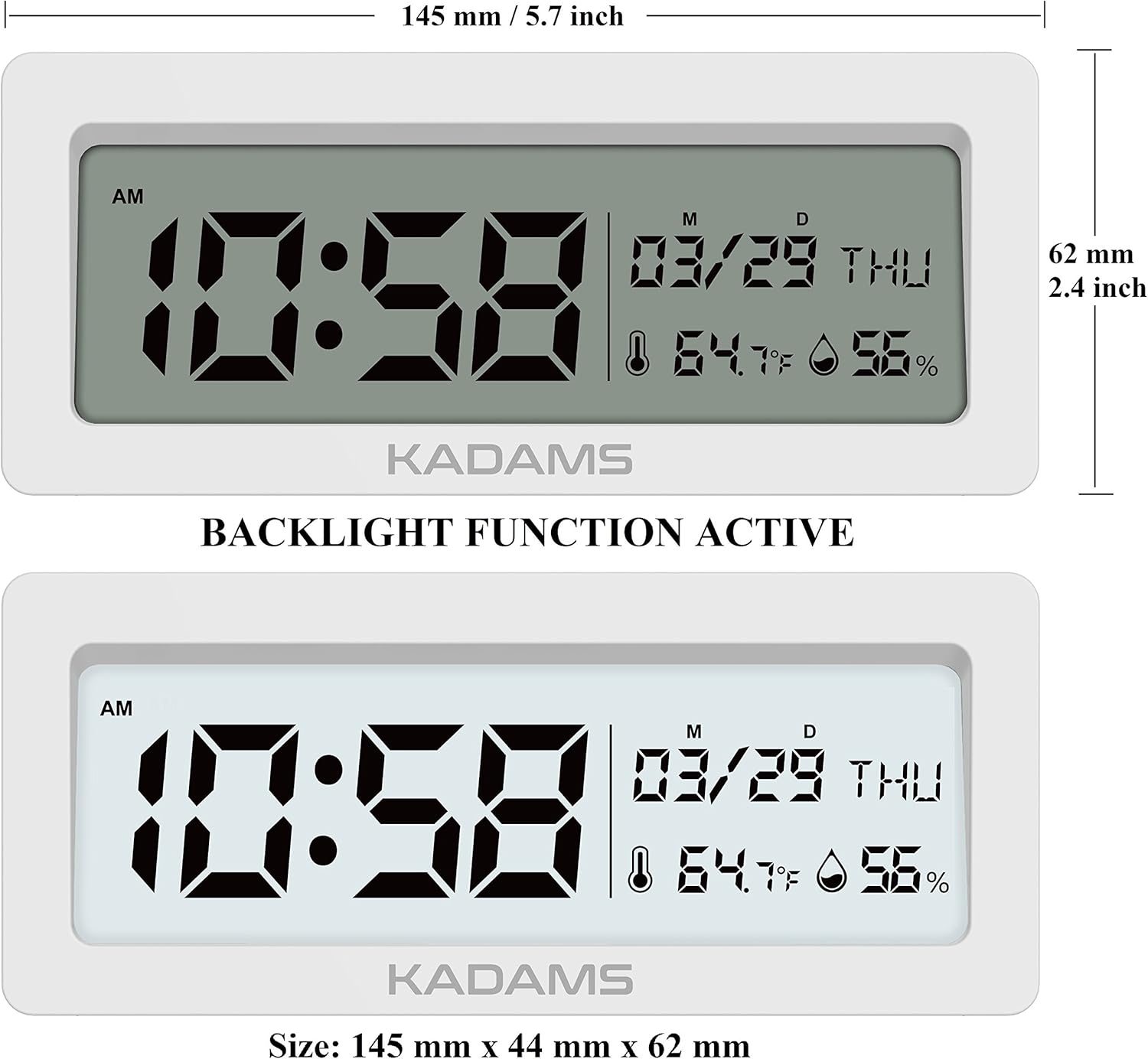
Figur 4: Produktmål
This image provides a detailed diagram of the KADAMS digital alarm clock with its precise measurements. It shows the length as 145 mm (5.7 inches) and the height as 62 mm (2.4 inches).
8. Garanti og support
Specific warranty information and direct customer support contact details are not provided within this manual. For warranty claims, technical assistance, or further inquiries, please refer to the official KADAMS webwebstedet eller kontakt den forhandler, hvor du købte produktet.
You may also visit the KADAMS Store on Amazon for more information: KADAMS Amazon Store


