1. Introduktion
This manual provides essential information for the safe and efficient operation of your SKYWORTH G2A Series 50-inch 4K UHD Smart Android TV. Please read this manual thoroughly before using the television and retain it for future reference.
2. Sikkerhedsoplysninger
Overhold altid følgende sikkerhedsforanstaltninger for at forhindre elektrisk stød, brand eller personskade:
- Udsæt ikke TV'et for regn eller fugt.
- Åbn ikke tv'etasing; overlad al service til kvalificeret personale.
- Sørg for korrekt ventilation omkring tv'et.
- Hold tv'et væk fra direkte sollys, varmekilder og åben ild.
- Brug kun den netledning, der følger med tv'et.
- Tag stikket ud af tv'et under tordenvejr eller når det ikke bruges i længere perioder.
3. Hvad er der i æsken
Bekræft at alle komponenter er til stede:
- SKYWORTH G2A Series 50-inch 4K UHD Smart Android TV
- Fjernbetjening
- TV-bord (2 stk.)
- Skruer til stativmontering
- Strømledning
- Brugervejledning (dette dokument)
- 2 AAA-batterier (til fjernbetjening)
4. Opsætning
4.1 Montering af stativet
- Placer forsigtigt tv'et med forsiden nedad på en blød, flad overflade for at forhindre, at skærmen beskadiges.
- Juster hvert stativstykke med de tilsvarende riller i bunden af tv'et.
- Fastgør stativerne med de medfølgende skruer. Sørg for, at de er spændt godt fast.
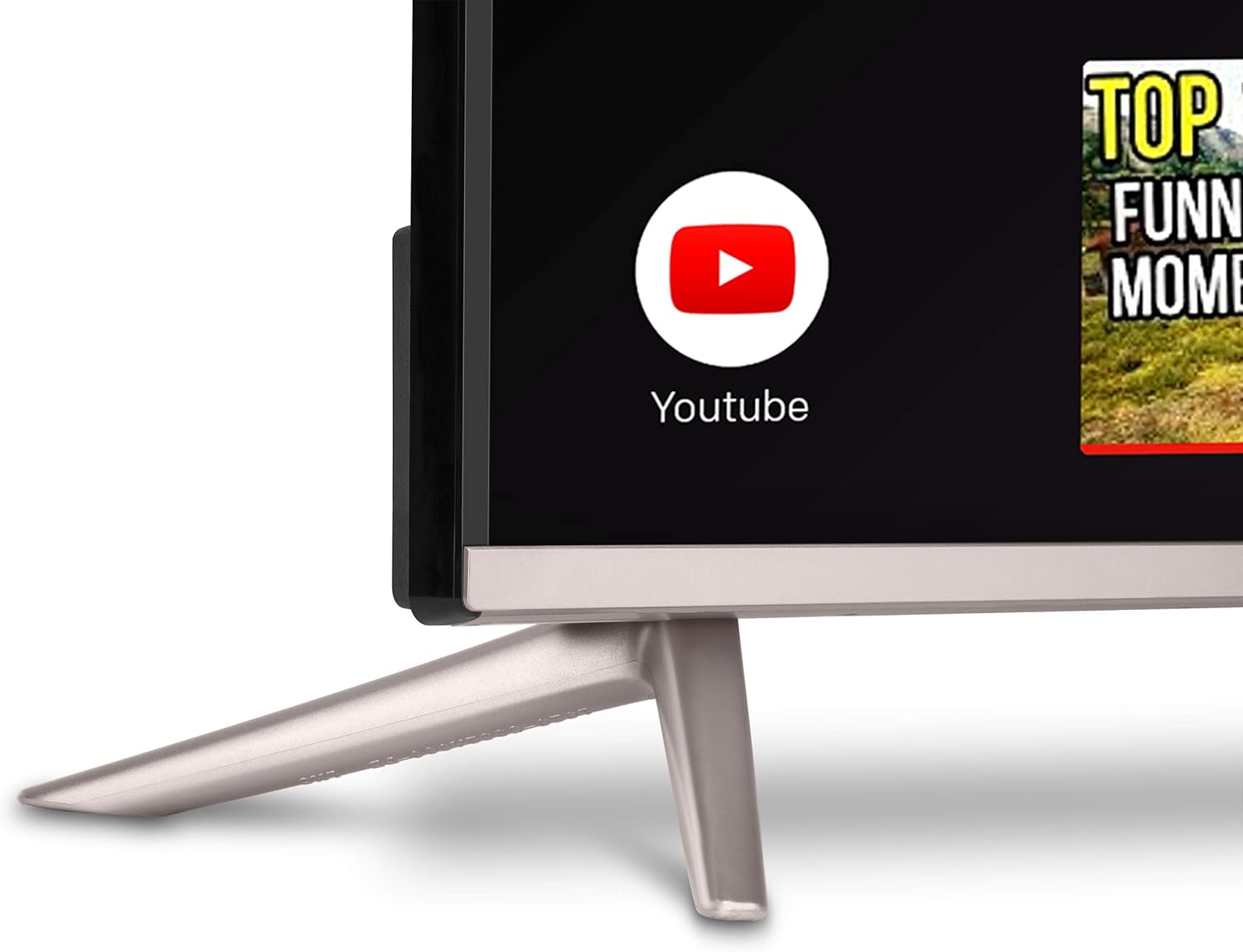
Billede: Nærbillede view of the TV stand, showing how it connects to the television unit. The stand provides stable support for the TV on a flat surface.
4.2 Vægmontering (valgfrit)
If you choose to wall mount your TV, ensure you use a VESA-compatible wall mount kit (not included) that supports the TV's weight and dimensions. Follow the wall mount manufacturer's instructions carefully. Remove the TV stand before wall mounting.
4.3 Tilslutning af eksterne enheder
Dit tv har forskellige porte til tilslutning af eksterne enheder:
- HDMI-porte: Connect Blu-ray players, game consoles, cable/satellite boxes.
- USB-porte: Tilslut USB-drev til medieafspilning.
- Ethernet-port: Til kablet internetforbindelse.
- Antenne-/kabelindgang: Til tilslutning af antenne eller kabel-tv.
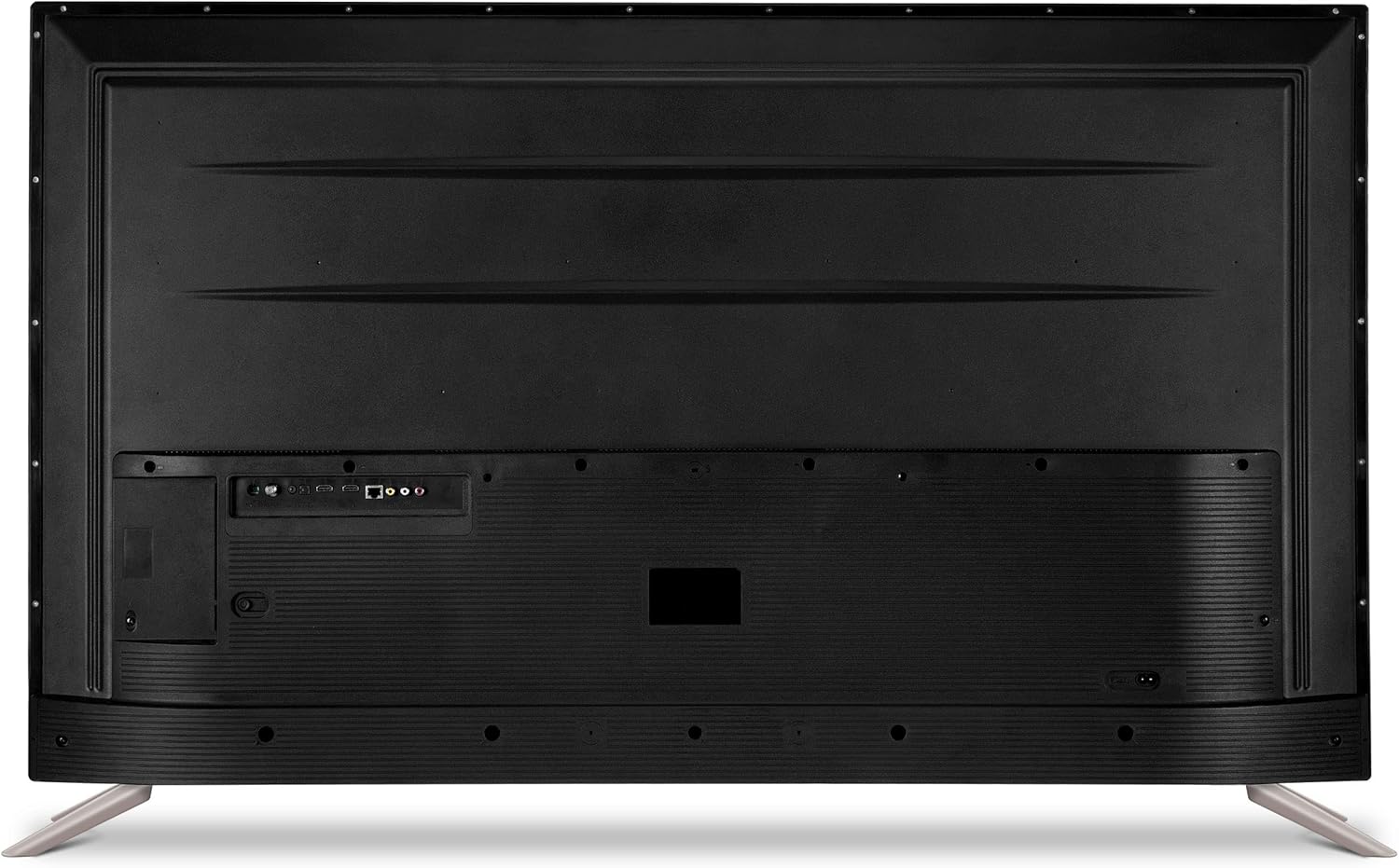
Image: The back panel of the SKYWORTH TV, displaying multiple input and output ports including HDMI, USB, and Ethernet for connecting external devices.

Billede: En sideprofile of the SKYWORTH TV, highlighting easily accessible ports on the side for convenient connection of devices like USB drives or additional HDMI cables.
4.4 Strømtilslutning
After connecting all desired peripherals, plug the power cord into the TV's power input and then into a wall outlet.
4.5 Guide til indledende opsætning
Når du tænder det første gang, vil TV'et guide dig gennem en indledende opsætningsproces. Dette omfatter:
- Valg af sprog.
- Netværksforbindelse (Wi-Fi eller Ethernet).
- Google Account sign-in (required for Android TV features).
- Kanalscanning (for antenne/kabel).
5. Betjening af tv'et
5.1 Fjernbetjening overview
The remote control allows you to navigate the TV's features. Insert the two AAA batteries into the remote, ensuring correct polarity.

Billede: En detaljeret view of the SKYWORTH TV remote control, showcasing its array of buttons for power, navigation, volume, channel selection, and dedicated app access.
5.2 Grundlæggende funktioner
- Magt: Tryk på tænd/sluk-knappen for at tænde eller slukke for tv'et.
- Bind: Use the Volume Up/Down buttons to adjust audio levels.
- Kanaler: Use the Channel Up/Down buttons to change channels (for antenna/cable input).
- Kilde: Press the Source button to select input sources (HDMI 1, HDMI 2, TV, etc.).
5.3 Android TV-grænseflade
Your SKYWORTH TV runs on the Android TV operating system, providing access to a wide range of apps and services. The home screen displays recommended content, installed apps, and settings.

Image: The SKYWORTH TV screen showing the Android TV interface, featuring rows of applications like YouTube and Netflix, and content suggestions, with a search bar at the top.
5.4 Brug af indbygget Chromecast
The TV features Chromecast built-in, allowing you to cast content from compatible apps on your smartphone, tablet, or computer directly to the TV screen. Look for the Cast icon ▶ within apps like YouTube, Netflix, or Google Photos.
5.5 Stemmestyring med Google Assistant
Your remote control includes a microphone button for Google Assistant. Press the microphone button and speak your commands to search for content, control smart home devices, get answers, and more.

Image: A close-up of the SKYWORTH TV remote control, highlighting the microphone button used to activate Google Assistant for voice commands and searches.
5.6 Accessing Apps
From the Android TV home screen, navigate to the 'Apps' section to view all installed applications. You can download new apps from the Google Play Store.
6. Vedligeholdelse
6.1 Rengøring af skærmen
Tør forsigtigt skærmen af med en blød, tør og fnugfri klud. Tør forsigtigt genstridige mærker afampRengør kluden med vand eller en specialiseret skærmrens. Sprøjt aldrig væske direkte på skærmen.
6.2 Generel pleje
- Opbevar tv'et et sted med god ventilation.
- Undgå at placere tunge genstande oven på tv'et.
- Bloker ikke ventilationsåbninger.
7. Fejlfinding
Se følgende tabel for almindelige problemer og løsninger på disse:
| Problem | Mulig årsag | Løsning |
|---|---|---|
| Ingen strøm | Power cord disconnected; outlet issue | Sørg for, at netledningen er korrekt tilsluttet; test stikkontakten med en anden enhed. |
| Intet billede, men der er lyd | Incorrect input source selected; external device issue | Press the Source button on the remote to select the correct input; check external device connections. |
| Ingen lyd, men der er billede | Lydstyrken er slået fra eller for lav; problem med det eksterne lydsystem | Unmute volume or increase level; check connections to external audio devices. |
| Fjernbetjening virker ikke | Batteries depleted or incorrectly inserted; obstruction | Udskift batterierne; sørg for korrekt polaritet; fjern eventuelle forhindringer mellem fjernbetjeningen og tv'et. |
| Problemer med Wi-Fi-forbindelse | Incorrect password; router issue; signal interference | Re-enter Wi-Fi password; restart router; move TV closer to router or use wired connection. |
8. Specifikationer
| Feature | Detalje |
|---|---|
| Modelnummer | 50G2A |
| Skærmstørrelse | 50 tommer |
| Displayteknologi | LED |
| Opløsning | 4K (2160p) |
| Opdateringshastighed | 60 Hz |
| Operativsystem | Android TV |
| Processor | A53 Quad-Core |
| Særlige funktioner | HDR, Chromecast Built-in, Google Assistant Voice Control |
| Forbindelse | HDMI, USB, Wi-Fi, Ethernet |
| Varens vægt | 32.6 pund |
| Produktdimensioner | 50 x 6 x 31 tommer |
9. Garanti og support
For warranty information and technical support, please refer to the warranty card included with your product or visit the official Skyworth webwebsted. Behold din købskvittering som købsbevis i tilfælde af garantikrav.


