Indledning
Tak for købetasing the MAJORITY Histon Portable DAB/DAB+ Digital Radio. This manual provides essential information for setting up, operating, and maintaining your radio. Please read it thoroughly before use to ensure optimal performance and longevity of your device.
Hvad er der i æsken
- MAJORITY Histon Radio
- Strømkabel
- Brugermanual (dette dokument)

Image: The contents of the product packaging, including the Histon radio, its mains power cable, and the user manual.
Produkt overview
The MAJORITY Histon radio is designed for portable and mains-powered listening, offering both DAB/DAB+ and FM radio reception. It features a clear LED display, dual alarm functionality, and a sleep timer.
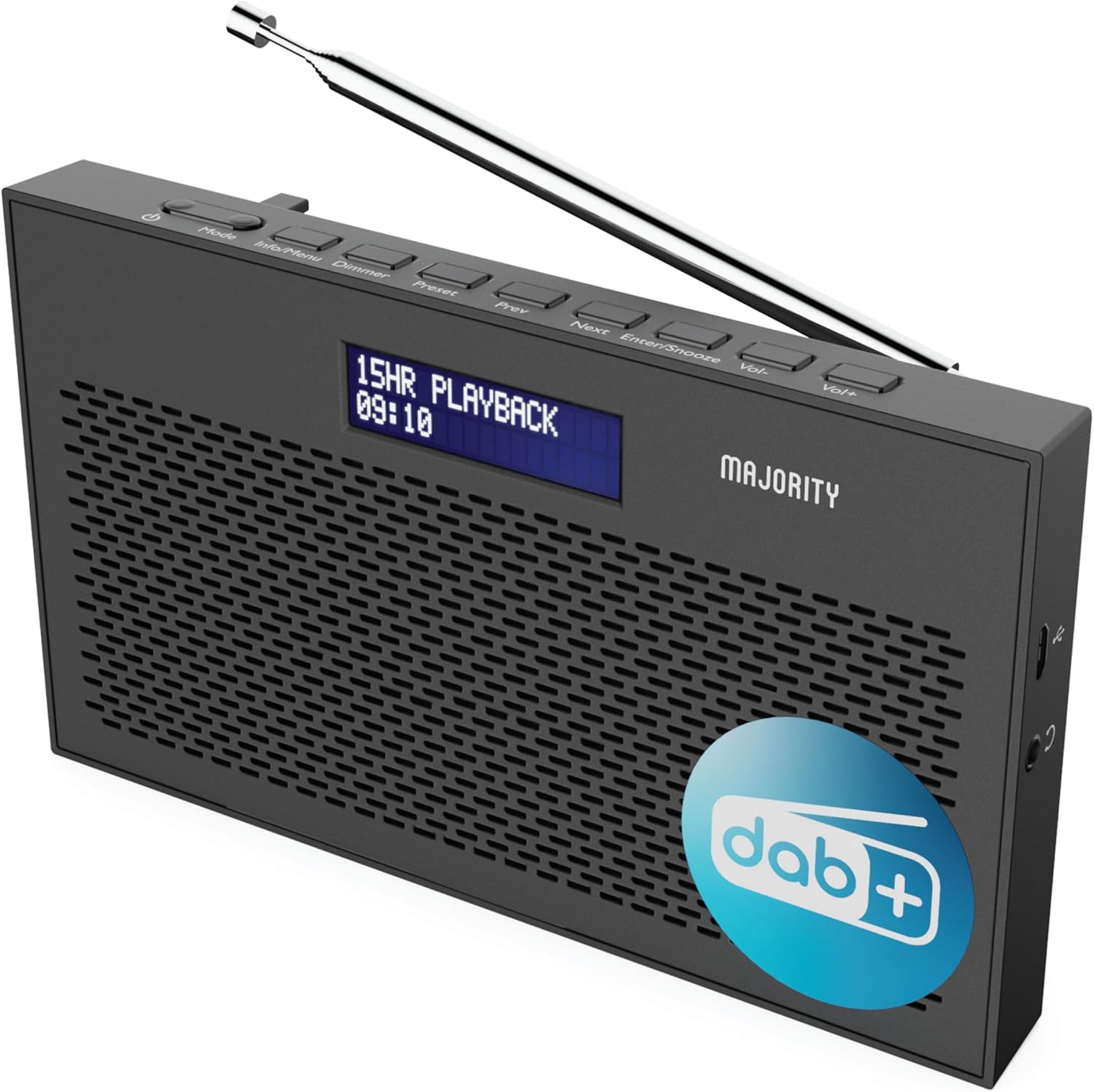
Billede: En detaljeret view of the Majority Histon radio, highlighting its compact design and front speaker.
Kontrol og visning
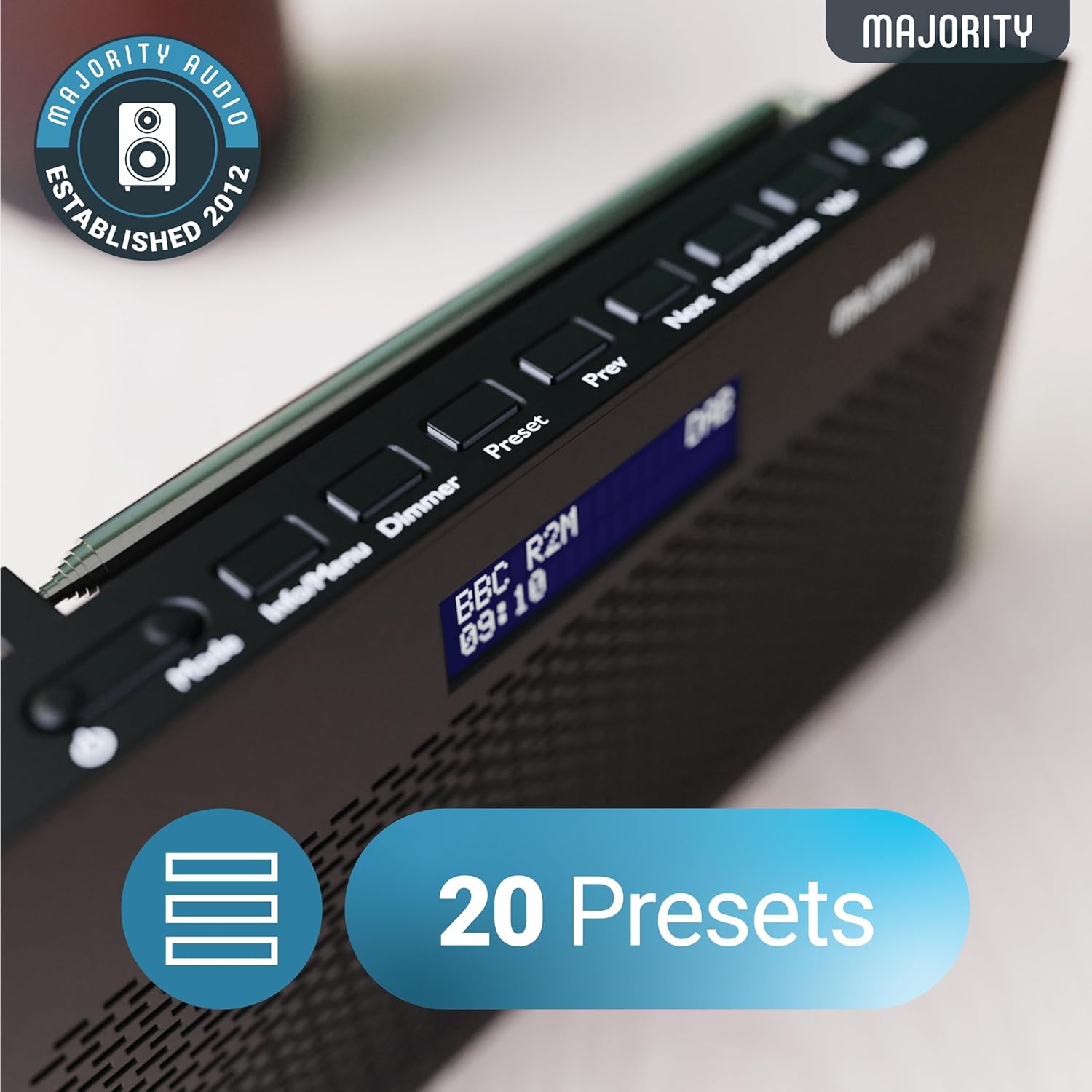
Image: A close-up of the radio's top panel, illustrating the various control buttons and the LED display showing station information.
- Mode: Switches between DAB, FM, and other modes.
- Info/Menu: Displays station information or accesses menu settings.
- lysdæmper: Justerer skærmens lysstyrke.
- Forudindstillet: Accesses or saves preset stations.
- Forrige næste: Navigerer gennem stationer eller menupunkter.
- Enter/Snooze: Confirms selections or activates snooze during an alarm.
- Vol-/Vol+: Justerer lydstyrken.
Porte og forbindelser
- DC IN-port: For connecting the mains power cable.
- 3.5 mm hovedtelefonstik: Til privat lytning.
- Batterirum: Located on the rear for 4 AA batteries (not included).
- Teleskopantenne: Extendable for optimal signal reception.
Opsætning
Tænder
The Histon radio can be powered by either the included mains power cable or 4 x AA batteries (not supplied).
- Netstrøm: Connect the mains power cable to the DC IN port on the radio and plug the adapter into a wall socket.
- Batteristrøm: Open the battery compartment on the rear of the radio and insert 4 x AA batteries, ensuring correct polarity.

Image: The radio in a portable setting, emphasizing its 15-hour battery life capability.
Antennejustering
Extend the telescopic antenna fully for the best possible signal reception, especially for DAB/DAB+ and FM broadcasts.
Initial Scan (DAB/DAB+)
Upon first power-on, the radio will automatically perform a full scan for DAB/DAB+ stations. This process may take a few minutes. Once complete, the radio will tune to the first available station.
- If no stations are found, ensure the antenna is fully extended and reposition the radio, then perform a manual scan (see Operating Instructions).
Betjeningsvejledning
DAB/DAB+ radiodrift
- Selecting DAB Mode: Tryk på Mode knappen, indtil "DAB" vises.
- Stationsvalg: Brug Forrige or Næste buttons to scroll through available DAB stations. Press Indtast for at vælge en station.
- Fuld scanning: To perform a full scan for new stations, press and hold the Info/menu button to enter the menu, then navigate to "Full Scan" and press Indtast.
- Forudindstillede stationer:
- Gem en forudindstilling: Mens du lytter til en station, skal du trykke på og holde Forudindstillet knap. Brug Forrige/Næste for at vælge et forudindstillet nummer (1-20), og tryk derefter på Indtast at gemme.
- Genkaldelse af en forudindstilling: Tryk kort på Forudindstillet knap. Brug Forrige/Næste to scroll through saved presets, then press Indtast to tune.
Image: The radio's control panel, highlighting the capability to store up to 20 preset radio stations.
Betjening af FM-radio
- Selecting FM Mode: Tryk på Mode knappen, indtil "FM" vises.
- Automatisk scanning: Tryk og hold Indtast to automatically scan for the next available FM station.
- Manuel indstilling: Tryk kort på Forrige or Næste to fine-tune the frequency in 0.05 MHz steps.
- Forudindstillede stationer: Saving and recalling FM presets follows the same procedure as DAB presets.
Indstilling af alarmer
The Histon radio features a dual alarm function.

Image: The radio displaying "DUAL ALARM" on its screen, illustrating its dual alarm capability.
- Tryk og hold Info/menu for at komme ind i menuen.
- Bruge Forrige/Næste to navigate to "System Settings" and press Indtast.
- Navigate to "Alarm" and press Indtast.
- Select "Alarm 1" or "Alarm 2" and press Indtast.
- Configure the alarm time, duration, source (Buzzer, DAB, FM), frequency (Daily, Once, Weekends, Weekdays), and volume using Forrige/Næste og Indtast.
- To activate/deactivate an alarm, select "On" or "Off" for the chosen alarm.
- Når en alarm lyder, skal du trykke på Indtast/Snooze to snooze for 9 minutes, or press the Magt knappen for at slukke for alarmen.
Sleep Timer
Sleep-timeren gør det muligt for radioen at slukke automatisk efter en indstillet periode.
- Tryk og hold Info/menu for at komme ind i menuen.
- Navigate to "System Settings" and press Indtast.
- Navigate to "Sleep" and press Indtast.
- Bruge Forrige/Næste to select the desired sleep duration (e.g., 15, 30, 45, 60, 90, 120 minutes) or "Off". Press Indtast for at bekræfte.
Displayets lysstyrke
Juster lysstyrken på LED-displayet.
- Tryk kort på Lysdæmper knappen for at skifte mellem lysstyrkeniveauerne.
Brug af hovedtelefoner
For private listening, connect standard 3.5mm headphones to the headphone jack on the side of the radio. The internal speaker will automatically mute when headphones are connected.
Fejlfinding
| Problem | Mulig årsag/løsning |
|---|---|
| Ingen strøm / Radioen tænder ikke. |
|
| Poor DAB/FM reception or no stations found. |
|
| Lyden er forvrænget eller intermitterende. |
|
| Alarmen lyder ikke. |
|
| Skærmen er tom eller ulæselig. |
|
Specifikationer
- Model: Histon 2
- Produktdimensioner: 18 x 4.5 x 11 cm (L x B x H)
- Vægt: 249 gram
- Strømkilde: Mains (via included adapter) or 4 x AA Batteries (not included)
- Understøttede radiobånd: DAB/DAB+, FM
- Presets: 20 (DAB) / 20 (FM)
- Forbindelse: 3.5mm Headphone Jack, DC IN Port
- Særlige funktioner: Portable, Lightweight, Automatic and Manual Tuning, Dual Alarm Clock, Sleep Timer, LED Display, Mono/Auto Switching in FM Mode

Image: A visual representation of the radio's dimensions for reference.
Opretholdelse
- Rensning: Brug en blød, tør klud til at rengøre radioens overflade. Brug ikke slibende rengøringsmidler eller opløsningsmidler.
- Opbevaring: Hvis radioen opbevares i længere tid, skal batterierne fjernes for at forhindre lækage. Opbevares køligt og tørt.
- Vandeksponering: Denne radio er ikke vandtæt. Undgå udsættelse for vand eller høj luftfugtighed.
- Antennepleje: Håndter teleskopantennen forsigtigt for at forhindre den i at bøje eller knække.
Garanti og support
The MAJORITY Histon radio comes with a 3 års garanti. To activate your warranty and for further support, please refer to the registration instructions provided with your purchase or visit the official MAJORITY webwebsted.
For technical assistance or warranty claims, please contact MAJORITY customer support through their official channels. Keep your proof of purchase for warranty validation.

Image: A graphic highlighting the 3-year warranty provided with Majority audio products.


