1. Introduktion
The LAUNCH X431 CRP919X is an advanced OBD2 diagnostic scan tool designed for comprehensive vehicle system analysis and maintenance. This device integrates multiple functions including ECU Coding, Bidirectional Control (Active Test), and over 35 special reset services. It supports modern vehicle communication protocols such as CAN FD and DoIP, and offers FCA AutoAuth for newer vehicles. This manual provides detailed instructions to help users effectively operate and maintain the device.

Image 1.1: The LAUNCH X431 CRP919X OBD2 Scanner displaying its main menu interface.

Billede 1.2: Overview of the LAUNCH CRP919X highlighting its advanced features and broad vehicle coverage.
2. Opsætning og indledende konfiguration
2.1 Tænding og første opstart
To power on the device, press and hold the power button located on the side of the unit. The device runs on Android 10.0 and will initiate its boot sequence. Ensure the 6100mAh internal battery is sufficiently charged for initial setup.
2.2 Softwareopdateringer
It is recommended to perform a software update upon first use to ensure access to the latest features, bug fixes, and expanded vehicle compatibility. The device supports online updates via Wi-Fi.
- Connect the CRP919X to a stable Wi-Fi network.
- Navigate to the 'Upgrade' or 'Update' section on the main menu.
- Følg vejledningen på skærmen for at downloade og installere tilgængelige opdateringer.
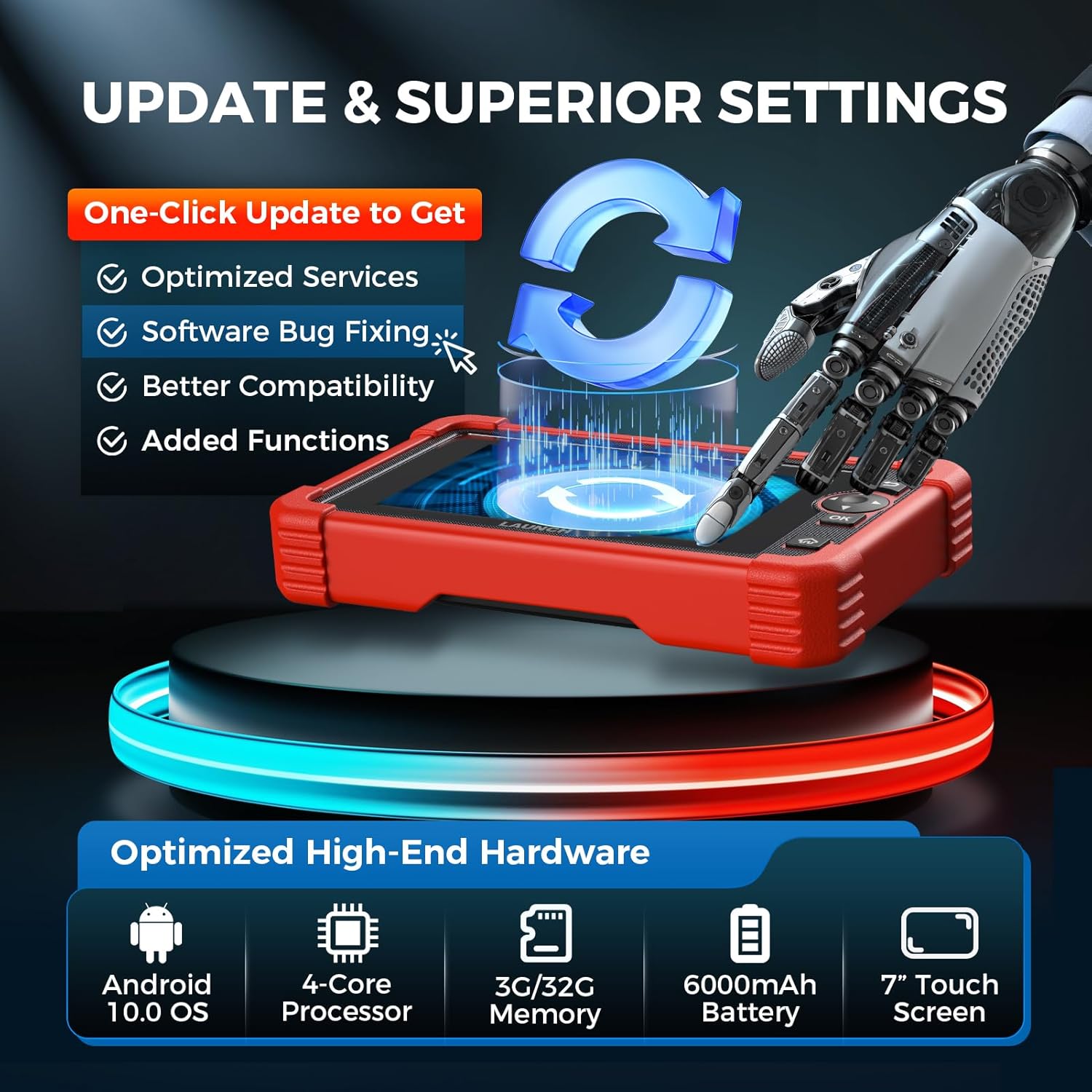
Image 2.1: The update interface of the CRP919X, illustrating the process of obtaining optimized services and software fixes.
2.3 Køretøjstilslutning
Connect the CRP919X to your vehicle's OBD-II port. The device supports AutoVIN for automatic vehicle identification, streamlining the diagnostic process.
- Locate the vehicle's 16-pin OBD-II port (typically under the dashboard).
- Plug the diagnostic cable from the CRP919X into the OBD-II port.
- The device will automatically attempt to read the Vehicle Identification Number (VIN) and establish communication.
3. Betjeningsvejledning
3.1 Diagnostik af alle systemer
The CRP919X can perform a comprehensive scan of all diagnosable Electronic Control Units (ECUs) within the vehicle, including PCM, ECM, EPS, PDM, BCM, and TPMS. This function quickly identifies fault codes across all systems.
- Vælg 'Diagnose' i hovedmenuen.
- Choose 'AutoScan' or manually select the vehicle make and model.
- Værktøjet scanner alle systemer og viser alle registrerede diagnostiske fejlkoder (DTC'er).
- A diagnosis report can be generated, downloaded, shared, or printed for further analysis.

Image 3.1: The CRP919X displaying its all-system diagnosis capabilities, including Auto-Identify VIN and Auto-Scan functions.
3.2 ECU-kodning
ECU Coding allows for advanced customization and adaptation of vehicle modules. This includes resetting adaptive data, refreshing hidden features, disabling unwanted functions, and matching/recoding replaced components.
- Access the 'ECU Coding' function through the diagnostic menu for the specific vehicle system.
- Follow the on-screen instructions to perform desired coding operations.
- The PMI (Programmable Module Installation) function supports copying data into new modules.

Image 3.2: Illustration of the ECU Coding function, detailing capabilities such as resetting adaptive data and customizing OE settings.
3.3 Tovejsstyring (aktiv test)
This function allows the user to send commands to vehicle ECUs to test specific actuators and components, verifying their functionality and quickly pinpointing issues.
- Select 'Active Test' from the diagnostic menu.
- Choose the specific component or system to test (e.g., radiator fan, ABS pump, throttle body).
- Send commands to activate or deactivate the component and observe its response.

Image 3.3: Visual representation of the bidirectional control feature, showing commands being sent and information received from vehicle components.
3.4 Special Maintenance Services (35+)
The CRP919X offers over 35 common maintenance and reset functions, including but not limited to:
- Olie nulstilling: Nulstiller olielevetidssystemet efter et olieskift.
- EPB-nulstilling: Nulstiller den elektroniske parkeringsbremseklods efter udskiftning.
- SAS-nulstilling: Kalibrerer styrevinkelsensoren.
- ABS-blødning: Udfører udluftning af bremsesystemet.
- Injektorkodning: Koder nye injektornumre til ECU'en.
- Batteri nulstilling: Registrerer udskiftning af nyt batteri.
- Tilpasning af gashåndtaget: Genindlærer gasspjældshusets position.
- Nulstilling af luftfugtighed: Justerer parametrene for luft/brændstofforholdet.
- TPMS-nulstilling: Nulstiller dæktryksovervågningssystemet.
To access these functions, navigate to 'Reset' on the main menu or select 'Special Function' within specific car brand software and system modules.

Image 3.4: A selection of the 35+ special functions available on the CRP919X, such as Oil Reset and Injector Coding.
3.5 Live-datastrøm
Monitor real-time data from various sensors and components in graphical, numerical, or text format. This includes Battery Voltage Monitoring, which provides dynamic graphics for accurate voltage detection. Data can be recorded and replayed for detailed analysis.
4. Vedligeholdelse
4.1 Softwareopdateringer
Regular software updates are crucial for maintaining optimal performance, expanding vehicle coverage, and accessing new features. The CRP919X typically includes a period of free updates (e.g., 2 years) from the date of purchase.
- Sørg for, at enheden er forbundet til en stabil internetforbindelse.
- Access the 'Upgrade' function from the main menu.
- Download and install all available updates as prompted.

Image 4.1: Information regarding the 2-year upgrade service for the CRP919X, ensuring access to new functions and model support.
4.2 Pleje af batterier
The device is equipped with a 6100mAh Lithium Ion battery. To prolong battery life:
- Undgå at aflade batteriet helt ofte.
- Opbevar enheden på et køligt, tørt sted, når det ikke er i brug.
- Oplad enheden regelmæssigt, selvom den ikke er i aktiv brug, for at opretholde batteriets sundhedstilstand.
5. Fejlfinding
5.1 Almindelige problemer og løsninger
- Enheden tænder ikke: Ensure the battery is charged. Connect to the charger and attempt to power on again.
- Ingen kommunikation med køretøjet: Verify the OBD-II cable is securely connected to both the device and the vehicle's port. Ensure the vehicle's ignition is on. Check vehicle compatibility.
- Software fryser/nedbryder: Perform a software update. If the issue persists, contact technical support.
5.2 DTC Repair Guide and Online Resources
The CRP919X includes a DTC lookup library to provide more information on specific trouble codes. Additionally, online resources are available for further assistance.
- DTC-hjælp: Provides detailed explanations for Diagnostic Trouble Codes.
- Online Repair Database: Access resources including operating skills, maintenance cases, and technical handbooks.

Image 5.1: The new DTC Repair Guide feature, offering detailed information and assistance for diagnostic trouble codes.

Image 5.2: The Online Repair Database, providing access to operating skills, maintenance cases, and technical handbooks.
6. Specifikationer
| Feature | Specifikation |
|---|---|
| Mærke | LANCERING |
| Model | CRP919X ELITE |
| Operativsystem | Android 10.0 |
| Processor | 4-Core Processor |
| Hukommelse | 3GB RAM / 32GB Storage |
| Vise | 7-tommer berøringsskærm |
| Batteri | 6100mAh Lithium Ion |
| Produktdimensioner | 10.24 cm L x 5.12 cm B x 12.99 cm H |
| Varens vægt | 1.65 pund |
| Forbindelse | Wi-Fi, OBD-II Cable |
| Understøttede protokoller | CAN FD, DoIP |
| Særlige funktioner | ECU Coding, Bidirectional Control, 35+ Reset Functions, FCA AutoAuth |
| UPC | 680666193010 |
7. Garanti og support
7.1 Garantioplysninger
The LAUNCH X431 CRP919X comes with an extra-long 5-year quality backup. Additionally, a 60-day replacement and return policy is offered.
7.2 Kundesupport
For technical assistance, compatibility checks, or any product-related inquiries, please contact LAUNCH customer support:
- Gratis nummer: 1-888-756-2936
- Åbningstider: Mandag - fredag, 9:00 - 6:00 EST
- E-mail: Tech_Launchoriginal@outlook.com
Online feedback and 24/7 service are also available.


