BYTECH Trådløs Optisk Mus Brugermanual
Model: BYTECH Wireless Optical Mouse
Indledning
This manual provides detailed instructions for the setup, operation, maintenance, and troubleshooting of your BYTECH Wireless Optical Mouse. Please read this manual thoroughly before using the device to ensure optimal performance and longevity.
Produkt overview
The BYTECH Wireless Optical Mouse is designed for comfortable and efficient navigation. It features a precise optical sensor, a scroll wheel, and a DPI adjustment button for customizable sensitivity. Its ergonomic design and wireless connectivity provide a clutter-free workspace.

Figur 1: Top-down view of the BYTECH Wireless Optical Mouse. The mouse is black with a silver stripe along its sides. A scroll wheel and a DPI button are visible on the top surface.
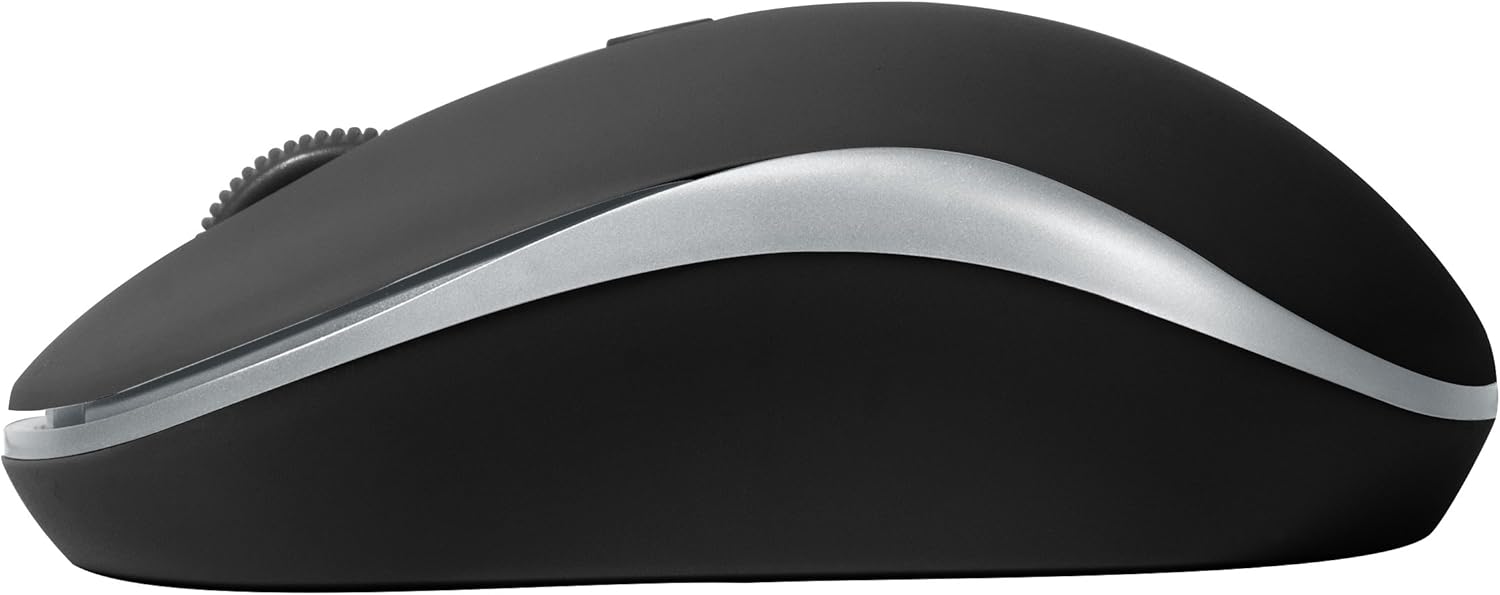
Figur 2: Side view of the BYTECH Wireless Optical Mouse. This angle highlights the ergonomic curve and the silver accent line that runs along the side of the mouse.
Opsætning
1. Batteriinstallation
- Find batterirummet på undersiden af musen.
- Åbn batterirummets dæksel.
- Insert one AA battery (not included) into the compartment, ensuring the correct polarity (+/-) as indicated inside.
- Luk batterirummets dæksel forsvarligt.
2. USB-modtagertilslutning
- Remove the USB receiver from its storage slot, usually located inside the battery compartment or near it.
- Sæt USB-modtageren i en ledig USB-port på din computer eller bærbare computer.
- Dit operativsystem burde automatisk registrere og installere de nødvendige drivere. Dette kan tage et par øjeblikke.
3. Tænder
- Find tænd/sluk-knappen på undersiden af musen.
- Slide the switch to the "On" position. The mouse should now be ready for use.
Betjeningsvejledning
Grundlæggende funktioner
- Venstre klik: Tryk på venstre knap for at vælge elementer, åbne links eller aktivere funktioner.
- Højreklik: Tryk på den højre knap for at åbne kontekstmenuer eller få adgang til yderligere muligheder.
- Scrollhjul: Rul hjulet op eller ned for at rulle gennem dokumenter eller web sider. Tryk på scrollehjulet for at bruge midterklikfunktionen (f.eks. åbning af links i nye faner).
DPI justering
The mouse features a DPI (Dots Per Inch) button, typically located behind the scroll wheel. Press this button to cycle through different sensitivity settings. Each press will change the cursor speed, allowing you to find the optimal setting for your task.
- Tryk på DPI knap once to switch to the next sensitivity level.
- Repeat until you find your preferred cursor speed.
Strømbesparende tilstand
To conserve battery life, the BYTECH Wireless Optical Mouse is designed to automatically enter a sleep mode after a period of inactivity. To wake the mouse, simply move it or click any button.
Opretholdelse
Rensning
- Sørg for, at musen er slukket, inden rengøring.
- Brug en blød, fnugfri klud lidt dampafsluttes med vand eller en mild rengøringsopløsning.
- Tør forsigtigt musens overflade af. Undgå for meget fugt.
- For the optical sensor, use a dry cotton swab to carefully remove any dust or debris.
- Brug ikke slibende rengøringsmidler, alkohol eller opløsningsmidler, da disse kan beskadige overfladen.
Udskiftning af batteri
When the mouse performance degrades or the cursor becomes erratic, it may be time to replace the battery. Follow the battery installation steps outlined in the "Setup" section.
Opbevaring
When not in use for an extended period, it is recommended to turn off the mouse to conserve battery life. The USB receiver can be stored in its dedicated slot on the mouse's underside to prevent loss.
Fejlfinding
- Musen svarer ikke:
- Sørg for, at musen er tændt.
- Kontroller batteriniveauet og udskift om nødvendigt.
- Kontroller, at USB-modtageren er korrekt tilsluttet en fungerende USB-port. Prøv en anden USB-port.
- Genstart din computer.
- Cursor erratic or jumping:
- Rengør den optiske sensor på undersiden af musen.
- Ensure you are using the mouse on a suitable surface (non-reflective, non-transparent). A mouse pad is recommended.
- Kontroller for stærk elektromagnetisk interferens fra andre enheder.
- Forbindelsesproblemer:
- Reducer afstanden mellem musen og USB-modtageren.
- Remove any large metal objects or electronic devices that might be obstructing the wireless signal.
- If using a USB hub, try connecting the receiver directly to the computer.
Specifikationer
| Feature | Detalje |
|---|---|
| Mærke | Bytech |
| Model | BYTECH Wireless Optical Mouse |
| Forbindelsesteknologi | Trådløs (USB-modtager) |
| Bevægelsesdetekteringsteknologi | Optisk |
| Farve | Sort |
| Strømkilde | Batteridrevet (1x AA, medfølger ikke) |
| Operativsystemkompatibilitet | macOS, Android (and generally Windows) |
| Varens vægt | 3.56 ounce |
| Produktmål (LxBxH) | 1 x 1 x 1 cm (ca.) |
Bemærk: Specifikationerne kan ændres uden varsel.
Garanti og support
Bytech products are manufactured to the highest quality standards. For information regarding warranty coverage, technical support, or service, please refer to the warranty card included with your product or visit the official Bytech webwebsted. Behold din købskvittering som købsbevis i tilfælde af garantikrav.
For further assistance, please contact Bytech customer support through their official channels.


