Indledning
This manual provides detailed instructions for the installation, operation, and maintenance of your ANRAN AR-HX36 1080P WiFi IP Camera. This wireless security camera is designed for both indoor and outdoor surveillance, offering high-definition video, night vision, and motion detection capabilities. Please read this manual thoroughly before using the product to ensure proper setup and functionality.
Produkt overview
The ANRAN AR-HX36 is a 1080P HD wireless IP camera featuring a 2.0 Megapixel sensor, 90-degree viewing angle, and IP66 weatherproof rating. It includes a built-in 16GB Micro TF card for local storage and supports remote access via mobile applications and PC software.

Image: The ANRAN AR-HX36 1080P WiFi IP Camera, showcasing its key features including 1080P resolution, WiFi connectivity, motion detection, built-in 16GB TF card, and IP66 waterproof rating.
Hvad er der i æsken
Ved udpakning skal du kontrollere, at alle følgende varer er inkluderet:
- ANRAN AR-HX36 WiFi IP Camera
- Brugermanual
- Kamera strømforsyning
- Vandtæt låg
- Pack of Screws for mounting

Image: A visual representation of the package contents, including the camera, power supply, waterproof lid, mounting screws, and user manual.
Opsætning
Follow these steps to set up your ANRAN AR-HX36 camera:
- Strømtilslutning: Connect the camera to the included power supply.
- App-download: Download the "CamHi" app from Google Play (for Android) or the Apple App Store (for iOS). For PC access, download the "HiP2P" client or use an IE browser.
- Netværks forbindelse:
- Kablet forbindelse: Connect the camera to your router using a network cable. Ensure the camera and your mobile device are on the same local area network (LAN) for initial setup.
- Wireless Connection (AP Mode): This method does not require a network cable for setup. Follow the in-app instructions to connect the camera to your Wi-Fi network. For optimal performance, place the camera as close to your router as possible to maintain a stable Wi-Fi signal.
- Adding Camera to App:
- Open the "CamHi" app.
- Tap "Add Camera".
- Søg efter the camera on your LAN or scan the QR code located on the bottom of the camera.
- Select the device and enter the default password, which is "admin". The default username is also "admin".
- Fuldfør opsætningsprocessen som bedt af appen.
- Installation af TF-kort: The camera comes with a built-in 16GB Micro TF card. This allows for local recording without needing an external backend device. The camera supports Micro TF cards up to 128GB.

Image: A visual guide demonstrating the six steps to add the camera to the CamHi mobile application, from opening the app to completing the connection.

Image: An illustration explaining the function of the built-in 16GB TF card for local recording and playback, highlighting that it supports Micro TF cards up to 128GB.
Video: En overview of the ANRAN AR-HX36 camera, demonstrating its features and ease of installation. This video provides a visual guide to the product's capabilities and initial setup.
Betjeningsvejledning
Remote Access and Monitoring
The ANRAN AR-HX36 camera allows for remote monitoring from various devices:
- Mobile enheder: Use the "CamHi" app on your Android or iOS smartphone or tablet to view live feeds and recorded video.
- PC/laptop: Access the camera via the "HiP2P" PC Client application or through an IE browser.
- P2P Functionality: The camera supports P2P (Peer-to-Peer) function, simplifying remote monitoring without complex port forwarding or DDNS settings.
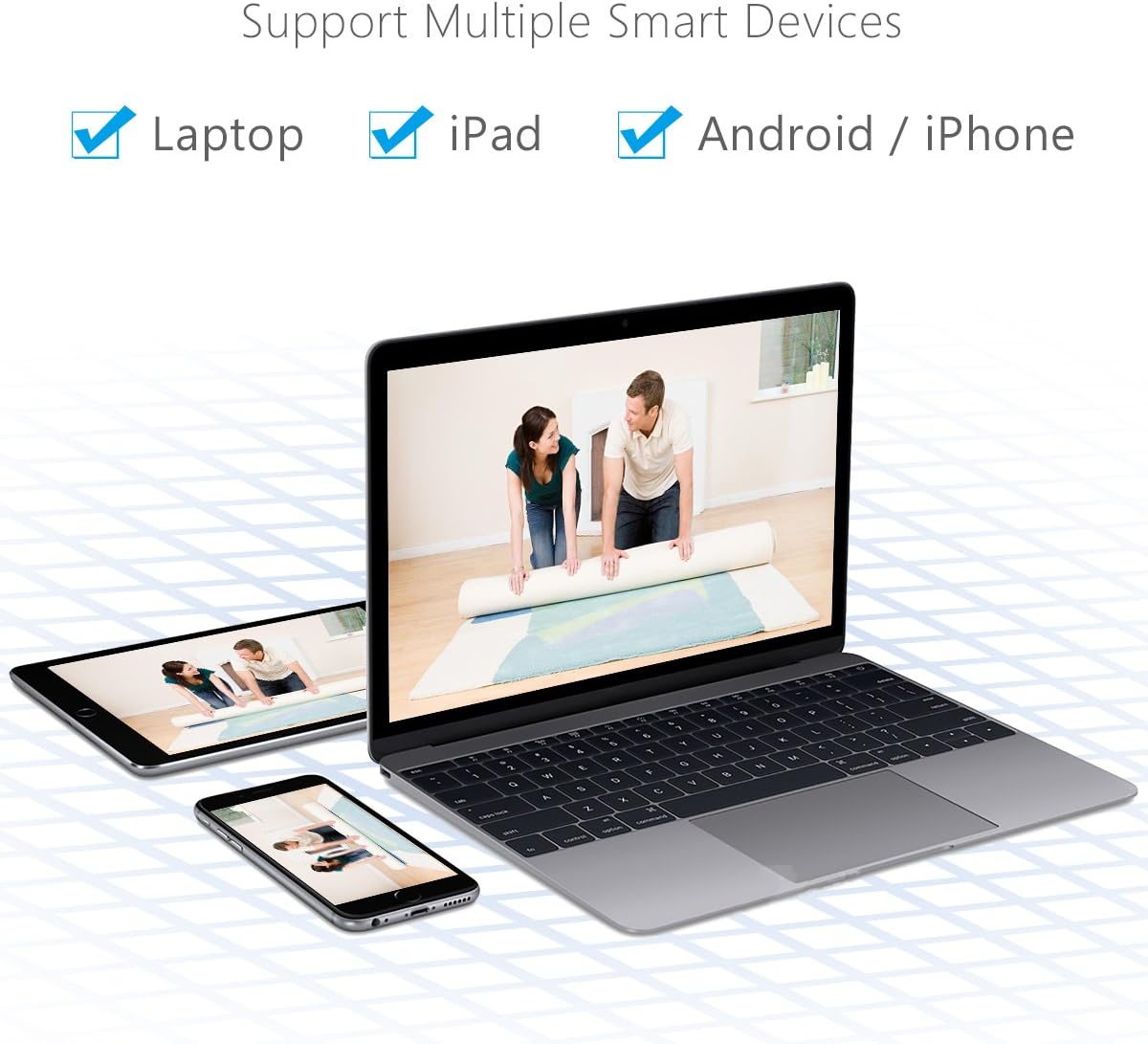
Image: This image illustrates the compatibility of the ANRAN camera with multiple smart devices, including laptops, iPads, and Android/iPhone smartphones, for remote viewing.
Bevægelsesdetektering og advarsler
The camera is equipped with smart motion detection capabilities:
- When motion is detected, the camera can send push notifications to your mobile device and email alerts to your configured email address.
- Configure motion detection sensitivity and alert settings within the "CamHi" app or PC client.

Image: A visual representation of the email alert feature, showing an immediate notification sent to your inbox when activity is detected by the wireless security camera.
Day/Night Vision
The camera automatically switches between day and night vision modes:
- During the day, the camera provides clear 1080P color video.
- At night, the built-in 36Pcs IR-CUT Lens enables clear night vision up to 60 feet (18 meters).

Image: A split image demonstrating the camera's ability to monitor both during the day with full color and at night with infrared illumination for clear visibility.
Opretholdelse
To ensure the longevity and optimal performance of your ANRAN AR-HX36 camera, consider the following maintenance tips:
- Rensning: Periodically clean the camera lens with a soft, dry cloth to remove dust or smudges that may affect image clarity. Avoid using harsh chemicals.
- Vejrbeskyttelse: Although the camera is IP66 weatherproof, ensure it is securely mounted and protected from direct, prolonged exposure to extreme weather conditions if possible, to extend its lifespan.
- Firmwareopdateringer: Check the ANRAN official website or the "CamHi" app regularly for any available firmware updates. Keeping the firmware updated can improve performance and security.
- Strømforsyning: Use only the provided power supply to prevent damage to the camera.

Image: The ANRAN camera installed on the exterior of a house, illustrating its suitability for home surveillance with waterproof and wireless capabilities, functioning in temperatures from -10°C to 50°C.
Fejlfinding
If you encounter issues with your ANRAN AR-HX36 camera, refer to the following common problems and solutions:
- Kamera offline:
- Kontrollér strømforbindelsen for at sikre, at kameraet modtager strøm.
- Verify your Wi-Fi network is active and the camera is within range. Walls can weaken the signal; try moving the camera closer to the router.
- Genstart kameraet og din router.
- Unable to Connect to App:
- Ensure your mobile device is connected to the same Wi-Fi network as the camera during initial setup.
- Double-check the camera's default username ("admin") and password ("admin").
- If using a wired connection, ensure the network cable is securely connected.
- Dårlig billedkvalitet:
- Rengør kameralinsen.
- Ensure sufficient lighting for day mode. For night vision, confirm the IR LEDs are active.
- Check your network bandwidth; a slow connection can affect streaming quality.
- Bevægelsesdetektion virker ikke:
- Verify motion detection settings are enabled in the app.
- Juster følsomhedsindstillingerne.
- Sørg for, at der ikke er nogen forhindringer, der blokerer kameraets view.
Specifikationer
| Feature | Specifikation |
|---|---|
| Modelnummer | AR-HX36 |
| Billedsensor | 1/3" 2MP CMOS sensor |
| Videooptagelsesopløsning | 1080p (2.0 Megapixel) |
| Billedhastighed | 25 fps |
| Billedkomprimering | Smart H.264 |
| Linse | 3.6 mm |
| Viewi vinkel | 90 grader |
| Nattesyn | Up to 60ft (36Pcs IR-CUT Lens) |
| Forbindelsesteknologi | Trådløs (Wi-Fi), Ethernet |
| Trådløs kommunikationsteknologi | Wi-Fi, 4G |
| Opbevaring | Built-in 16GB Micro TF Card (supports up to 128GB) |
| International Protection Rating | IP66 (vejrbestandig) |
| Indendørs/Udendørs brug | Indendørs, Udendørs |
| Controller type | Android, iOS |
| Alert Type | Motion Only (Email Alert) |
| Strømforbrug | 6 watt |
| Varens vægt | 3.66 ounce |
| Dimensioner | 7.6 x 4.21 x 3.94 tommer (pakke) |

Image: A detailed diagram showing the physical dimensions of the camera and highlighting key internal components such as the 36pcs IR LEDs, HD Lens, and the IR-CUT day/night switch.
Garanti og support
The ANRAN AR-HX36 camera comes with a 1-year warranty from ANRAN Technologies. For technical support, warranty claims, or further inquiries, please refer to the contact information provided in your product packaging or visit the official ANRAN webwebsted.
Du kan også besøge ANRAN Store on Amazon for yderligere produktinformation og supportressourcer.


