1. Introduktion
Thank you for choosing the Retevis RT22 Walkie Talkies. This user manual provides essential information for the safe and efficient operation of your two-way radios. Please read this manual thoroughly before use and retain it for future reference. The RT22 is designed for clear communication, featuring a compact size, long battery life, and hands-free VOX operation, suitable for various activities.
2. Pakkens indhold
Upon opening your Retevis RT22 package, please verify that all items listed below are present and in good condition:
- 2 x Retevis RT22 Radios
- 2 x Lithium Ion Batteries (included and pre-installed in some cases)
- 2 x USB ladekabler
- 1 x Power Adapter (USB wall charger)
- 2 x Earpieces (2 Pin Covert Air Acoustic headset)
- 2 x bælteclips
- 1 x Brugermanual (dette dokument)

Billede 2.1: The complete package contents for the Retevis RT22 Walkie Talkies, including two radios, batteries, charging cables, power adapter, earpieces, and belt clips.
3. Produktet er slutview
Familiarize yourself with the various parts and controls of your Retevis RT22 radio.

Billede 3.1: Front view of the Retevis RT22 radio, indicating the indicator light, power/volume knob, speaker, PTT button, channel selection buttons, microphone, and USB plug.
- Indikatorlys: Viser radiostatus (f.eks. sender, modtager, oplader).
- Strøm-/lydstyrkeknap: Drej for at tænde/slukke radioen og justere lydstyrken.
- Højttaler: Udgange modtaget lyd.
- PTT (Push-to-Talk) knap: Tryk og hold nede for at sende, slip for at modtage.
- Channel + / Monitor Button: Press to increase channel number. Hold to activate monitor function.
- Channel - Button: Tryk for at reducere kanalnummeret.
- Mikrofon: Optager din stemme under transmissionen.
- USB stik: Used for charging the radio.
- Antenne: Integreret til signaltransmission og -modtagelse.
4. Opsætning
4.1 Batteriinstallation
The Retevis RT22 uses a rechargeable Lithium-Ion battery. Ensure the battery is correctly installed before first use.
- Find batteridækslet på bagsiden af radioen.
- Slide the cover downwards or unclip it to open the compartment.
- Insert the Lithium-Ion battery pack, ensuring the contacts align with those in the radio.
- Sæt dækslet til batterirummet på igen, og sørg for, at det klikker sikkert på plads.

Billede 4.1: View of the Retevis RT22 radio with the battery cover removed, showing the battery and compartment.
4.2 Opladning af batteriet
Charge the battery fully before initial use to ensure optimal performance and battery life.
- Connect the USB charging cable to the USB plug on the side of the radio.
- Tilslut den anden ende af USB-kablet til den medfølgende strømadapter.
- Sæt strømadapteren i en almindelig stikkontakt.
- The indicator light on the radio will illuminate red during charging. It will turn green when charging is complete.
- En fuld opladning tager typisk cirka 3-4 timer.
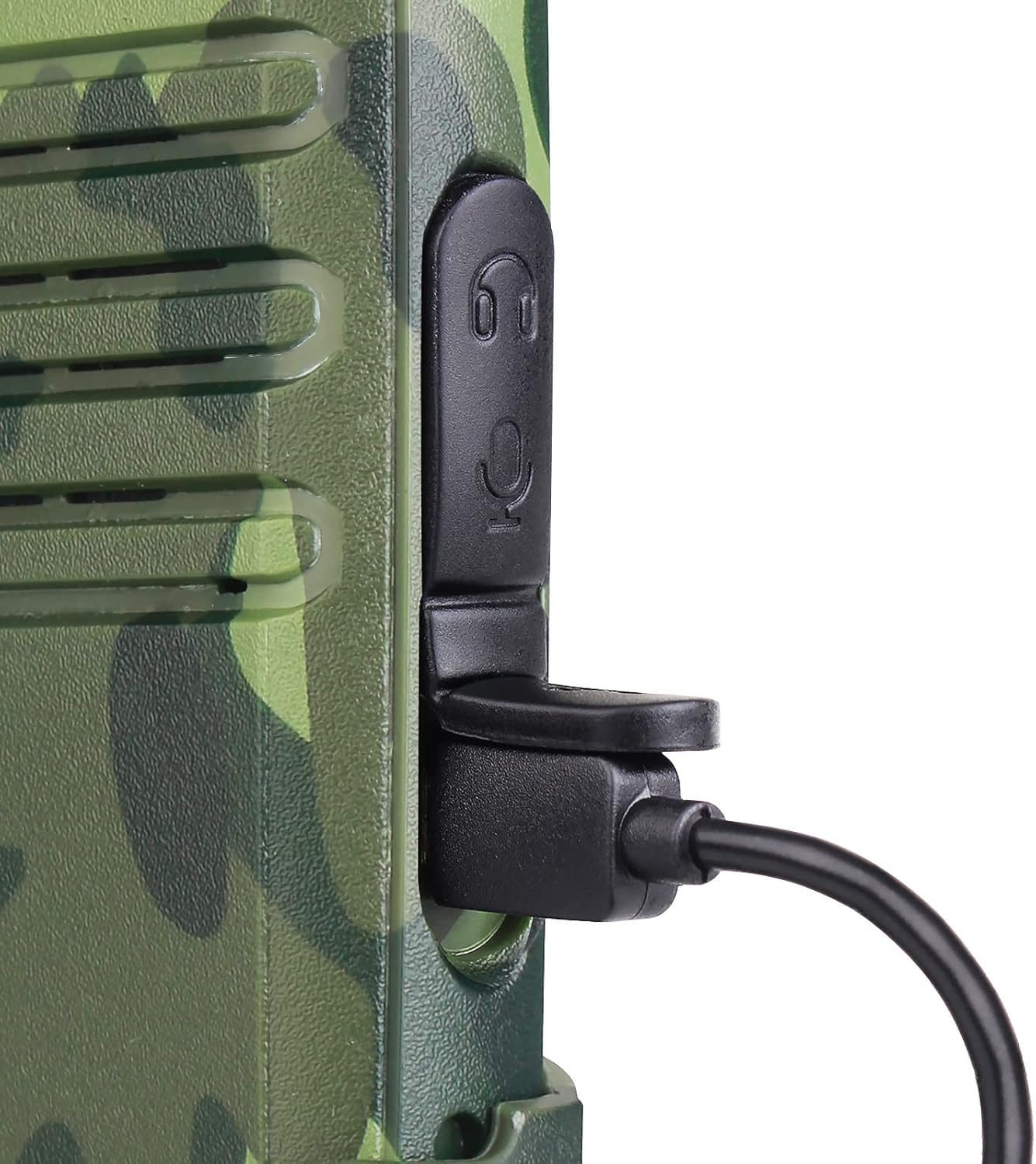
Billede 4.2: Et nærbillede view of the USB charging port on the Retevis RT22 radio with a charging cable inserted.
5. Betjeningsvejledning
5.1 Tænd/sluk og lydstyrkejustering
- For at tænde radioen skal du dreje Strøm-/lydstyrkeknap clockwise until you hear a click and a voice prompt.
- For at slukke skal du dreje knappen mod uret, indtil du hører et klik.
- Juster lydstyrken ved at dreje på Strøm-/lydstyrkeknap clockwise to increase and counter-clockwise to decrease.
5.2 Kanalvalg
The RT22 has 16 channels. To communicate with another radio, both radios must be set to the same channel.
- Tryk på Kanal + button to move to the next higher channel.
- Tryk på Channel - button to move to the next lower channel.
- The radio will announce the current channel number.
5.3 Afsendelse og modtagelse
- For at sende, tryk og hold nede PTT (Push-to-Talk) knap on the side of the radio. Speak clearly into the microphone. The indicator light will glow red.
- Release the PTT button to stop transmitting and return to receive mode. The indicator light will glow green when receiving a signal.
5.4 VOX-funktion (håndfri betjening)
The Voice Operated Exchange (VOX) function allows you to transmit without pressing the PTT button. When VOX is enabled, the radio will automatically transmit when it detects your voice.
- VOX can be enabled or disabled via programming software (not covered in this basic manual). Refer to advanced programming guides if needed.
- When using the included earpiece, VOX sensitivity can be adjusted for optimal performance.
5.5 Squelch-funktion
The squelch function automatically mutes the speaker when no signal is being received, reducing background noise. The RT22 features an adjustable squelch level to optimize clear communication.
- The squelch level is typically pre-set for general use. Advanced users may adjust it via programming software.
- To temporarily disable squelch and listen for weak signals, press and hold the Overvåge function (usually integrated with the Channel + button).
6. Vedligeholdelse
- Rensning: Brug en blød, damp klud til at rengøre radioens overflade. Brug ikke skrappe kemikalier eller slibende rengøringsmidler.
- Batteripleje: For at forlænge batteriets levetid skal du undgå at overoplade og aflade batteriet helt. Opbevar radioen og batteriet et køligt og tørt sted, når de ikke er i brug i længere perioder.
- Opbevaring: Hold radioen væk fra ekstreme temperaturer, direkte sollys og fugt.
- Reparationer: Do not attempt to disassemble or repair the radio yourself. Refer all servicing to qualified personnel.
7. Fejlfinding
If you encounter issues with your Retevis RT22, please refer to the following common problems and solutions:
| Problem | Mulig årsag | Løsning |
|---|---|---|
| Radioen tænder ikke. | Batteriet er lavt eller ikke installeret korrekt. | Charge the battery. Ensure the battery is properly seated in the compartment. |
| Kan ikke sende eller modtage. | Different channels. Out of range. Low battery. | Sørg for, at begge radioer er på samme kanal. Flyt tættere på den anden radio. Oplad batteriet. |
| Dårlig lydkvalitet eller statisk støj. | Weak signal. Obstructions. Squelch level too low. | Move to an open area. Adjust squelch level (if programmable). |
| VOX virker ikke. | VOX deaktiveret eller følsomheden er for lav. | Ensure VOX is enabled and sensitivity is adjusted appropriately (via programming). |
8. Specifikationer
- Model: RT22
- Varemodelnummer: A9121D-C9003AX2
- Produktdimensioner: 2.1 cm D x 5.6 cm B x 13.6 cm H (ca. 0.83 cm D x 2.2 cm B x 5.35 cm H)
- Varens vægt: 1 pound (approx. 450g)
- Batterier: 2 Lithium Ion batterier påkrævet (medfølger)
- Batterikapacitet: 1000mAh (Model: BL-22, Voltage: 3.7V, Power: 3.7Wh)
- Antal kanaler: 16
- Frekvensområde: FRS
- Maksimal talerækkevidde: 2 Miles (under optimal conditions)
- Voltage: 3.7 volt
- Vandmodstandsniveau: Vandtæt
- Særlige funktioner: Easy to use, long battery life, VOX handsfree
- Fabrikant: Hongkong Retevis.CO.LTd
- FCC ID: 2AAR8RETEVISRT22

Billede 8.1: Visual representation of the Retevis RT22 radio's dimensions.

Billede 8.2: The back of the Retevis RT22 radio, displaying regulatory information including the FCC ID and battery specifications.
9. Sikkerhedsoplysninger
Please adhere to the following safety guidelines for safe operation:
- FCC-overholdelse: Our walkie talkies FCC ID is: 2AAR8RETEVISRT22. Our walkie talkies meet FCC part 95 rule.
- Brug ikke radioen i eksplosive atmosfærer (f.eks. i nærheden af brandfarlig gas, støvpartikler eller metalpulver).
- Udsæt ikke radioen for direkte sollys i længere perioder, og placer den ikke i nærheden af varmeapparater.
- Use only original or approved accessories (battery, charger, earpiece) to avoid damage and ensure safety.
- Keep the radio out of reach of children.
- If the radio emits smoke or an unusual odor, immediately turn off the power and remove the battery. Contact customer support.
10. Garanti og support
For warranty information or technical support, please refer to the official Retevis website or contact your retailer. Specific warranty terms may vary by region and purchase date. Please retain your proof of purchase for warranty claims.


