1. Introduktion
Thank you for choosing the MuveAcoustics Box Portable Wireless Bluetooth Speaker MA-2005SG. This speaker is designed to provide a versatile and engaging audio experience with essential controls for ease of use. This manual will guide you through the setup, operation, and maintenance of your new speaker.
The lightweight design delivers stereo sound with boosted bass, making it suitable for various environments. It offers multiple connectivity options including wireless Bluetooth, FM Radio, USB, and Micro SD card modes. With a built-in Li-ion rechargeable battery, enjoy up to 6 hours of powerful sound per charge. The integrated microphone allows for seamless switching between music and phone calls.
2. Produktet er slutview
2.1. Pakkens indhold
- MuveAcoustics Box Portable Wireless Bluetooth Speaker MA-2005SG
- USB opladningskabel
- Brugermanual
2.2. Højttalerkomponenter
Familiarize yourself with the speaker's layout and controls:

Billede 1: Front view of the MuveAcoustics Box speaker. This image displays the speaker's front grille and the MuveAcoustics logo, indicating its primary sound output area.
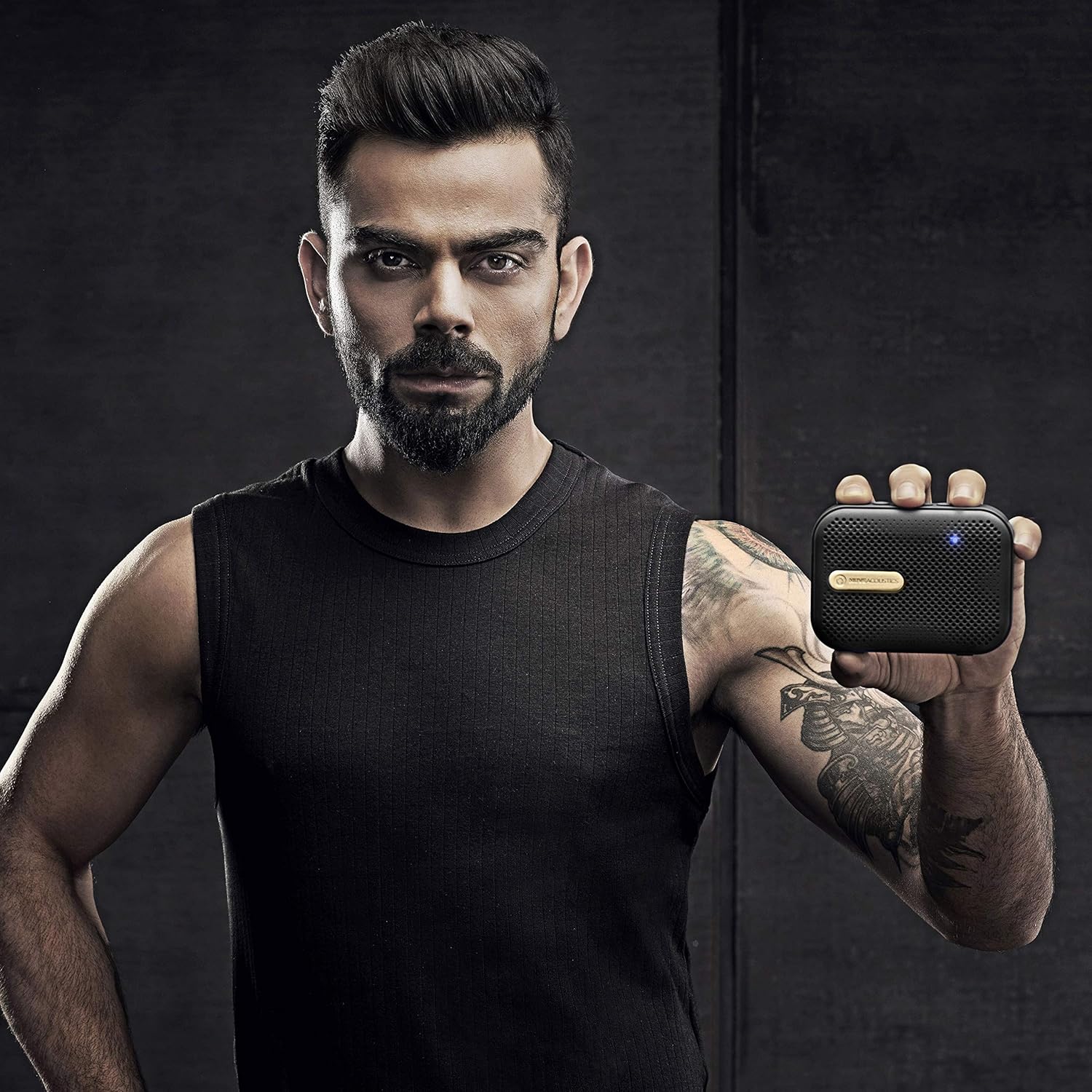
Billede 2: Top view of the MuveAcoustics Box speaker showing control buttons. The top panel features buttons for power, volume adjustment, track control, and mode selection.

Billede 3: Side view of the MuveAcoustics Box speaker showing USB, Micro SD, and charging ports. This view highlights the connectivity options available on the device.

Billede 4: Diagram illustrating the full integrated functions of the MuveAcoustics Box speaker. This graphic details the various modes and controls, including Wireless Speaker Mode, FM Radio Mode, USB Audio-In Mode, Micro SD Card Audio-In Mode, Volume Control, Play/Pause/Track Control, and Answer/Reject Phone Calls.
3. Opsætning
3.1. Opladning af højttaleren
Before first use, fully charge the speaker. Connect the provided USB charging cable to the speaker's charging port and the other end to a USB power adapter (not included) or a computer's USB port. The LED indicator will illuminate during charging and turn off or change color when fully charged. A full charge provides up to 6 hours of playback.
3.2. Tænd/sluk
- To Power On: Press and hold the Power button (refer to Image 2) for approximately 3 seconds until the LED indicator lights up and you hear an audible prompt.
- To Power Off: Press and hold the Power button for approximately 3 seconds until the LED indicator turns off and you hear an audible prompt.
3.3. Bluetooth-parring
- Ensure the speaker is powered on and in Bluetooth mode. The LED indicator will flash, indicating it is ready for pairing.
- Aktiver Bluetooth på din mobilenhed, og søg efter tilgængelige enheder.
- Select "MuveAcoustics Box" from the list of devices.
- Once successfully paired, the LED indicator will become solid, and you will hear a confirmation sound.
3.4. Opsætning af FM-radio
- Tænd for højttaleren.
- Press the Mode button (often integrated with Play/Pause, refer to Image 2) repeatedly until you enter FM Radio mode.
- In FM mode, press and hold the Play/Pause button to initiate an automatic scan for FM stations. The speaker will scan and save all available stations.
- Use the Previous/Next Track buttons to navigate between the saved FM stations.
3.5. USB/Micro SD Card Playback
- Tænd for højttaleren.
- Insert a USB flash drive or a Micro SD card (with audio files) into the corresponding port on the side of the speaker (refer to Image 3).
- Højttaleren registrerer automatisk lagerenheden og begynder at afspille lyd files. If it does not, press the Mode button to switch to USB or Micro SD mode.
4. Betjeningsvejledning
4.1. Grundlæggende lydkontroller
- Afspil/pause: Press the Play/Pause button once to play or pause the current audio track.
- Lydstyrke op: Tryk på '+'-knappen for at øge lydstyrken.
- Skrue ned for lyden: Tryk på '-' knappen for at sænke lydstyrken.
- Next Track/Station: Press and hold the '+' button to skip to the next track (in Bluetooth/USB/SD mode) or next saved station (in FM mode).
- Previous Track/Station: Press and hold the '-' button to go to the previous track (in Bluetooth/USB/SD mode) or previous saved station (in FM mode).
4.2. Call Management (in Bluetooth Mode)
- Besvar/afslut opkald: When an incoming call is received, press the Play/Pause button once to answer. Press it again to end the call.
- Afvis opkald: When an incoming call is received, press and hold the Play/Pause button to reject the call.
4.3. Skift af tilstand
Press the Mode button (often integrated with Play/Pause) repeatedly to cycle through the available modes: Bluetooth, FM Radio, USB, and Micro SD card playback.
5. Vedligeholdelse
- Rensning: Brug en blød, tør klud til at rengøre højttalerens overflade. Brug ikke slibende rengøringsmidler eller opløsningsmidler.
- Opbevaring: Opbevar højttaleren et køligt, tørt sted væk fra direkte sollys og ekstreme temperaturer.
- Batteripleje: For at forlænge batteriets levetid bør du undgå at aflade højttaleren helt ofte. Oplad højttaleren regelmæssigt, selvom den ikke er i brug i længere perioder.
- Vandtæthed: The product is listed as 'Not Water Resistant'. Avoid exposure to water or high humidity.
- Demontering: Forsøg ikke at skille højttaleren ad eller ændre den. Dette vil ugyldiggøre garantien og kan forårsage skade.
6. Fejlfinding
| Problem | Mulig årsag | Løsning |
|---|---|---|
| Højttaleren tænder ikke. | Batteriet er afladet. | Oplad højttaleren helt med det medfølgende USB-kabel. |
| Ingen lyd fra højttaleren. | Lydstyrken er for lav; Forkert tilstand valgt; Enheden er ikke tilsluttet. | Increase volume on both the speaker and the connected device. Ensure the correct input mode (Bluetooth, FM, USB, SD) is selected. Verify Bluetooth connection. |
| Bluetooth-forbindelsen er ustabil eller afbrydes. | Speaker is out of range; Interference; Low battery. | Ensure the speaker and device are within 10 meters (33 feet) and free from obstructions. Move away from other wireless devices. Charge the speaker. Re-pair the device. |
| Dårlig FM-radiomodtagelse. | Svagt signal. | Flyt højttaleren for at forbedre signalmodtagelsen. |
| USB/Micro SD card not playing. | Ukorrekt file format; Card/drive not inserted correctly; Speaker in wrong mode. | Sørg for lyd files are in a compatible format. Reinsert the USB drive or Micro SD card. Press the Mode button to select the correct input mode. |
7. Specifikationer
| Feature | Detalje |
|---|---|
| Modelnavn | MA-2005SG |
| Mærke | MuveAcoustics |
| Højttaler type | Udendørs |
| Anbefalede anvendelser | Musik |
| Farve | Space Gold |
| Trådløs kommunikationsteknologi | Bluetooth |
| Strømkilde | Batteridrevet |
| Batteritype | 1 Lithium Ion (inkluderet) |
| Batteriets gennemsnitlige levetid | 6 timer |
| Varens vægt | 220 g |
| Produktmål (LxBxH) | 11 x 8 x 3.5 cm |
| Vandmodstandsniveau | Ikke vandafvisende |
| Fabrikant | Zeeva Electronics Pvt. Ltd. |
8. Garanti og support
8.1. Garantioplysninger
MuveAcoustics offers a 1 års garanti for this product from the date of purchase. This warranty covers manufacturing defects under normal use. It does not cover damage caused by misuse, accidents, unauthorized modifications, or normal wear and tear.
8.2. Kundesupport
For warranty claims, technical assistance, or any questions regarding your MuveAcoustics Box speaker, please contact the retailer where you purchased the product or refer to the official MuveAcoustics webwebsted for kontaktoplysninger til kundesupport.


