Produkt overview
The Amazon Basics Full Size Ergonomic Wireless Mouse is designed for comfort and seamless functionality, ideal for right-hand use. This black wireless mouse provides reliable performance for both laptops and PCs, enhancing your computing experience with its advanced features.
Key features include fast-scrolling capabilities, a clickable scroll wheel, and convenient forward/back thumb buttons for streamlined navigation. It connects via a compact USB receiver, allowing for a tidy workspace without occupying additional ports. The optical sensor offers a 1600 DPI resolution for smooth and accurate tracking on most surfaces. An integrated on/off switch helps extend battery life, making it a dependable choice for continuous use. The mouse operates on a stable 2.4 GHz non-Bluetooth wireless connection and comes with 2 AA batteries and a battery LED light for user convenience.
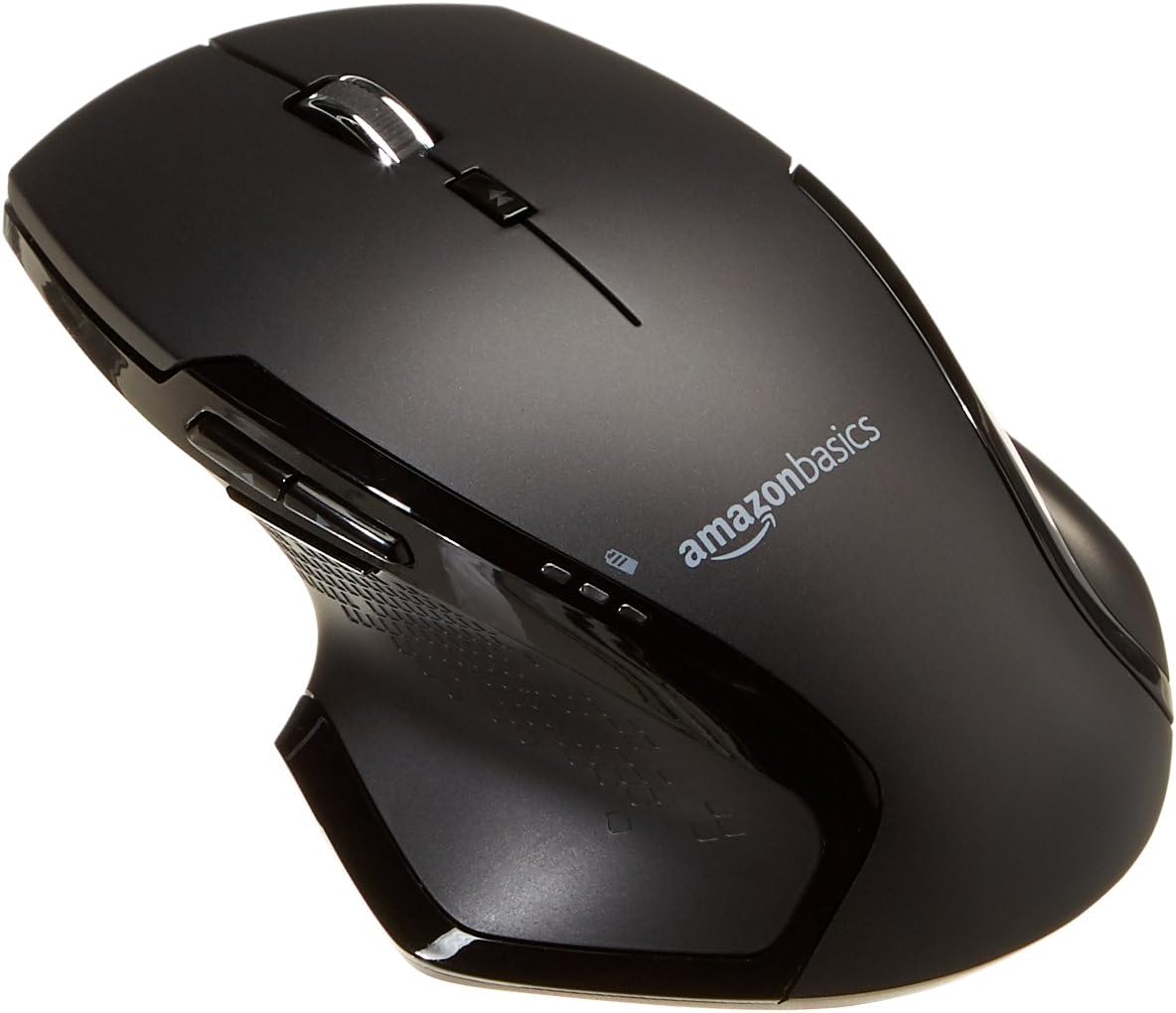
Billede: Top view of the Amazon Basics Full Size Ergonomic Wireless Mouse, showcasing its black finish and ergonomic design.
Pakkens indhold
Sørg for, at alle elementer er til stede, før du fortsætter med opsætningen:
- Trådløs mus
- 2 x AA batterier
- USB-modtager
Opsætning
1. Installation af batterier
- Turn the mouse upside down.
- Find batteridækslet på undersiden af musen.
- Skub dækslet åbent.
- Isæt de to (2) AA-batterier, og sørg for at polerne (+/-) vender korrekt som angivet i batterirummet.
- Luk batterirummets dæksel forsvarligt.

Image: Underside of the mouse with the battery compartment open, showing the slots for two AA batteries and the stored USB receiver.
2. Tilslutning af USB-modtageren
- Remove the USB receiver from its storage slot within the battery compartment of the mouse.
- Sæt USB-modtageren i en ledig USB-port på din computer (pc eller Mac).
- Drej musen ON using the on/off switch located on the underside of the mouse.
- Din computer burde automatisk registrere og installere de nødvendige drivere. Dette kan tage et par øjeblikke.

Image: The Amazon Basics wireless mouse positioned next to a laptop, illustrating a typical setup.
The mouse is plug-and-play and does not require additional software installation. For pointer speed adjustments, refer to your operating system's system settings.
Betjeningsvejledning
Grundlæggende funktioner
- Venstre klik: Primær knap til valg af elementer, åbning files, og interaktion med software.
- Højreklik: Sekundær knap til adgang til kontekstmenuer og yderligere muligheder.
- Scrollhjul: Rul op eller ned gennem dokumenter og web pages. The wheel is also clickable for middle-click functions.

Billede: Side view of the Amazon Basics wireless mouse, highlighting its ergonomic contours and side buttons.
Advanced Functions (Thumb Buttons)
- Frem-knap: Navigerer fremad i web browsere eller file opdagelsesrejsende.
- Tilbage knap: Navigerer baglæns i web browsere eller file opdagelsesrejsende.

Image: A hand demonstrating the ergonomic grip on the Amazon Basics wireless mouse, showing natural placement of fingers and thumb on the buttons.
Opretholdelse
- Rensning: Brug en blød, tør klud til at rengøre musen. Ved genstridigt snavs, brug en let tør klud.amp En klud kan bruges, men sørg for, at der ikke trænger fugt ind i de indvendige komponenter.
- Udskiftning af batteri: When the battery LED light indicates low power, replace both AA batteries promptly to ensure optimal performance.
- Opbevaring: When not in use for extended periods, turn off the mouse using the on/off switch to conserve battery life. The USB receiver can be stored inside the battery compartment for safekeeping.
Fejlfinding
| Problem | Mulig årsag | Løsning |
|---|---|---|
| Musen svarer ikke. |
|
|
| Markørbevægelsen er uregelmæssig eller hoppende. |
|
|
| Forward/Back buttons not working on Mac. |
|
|
Specifikationer
| Feature | Detalje |
|---|---|
| Mærke | Grundlæggende om Amazon |
| Modelnummer | GP8-BK |
| Forbindelsesteknologi | 2.4 GHz trådløs (USB-modtager) |
| Bevægelsesdetekteringsteknologi | Optisk |
| DPI opløsning | 1600 DPI |
| Strømkilde | 2 x AA batterier (medfølger) |
| Farve | Sort |
| Varens vægt | 8 ounce (ca. 227 gram) |
| Produktmål (LxBxH) | 4.96 x 1.77 x 3.24 tommer (ca. 12.6 x 4.5 x 8.2 cm) |
| Kompatible operativsystemer | PC (Windows 7 and above), Mac, Laptop, Chromebook |
Garanti & Support
For garantioplysninger og kundesupport henvises til den officielle Amazon Basics-side. website or the documentation included with your product. You can also find additional resources and contact information via the following links:
For yderligere hjælp, kontakt venligst Amazon Basics kundeservice.


