Indledning
Thank you for choosing Symphonized Wireless Sport Earbuds. These headphones are designed to provide a high-fidelity audio experience with the convenience of wireless connectivity, ideal for sports, exercise, and daily use. This manual will guide you through the setup, operation, maintenance, and troubleshooting of your new earbuds.
Pakkens indhold
Kontroller venligst, at alle varer er til stede i din pakke:
- Symphonized Wireless Sport Earbuds
- Additional Ear Tips (S/M/L)
- Opladningskabel (USB)
- Brugermanual
Produkt overview


Nøglekomponenter:
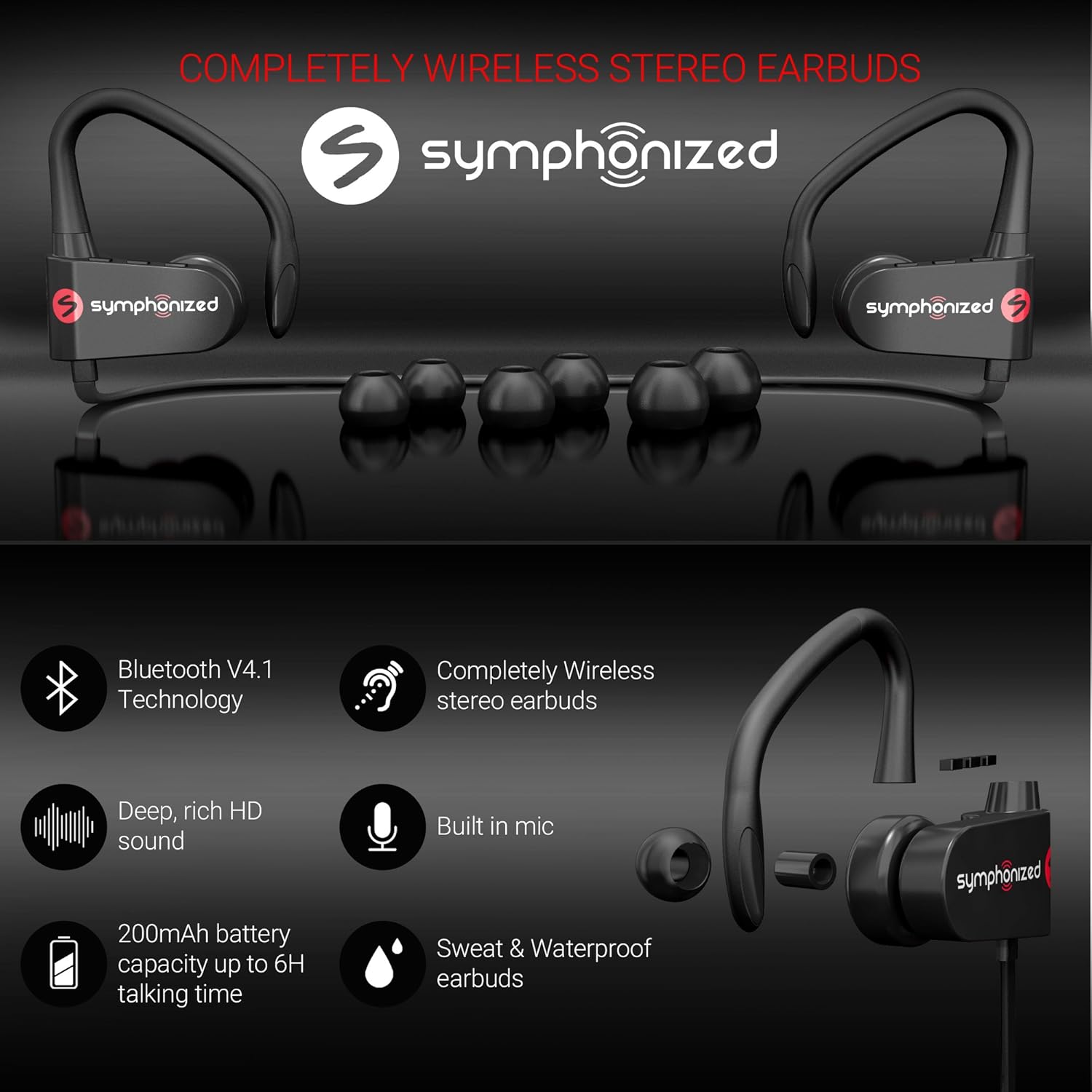
- høretelefoner Left and right earpieces with integrated ear hooks.
- Neckband Cable: Connects the two earbuds and houses the battery and main controls.
- Kontrolpanel: Located on one of the earbuds, typically includes Power/Multi-function button, Volume Up/Next Track, Volume Down/Previous Track.
- Mikrofon: Built-in for hands-free calling.
- Opladningsport: Micro USB-port til opladning.
Opsætning
1. Opladning af øretelefonerne
Before first use, fully charge your earbuds. Connect the provided USB charging cable to the charging port on the earbuds and the other end to a USB power source (e.g., computer USB port, wall adapter). The charging time is approximately 2 timer for en fuld opladning.
An indicator light will typically show red during charging and turn blue or off when fully charged.
2. Bluetooth-parring
Sådan tilslutter du dine ørepropper til en enhed:
- Sørg for, at ørepropperne er slukkede.
- Press and hold the Multi-function button (usually the power button) for approximately 5-7 seconds until the indicator light flashes red and blue alternately. This indicates pairing mode.
- Aktiver Bluetooth på din enhed (smartphone, tablet, bærbar computer), og søg efter nye enheder.
- Select "Symphonized PWR" or a similar name from the list of available devices.
- Once connected, the indicator light on the earbuds will typically flash blue slowly or turn off. You will also hear an audible confirmation.
The earbuds use Bluetooth V4.1 technology and have a wireless range of up to 10 meter (33 fod) in an open environment.

3. Sådan tager du ørepropperne på
For optimal sound quality and comfort, choose the correct size ear tips from the included options (S/M/L). The ear hooks are designed to provide a secure fit, especially during physical activity.
- Select the ear tips that create a comfortable seal in your ear canal.
- Place the earbud into your ear, ensuring the ear hook goes over the top of your ear.
- Adjust the earbud and hook until it feels secure and comfortable.

Betjeningsvejledning
Tænd/sluk
- Tænd: Press and hold the Multi-function button for approximately 3 seconds until the indicator light flashes blue and you hear a power-on prompt.
- Sluk: Press and hold the Multi-function button for approximately 3-5 seconds until the indicator light flashes red and you hear a power-off prompt.
Musikafspilning
- Afspil/pause: Tryk kort på multifunktionsknappen.
- Lydstyrke op: Tryk kort på "+"-knappen.
- Skrue ned for lyden: Tryk kort på "-" knappen.
- Næste nummer: Tryk længe på "+"-knappen.
- Forrige nummer: Tryk længe på "-" knappen.
Opkaldsstyring
- Besvar/afslut opkald: Tryk kort på multifunktionsknappen.
- Afvis opkald: Long press the Multi-function button.
- Genopkald sidste nummer: Tryk to gange på multifunktionsknappen.
Stemmeassistent (Siri/Google Assistent)
If supported by your device, a quick triple-press of the Multi-function button may activate your device's voice assistant.
Vedligeholdelse & Pleje
- Rensning: Use a soft, dry cloth to clean the earbuds. Do not use harsh chemicals or abrasive materials. Regularly clean ear tips to prevent wax buildup.
- Opbevaring: Opbevar ørepropperne et køligt, tørt sted væk fra ekstreme temperaturer og direkte sollys.
- Vandtæthed: The earbuds are Vandtæt, making them suitable for workouts and light rain. Do not submerge them in water or expose them to heavy downpours. Ensure the charging port cover is securely closed when not charging.
- Batteripleje: To prolong battery life, avoid fully discharging the battery frequently. Charge the earbuds regularly, even if not in use for extended periods.
Fejlfinding
| Problem | Mulig årsag | Løsning |
|---|---|---|
| Øretelefonerne tænder ikke. | Lavt batteri. | Oplad ørepropperne helt. |
| Kan ikke parres med enheden. | Øretelefoner er ikke i parringstilstand; Bluetooth slukket på enheden; enheden er for langt væk. | Ensure earbuds are in pairing mode (flashing red/blue). Turn on Bluetooth on your device. Move device closer to earbuds (within 10m). Forget previous pairings on your device and try again. |
| Ingen lyd eller lav lydstyrke. | Volume too low on earbuds or device; earbuds not connected. | Increase volume on both earbuds and your device. Reconnect the earbuds to your device. |
| Intermitterende forbindelse. | Interference; device too far; obstacles. | Move closer to your device. Avoid environments with strong Wi-Fi or other Bluetooth signals. Remove obstacles between earbuds and device. |
Specifikationer
| Feature | Detalje |
|---|---|
| Modelnavn | pwr_black |
| Forbindelsesteknologi | Trådløs (Bluetooth) |
| Bluetooth version | 4.1 |
| Bluetooth rækkevidde | 10 meter |
| Batterilevetid | Up to 6 Hours (Playtime) |
| Opladningstid | 2 timer |
| Frekvensområde | 18Hz-22kHz |
| Vandmodstandsniveau | Vandtæt |
| Kontroltype | Lydstyrkekontrol, berøring |
| Ørestykke form | In-Ear med ørekroge |
| Materiale | Metal, silikone |
| Varens vægt | 3.2 ounce |
| UPC | 700600921889 |
Garanti & Support
Symphonized products are designed for durability and performance. For information regarding product warranty, please refer to the documentation included with your purchase or visit the official Symphonized website. For customer support, troubleshooting assistance, or to inquire about returns, please contact Symphonized directly through their official channels.
You can visit the Symphonized brand store on Amazon for more information: Symphonized Store
Vigtige bemærkninger
Der var ingen officielle produktvideoer fra sælgeren tilgængelige til indlejring baseret på de angivne data.


