Indledning
This user manual provides essential information for the safe and effective operation, maintenance, and troubleshooting of your DieHard 71341 6/12V Gold Smart Wheel Battery Charger and 50/250A Maintainer. This unit is designed to charge or jump start your battery with intelligent charge technology, offering precision, safety, and extended battery life. Please read this manual thoroughly before using the product.

Image: The DieHard 71341 Gold Smart Wheel Battery Charger, a black unit with a handle and wheels, featuring a control panel on top and battery clamps stored on the handle.
Vigtige sikkerhedsoplysninger
Overhold altid følgende sikkerhedsforanstaltninger for at forhindre personskade eller beskadigelse af opladeren eller batteriet:
- Læs alle instruktioner: Læs alle instruktioner og advarselsmærkninger på opladeren, batteriet og det produkt, der bruger batteriet, inden du bruger opladeren.
- Ventilation: Sørg for tilstrækkelig ventilation ved opladning af batterier. Batterier kan producere eksplosive gasser.
- Øjenbeskyttelse: Brug altid øjenbeskyttelse og beskyttelsestøj, når du arbejder med batterier.
- Undgå gnister: Do not smoke or allow a spark or flame in the vicinity of the battery or engine.
- Korrekt forbindelse: Tilslutning og frakobling af batteriklemmeamps only when the charger's AC cord is disconnected from the electrical outlet.
- Omvendt polaritet: Avoid reverse polarity connections. The charger is designed with protection against incorrect connections, but always double-check.
- Indendørs brug: This charger is intended for indoor use only. Do not expose to rain or snow.
- Børn: Opbevares utilgængeligt for børn.
Opsætning
The DieHard 71341 charger comes largely pre-assembled for ease of use. Follow these steps for initial setup:
- Udpakning: Tag forsigtigt opladeren ud af emballagen. Undersøg den for eventuelle transportskader.
- Håndtagssamling: Ensure the retractable handle is securely in place. It is designed for easy transport.
- Kabelstyring: Uncoil the 6-gauge power cord and the 6-foot cold weather flexible output cables with color-coded clamps. The unit features integrated storage for these cables.
- Placering: Position the charger on a stable, level surface near the battery to be charged, ensuring adequate ventilation. The compact wheel design allows for easy movement around your garage or workspace.

Billede: Nærbillede view of the red and black color-coded battery clamps, designet til sikker forbindelse til batteripoler.
Betjeningsvejledning
The DieHard 71341 features intelligent, microprocessor-controlled charging for optimal battery health.
Tilslutning til et batteri:
- Sørg for, at opladeren er taget ud af stikkontakten.
- Tilslut den røde positive (+) clamp til den positive (+) batteripol.
- Tilslut den sorte negative (-) clamp to the negative (-) battery terminal. For vehicles, connect the negative clamp to the vehicle chassis away from the battery and fuel line if the battery is still in the vehicle.
- Plug the charger's AC cord into a standard 120V AC outlet.
Valg af tilstand:
The charger automatically senses 6V or 12V battery voltage. Use the "Rate Selection" switch on the control panel to choose your desired operation:
- Charge/Maintain (6A/2A): For standard charging and long-term battery maintenance. The multi-stage charging process prevents overcharging and switches to maintenance mode when fully charged.
- Boost (50A): Provides a quick energy boost to a discharged battery.
- Engine Start (250A): Delivers maximum power to jump start your vehicle. Follow vehicle manufacturer's instructions for jump starting.

Image: Close-up of the DieHard 71341 control panel, showing the rate selection switch for charge/maintain, boost, and engine start modes, along with LED indicators for battery status.
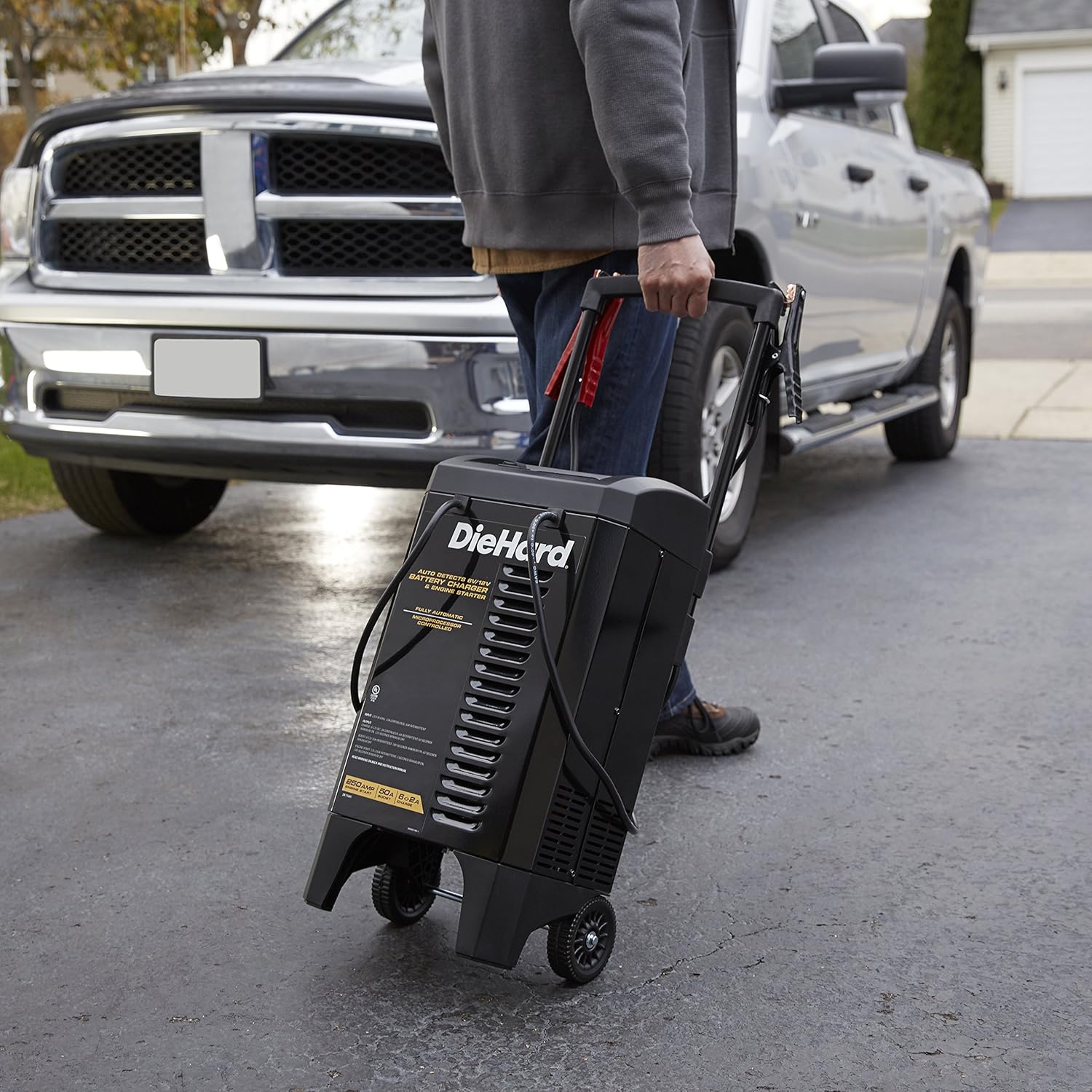
Image: A person's hand adjusting the settings on the DieHard 71341 battery charger's control panel, with the charger positioned near a vehicle.
Opretholdelse
Proper maintenance ensures the longevity and optimal performance of your DieHard charger:
- Rensning: Disconnect the charger from the power outlet and battery before cleaning. Wipe the case and cables with a damp klæde. Brug ikke opløsningsmidler.
- Kabel og Clamp Inspektion: Regularly inspect the battery cables and clamps for any damage, fraying, or corrosion. Replace if necessary.
- Opbevaring: Store the charger in a cool, dry place when not in use. Ensure cables are neatly wrapped and clamps are securely stored on the unit's handle to prevent damage.
Fejlfinding
Hvis du støder på problemer med din DieHard 71341-oplader, kan du se følgende almindelige problemer og løsninger:
| Problem | Mulig årsag | Løsning |
|---|---|---|
| Opladeren tænder ikke/intet display. | No AC power; faulty outlet; internal fuse. | Check AC outlet; try a different outlet; consult a qualified technician if fuse is suspected. |
| "Cl"amps Reversed" indicator lit. | Batteri clamper tilsluttet forkert. | Disconnect AC power, then correctly connect red clamp til positiv (+) og sort clamp to negative (-). Reconnect AC power. |
| Batteriet oplades ikke eller oplades langsomt. | Poor connection; deeply discharged battery; battery fault. | Sørg for, at clamps have good contact; allow more time for deeply discharged batteries; have battery tested by a professional. |
| Engine Start/Boost not working. | Utilstrækkeligt batteri voltage; incorrect mode selection. | Ensure battery has some residual voltage; select the correct "Engine Start" or "Boost" mode. |
Specifikationer
| Feature | Detalje |
|---|---|
| Mærke | DieHard |
| Modelnummer | 71341 |
| Produktdimensioner | 12.5 x 12 x 23.38 tommer |
| Varens vægt | 29.9 pund |
| Voltage | 6V / 12V (Automatisk detektion) |
| Amperage (Charge/Maintain) | 2A / 6A |
| Amperage (Boost) | 50A |
| Amperage (Engine Start) | 250A |
| Strømkabellængde | 6 fod |
| Udgangsledningslængde | 6 fod |
| Teknologi | Microprocessor Controlled, Multi-stage Opladning |

Image: Diagram showing the dimensions of the DieHard 71341 battery charger: 23.38 inches high, 12.5 inches wide, and 12 inches deep.
Garanti og support
For warranty information and technical support, please refer to the official documentation included with your product or visit the manufacturer's website. A detailed user manual in PDF format is also available for download for further reference.
For additional support and resources, you may refer to the official user manual document: DieHard 71341 User Manual (PDF).


