Indledning
The WD My Cloud Home Duo is a personal cloud storage device designed for centralized storage and access of digital content. It connects directly to your home Wi-Fi router, providing a unified location for backing up photos, videos, and files. Content can be accessed, uploaded, and shared from any location with an internet connection via the My Cloud Home app.
Hvad er der i æsken
- Personal cloud storage device
- Ethernet-kabel
- AC adapter
- Hurtig startvejledning
Opsætning
1. Fysisk forbindelse
Placering: Position the My Cloud Home Duo device close to your Wi-Fi router to ensure a stable connection during setup.
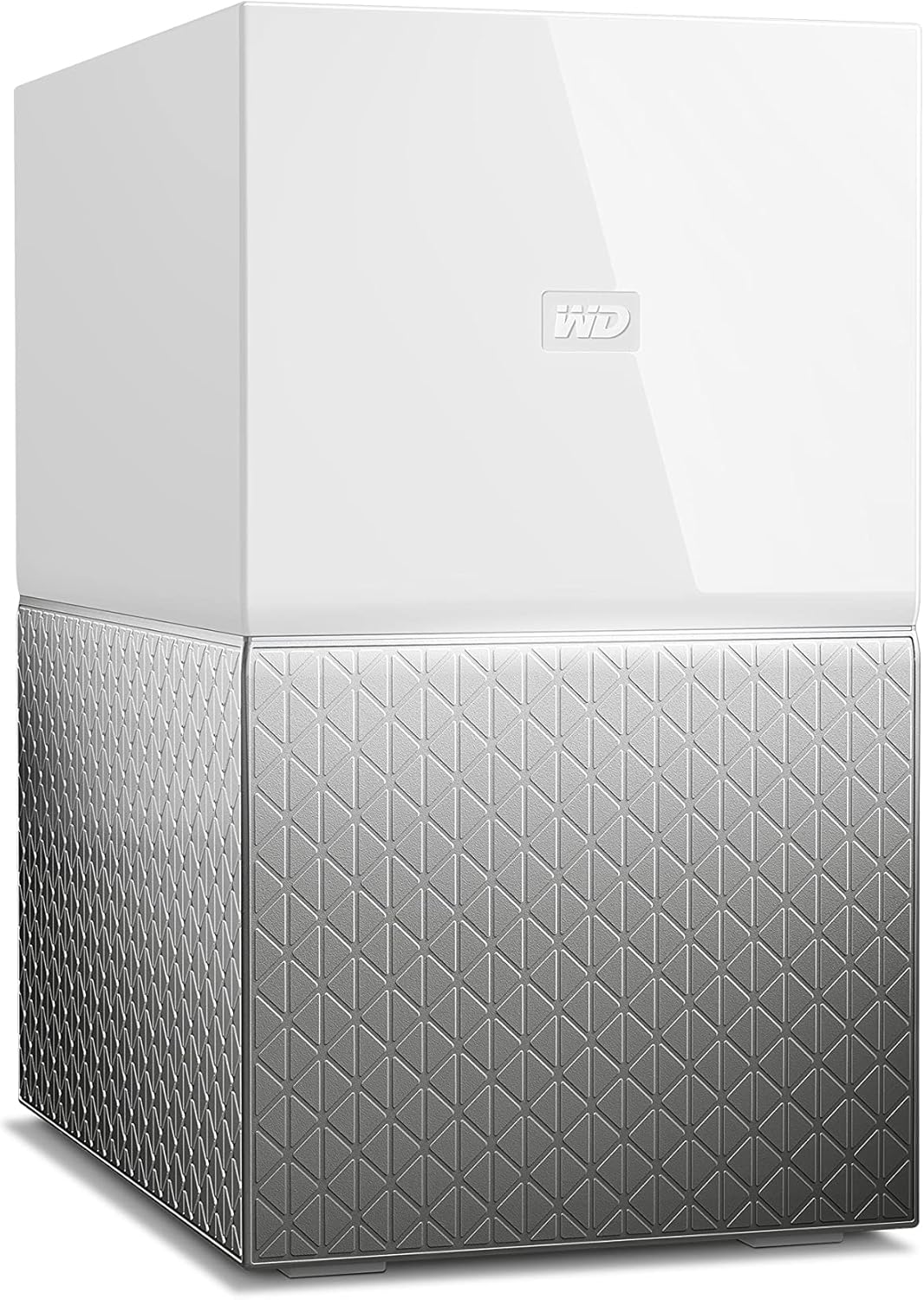
Image: The WD My Cloud Home Duo device, a white and silver rectangular unit.
Tilslut Ethernet-kabel: Connect one end of the provided Ethernet cable to the Ethernet port on the back of the My Cloud Home Duo device. Connect the other end to an available LAN port on your Wi-Fi router.
Tilslut strømadapter: Plug the AC adapter into the power input port on the back of the My Cloud Home Duo device. Plug the other end of the AC adapter into a wall electrical outlet.

Billede: Bagside view of the My Cloud Home Duo, showing the Ethernet and USB ports, and power input.
Wait for LED: Allow the device to power on. Wait for the LED indicator on the front of the device to become solid white before proceeding to software setup. This indicates the device is ready.
2. Software Setup and Account Creation
Refer to the Quick Start Guide included in the box for specific instructions on accessing the My Cloud Home welcome page. Generally, this involves navigating to a specific URL i din web browser.
Opret konto: On the My Cloud Home welcome page, select the option to "Create Account" for your Western Digital account.
Confirm Email and Password: Enter your email address and create a strong password. Your password must contain at least 8 characters, including lowercase letters, uppercase letters, and numbers. Follow the on-screen prompts to complete the account creation process.
Email Confirmation: You will receive an email confirmation once your account is successfully created. This email may contain a sign-in link.
Find din enhed: On the setup page, click "Find My Device." The system will automatically detect your My Cloud Home Duo. Once found, click "Connect" to link your device to your newly created account.
Indtast enhedskode: If prompted, enter the 9-digit device code found in your Quick Install Guide. This code helps link your specific device to your account.
Analytics Opt-in: You will be presented with an Analytics Opt-in window. Review the privacy information and choose whether to agree to share usage data. This choice can typically be adjusted later in your settings.
Download Mobile/Desktop Apps: After initial setup, you will be prompted to download the My Cloud Home mobile app (available on Apple App Store and Google Play Store) and the desktop app (WD Discovery). These applications provide full access and management capabilities for your device.
Video: Setup and Installation Guide for My Cloud Home. This video demonstrates the physical connections and initial software setup steps for the device.
Operating the My Cloud Home Duo
The My Cloud Home Duo allows you to centralize, organize, and access your digital content from various devices.
File Ledelse
You can manage your files and folders through the web interface (home.mycloud.com) or the dedicated mobile/desktop applications.
- Tilføjelse Files:
- Træk og slip: From your computer's file explorer (Windows) or Finder (macOS), drag and drop files or folders directly into the My Cloud Home web interface or desktop application.
- Tilføje Files Button: Alternatively, click the "Add Files" button within the My Cloud Home interface to browse and select files from your computer for upload.
- Adgang Files: Access your content from anywhere with an internet connection using the My Cloud Home app on your smartphone, tablet, or computer.
- Deling af indhold: Privately share content by sending secure links to family and friends.

Image: A laptop displaying the My Cloud Home interface, showing files and folders, next to the My Cloud Home Duo device.

Image: A hand holding a smartphone, showing the My Cloud Home app with a login screen, illustrating remote access.

Image: A desktop monitor displaying photo albums within the My Cloud Home interface, highlighting sharing capabilities.
USB import
The device features a USB port on the back, allowing you to directly import content from external USB drives. This is useful for quickly backing up large collections of photos and videos.
Opretholdelse
- Firmwareopdateringer: Ensure your device's firmware is kept up-to-date for optimal performance and security. Updates are typically managed through the My Cloud Home app or web interface.
- Fysisk rengøring: Keep the device clean and free from dust to ensure proper airflow and prevent overheating. Use a soft, dry cloth for cleaning.
- Miljøforhold: Place the device in a well-ventilated area, away from direct sunlight, heat sources, and excessive moisture.
Fejlfinding
- Enhed ikke fundet:
- Verify that the Ethernet cable is securely connected to both the My Cloud Home Duo and your router.
- Ensure the power adapter is correctly connected and the device's LED is solid white.
- Restart your router and the My Cloud Home Duo device.
- Slow Performance/Access:
- Tjek din internetforbindelses hastighed.
- Ensure no other high-bandwidth activities are occurring on your network.
- Verify that the device firmware is up-to-date.
- Problemer med appforbindelse:
- Ensure your mobile device or computer is connected to the internet.
- Log out and log back into your My Cloud Home account in the app.
- Reinstall the My Cloud Home app if issues persist.
Specifikationer
| Feature | Detalje |
|---|---|
| Harddisktype | 4 TB Hybrid Drive |
| Digital lagerkapacitet | 4 TB |
| Forbindelsesteknologi | Ethernet, USB |
| Kompatible enheder | Android, Mac, Windows, iPhone |
| Emnedimensioner (LxBxH) | 6.3 x 3.94 x 7.09 tommer |
| Varens vægt | 5.05 pund |
| Farve | Hvid |

Image: Diagram illustrating the dimensions of the WD My Cloud Home Duo: 6.3 inches (length), 3.94 inches (width), and 7.09 inches (height).
Garanti og support
For detailed warranty information and technical support, please refer to the official WD website or the full user manual available as a PDF.
Officiel brugermanual (PDF): Download PDF-brugermanual