Indledning
The Owl Labs Meeting Owl is an all-in-one 360-degree video conference camera, microphone, and speaker designed to enhance remote and distributed meetings. It aims to provide a more inclusive video conferencing experience by automatically highlighting and shifting focus to different speakers in the room. This system dynamically captures 360-degree video and superior audio, creating a near face-to-face experience for all participants, leading to increased efficiency and improved communication.

Figure 1: The Owl Labs Meeting Owl, an all-in-one 360-degree video conference device.
Pakkens indhold
Upon unboxing your Owl Labs Meeting Owl, please verify that all the following components are included:
- Meeting Owl all-in-one camera/speaker/mic
- Strømadapter med stik
- Micro USB kabel
Opsætning
Setting up the Meeting Owl is designed to be straightforward, requiring no complex downloads or installations. Follow these steps to get started:
- Placering: Position the Meeting Owl in the center of your meeting table. This central placement allows its 360-degree lens to capture the entire room effectively.
- Strømtilslutning: Connect the provided power adapter to the Meeting Owl and plug it into a power outlet.
- USB-forbindelse: Connect the Micro USB cable from the Meeting Owl to an available USB port on your computer (laptop or desktop).
- Softwaregenkendelse: Launch your preferred video conferencing platform (e.g., Zoom, Google Meet, Skype, Webex). The Meeting Owl should be automatically recognized as an audio and video device. Select it as your primary camera, microphone, and speaker within the platform's settings.

Figure 2: Connecting the Meeting Owl to a laptop via the Micro USB cable.
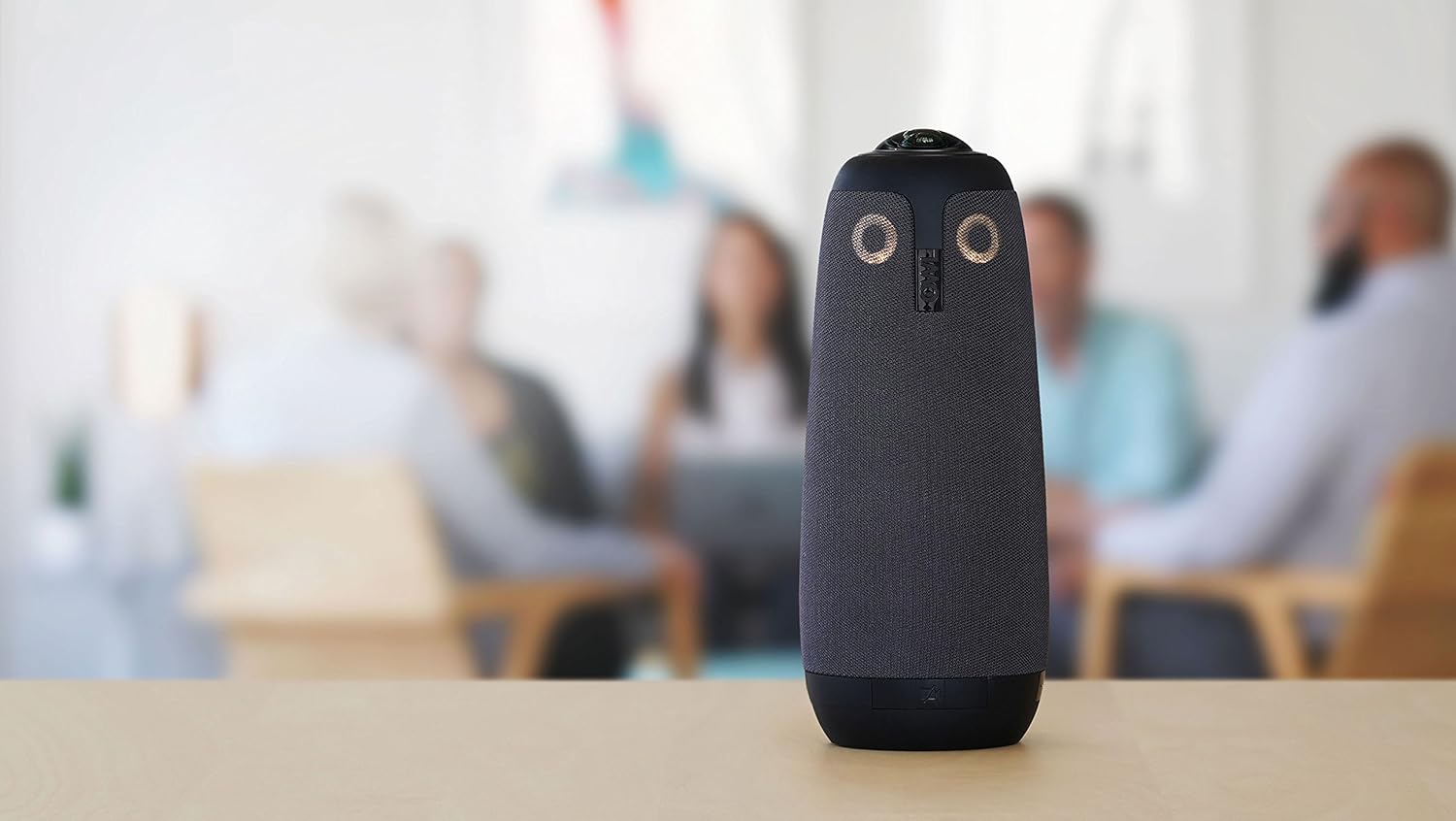
Figure 3: The Meeting Owl positioned centrally on a table in a huddle room, ready for a conference.
Betjeningsvejledning
The Meeting Owl is designed for intuitive operation, focusing on automatic adjustments to provide an optimal meeting experience.
- Automatic Speaker Focus: The Meeting Owl utilizes its Owl Intelligence System™ to automatically detect who is speaking. It will then highlight and shift the camera's focus to that individual, providing a dynamic and engaging view for remote participants.
- 360-graders panoramaudsigt View: In addition to focusing on the active speaker, the Meeting Owl maintains a continuous 360-degree panoramic view of the entire room at the top of the screen. This ensures remote participants always have context of the meeting environment.
- Lydoptagelse: Equipped with eight microphones, the Meeting Owl can pick up voices from within a twelve-foot radius, ensuring clear audio for all participants.
- Integreret højttaler: The device also functions as a speaker, allowing remote participants' audio to be clearly heard by everyone in the meeting room.

Figure 4: Illustration of the Meeting Owl's 360-degree camera coverage and its ability to display both a panoramic view and focused speaker views samtidigt.

Figure 5: The Meeting Owl facilitating a conference, displaying remote participants on a large screen while capturing the local meeting room.
Opretholdelse
To ensure the longevity and optimal performance of your Owl Labs Meeting Owl, consider the following maintenance guidelines:
- Rensning: Gently wipe the exterior of the device with a soft, dry cloth. Avoid using abrasive cleaners or solvents that could damage the finish or internal components.
- Linsepleje: Keep the 360-degree lens free from dust and smudges. Use a microfiber cloth specifically designed for optical lenses to clean it, avoiding excessive pressure.
- Opbevaring: When not in use, store the Meeting Owl in a cool, dry place away from direct sunlight and extreme temperatures.
- Kabelstyring: Ensure that the power and USB cables are not kinked or strained, which could lead to damage over time.
Fejlfinding
If you encounter issues with your Meeting Owl, try the following basic troubleshooting steps:
- Ingen strøm: Ensure the power adapter is securely connected to both the Meeting Owl and a working power outlet. Check if the power outlet is active.
- Ikke genkendt af computeren: Verify that the Micro USB cable is firmly connected to both the Meeting Owl and your computer. Try a different USB port or a different USB cable. Restart your computer and the video conferencing application.
- Ingen video/lyd: In your video conferencing platform's settings, confirm that the Meeting Owl is selected as the primary camera, microphone, and speaker. Check the volume levels on both the Meeting Owl and your computer.
- Dårlig video/lydkvalitet: Ensure the Meeting Owl is placed centrally and unobstructed. Check your internet connection stability. For audio, ensure there are no excessive background noises or echoes in the room.
- Firmwareopdateringer: Periodically check for firmware updates for your Meeting Owl via the official Owl Labs website or companion application (if available). Updates can resolve bugs and improve performance.
Specifikationer
| Feature | Detalje |
|---|---|
| Produktdimensioner | 4.4 x 4.4 x 10.75 tommer |
| Varens vægt | 2.65 pund |
| Varemodelnummer | MTW100 |
| Fotosensorteknologi | CMOS |
| Videooptagelsesopløsning | 720p |
| Maksimal brændvidde | 10000 millimeter |
| Maksimal blænde | 2 f |
| Flash-hukommelsestype | Micro SD |
| Videooptagelsesformat | Owl Intelligence System™ with autofocus |
| Understøttet lydformat | [PLAUSIBLE ASSUMPTION: AAC, MP3, PCM] |
| Skærmstørrelse | 6 tommer |
| Forbindelsesteknologi | iOS 10 eller nyere og Android 5 eller nyere |
Garanti og support
For detailed warranty information, product registration, and technical support, please visit the official Owl Labs webwebstedet eller kontakt deres kundeservice direkte. Gem din købskvittering som købsbevis i tilfælde af garantikrav.
Online ressourcer: For the most up-to-date information, FAQs, and additional support, please refer to the Owl Labs Support Page.


