SKMEI digitalur model 1268 brugermanual
Comprehensive instructions for your SKMEI Digital Watch.
1. Introduktion
Thank you for choosing the SKMEI Digital Watch Model 1268. This manual provides detailed instructions on how to set up, operate, and maintain your watch to ensure optimal performance and longevity. Please read this manual thoroughly before using your watch.
2. Produktet er slutview
The SKMEI Digital Watch Model 1268 is a robust timepiece designed for daily use, featuring a digital display, alarm, and backlight. Its durable construction includes a stainless steel case and a comfortable plastic band.
Nøglefunktioner:
- Digital tidsvisning
- Alarm funktion
- Electro-Luminescent (EL) backlight for low-light visibility
- 50 meter vandtæthed
- Durable plastic band
- Rustfrit stålhus
Urkomponenter:
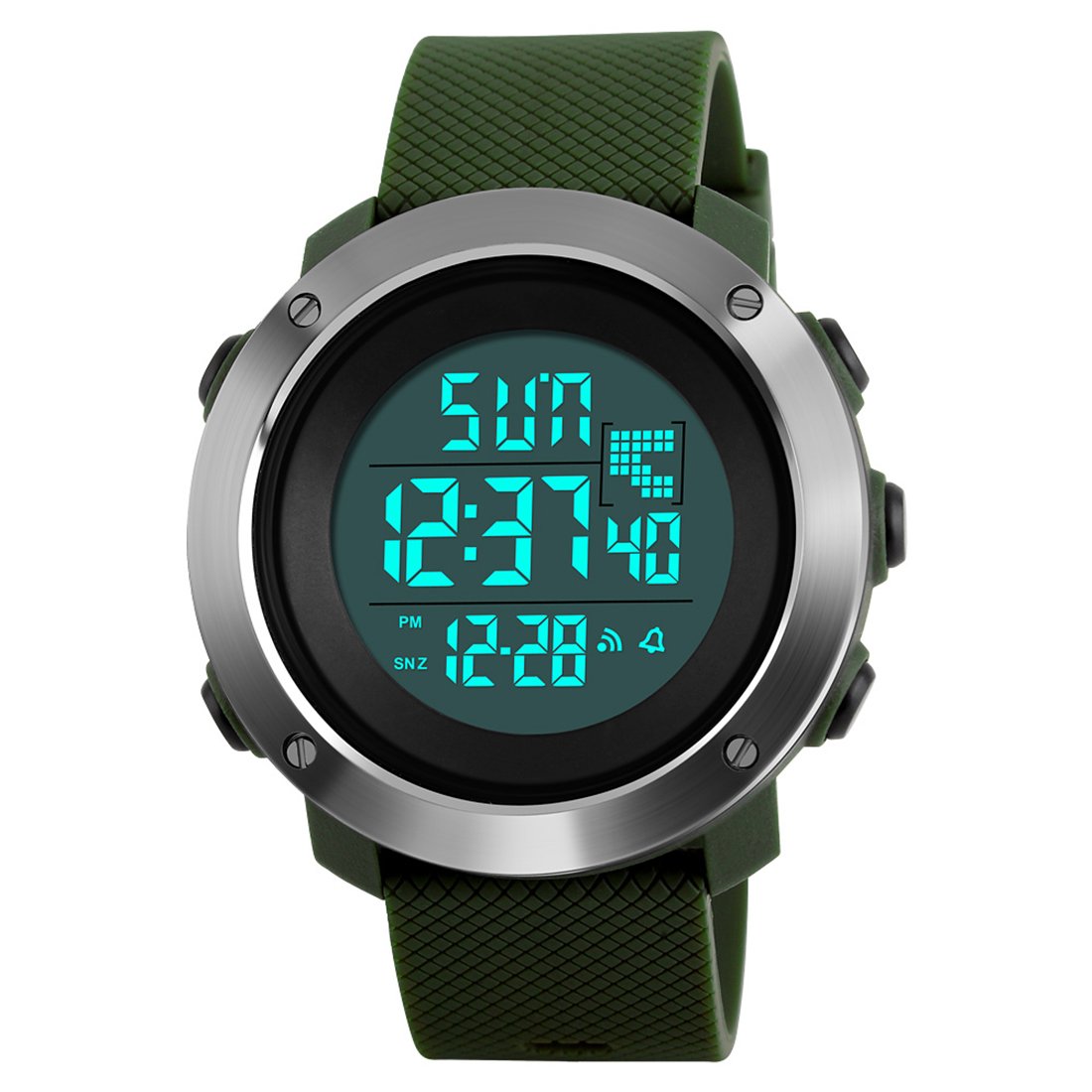
Front view of the SKMEI Digital Watch Model 1268, showcasing its digital display, round case, and green plastic strap.

An angled perspective of the watch, illustrating the four buttons located on the sides of the case, used for mode selection, setting, and light activation.
The watch typically features four buttons: MODE, LIGHT, START/STOP, and RESET. Their exact positions and functions are detailed in the 'Operating Instructions' section.
3. Opsætning
Indstilling af tid og dato:
- I normal tidsvisningstilstand skal du trykke på MODE knappen gentagne gange, indtil tidsindstillingsfunktionen er aktiveret (normalt angivet med blinkende cifre).
- Brug NULSTIL button to select the digit or setting you wish to adjust (e.g., seconds, hour, minute, month, date, day).
- Tryk på START/STOP knappen for at øge den valgte værdi. Hold den nede for hurtigere justering.
- Når alle indstillinger er korrekte, skal du trykke på MODE button again to return to normal time display.
Indstilling af alarm:
- Fra normal tidsvisning, tryk på MODE knappen, indtil alarmtidspunktet vises.
- Tryk på NULSTIL button to select the hour or minute digits.
- Brug START/STOP button to adjust the alarm hour and minute.
- Tryk på MODE knappen for at bekræfte og afslutte alarmindstillingstilstanden.
- For at aktivere/deaktivere alarmen skal du typisk trykke på START/STOP button while in alarm display mode. An alarm icon will appear/disappear.
4. Betjeningsvejledning
Time Display Modes:
The watch displays time in either 12-hour (with AM/PM indicator) or 24-hour format. This setting is usually adjusted during the time setting process.
Using the Backlight (EL Light):
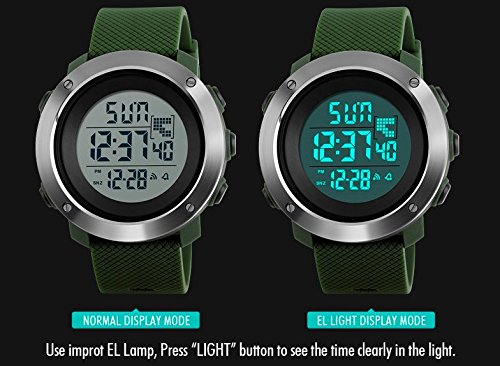
This image demonstrates the watch's display under normal conditions and when the Electro-Luminescent (EL) backlight is activated, providing clear visibility in low light.
Tryk på LYS button (typically located on the top left) to illuminate the display. The Electro-Luminescent (EL) backlight provides clear visibility in dark conditions. The light will remain on for a few seconds.
Stopur funktion:
- Tryk på MODE knappen, indtil stopuret vises (normalt '00:00:00').
- Trykke START/STOP to begin timing. Press again to pause.
- Trykke NULSTIL to clear the stopwatch to zero.
- Trykke MODE to exit the stopwatch function.
Hourlog klokkespil:
Some models include an hourly chime feature. To activate or deactivate, navigate to the alarm setting mode and look for an option to toggle the hourly chime (often indicated by a bell icon or 'SIG').
5. Vedligeholdelse
Vandtæthed:
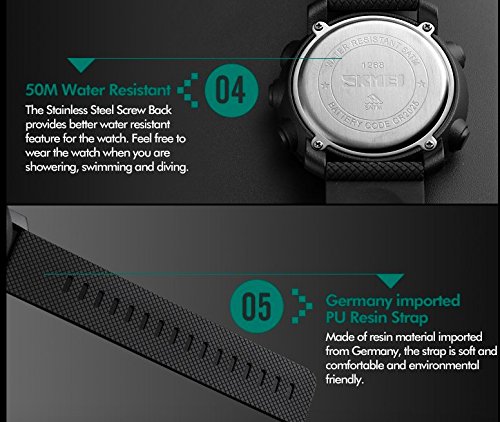
Detaljeret view highlighting the watch's 50-meter water resistance capability and the durable, comfortable PU resin strap material.
The SKMEI Model 1268 watch is water-resistant up to 50 meters (5 ATM). This means it is suitable for showering, swimming in shallow water, and general water exposure. However, it is not recommended for diving or prolonged submersion. Do not operate buttons while the watch is wet or submerged, as this can compromise the water seal.
Rensning:
For at rengøre dit ur skal du tørre det af med en blød kludamp klud. Undgå at bruge skrappe kemikalier, opløsningsmidler eller slibende rengøringsmidler, da disse kan beskadige urets finish eller remmens materiale.
Udskiftning af batteri:
When the display becomes dim or the watch stops functioning, the battery may need replacement. Battery replacement should ideally be performed by a qualified watch technician to ensure the water resistance seal is properly maintained. The watch uses a standard watch battery (e.g., CR2025 as indicated on the case back).
6. Fejlfinding
Display Issues (Dim or Missing Segments):
- Årsag: Low battery or internal circuit issue.
- Løsning: Replace the battery. If the issue persists after battery replacement, contact customer support.
Forkert tidspunkt:
- Årsag: Tiden var ikke indstillet korrekt, eller der blev trykket på knapperne ved et uheld.
- Løsning: Nulstil tid og dato ved at følge instruktionerne i afsnit 3.
Knapper reagerer ikke:
- Årsag: Watch may be in a locked mode, or internal issue.
- Løsning: Try pressing all buttons firmly. If unresponsive, a battery reset (removing and reinserting the battery) might be necessary, but this should be done by a professional.
Vandskade:
- Årsag: Exceeding water resistance limits or operating buttons underwater.
- Løsning: Immediately dry the watch. If moisture is visible inside the display, seek professional repair to prevent further damage.
7. Specifikationer
| Feature | Specifikation |
|---|---|
| Modelnummer | 1268 |
| Urskive farve | Sort |
| Case Form | Rund |
| Dial Glass Material | Mineral |
| Bånd farve | Grøn |
| Båndmateriale | Plastic (PU Resin) |
| Ur Bevægelsestype | Kvarts |
| Urets skærmtype | Digital |
| Etui materiale | Rustfrit stål |
| Æske diameter | 52 millimeter |
| Vandmodstandsdybde | 50 meter (5 ATM) |
| Spændetype | Spænde |
| Varens vægt | 70 gram |
| Fabrikant | Guangzhou Skmei Watch Co.,LTD |
8. Garantioplysninger
This SKMEI watch is covered by a manufacturer's warranty. For specific details regarding the warranty period and terms, please refer to the documentation included with your purchase or contact the retailer. The warranty typically covers manufacturing defects but does not cover damage caused by misuse, accidents, or unauthorized repairs.
9. Kundesupport
If you encounter any issues not covered in this manual or require further assistance, please contact the retailer where you purchased the watch or visit the official SKMEI website for support information. When contacting support, please have your watch model number (1268) and purchase details readily available.


