Indledning
Thank you for choosing the kwmobile Digital Wooden Look Alarm Clock. This manual provides detailed instructions for setting up, operating, and maintaining your new alarm clock. Please read this manual carefully to ensure proper use and to fully utilize all features of the device.
The kwmobile Digital Wooden Look Alarm Clock is designed to display time, temperature, and date with a stylish wood-look finish. It features multiple alarm settings, sound and touch activation for the display, and flexible power options.

Figur 1: kwmobile Digital Wooden Look Alarm Clock with included USB power cable. The clock displays the time and temperature with green LEDs.
Pakkens indhold
- 1 x kwmobile Digital Wooden Look Alarm Clock
- 1 x USB-strømkabel
Opsætning
Tænd for enheden
Vækkeuret kan tændes på to måder:
- USB-strømforsyning (anbefales til kontinuerlig visning): Connect the included USB cable to the DC 5V port on the back of the clock and plug the other end into a USB power adapter (not included) or a powered USB port. When powered via USB, the display remains permanently on.
- Battery Power (for backup or power-saving mode): Insert 3 x AAA batteries (not included) into the battery compartment on the back of the clock. When operating on batteries, the clock automatically enters power-saving mode to conserve battery life. The display will turn off after approximately 30 seconds.
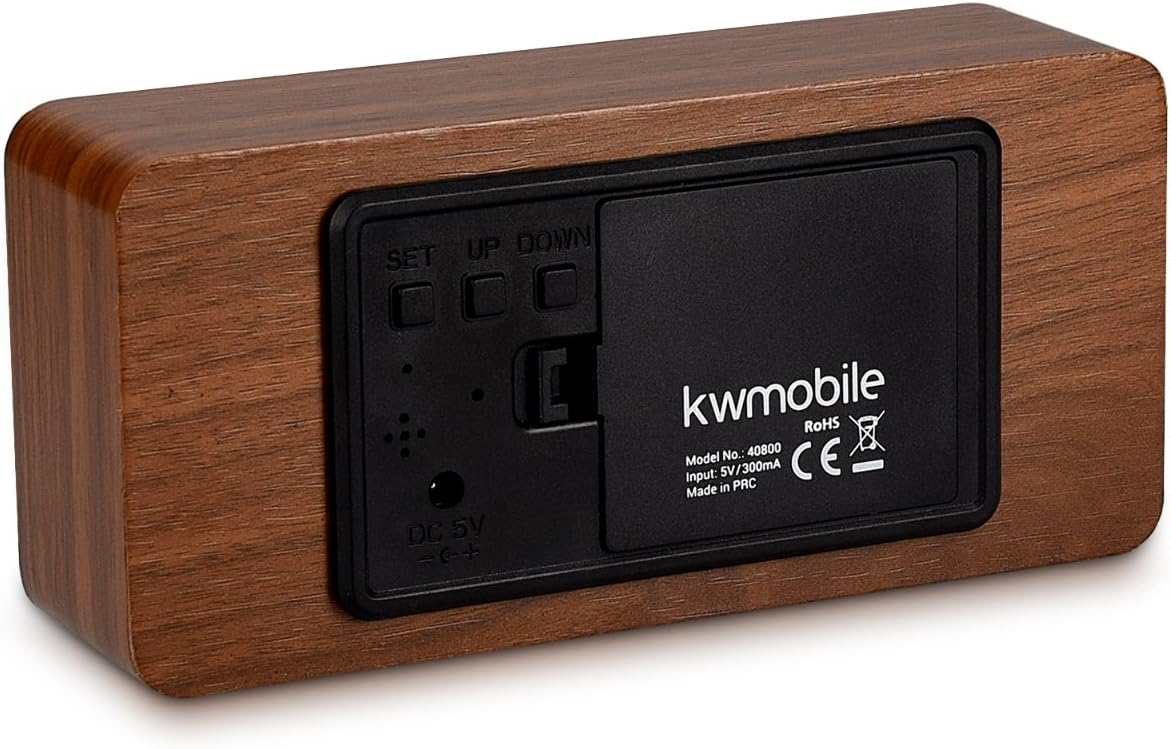
Figur 2: Bag view of the alarm clock, showing the battery compartment, DC 5V input, and control buttons (SET, UP, DOWN).
Første gang tændt
Once powered, the clock will display the time. If using battery power, the display may turn off after a short period. You can activate the display by touching the clock or making a sound.
Betjeningsvejledning
The clock features three control buttons on the back: SÆT, UP, og NED.
Indstilling af tid og dato
- Tryk og hold på SÆT button for 3 seconds to enter setting mode. The display will flash.
- Brug UP og NED knapper for at justere værdien.
- Trykke SÆT briefly to confirm the current setting and move to the next parameter.
- The setting sequence is typically: Year → Month → Day → 12/24 Hour Format → Hour → Minute.
- Efter indstilling af minuttet, tryk på SÆT again to exit time/date setting mode.
Setting Alarms (A1, A2, A3)
Uret understøtter op til tre uafhængige alarmer (A1, A2, A3).
- Tryk på SÆT button repeatedly until "A1" (or A2, A3) appears on the display.
- Tryk og hold på SÆT button for 3 seconds. The alarm hour will flash.
- Bruge UP og NED for at indstille alarmens time, og tryk derefter på SÆT.
- Bruge UP og NED for at indstille alarmminuttet, og tryk derefter på SÆT.
- You can then choose alarm activation settings:
- PÅ: Alarm is active every day.
- --: Alarm is inactive.
- E: Alarm is active only on weekdays (Monday-Friday).
- Trykke SÆT to confirm and exit alarm setting mode. Repeat for A2 and A3 if desired.
When an alarm sounds, it will typically last for one minute. To stop the alarm, press any button.
Temperatur display
Uret viser temperaturen enten i Celsius (°C) eller Fahrenheit (°F).
- I normal visningstilstand skal du trykke på NED button to toggle between °C and °F.
Display Modes (dP-1, dP-2)
The clock offers two display modes:
- dP-1 (Fixed Display): The display cycles between time, date, and temperature.
- dP-2 (Time Only Display): The display shows only the time.
For at skifte mellem visningstilstande skal du trykke på UP button in normal display mode.
Power Saving Mode (oNSd, --Sd)
This mode is primarily active when the clock is battery-powered. In power-saving mode, the display turns off after approximately 30 seconds to conserve energy.
- oNSd: Power-saving mode is ON. The display will turn off after 30 seconds of inactivity.
- --Sd: Power-saving mode is OFF. The display will remain on (only effective when USB powered).
To activate the display when in power-saving mode, you can either touch the top of the clock or make a sound (e.g., clap your hands).
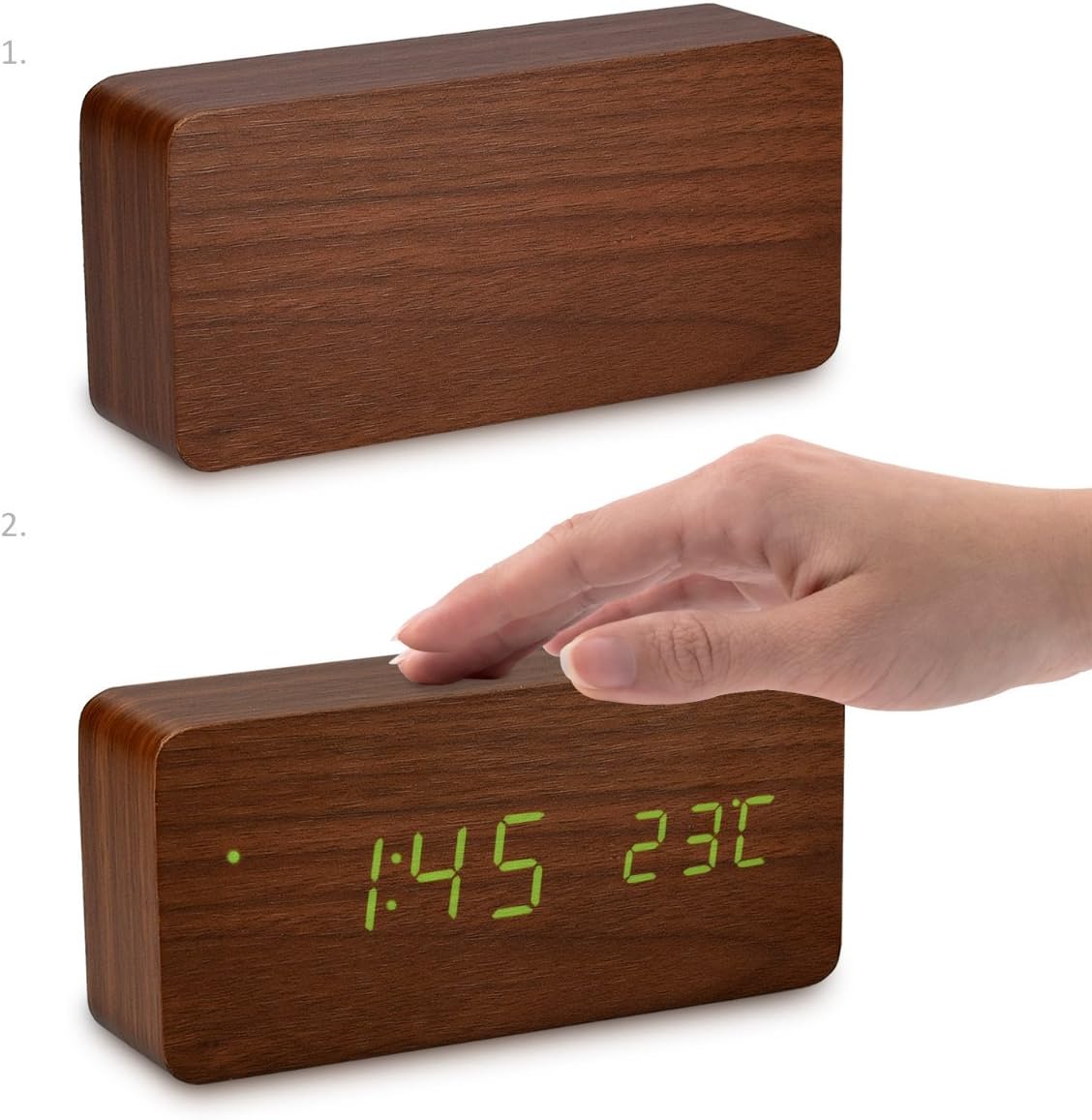
Figur 3: Activating the display by touching the top surface of the clock.

Figur 4: Activating the display through sound, such as clapping hands.
Opretholdelse
Rensning
For at rengøre uret skal du forsigtigt tørre overfladen af med en blød, tør klud. Brug ikke slibende rengøringsmidler, opløsningsmidler eller kemiske spraymidler, da disse kan beskadige overfladen eller de indvendige komponenter.
Udskiftning af batteri
If using batteries, replace all three AAA batteries when the display becomes dim or the clock functions erratically. Ensure correct polarity when inserting new batteries.
Opbevaring
If storing the clock for an extended period, remove the batteries to prevent leakage and potential damage to the device.
Fejlfinding
- Display is off or dim:
- Check if the clock is in power-saving mode (oNSd). Touch the clock or make a sound to activate the display.
- If using batteries, they might be low. Replace with fresh AAA batteries.
- Ensure the USB cable is securely connected and the power source is active if using USB power.
- Clock not responding to buttons:
- Ensure the clock is properly powered.
- Try removing and re-inserting batteries or unplugging and re-plugging the USB cable to reset the device.
- Alarm does not sound or stops too quickly:
- Verify that the alarm is set to "ON" or "E" (for weekdays) in the alarm settings.
- Sørg for, at alarmtidspunktet er korrekt indstillet.
- The alarm typically sounds for one minute. Pressing any button will stop it.
- Temperaturmålingen virker unøjagtig:
- Ensure the clock is not placed near heat sources or in direct sunlight, which can affect temperature readings.
- Confirm the correct temperature unit (°C or °F) is selected.
Specifikationer
| Mærke | kwmobil |
| Modelnummer | 40800 |
| Materiale | Træ |
| Farve | Brown (with Green LEDs) |
| Produktdimensioner | 15 x 7 x 4.2 cm |
| Vægt | 254.01 g |
| Strømforsyning | DC 5V/300mA via USB cable, or 3x AAA batteries (backup/power-saving mode) |
| Display Type | Digital LED |
| Særlige funktioner | Alarm, Illuminated Display, Temperature Display, Calendar Display, Sound/Touch Activation, Power Saving Mode |
Garanti og support
kwmobile products are designed for reliability and performance. For warranty information or technical support, please refer to the official kwmobile webwebstedet eller kontakt deres kundeservice direkte. Behold din købskvittering som købsbevis.
For yderligere hjælp, besøg venligst kwmobile Store on Amazon.


