1. Introduktion
This manual provides essential information for the safe and efficient operation of your SUNNYSKY MPPT-60AI Solar Charge Controller. Please read it thoroughly before installation and use. This controller is designed to optimize power harvesting from solar panels to charge various battery types, including Sealed, Gel, Flooded, and Lithium batteries, across 12V, 24V, 36V, and 48V systems.

Figur 1.1: Forside view of the SUNNYSKY MPPT-60AI Solar Charge Controller.
Video 1.1: Overståetview of the SUNNYSKY MPPT Solar Charge Controller.
2. Vigtige sikkerhedsoplysninger
Overhold følgende sikkerhedsforanstaltninger under installation og drift:
- PV omvendt polaritetsbeskyttelse
- PV kortslutningsbeskyttelse
- PV-overstrømsalarmbeskyttelse
- Beskyttelse mod overopladning af batterier
- Beskyttelse mod batteri over afladning
- Batteribeskyttelse mod omvendt polaritet
- Belastningskortslutningsbeskyttelse
- Overbelastningsbeskyttelse
- Controller overophedningsbeskyttelse
Always ensure proper wiring and adhere to local electrical codes to prevent damage or injury.
3. Produktfunktioner
- System Voltage Auto-Identification: Automatically detects 12V/24V/48V system voltages.
- Høj PV-indgangsvolumentage: Understøtter et maksimalt PV-indgangsvolumentage på 170V.
- Wide MPPT Working Range: Optimal MPPT voltage ranges: DC18V-DC120V (12V system), DC30V-DC120V (24V system), DC65V-DC150V (48V system).
- Batterikompatibilitet: Compatible with Lead-acid (Sealed, AGM, Gel, Flooded) and Lithium batteries. Parameters can be set for specific lithium battery characteristics.
- Efficient Tracking: Maximum Power Point Tracking (MPPT) rate ≥99%, maximum conversion rate >98%.
- Power & Current Limiting: Auto control system limits charging power and current to prevent exceeding rated values.
- Display & Monitoring: Features an LCD display to show daily power generation and current curves.
4. Pakkens indhold
Når du åbner pakken, skal du kontrollere, at alle varer er til stede og ubeskadigede:
- SUNNYSKY MPPT-60AI Solar Charge Controller
- Brugermanual
- Monteringsbeslag og skruer
- Temperatursensor kabel
- Communication Cable (if included with specific model)

Figure 4.1: SUNNYSKY MPPT-60AI Solar Charge Controller and accessories.
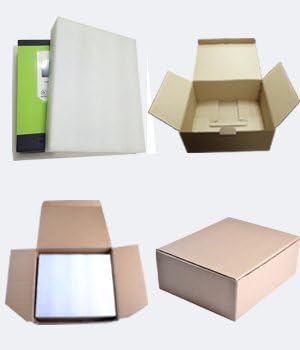
Figur 4.2: Produktemballage.
5. Opsætning og installation
5.1. Montering af controlleren
Choose a suitable, well-ventilated location away from direct sunlight and high temperatures. Ensure adequate clearance around the unit for proper airflow. Use the provided mounting brackets and screws to securely attach the controller to a vertical surface.
5.2. Ledningsforbindelser
Follow the wiring sequence carefully to avoid damage:
- Connect the battery cables to the controller first. Ensure correct polarity (positive to positive, negative to negative).
- Connect the solar panel cables to the controller. Ensure correct polarity.
- Connect any DC load devices to the load terminals.
Always connect the battery before the solar panels. Reverse polarity can damage the controller.

Figure 5.1: Connection terminals for solar, battery, and load.
Video 5.1: Sunnysky Solar MPPT Charge Controller charging status page.
6. Betjeningsvejledning
6.1. LCD-display og navigation
The LCD display provides real-time information about your solar system. Use the MENU, UP, DOWN, and ENTER buttons to navigate through the display screens and adjust settings.

Figur 6.1: LCD-display og knapfunktioner.
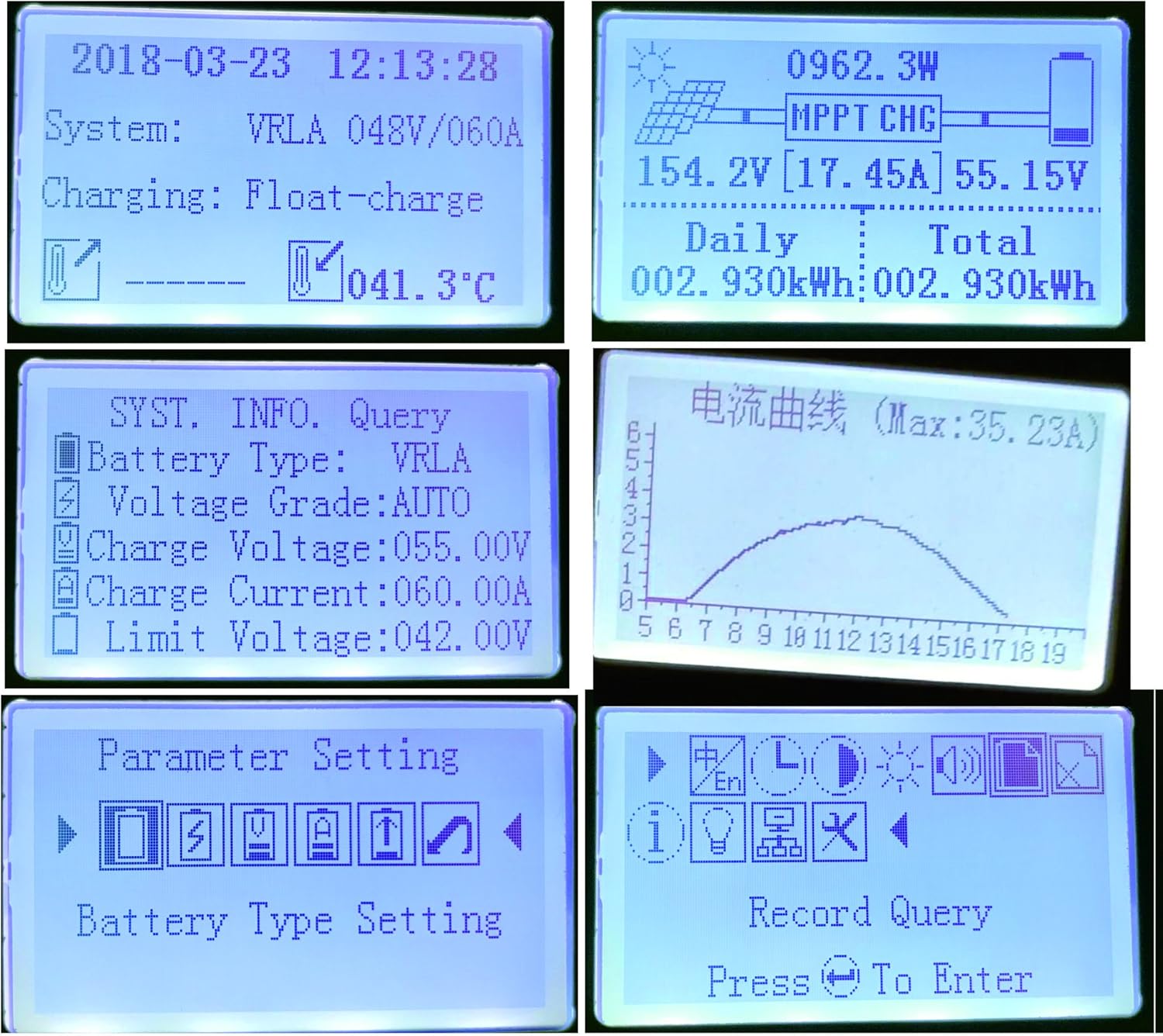
Figur 6.2: Eksamples of LCD display content.
Video 6.1: Sunnysky Solar MPPT Solar Controller Display content.
6.2. Indstillinger for batteritype
The controller supports various battery types. It is crucial to select the correct battery type in the settings to ensure optimal charging and prolong battery life. For Lithium batteries, specific parameters can be adjusted.
6.3. Belastningskontrol
The controller features DC load output. You can manage the load settings through the display interface.
Video 6.2: MPPT solar controller current and power curve.
7. Vedligeholdelse
- Kontrollér regelmæssigt alle ledningsforbindelser for tæthed og korrosion.
- Hold controlleren ren og fri for støv og snavs.
- Ensure proper ventilation around the unit to prevent overheating, especially during high power operation.
- Overvåg LCD-displayet for fejlkoder eller usædvanlige aflæsninger.
8. Fejlfinding
Hvis du støder på problemer, kan du se følgende almindelige problemer og løsninger:
- LCD does not light up: Kontroller batteriforbindelserne og sørg for, at batteriets volumtage er inden for driftsområdet.
- Ingen opladning: Verify solar panel connections, ensure sufficient sunlight, and check for any PV over-current or reverse polarity warnings.
- Indlæsningen virker ikke: Check load connections, ensure the load is not overloaded, and verify load settings on the controller.
- Overophedning: Ensure adequate ventilation and clear any obstructions around the cooling fins.
Video 8.1: Comparison of SUNNYSKY controller and other controllers.
9. Specifikationer
| Feature | Værdi |
|---|---|
| Modelnummer | MPPT-60AI |
| Mærke | SUNNYSKY |
| Nuværende vurdering | 60A |
| System Voltage | 12V/24V/36V/48V Auto |
| Max PV-indgang Voltage | 170V |
| MPPT Best Working Voltage Range (12V) | DC18V-DC120V |
| MPPT Best Working Voltage Range (24V) | DC30V-DC120V |
| MPPT Best Working Voltage Range (48V) | DC65V-DC150V |
| Max PV Input Power (12V) | 840W |
| Max PV Input Power (24V) | 1700W |
| Max PV Input Power (36V) | 2500W |
| Max PV Input Power (48V) | 3400W |
| Understøttede batterityper | Sealed, AGM, Gel, Flooded, Lithium |
| Display Type | LCD |
| Driftstemperatur | 25 Degrees Celsius (optimal) |
| Produktdimensioner | 9.84 x 2.95 x 7.09 tommer |
| Varens vægt | 5.72 pund (2.6 kilo) |
| Materiale | Plast og metal |
10. Garanti og support
For warranty information and customer support, please refer to the official SUNNYSKY store or contact their customer service directly. Keep your purchase receipt for warranty claims.
Visit the official SUNNYSKY Store: SUNNYSKY Solar Store


