1. Produktet er slutview
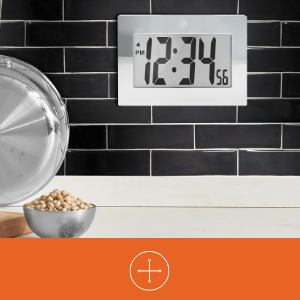
The MARATHON Large Digital Wall Clock (Model CL030064-BK-00-NA) is designed for clear time display with its high-contrast 7.5-inch LCD screen and large digits. This versatile clock can be used as a wall-mounted or desktop unit, suitable for various indoor environments such as offices, classrooms, labs, or homes. It includes an alarm function with snooze capability.

2. Sikkerhedsoplysninger
- Udsæt ikke uret for ekstreme temperaturer, direkte sollys eller høj luftfugtighed.
- Undgå at tabe uret eller udsætte det for hårde stød.
- Opbevar batterier utilgængeligt for børn. Søg straks læge ved indtagelse.
- Dispose of used batteries according to local regulations. Do not mix old and new batteries or different types of batteries.
- Rengør uret med en blød, tør klud. Brug ikke slibende rengøringsmidler eller opløsningsmidler.
3. Pakkens indhold
- MARATHON Large Digital Wall Clock (Model CL030064-BK-00-NA)
- 3 x AAA-batterier (forinstalleret eller medfølger separat)
4. Produktfunktioner
- Stort digitalt display: High-contrast 7.5-inch LCD with 3.5-inch digits for easy readability.
- Alsidig placering: Integrated keyholes for wall mounting and a fold-out stand for desktop use.
- Alarm med snooze: Features a loud, easy-to-set alarm with a snooze function.
- Batteridrevet: Kræver 3 AAA-batterier (medfølger).

5. Opsætning
5.1 Batteriinstallation
- Find batteridækslet på bagsiden af uret.
- Fjern dækslet ved at skubbe det ned eller løfte det af.
- Isæt 3 nye AAA-batterier, og sørg for at polerne (+ og -) vender korrekt som angivet inde i batterirummet.
- Sæt batterirummets dæksel på igen.
5.2 Identifying Control Buttons
On the back of the clock, you will find the following buttons:
- KØRSELSVEJLEDNING: Bruges til at skifte mellem tidsvisning, alarmindstilling og andre tilstande.
- ALARM ON/OFF (Bell Icon): Aktiverer eller deaktiverer alarmen.
- UP (Triangle Up): Increases values during setting.
- DOWN (Triangle Down): Reducerer værdier under indstilling.
- SNOOZE: Located on the top or front, used to temporarily silence the alarm.
5.3 Indstilling af klokkeslæt
- Tryk på MODE button once to enter time setting mode. The hour digits will flash.
- Brug UP or NED buttons to adjust the hour. Pay attention to AM/PM indicators.
- Trykke MODE igen. Minuttifrene vil blinke.
- Brug UP or NED knapper for at justere minutterne.
- Trykke MODE a third time to confirm the time setting and return to normal display.
5.4 Indstilling af alarmen
- Fra den normale tidsvisning skal du trykke på MODE button twice to enter alarm setting mode. The alarm hour digits will flash, and an alarm icon (bell) may appear.
- Brug UP or NED knapper for at justere alarmtiden.
- Trykke MODE again. The alarm minute digits will flash.
- Brug UP or NED knapper til at justere alarmens minutter.
- Trykke MODE a third time to confirm the alarm setting.
- For at aktivere alarmen skal du trykke på ALARM TIL / FRA button. The alarm icon will remain visible on the display. Press it again to deactivate.
5.5 Monteringsmuligheder
The clock offers two convenient placement options:
- Vægbeslag: Use the integrated keyholes on the back of the clock to hang it securely on a wall hook or screw.
- Desktopplacering: Extend the fold-out stand located on the back of the clock to place it on any flat surface.

6. Betjeningsvejledning
6.1 Using the Alarm and Snooze
- Når alarmen lyder, skal du trykke på SLUM button (usually located on the top of the clock) to temporarily silence it. The alarm will sound again after a few minutes (typically 5-10 minutes).
- For at slukke alarmen helt, tryk på ALARM TIL / FRA button on the back of the clock. The alarm icon will disappear from the display.
7. Vedligeholdelse
7.1 Udskiftning af batteri
When the display becomes dim or the clock stops functioning, it is time to replace the batteries. Follow the battery installation steps in Section 5.1.
7.2 Rengøring
Tør urets overflade af med en blød, tør eller let fugtet klud.amp cloth. Do not use chemical cleaners, as they may damage the finish or display.
8. Fejlfinding
| Problem | Mulig årsag | Løsning |
|---|---|---|
| Skærmen er tom eller svag. | Lave eller døde batterier. Forkert batteriinstallation. | Udskift batterierne med nye AAA-batterier, og sørg for at polariteten vender korrekt. |
| Tidspunktet er forkert. | Tidspunktet var ikke indstillet korrekt. | Se afsnit 5.3 for at nulstille tiden. |
| Alarmen lyder ikke. | Alarm is not activated. Alarm time is incorrect. | Ensure the alarm icon is visible on the display (press ALARM ON/OFF button). Verify the alarm time setting (Section 5.4). |
| Snooze-funktionen virker ikke. | Snooze button not pressed during alarm. | Press the SNOOZE button when the alarm is actively sounding. |
9. Specifikationer
| Feature | Detalje |
|---|---|
| Mærke | MARATHON |
| Modelnummer | CL030064-BK-00-NA |
| Display Type | Digital LCD |
| Skærmstørrelse | 7.5 tommer (diagonalt) |
| Cifferhøjde | 3.5 tommer (9 cm) |
| Produktmål (B x H) | 9 tommer x 6.5 tommer (23 cm x 16.5 cm) |
| Strømkilde | 3 x AAA batterier (medfølger) |
| Monteringstype | Wall Mount, Desk Clock |
| Særlige funktioner | Alarm with Snooze, Integrated Keyholes, Fold-out Stand |
| Rammemateriale | Acrylonitril-butadienstyren |
| Farve | Sort |
| Indendørs/Udendørs brug | Indendørs |
| Varens vægt | 11.2 ounce (318 gram) |

10. Garanti og support
10.1 Garantioplysninger
This MARATHON product comes with a Limited Warranty. For specific details regarding the warranty period and coverage, please refer to the warranty card included with your purchase or contact MARATHON customer support.
10.2 Kundesupport
If you encounter any issues or have questions about your MARATHON Large Digital Wall Clock that are not addressed in this manual, please contact MARATHON customer support. Contact information can typically be found on the product packaging or the official MARATHON webwebsted.


