User Manual: Waterproof IP65 Digital Protractor
Model: TLB-07
Indledning
This manual provides comprehensive instructions for the safe and effective operation of your TC Waterproof IP65 Digital Protractor, Model TLB-07. This versatile tool functions as an angle finder, protractor, and level, designed for precise measurements in various applications. Its robust IP65 rating ensures protection against dust and water, making it suitable for demanding environments.
Sikkerhedsoplysninger
- Håndter altid enheden forsigtigt for at undgå skader.
- Udsæt ikke enheden for ekstreme temperaturer eller direkte sollys i længere perioder.
- Sørg for, at batterierne er isat korrekt i henhold til polaritetsmarkeringerne.
- Keep the device away from strong magnetic fields, except for its intended magnetic V-groove base.
- Clean the device with a soft, dry cloth. Avoid abrasive cleaners or solvents.
Produkt overview
The TC Digital Protractor is equipped with a clear LCD display, intuitive buttons, and a magnetic V-groove base for secure attachment to various surfaces.
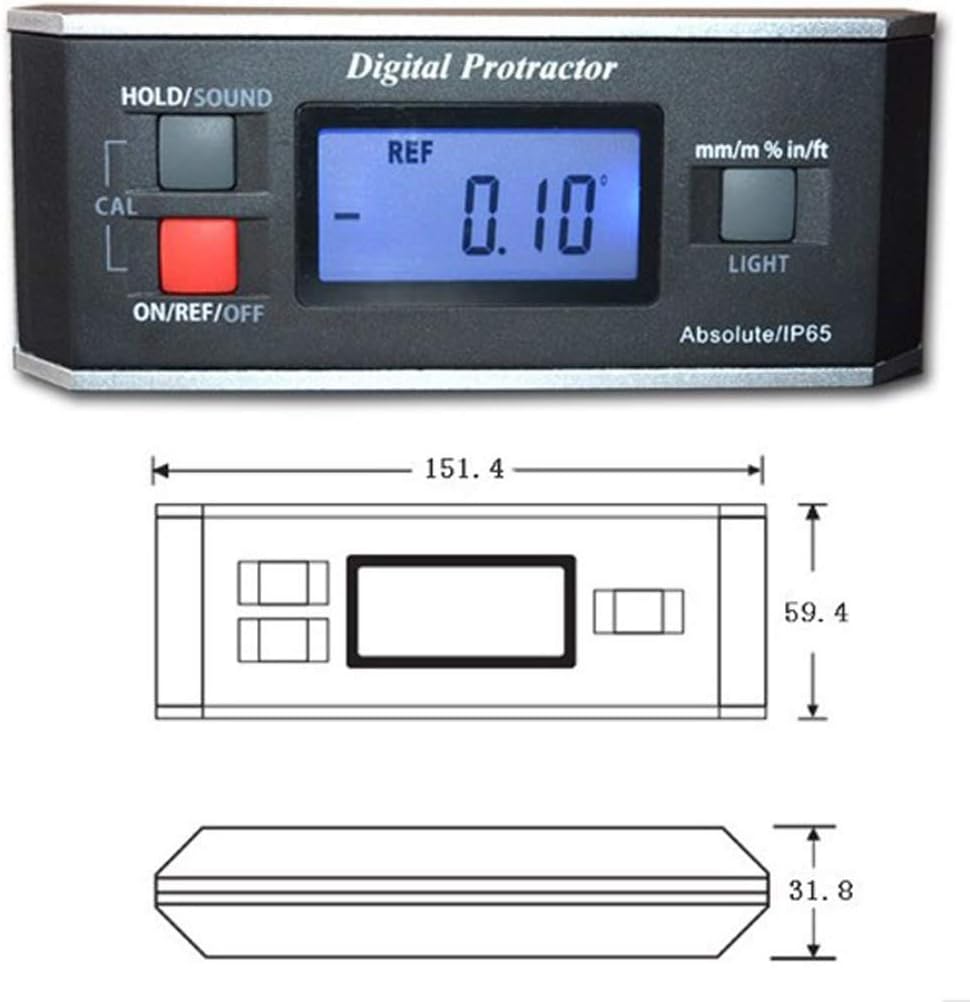
Figur 1: Front view of the digital protractor showing the display, buttons, and overall dimensions (151.4mm x 59.4mm x 31.8mm).

Figur 2: Bag view of the digital protractor, highlighting the magnetic V-groove base for secure attachment to cylindrical or flat metal surfaces.
Komponenter og kontroller:
- LCD-skærm: Shows angle readings, units, and mode indicators.
- ON/REF/OFF Button (Red): Powers the device on/off and sets relative zero.
- HOLD/SOUND Button (Gray): Freezes the current reading and toggles the beeper sound.
- CAL Button (Gray): Bruges til kalibrering.
- LIGHT Button (Gray): Aktiverer/deaktiverer displayets baggrundsbelysning.
- mm/m % in/ft Button (Gray): Cycles through measurement units (degrees, mm/m, percent slope, in/ft).
- Magnetic V-Groove Base: Allows secure attachment to metal surfaces, including pipes and shafts.
Opsætning
1. Batteriinstallation:
The device requires 2 x AAA alkaline batteries (not included). Open the battery compartment cover on the back of the unit, insert the batteries according to the polarity markings (+/-), and close the cover securely.
2. Første opstart:
Tryk på ON/REF/OFF knappen for at tænde enheden. LCD-displayet lyser.
3. Kalibrering:
For accurate measurements, it is recommended to calibrate the device before first use or if accuracy is in doubt. The device is factory calibrated, but user calibration can be performed:
- Place the protractor on a flat, level surface.
- Tryk og hold på CAL button until "CAL 1" appears on the display.
- Rotate the protractor 180 degrees horizontally on the same flat surface.
- Tryk på CAL button again. "CAL 2" will appear, and then the display will show "0.00°" indicating successful calibration.
Betjeningsvejledning
1. Absolute Measurement Mode:
This mode measures the angle relative to a true horizontal plane (gravity). When powered on, the device defaults to absolute measurement. The display will show the angle in degrees.

Figur 3: The digital protractor attached to a metal pole, showing an absolute angle measurement of 67.28 degrees.
2. Relative Measurement Mode:
To measure the angle between two surfaces, use the relative measurement mode:
- Place the protractor on the first surface.
- Tryk på ON/REF/OFF button briefly. The display will show "0.00°" and "REF" indicating the new reference point.
- Move the protractor to the second surface. The display will now show the angle difference between the first and second surfaces.
- To exit relative mode, press the ON/REF/OFF knappen igen.
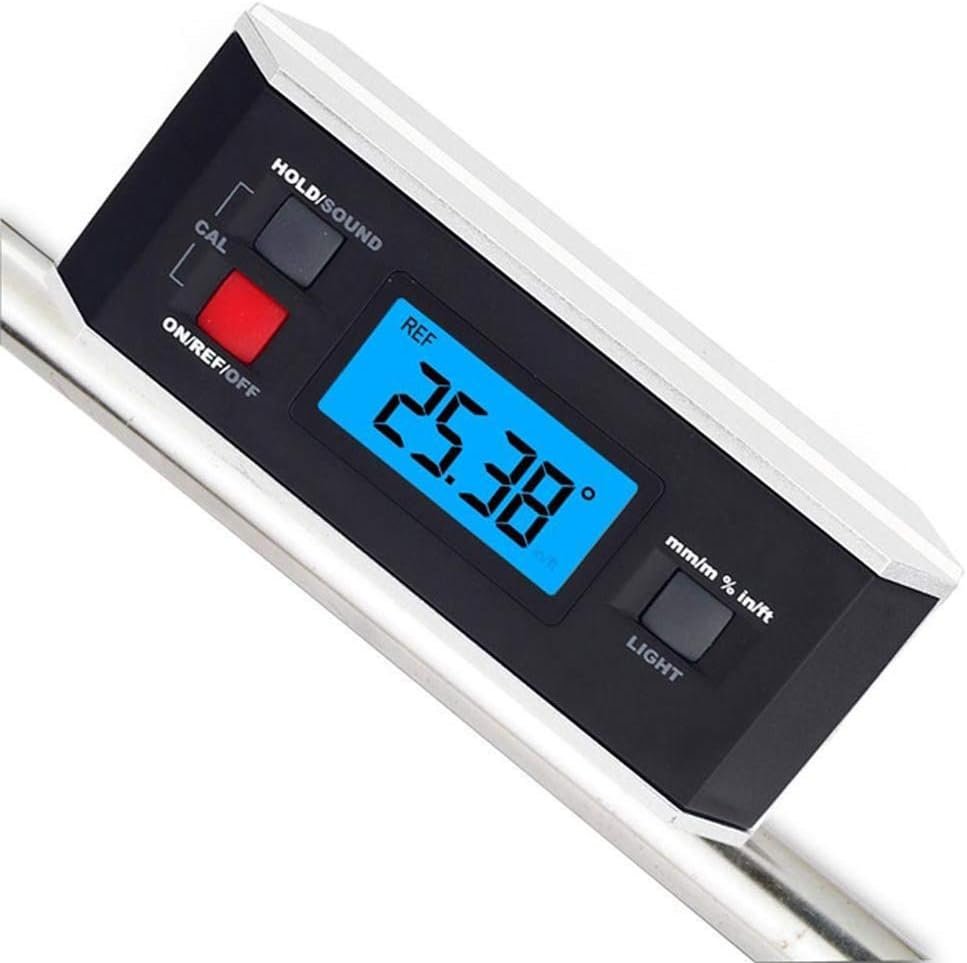
Figur 4: The digital protractor magnetically attached to a round metal bar, displaying an angle of 25.38 degrees, potentially in relative mode after setting a reference.
3. Unit Conversion:
Tryk på mm/m % in/ft button to cycle through different measurement units:
- grader (°)
- mm/m (millimeters per meter)
- % (percent slope)
- in/ft (pitch in inches per foot)
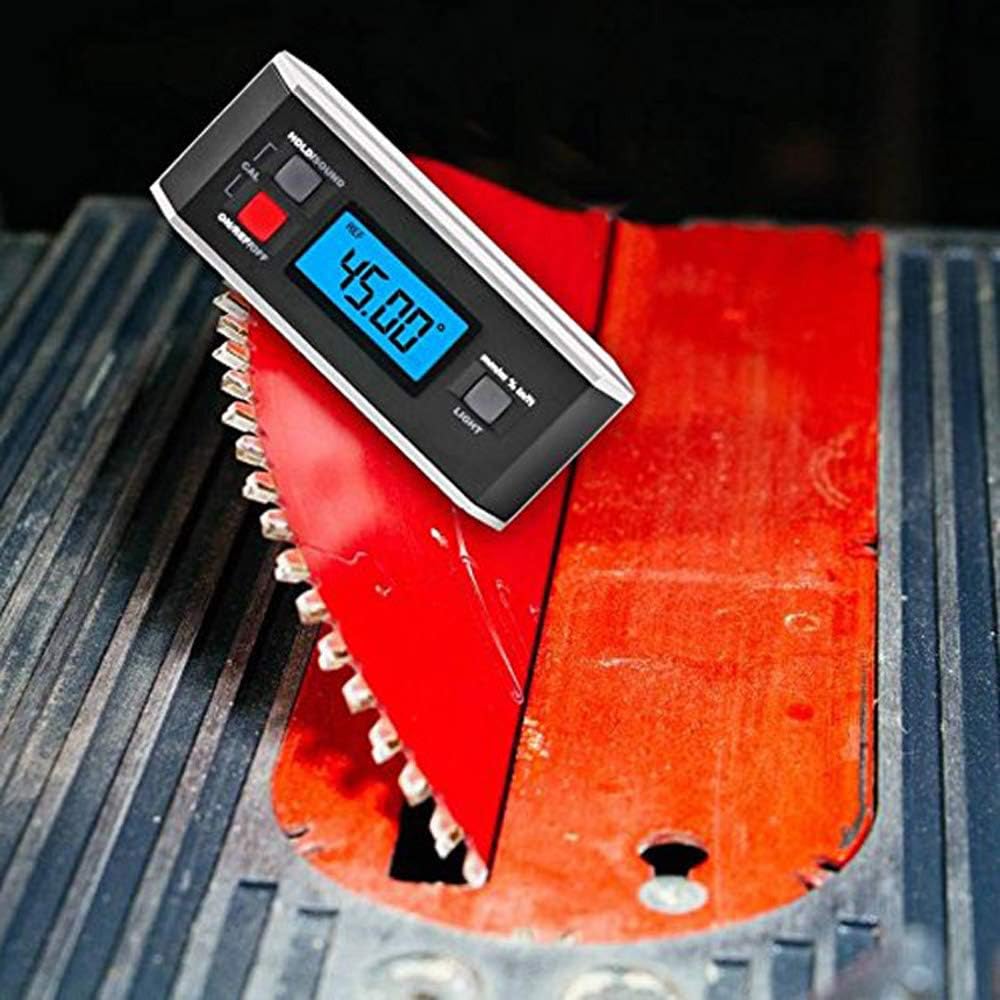
Figur 5: The digital protractor positioned on a saw blade, showing a precise angle measurement of 45.00 degrees, demonstrating its utility for setting tool angles.
4. HOLD Function:
Tryk på HOLD/SOUND button briefly to freeze the current reading on the display. Press it again to release the hold function.
5. Sound (Beeper) Function:
Tryk og hold på HOLD/SOUND button to toggle the audible beeper on or off. The beeper provides an audible indication when the device reaches 0° or 90°.
6. Backlight:
Tryk på LYS button to turn the display backlight on or off, improving visibility in low-light conditions.
Opretholdelse
- Rensning: Tør enheden af med en blød, damp klæde. Brug ikke skrappe kemikalier eller slibende materialer.
- Opbevaring: Store the protractor in its protective pouch (included) in a dry, cool place when not in use. Remove batteries if storing for extended periods to prevent leakage.
- Udskiftning af batteri: Replace batteries when the low battery indicator appears on the display or when the display becomes dim.
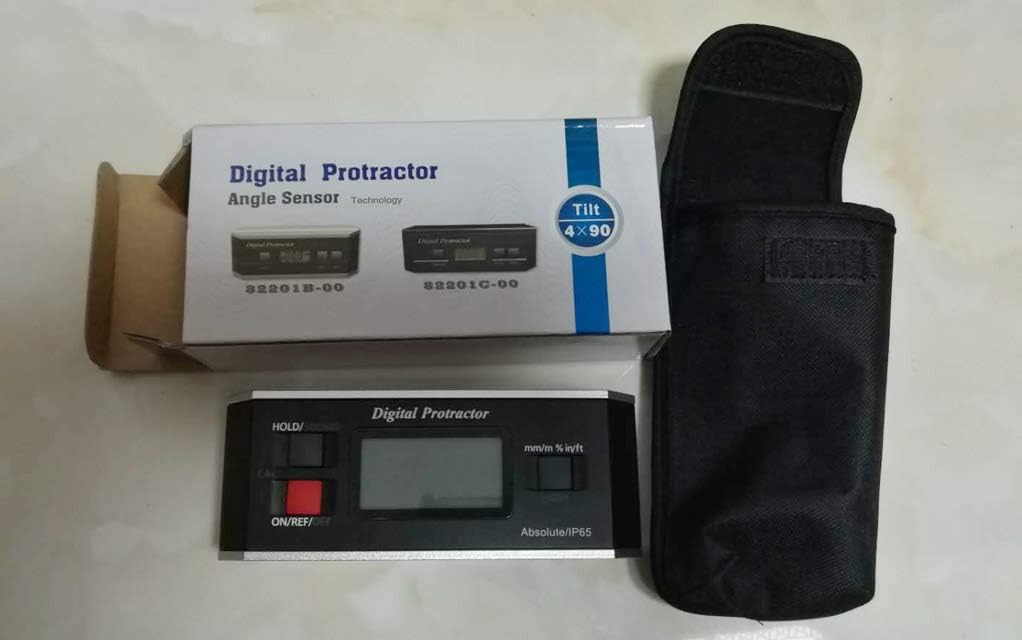
Figur 6: The TC Digital Protractor shown with its original packaging and the included protective pouch, emphasizing proper storage.
Fejlfinding
| Problem | Mulig årsag | Løsning |
|---|---|---|
| Enheden tænder ikke. | Døde eller forkert installerede batterier. | Replace batteries with new AAA alkaline batteries, ensuring correct polarity. |
| Upræcise aflæsninger. | Needs calibration; device moved during measurement; strong magnetic interference. | Perform calibration as per "Setup" section. Ensure device is stable. Move away from strong magnetic fields. |
| Skærmen er svag eller flimrer. | Lav batteristrøm. | Udskift batterierne. |
| Bipperen virker ikke. | Beeper function is turned off. | Tryk og hold på HOLD/SOUND button to activate the beeper. |
Specifikationer
| Måleområde | 4 x 90° (360° total), mm/m: 1000mm/m, %: 100%, in/ft: 12in/ft |
| Nøjagtighed | 0° and 90°: ±0.05°, others: ±0.15° |
| Opløsning | 0.05° |
| Arbejdstemperatur | 32 ~ 122°F (0 ~ 50°C) |
| Arbejdsfugtighed | ≤85 % |
| Beskyttelsesgrad | IP65 |
| Dimensioner | Ca. 151 x 60 x 32 mm |
| Vægt | Ca. 292 g |
| Strømforsyning | 2 x AAA alkaline battery (Not included) |
| Materiale | Plast |
Garanti og support
This product comes with a standard manufacturer's warranty. For specific warranty details, please refer to the documentation included with your purchase or contact your retailer. For technical support or inquiries, please reach out to the manufacturer or your point of purchase.
Manufacturer: TC
Part Number: TLB-07