1. Introduktion
This manual provides detailed instructions for the safe and efficient operation of your Artlii YG300 Mini Portable Projector. Please read this manual thoroughly before using the product and retain it for future reference.
2. Sikkerhedsoplysninger
Overhold følgende sikkerhedsforanstaltninger for at forhindre skader på projektoren og sikre brugerens sikkerhed:
- Se ikke direkte ind i projektorlinsen, når lamp er tændt.
- Sørg for korrekt ventilation for at forhindre overophedning. Bloker ikke ventilationsåbninger.
- Use only the provided power adapter or a compatible power bank (5V/2A).
- Hold projektoren væk fra vand eller andre væsker.
- Forsøg ikke selv at skille projektoren ad eller reparere den. Kontakt kvalificeret servicepersonale.
- Opbevares utilgængeligt for små børn.
3. Pakkens indhold
Bekræft at alle varer er til stede i pakken:
- Artlii YG300 Mini Portable Projector
- Strømadapter
- Fjernbetjening (AAA-batterier medfølger ikke)
- AV Cable (3-in-1)
- Brugervejledning (denne manual)

Image: Contents of the Artlii YG300 package, including the projector, remote control, power adapter, and AV cable.
4. Produktet er slutview
Gør dig bekendt med projektorens komponenter og betjeningselementer.
4.1 Foran View
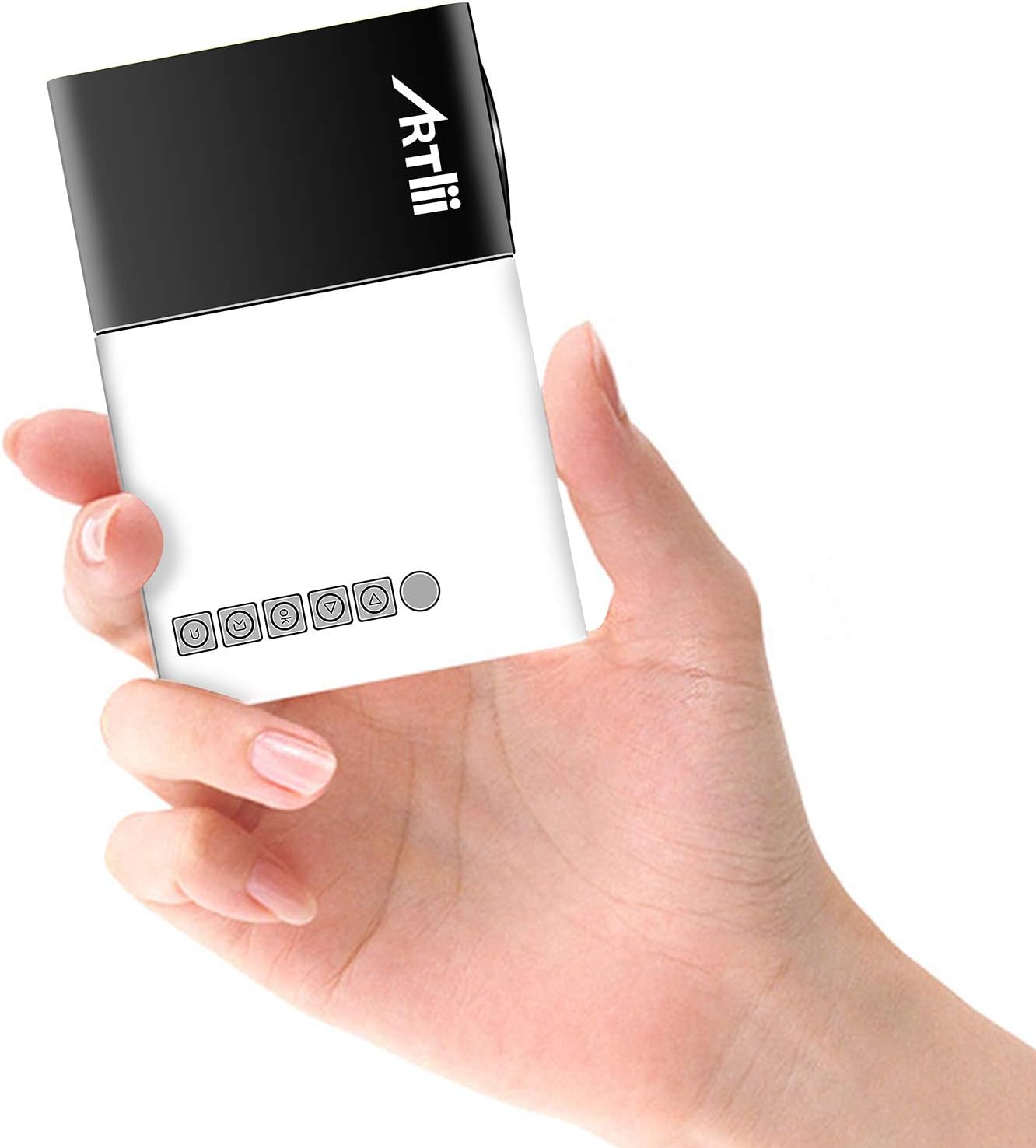
Image: The Artlii YG300 Mini Portable Projector, showing its compact size and top-mounted control buttons.
The front of the projector features the lens and a focus adjustment dial. The top panel includes control buttons for navigation and selection.
4.2 Side og bagside Views (Porte og forbindelser)

Image: Diagram illustrating the various input and output ports on the Artlii YG300 projector, including HDMI, USB, Micro SD, AV, and audio out.
- HDMI-port: Connect to devices like laptops, game consoles, or streaming sticks.
- USB-port: Tilslut USB-flashdrev til medieafspilning.
- Micro SD -kortplads: Indsæt Micro SD-kort for medieafspilning.
- AV-port: Tilslut til ældre enheder ved hjælp af det medfølgende AV-kabel.
- Lydudgang (3.5 mm jackstik): Tilslut eksterne højttalere eller hovedtelefoner.
- DC strømindgang: Tilslut strømadapteren.
- Micro USB (5V) Input: Alternative power input for power banks.
5. Opsætning
5.1 Powering On the Projector
- Connect the power adapter to the DC Power Input port on the projector and then to a power outlet.
- Alternatively, connect a 5V/2A power bank to the Micro USB (5V) Input port.
- Tryk på tænd/sluk-knappen på projektoren eller fjernbetjeningen for at tænde den.

Image: The Artlii YG300 projector being powered by a portable power bank via its Micro USB input, demonstrating its portability.
5.2 Placering og skærmstørrelse
Place the projector on a stable surface. The optimal projection distance and screen size are:
- Projektionsafstand: 0.8m to 2.0m (approximately 2.6ft to 6.5ft)
- Projected Dimension Range: 24 to 60 inches diagonally
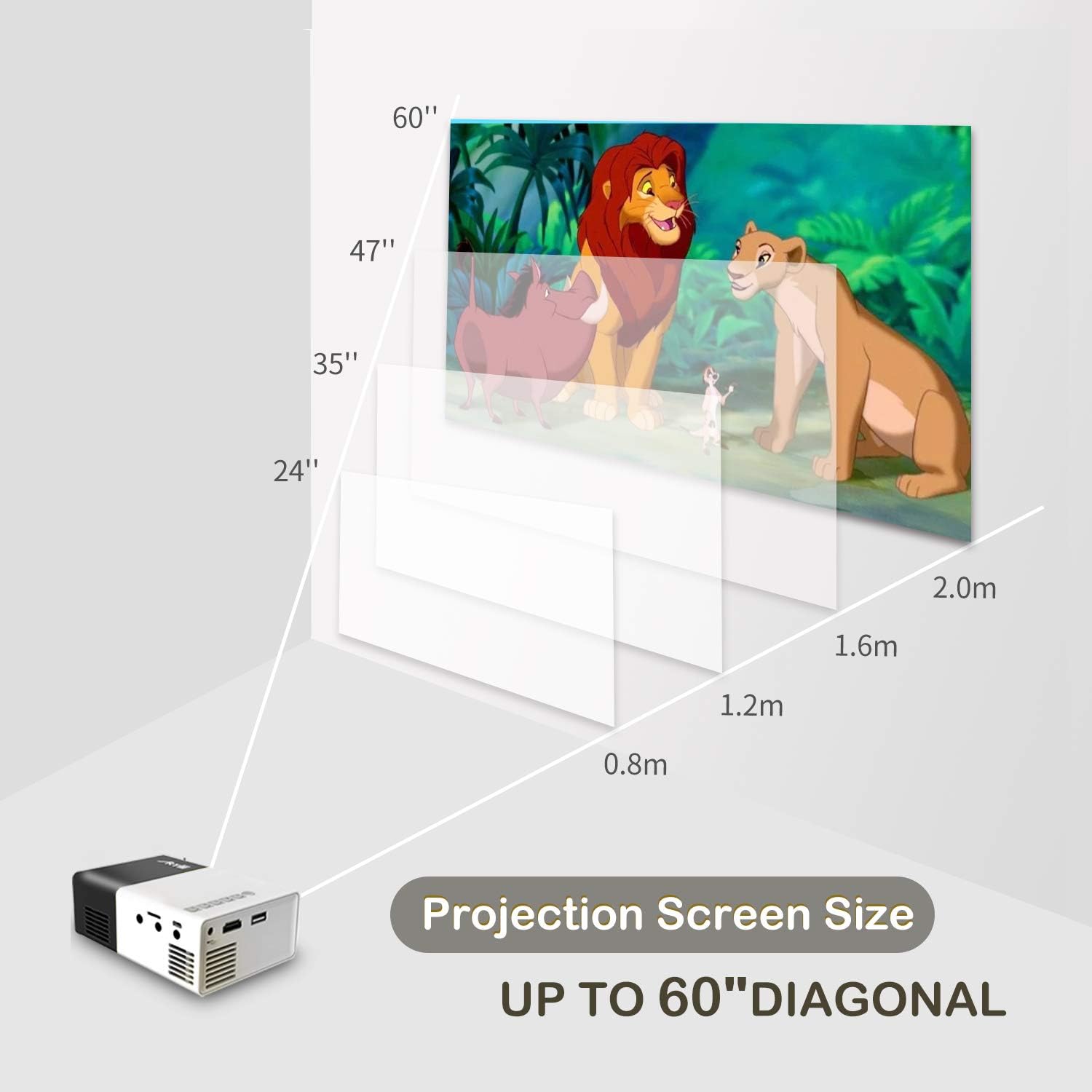
Image: A diagram illustrating the relationship between projection distance and screen size for the Artlii YG300 projector, showing screen sizes from 24 to 60 inches.
5.3 Justering af fokus
Rotate the focus adjustment dial located near the lens until the projected image is clear and sharp.
6. Betjening af projektoren
6.1 Tilslutning af inputenheder
Projektoren understøtter forskellige inputkilder:
- HDMI: Connect an HDMI cable from your device (laptop, streaming stick, game console) to the projector's HDMI port.
- USB: Indsæt et USB-flashdrev i USB-porten.
- Micro SD: Insert a Micro SD card into the Micro SD card slot.
- AV: Use the included 3-in-1 AV cable to connect to devices with AV output.
6.2 Valg af indgangskilde
After connecting a device, use the remote control or the projector's control buttons to navigate to the main menu and select the corresponding input source (e.g., HDMI, USB, SD, AV).
6.3 Medieafspilning
When a USB drive or Micro SD card is selected, the projector's interface will allow you to browse and play supported media files:
- Videoformater: AVI(AC3)/FLV/MKV/MP4/RM/MPG(MPEG1)/MPG(MPEG2)/MOV(MPEG4)/AVI (MPEG)/3GP/ DIVX/RMVB/VOB/TS/TP
- Lydformater: MP3/MAV/WMA/M4A(AAC)/AC3
- Billedformater: JPEG/JPG/PNG/BMP/MPO
- Dokumentformater: TXT
6.4 Lydudgang
The projector has a built-in speaker. For enhanced audio, connect external speakers or headphones to the 3.5mm Audio Out jack.
7. Vedligeholdelse
7.1 Rengøring
- Brug en blød, tør klud til at rengøre projektorens yderside.
- Brug en linserengøringsklud og en specialiseret linserengøringsopløsning til linsen. Undgå slibende materialer.
- Sørg for, at ventilationsåbningerne er fri for støv og snavs.
7.2 Lamp Liv
The projector utilizes an LED lamp with an estimated lifespan of up to 30,000 hours. No lamp Udskiftning er typisk nødvendig i løbet af produktets levetid under normale brugsforhold.
8. Fejlfinding
| Problem | Mulig årsag | Løsning |
|---|---|---|
| Intet billede projiceret |
|
|
| Billedet er sløret |
|
|
| Ingen lyd |
|
|
| Fjernbetjening virker ikke |
|
|
9. Specifikationer
| Mærke | Artlii |
| Model | YG300 (Artlii-MINI) |
| Displayteknologi | LCD |
| Lyskilde | LED |
| Lamp Lysstyrke | 400-600 Lumen |
| Indfødt opløsning | 320 x 240 pixels |
| Understøttet opløsning | Up to 1920 x 1080 pixels (1080p) |
| Kontrastforhold | 800:1 |
| Aspektforhold | 4:3 / 16:9 |
| Projected Dimension Range | 24-60 tommer |
| Kasteforhold | 1.6:1 |
| Indgangsporte | HDMI, AV, MicroSD (TF), USB, Micro USB (5V) |
| Udgangsport | 3.5mm Audio Jack |
| Indbygget højttaler | Ja |
| Støjniveau | 21 dB |
| Strømforsyning | AC 220V (adapter) / DC 5V/2A (Micro USB) |
| Strømforbrug | 24 watt |
| Produktdimensioner | 12.4 x 8.3 x 4.6 cm |
| Produktets vægt | 250 g |
| Fjernbetjening | Inkluderet |
10. Garanti og support
The Artlii YG300 Mini Portable Projector comes with a 1-month 100% Money-Back Policy and a 1-year factory warranty. For technical assistance or warranty claims, please contact Artlii customer support. Local maintenance centers are available to assist with service needs.
For further information or support, please visit the official Artlii webwebsted eller kontakt deres kundeserviceafdeling.


