Indledning
Thank you for choosing the Logitech K375s Multi-Device Wireless Keyboard. This keyboard is designed for comfortable and quiet typing, offering seamless switching between multiple devices such as computers, smartphones, and tablets. This manual provides detailed instructions to help you set up, operate, and maintain your new keyboard.

Image: The Logitech K375s keyboard, showing its full layout, the included universal stand, and the USB Unifying receiver.
Pakkens indhold
Sørg for at alle varer er til stede i pakken:
- Logitech K375s Multi-Device Wireless Keyboard
- Universal stativ
- USB Unifying-modtager
- 2 AAA-batterier (forudinstalleret)
- Brugerdokumentation (denne manual)
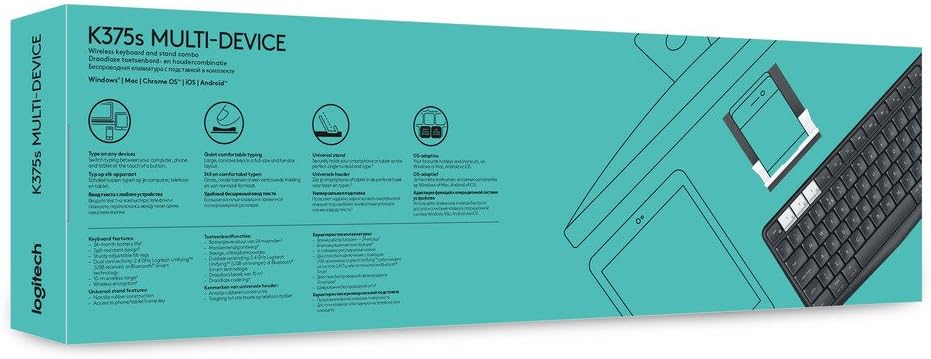
Image: Retail packaging for the Logitech K375s Multi-Device Keyboard, indicating its multi-device capabilities.
Opsætning
1. Batteriinstallation
Tastaturet leveres med to forudinstallerede AAA-batterier. Hvis du skal udskifte dem:
- Locate the battery compartment cover on the back of the keyboard.
- Skub dækslet af.
- Isæt to nye AAA-batterier, og sørg for at polerne vender korrekt (+/-).
- Sæt batterirummets dæksel på igen.
2. Connecting via USB Unifying Receiver
For devices that support a USB receiver:
- Remove the USB Unifying receiver from the keyboard's battery compartment or packaging.
- Plug the USB Unifying receiver into an available USB port on your computer.
- The keyboard should automatically connect. If not, press one of the Easy-Switch keys (1, 2, or 3) to select a channel.
3. Tilslutning via Bluetooth
For devices with Bluetooth connectivity:
- Turn on the keyboard using the On/Off switch located on the top right side.
- Tryk og hold en af Easy-Switch-tasterne (1, 2 eller 3) nede i tre sekunder, indtil LED-lampen over tasten begynder at blinke hurtigt. Dette indikerer, at tastaturet er i parringstilstand.
- On your device (computer, smartphone, or tablet), open Bluetooth settings.
- Vælg "Logitech K375s" fra listen over tilgængelige enheder.
- Follow any on-screen prompts to complete the pairing process. The LED light on the keyboard will turn solid for 5 seconds and then turn off once connected.

Image: The Logitech K375s keyboard positioned next to a smartphone securely placed in the included universal stand, demonstrating multi-device usage.
4. Nem skift-funktionalitet
The K375s keyboard allows you to connect to up to three devices simultaneously and switch between them with ease.
- The keys labeled 1, 2, og 3 are the Easy-Switch keys.
- To switch to a connected device, simply press the corresponding Easy-Switch key. The LED light above the key will illuminate briefly to confirm the switch.

Image: A diagram highlighting the multi-device capabilities of the K375s keyboard, showing connections to a computer, tablet, and smartphone.
Betjening af tastaturet
Skriveoplevelse
The K375s keyboard features full-size keys with a familiar layout for comfortable and quiet typing. The integrated numeric keypad and dedicated function keys enhance productivity.
Funktionstaster (F-taster)
The F-keys (F1-F12) have secondary functions. To use these secondary functions (e.g., media controls, volume adjustment, screen lock), press the Fn tasten samtidigt med den ønskede F-tast.
To toggle the default behavior of the F-keys (i.e., to make the secondary functions primary without pressing Fn), you may need to use the Logitech Options software (available for download from the Logitech website) or check your operating system settings.
Opretholdelse
Rensning
Sådan rengøres dit tastatur:
- Sluk for tastaturet.
- Brug en blød, fnugfri klud lidt dampafsluttes med vand eller en mild rengøringsopløsning.
- Undgå for meget fugt, og sprøjt ikke rengøringsmidler direkte på tastaturet.
- Brug ikke slibende rengøringsmidler, opløsningsmidler eller aerosolspray.
Udskiftning af batteri
When the battery indicator light (if present) flashes red, or if the keyboard becomes unresponsive, it's time to replace the batteries. Refer to the "Battery Installation" section under Setup for instructions.
Fejlfinding
- Tastaturet reagerer ikke:
- Sørg for, at tastaturet er tændt.
- Kontroller batteriniveauer og udskift om nødvendigt.
- Verify the USB Unifying receiver is securely plugged into a working USB port, or that Bluetooth is enabled on your device and the keyboard is paired.
- Try switching to a different Easy-Switch channel (1, 2, or 3).
- Move the keyboard closer to the receiver or Bluetooth device to ensure a strong connection.
- Forsinket eller intermitterende forbindelse:
- Reduce interference by moving other wireless devices away from the keyboard and receiver.
- Ensure the keyboard is not too far from the connected device.
- Update your device's Bluetooth drivers or Logitech Unifying software.
- Nøglerne virker ikke korrekt:
- Rengør tastaturet for at fjerne eventuelle snavs, der måtte blokere tasterne.
- If specific keys are consistently malfunctioning, contact Logitech support.
Specifikationer
| Modelnummer | 920-008168 |
| Forbindelsesteknologi | Bluetooth, RF (via USB Unifying Receiver) |
| Kompatible enheder | Computers, Smartphones, Tablets |
| Batterier | 2 AAA batterier (medfølger) |
| Produktdimensioner | 17.15 x 5.41 x 0.81 tommer (43.56 x 13.74 x 2.06 cm) |
| Varens vægt | 15.9 ounce (450.7 gram) |
| Materiale | Plast |
| Inkluderede komponenter | USB Unifying Receiver, Universal Stand |

Billede: Side profile view of the Logitech K375s keyboard, showcasing its slim design and key height.
Garanti og support
Logitech products are manufactured to high quality standards and are designed to provide years of reliable service. For detailed warranty information, please refer to the warranty card included with your product or visit the official Logitech webwebsted.
For technical support, frequently asked questions, or to download the latest software (such as Logitech Options for customizing your keyboard), please visit the Logitech support webwebsted: support.logi.com