Biconic Bluetooth Tough Weatherproof Portable Wireless Speaker User Manual
Model: ABC-AU-BS-103-BK
Mærke: Bytech
1. Produktet er slutview
The Biconic Bluetooth Tough Weatherproof Portable Wireless Speaker is designed for robust outdoor and indoor use, providing enhanced bass and clear audio. Its wireless capabilities allow for easy connection to various devices, and its durable, weatherproof construction ensures reliable performance in diverse environments.

Figur 1.1: Forside view of the Biconic Bluetooth Speaker, showcasing its robust design and speaker grille.
Nøglefunktioner:
- Trådløs forbindelse: Seamless Bluetooth pairing with smartphones, tablets, and other compatible devices.
- Vejrbestandigt design: IPX6 water resistance protects against strong jets of water, making it suitable for outdoor use.
- Forbedret bas: Delivers rich, deep bass for a superior audio experience.
- Transportabel: Compact design with a durable strap for easy transport.
- Lang spilletid: Up to 4 hours of continuous audio playback on a single charge.
2. Sikkerhedsoplysninger
Please read all safety warnings and instructions carefully before using this product to ensure safe operation and prevent damage.
- Udsæt ikke højttaleren for ekstreme temperaturer (varme eller kolde).
- Do not immerse the speaker in water. While it is IPX6 water resistant, it is not designed for submersion.
- Keep the speaker away from direct heat sources, open flames, and flammable liquids.
- Use only the provided charging cable and a compatible power adapter (5V/1A recommended) to charge the device.
- Forsøg ikke at skille ad, reparere eller modificere højttaleren. Dette vil ugyldiggøre garantien og kan forårsage skade.
- Opbevares utilgængeligt for børn.
- Rengør højttaleren med en blød, tør klud. Brug ikke slibende rengøringsmidler eller opløsningsmidler.
3. Pakkens indhold
Bekræft at alle varer er til stede i pakken ved udpakning:
- Biconic Bluetooth Tough Weatherproof Portable Wireless Speaker
- USB opladningskabel
- Brugervejledning (dette dokument)
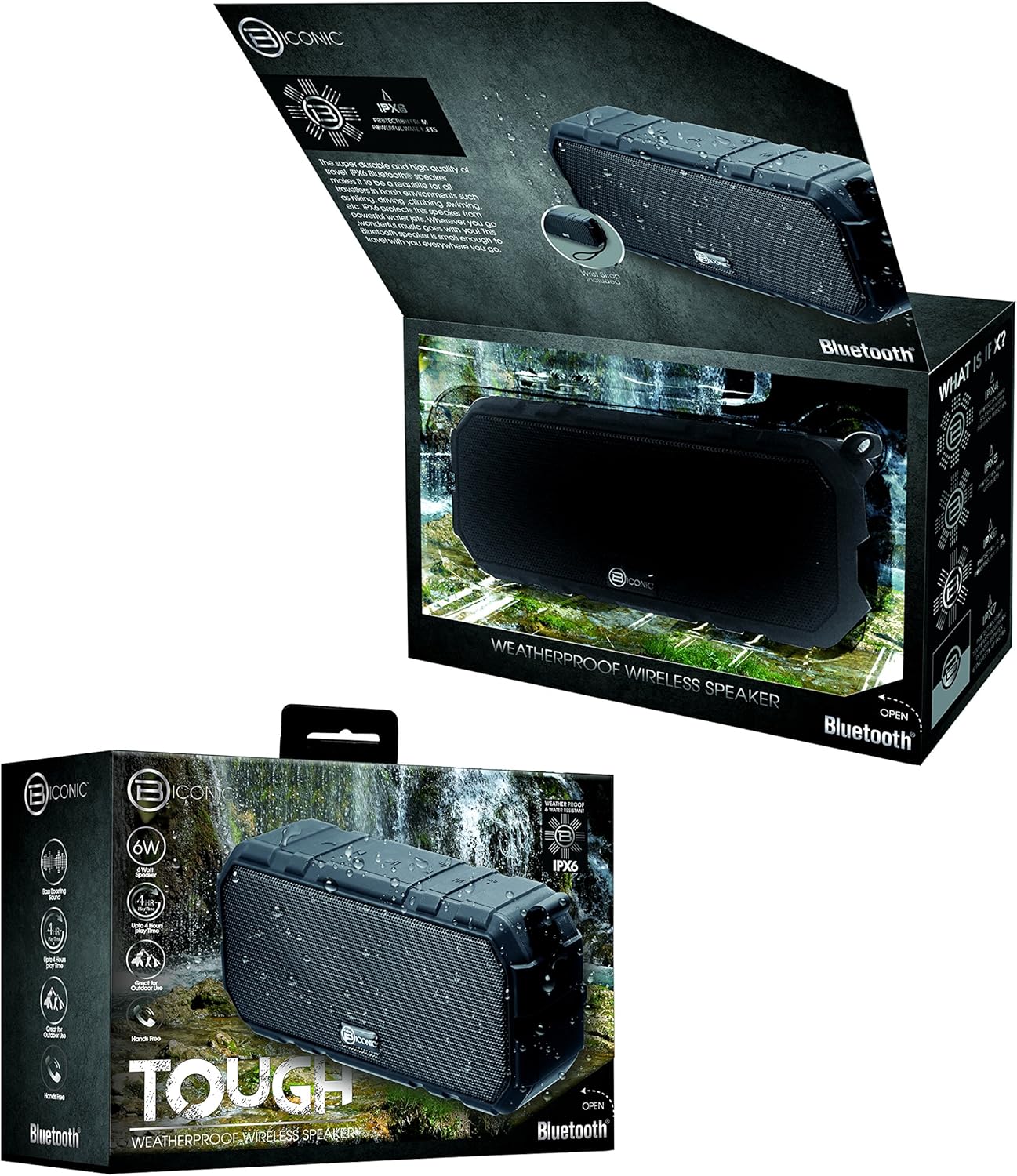
Figure 3.1: The Biconic Bluetooth Speaker shown with its retail packaging, indicating typical package contents.
4. Opsætning
4.1 Opladning af højttaleren
- Locate the charging port on the side of the speaker. This port is typically protected by a rubber flap to maintain water resistance.
- Åbn gummiklappen.
- Connect the small end of the provided USB charging cable to the speaker's charging port.
- Connect the larger end of the USB cable to a USB power source (e.g., computer USB port, USB wall adapter).
- Opladningsindikatorlampen lyser, typisk rødt, for at vise, at højttaleren oplader.
- Once fully charged (approximately 2-3 hours), the indicator light will change color (e.g., turn off or turn blue/green). Disconnect the charging cable and close the rubber flap securely to maintain water resistance.
4.2 Tænd/sluk
- For at tænde: Press and hold the Power button (usually marked with a power symbol) for a few seconds until you hear an audible tone or see an indicator light illuminate.
- For at slukke: Press and hold the Power button again for a few seconds until you hear an audible tone or the indicator light turns off.
5. Betjeningsvejledning
5.1 Bluetooth -parring
Before first use, you need to pair the speaker with your Bluetooth-enabled device.
- Ensure the speaker is fully charged and powered on. It will automatically enter pairing mode, indicated by a flashing blue LED light.
- On your smartphone, tablet, or other Bluetooth device, go to the Bluetooth settings menu.
- Aktiver Bluetooth, hvis det ikke allerede er aktiveret.
- Scan for available devices. You should see "Biconic Speaker" or a similar name appear in the list.
- Select "Biconic Speaker" to connect. Once successfully paired, you will hear a confirmation tone, and the blue LED light on the speaker will stop flashing and remain solid.
- Hvis du bliver bedt om en adgangskode, skal du indtaste "0000".
- Højttaleren genopretter automatisk forbindelsen til den sidst parrede enhed, når den tændes, hvis enheden er inden for rækkevidde, og Bluetooth er aktiveret.
5.2 Musikafspilning
Once paired, you can control music playback directly from your connected device or using the speaker's controls.
- Afspil/pause: Press the Play/Pause button (often marked with a triangle or || symbol) once to play or pause music.
- Lydstyrke op: Press the Volume Up button (+) to increase the volume.
- Skrue ned for lyden: Press the Volume Down button (-) to decrease the volume.
- Næste nummer: Press and hold the Volume Up button (+) for a few seconds to skip to the next track.
- Forrige nummer: Press and hold the Volume Down button (-) for a few seconds to go to the previous track.

Figur 5.1: Øverst view of the Biconic Bluetooth Speaker, highlighting the control buttons for power, volume, and playback.
5.3 Answering Calls (Hands-Free Function)
The speaker supports hands-free calling when connected to a smartphone.
- Besvar opkald: When a call comes in, press the Play/Pause button once to answer.
- Afslut opkald: During a call, press the Play/Pause button once to end the call.
- Afvis opkald: Press and hold the Play/Pause button for a few seconds to reject an incoming call.
6. Vedligeholdelse
Proper maintenance ensures the longevity and optimal performance of your speaker.
- Rensning: Tør højttaleren af med en blød, damp cloth. Do not use harsh chemicals, solvents, or abrasive cleaners. Ensure the charging port flap is closed before cleaning with a damp klæde.
- Opbevaring: Opbevar højttaleren et køligt, tørt sted væk fra direkte sollys og ekstreme temperaturer, når den ikke er i brug i længere perioder.
- Batteripleje: To preserve battery life, fully charge the speaker before storing it for long periods. Recharge every 3-6 months if not used regularly.
- Vandtæthed: Always ensure the rubber flap covering the charging port is securely closed to maintain the IPX6 water resistance rating.

Figure 6.1: The Biconic Bluetooth Speaker demonstrating its water-resistant capabilities, highlighting the importance of proper sealing for maintenance.
7. Fejlfinding
| Problem | Mulig årsag | Løsning |
|---|---|---|
| Højttaleren tænder ikke. | Batteriet er afladet. | Oplad højttaleren helt. |
| Kan ikke parre med Bluetooth-enhed. | Bluetooth is off on your device; speaker is not in pairing mode; device is too far. | Ensure Bluetooth is enabled on your device. Power off and on the speaker to re-enter pairing mode. Move device closer to the speaker (within 10 meters). Forget the device on your phone and try pairing again. |
| Ingen lyd eller lav lydstyrke. | Lydstyrken på højttaleren eller enheden er for lav; højttaleren er ikke tilsluttet. | Increase volume on both the speaker and your connected device. Ensure the speaker is properly paired and connected. |
| Lydforvrængning. | Lydstyrken er for høj; interferens; lavt batteri. | Reduce volume. Move speaker away from other electronic devices. Charge the speaker. |
8. Specifikationer
| Feature | Detalje |
|---|---|
| Modelnummer | ABC-AU-BS-103-BK |
| Mærke | Bytech |
| Forbindelsesteknologi | Bluetooth |
| Højttaler Maksimal udgangseffekt | 3 watt |
| Lydudgangstilstand | Stereoanlæg |
| Vandmodstandsvurdering | IPX6 (Water resistant, not submersible) |
| Batteritype | 1 litium-ion-batteri (påkrævet) |
| Spilletid | Op til 4 timer |
| Produktdimensioner | 2.54 x 2.54 x 2.54 cm |
| Varens vægt | 522 g |
| Monteringstype | Bordplade |
9. Garanti og support
For warranty information and technical support, please contact Bytech customer service. Details are typically provided on the product packaging or the official Bytech webwebsted.
Gem venligst din købsbevis i tilfælde af garantikrav.
Note: Warranty terms may vary by region.


