1. Introduktion
Thank you for choosing the ZEALOT B21 Wireless Bluetooth Over-Ear Headphones. These headphones are designed to provide a high-quality audio experience with convenient wireless connectivity and intuitive touch controls. This manual will guide you through the setup, operation, and maintenance of your new headphones.
Pakkens indhold
- ZEALOT B21 Wireless Bluetooth Over-Ear Headphones
- USB opladningskabel
- 3.5 mm lydkabel
- Brugermanual

Image 1.1: Contents of the ZEALOT B21 headphone package, showing the headphones, charging cable, audio cable, and user manual.
2. Opsætning
2.1 Opladning af hovedtelefonerne
Before first use, fully charge the headphones. Connect the supplied USB charging cable to the charging port on the headphones and the other end to a USB power source (e.g., computer USB port, USB wall adapter). The LED indicator will show charging status and turn off or change color when fully charged. A full charge provides approximately 12 hours of music playback or 300 hours of standby time.
2.2 Tænd/sluk
- For at tænde: Tryk på tænd/sluk-knappen, og hold den nede, indtil LED-indikatoren lyser.
- For at slukke: Tryk på tænd/sluk-knappen, og hold den nede, indtil LED-indikatoren slukker.
2.3 Bluetooth -parring
Sådan tilslutter du dine hovedtelefoner til en Bluetooth-aktiveret enhed:
- Sørg for, at hovedtelefonerne er slukket.
- Press and hold the Power button for approximately 5-7 seconds until the LED indicator flashes blue and red alternately, indicating pairing mode.
- Aktiver Bluetooth på din enhed (smartphone, tablet, computer) og søg efter tilgængelige enheder.
- Select "ZEALOT B21" from the list of found devices.
- Once paired, the LED indicator on the headphones will flash blue slowly, and you will hear an audible confirmation.
The headphones will automatically attempt to reconnect to the last paired device when powered on, if the device's Bluetooth is active and within range.

Image 2.1: The ZEALOT B21 headphones, illustrating their over-ear design and touch control area on the ear cup.
3. Betjeningsvejledning
3.1 Tryk på Kontrolpanel
The ZEALOT B21 headphones feature an integrated touch control panel on the right ear cup for easy management of music and calls.
- Afspil/pause: Tap the center of the touch panel once.
- Lydstyrke op: Slide your finger upwards on the touch panel.
- Skrue ned for lyden: Slide your finger downwards on the touch panel.
- Næste nummer: Slide your finger forward (towards the front of the ear cup) on the touch panel.
- Forrige nummer: Slide your finger backward (towards the rear of the ear cup) on the touch panel.
- Voice Dial (when standby): Tryk og hold midten af berøringspanelet nede.

Image 3.1: Visual guide to the touch control gestures for managing music playback and volume on the headphones.
3.2 Opkaldsfunktioner
The built-in HD microphone allows for hands-free calling.
- Besvar/afslut opkald: Tap the center of the touch panel once.
- Afvis opkald: Press and hold the center of the touch panel for 2 seconds.
3.3 AUX Line-in Mode
You can use the headphones as a wired headset even when the battery is depleted or with non-Bluetooth devices. Connect one end of the supplied 3.5mm audio cable to the AUX port on the headphones and the other end to your audio source's 3.5mm jack. In AUX mode, the microphone functionality is not available.

Image 3.2: The ZEALOT B21 headphones, highlighting their capability for continuous music playback, including via AUX cable.
4. Komfort og design
The ZEALOT B21 headphones are designed for extended listening comfort.
- Ergonomic Ear Cups: The closed circumaural ear cups are made with breathable protein leather and memory foam padding, providing comfort and effective noise isolation.
- Justerbart pandebånd: The solid steel headband is adjustable to ensure a secure and comfortable fit for various head sizes, enhancing durability.

Billede 4.1: En detaljeret view of the soft, ergonomic ear cup designed for comfort and sound isolation.
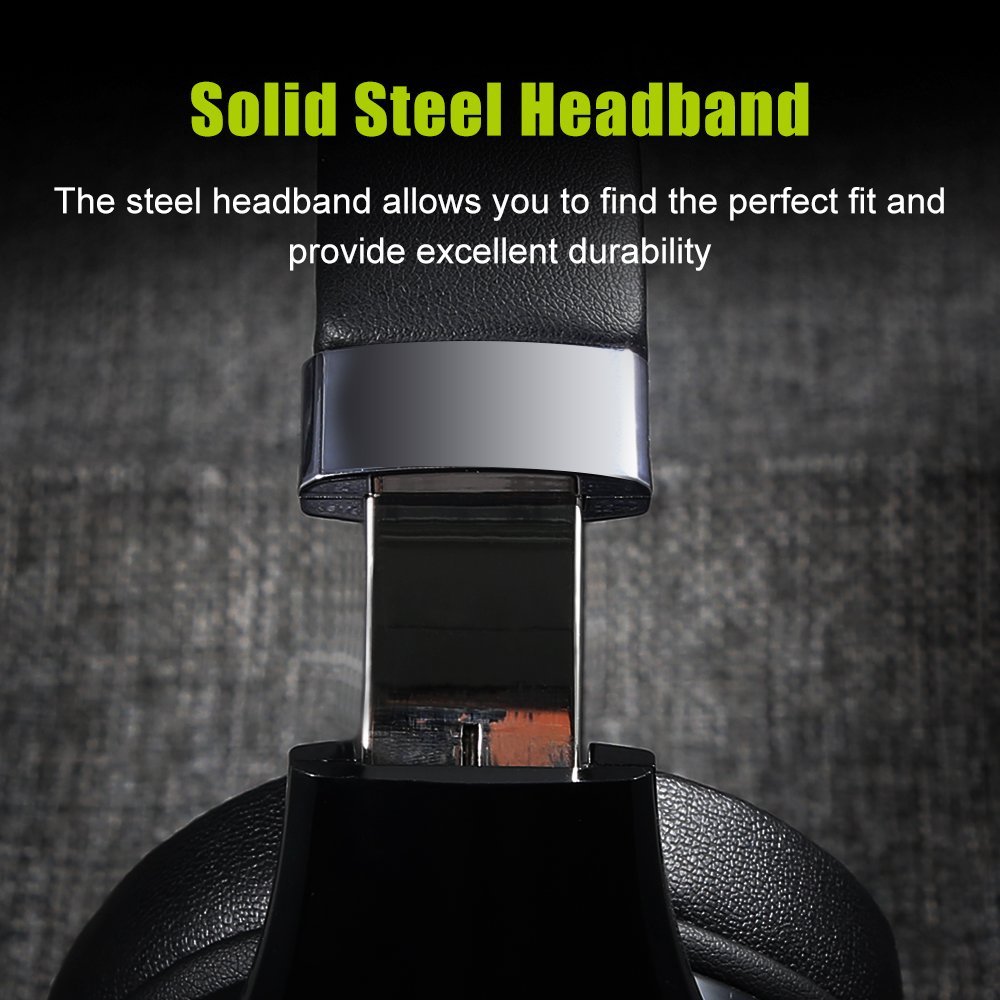
Image 4.2: A close-up of the durable, adjustable steel headband component.
5. Vedligeholdelse
5.1 Rengøring
Sådan vedligeholder du dine hovedtelefoners tilstand:
- Tør overfladerne af med en blød, tør klud.
- Brug ikke slibende rengøringsmidler, alkohol eller kemiske opløsningsmidler.
- Undgå at fugt kommer ind i åbninger.
5.2 Opbevaring
When not in use, store the headphones in a cool, dry place, away from direct sunlight and extreme temperatures. Using the provided storage bag can help protect them from dust and scratches.
6. Fejlfinding
If you encounter issues with your ZEALOT B21 headphones, refer to the following solutions:
| Problem | Mulig løsning |
|---|---|
| Hovedtelefonerne tændes ikke. | Sørg for, at hovedtelefonerne er fuldt opladet. Tilslut dem til en strømkilde, og prøv igen. |
| Kan ikke parres via Bluetooth. | Ensure headphones are in pairing mode (flashing blue/red). Turn off and on your device's Bluetooth. Move headphones closer to the device. Clear previous Bluetooth connections on your device. |
| Ingen lyd eller lav lydstyrke. | Check volume levels on both headphones and the connected device. Ensure headphones are properly paired. If using AUX cable, ensure it is fully inserted. |
| Dårlig lydkvalitet. | Move closer to the connected device to reduce interference. Ensure there are no obstacles between the headphones and the device. Try a different audio source. |
| Berøringsknapper reagerer ikke. | Ensure your fingers are clean and dry. Power off and restart the headphones. |
7. Specifikationer
| Feature | Detalje |
|---|---|
| Modelnavn | B21 |
| Forbindelsesteknologi | Trådløs (Bluetooth) |
| Trådløs kommunikationsteknologi | Bluetooth 4.0 (CSR8635 chipset) |
| Driftsafstand | Op til 10 meter |
| Hovedtelefonstik | 3.5 mm Jack (for AUX mode) |
| Frekvensrespons | 20 Hz - 20000 Hz |
| Impedans | 32 Ohm |
| Mikrofonformat | Built-In (HD microphone with CVC6.0 Noise Cancelling) |
| Kontroltype | Touch-kontrol, lydstyrkekontrol |
| Batteri | 500mAh Polymer Lithium-batteri |
| Standby tid | Op til 300 timer |
| Musik afspilningstid | Op til 12 timer |
| Materiale | Faux Leather (earmuffs) |
| Varens vægt | 771 g (1.7 pund) |
| Produktdimensioner | 21.34 x 18.03 x 10.67 cm |
| Kompatible platforme | Bærbar computer, pc, smartphone, tablet |
8. Garanti og support
For warranty information and technical support, please refer to the warranty card included in your product packaging or visit the official ZEALOT webwebsted. Gem din købskvittering som købsbevis i tilfælde af garantikrav.


