1. Introduktion
The Fitbit Charge 2 is a heart rate and fitness wristband designed for all-day use, workouts, and beyond. It features PurePulse continuous heart rate tracking to help maximize workouts, track calorie burn, and assess cardio fitness levels. The device also offers all-day activity tracking, automatic sleep tracking, multi-sport modes for real-time stats, and smart track for automatic exercise recognition. Its large OLED display provides call, text, and calendar alerts, reminders to move, and guided breathing sessions. With customizable clock faces and interchangeable bands, the Charge 2 combines advanced features with a sleek design and a battery life of up to 5 days, providing the motivation needed for daily activity.
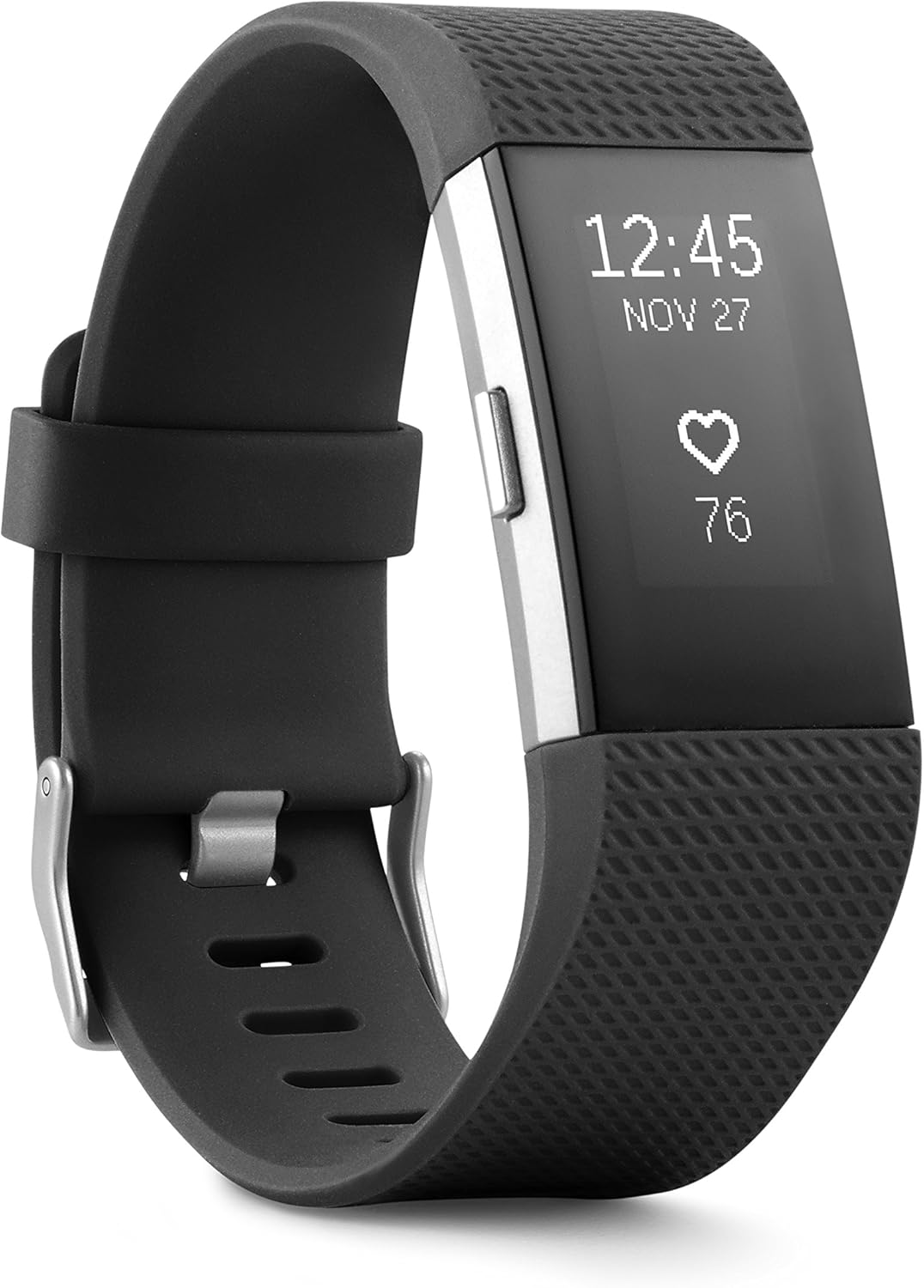
Figur 1: Forside view of the Fitbit Charge 2 Heart Rate + Fitness Wristband.
2. Opsætning
2.1 Hvad er der i æsken
Your Fitbit Charge 2 package includes the wristband itself.
2.2 Opladning af din enhed
To charge your Fitbit Charge 2, connect the provided clip-style charging cable to the device. Ensure the charging pins on the cable align with the contacts on the back of the tracker. Once securely clipped, connect the USB end of the cable to a USB power source (e.g., computer USB port, wall adapter). A battery icon will appear on the display indicating it is charging. A full charge typically provides up to 5 days of battery life.

Figur 2: Bagside view of the Fitbit Charge 2, highlighting the PurePulse heart rate sensors and charging contacts.
2.3 Syncing with Your Device
The Fitbit Charge 2 synchronizes stats wirelessly and automatically to computers and over 200 leading iOS, Android, and Windows devices. Ensure Bluetooth LE is enabled on your device and you have an internet connection for successful syncing. Windows 10 computers without Bluetooth LE may require a wireless sync dongle.
3. Operating Your Fitbit Charge 2
3.1 Skærmnavigation
Navigate through the various screens and features of your Charge 2 by pressing the side button or tapping the OLED display. The display shows time, date, and activity stats.

Figure 3: Fitbit Charge 2 display showing current steps and time.
3.2 Pulsmåling
Utilize PurePulse continuous, automatic wrist-based heart rate tracking to better measure calorie burn throughout the day and maximize your workouts using simplified heart rate zones (fat burn, cardio, and peak). Like all heart rate tracking technologies, accuracy can be affected by physiological factors, device location, and different movements.

Figure 4: Fitbit Charge 2 display showing real-time heart rate.
3.3 Aktivitetssporing
Track all-day activity including steps taken, distance covered, calories burned, floors climbed, and active minutes. The device provides a comprehensive overview af din daglige bevægelse.
3.4 Multi-Sport Modes & Connected GPS
Record specific exercises like running, weights, or yoga to see real-time workout stats directly on your screen. For outdoor activities, use connected GPS during run mode to see real-time stats such as pace and distance on your wrist by connecting to your phone's GPS.

Figure 5: The Fitbit Charge 2 supports tracking various outdoor activities with connected GPS.
3.5 Sleep Tracking & Silent Alarms
Automatically track how long and how well you sleep, including sleep duration, consistency, and quality (light, deep, and REM sleep stages). Wake up peacefully with a silent vibrating alarm.
3.6 Meddelelser
Stay connected by receiving call, text, and calendar notifications directly on the OLED display of your wristband.
3.7 Guided Breathing Sessions
Find moments of calm throughout your day with personalized guided breathing sessions based on your heart rate.
3.8 Reminders to Move
The device will provide gentle reminders to move throughout the day to help you stay active.
3.9 Stopwatch and Timers
Utilize the built-in stopwatch and timer functions for various activities and personal goals.
3.10 Customizable Clock Faces
Personalize your Fitbit Charge 2 by choosing from a variety of customizable clock faces to suit your style and display preferences.
4. Vedligeholdelse
4.1 Rengøring af din enhed
Regularly clean your band and wrist, especially after working out or sweating. Rinse the band with water or wipe it with a small amount of rubbing alcohol. Do NOT use hand soap, body soap, dish soap, hand sanitizers, cleaning wipes, or household cleaners, as these could get trapped beneath the band and irritate skin. Always dry the band well before putting it back on.
4.2 Sådan bærer du din enhed
While Fitbit devices are water resistant, it’s not good for your skin to wear a wet band for long periods. If your elastomer band gets wet (e.g., after sweating or showering), rinse and dry it thoroughly before putting it back on your wrist. Ensure your skin is dry before putting your band back on. Do not wear it too tight; wear the band loosely enough that it can move back and forth on your wrist. For better heart rate readings during exercise, wear the band securely but not too tight, about 2-3 finger widths above your wrist bone. Lower the band on your wrist and loosen it after exercise. Give your wrist a rest by removing the band for an hour after extended wear to prevent prolonged rubbing and pressure that may irritate the skin.
5. Fejlfinding
For detailed troubleshooting steps and solutions to common issues, please refer to the official Fejlfindingsvejledning (PDF) eller den Brugervejledning (PDF).
6. Specifikationer
| Feature | Detalje |
|---|---|
| Produktdimensioner | 8.62 x 0.89 x 0.51 tommer |
| Varens vægt | 1.12 ounce |
| Varemodelnummer | FB407SBKS |
| Batterier | 1 A-batterier påkrævet (medfølger) |
| Operativsystem | Windows 10 (for syncing) |
| Trådløs kommunikation | Bluetooth |
| GPS | Connected GPS (via phone) |
| Displayteknologi | OLED |
| Human Interface Input | Touchskærm, knapper |
| Farve | Sort |
| Wristband Circumference | 140 - 170 millimeters (Small version) |
| Driftstemperatur | 14°F til 113°F |
| Maksimal driftshøjde | 30,000 fod |
7. Officielle produktvideoer
Fitbit Charge 2 Heart Rate + Fitness Wristband Overview
Denne video giver en omfattende overview of the Fitbit Charge 2, highlighting its key features and benefits as a heart rate and fitness wristband.
Charge 2 Video
A short promotional video showcasing the design and core functionalities of the Fitbit Charge 2.
8. Garanti og support
For customer support and warranty inquiries, please contact Fitbit directly at support@fitbit.com. Additional support documents, including a detailed User Manual and Troubleshooting Guide, are available in PDF format via the links provided in the Troubleshooting section.


