1. Introduktion
This manual provides comprehensive instructions for the installation, operation, and maintenance of your ALC AWF61 SightHD 1080p Full HD Outdoor Wi-Fi Camera. Designed for outdoor security, this camera delivers crystal-clear 1080p video, robust night vision, and reliable Wi-Fi connectivity, allowing you to monitor your property remotely via your smartphone or tablet.
Læs venligst denne manual grundigt, inden du bruger produktet, for at sikre korrekt opsætning og optimal ydeevne.
2. Produktet er slutview
2.1 Nøglefunktioner
- 1080p fuld HD-video: Captures high-definition video at 1280 x 1080 resolution for clear streaming, playback, and recording.
- Bredt felt af View: Tilbyder et 90-graders felt view to cover a broad area.
- Avanceret nattesyn: Equipped with 6 surface-mounted high-power infrared LEDs, providing sharp black and white contrast up to 65 feet (20 meters) in low-light or total darkness. Infrared (IR-cut) filters ensure accurate colors during daylight.
- Vejrbestandigt design: Features IP66-rated durable metal housing, designed to withstand various inclement weather conditions.
- Wi-Fi-forbindelse: Connects wirelessly to your home network for remote access.
- Bevægelsesdetektion: Smart motion detection triggers alerts and recording.
- Fleksible opbevaringsmuligheder: Supports on-camera recording (microSD card not included) and free cloud storage integration with Google Drive and Dropbox.
- Fjernovervågning: Accessible via smartphone and tablet applications (Android and Apple compatible).
2.2 Pakkens indhold
Sørg for at alle varer er til stede i pakken:
- ALC AWF61 SightHD 1080p Full HD Outdoor Wi-Fi Camera
- Strømadapter (AC/DC)
- Monteringshardware
- Instruktionsmanual (dette dokument)
2.3 Kamerakomponenter
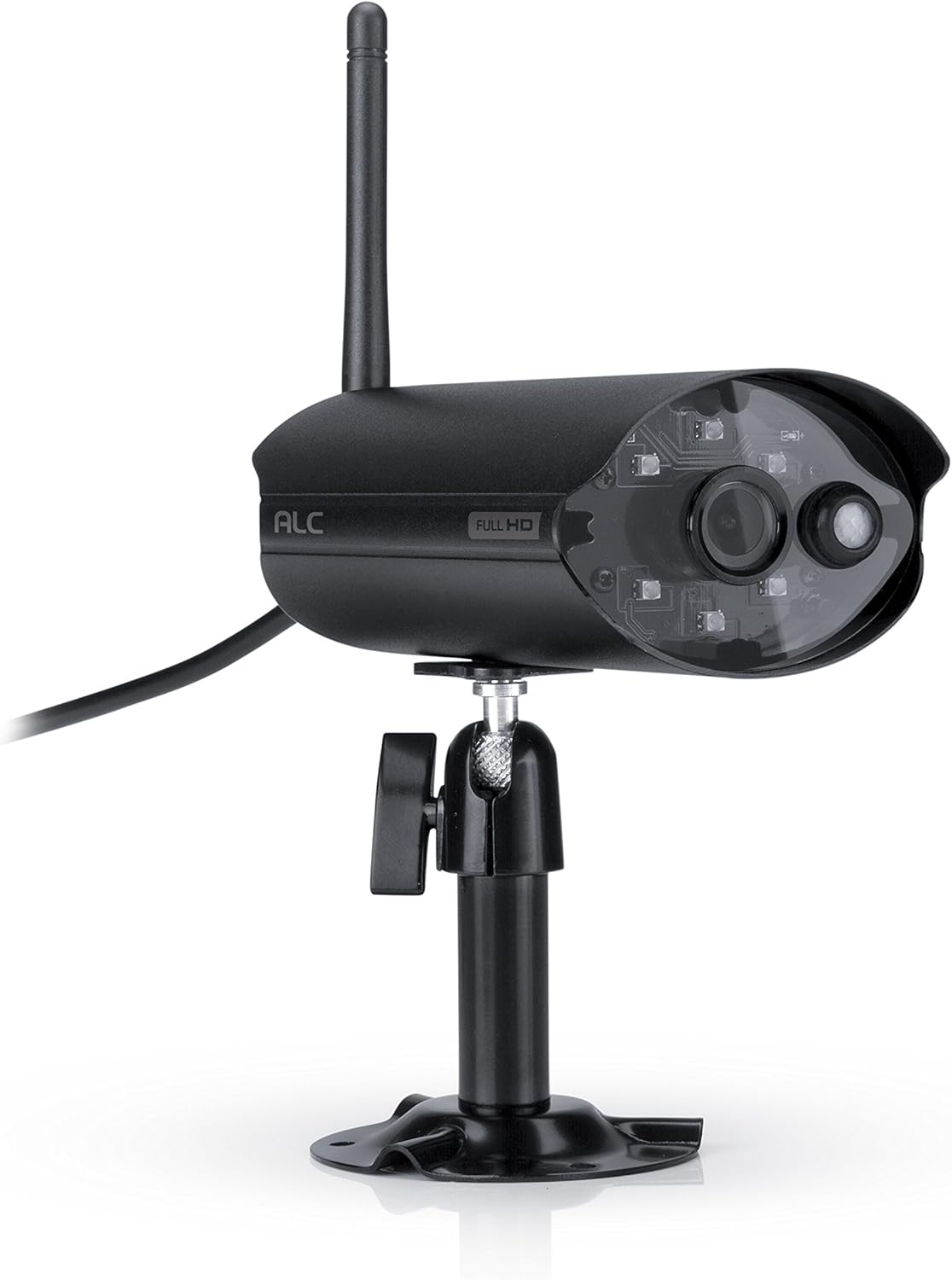
Figur 2.3.1: Front view of the ALC AWF61 camera, showing the lens, infrared LEDs, and antenna. This image displays the camera's main body, mounted on its stand, with the antenna extending upwards and the power cable visible.
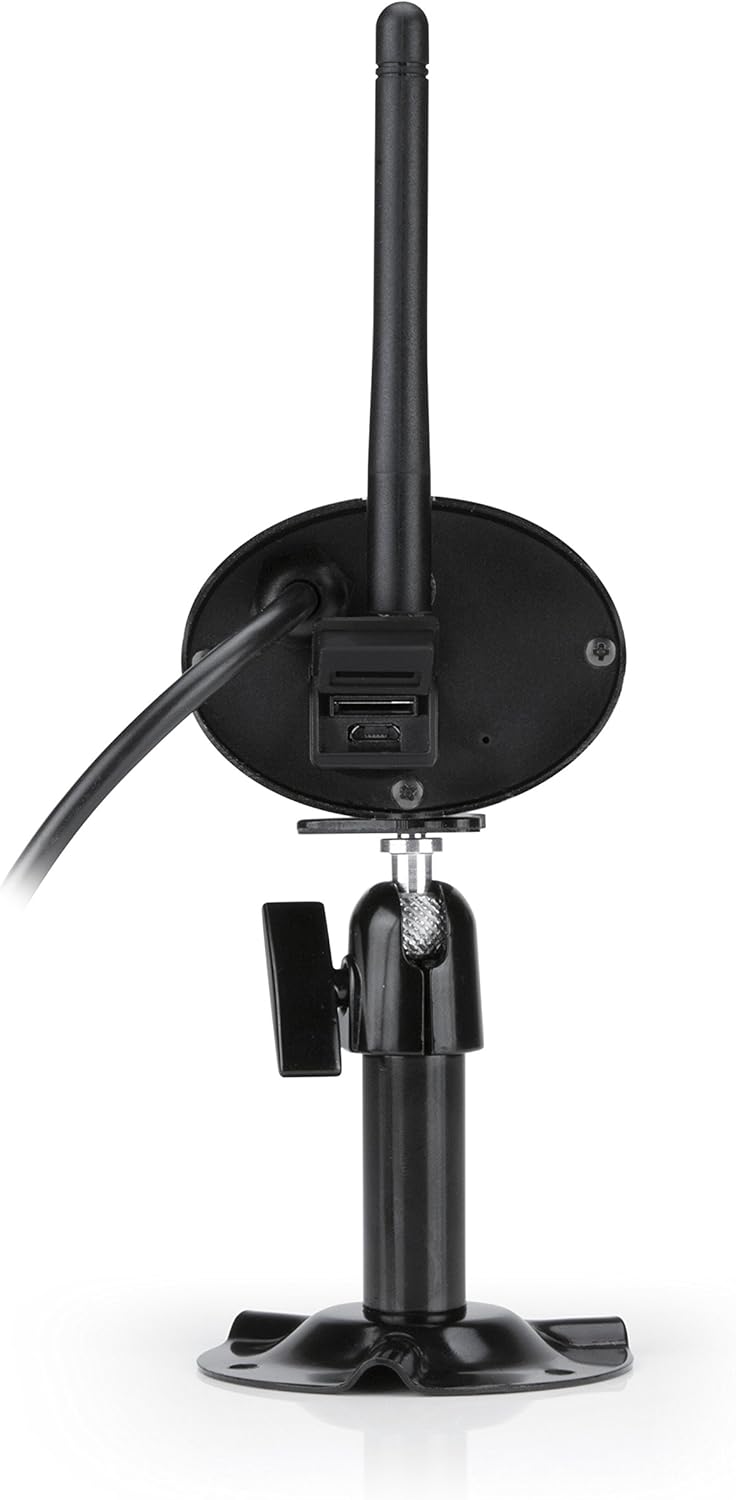
Figur 2.3.2: Bag view of the ALC AWF61 camera, showing the power input and possibly a microSD card slot (if applicable). This image highlights the back of the camera unit, including the base and connection points.
3. Opsætning og installation
3.1 Før du begynder
- Ensure you have a stable Wi-Fi network with good signal strength at the camera's intended installation location.
- Hav dit Wi-Fi-netværksnavn (SSID) og din adgangskode klar.
- A smartphone or tablet (Android or iOS) is required for setup and operation.
3.2 Download af app og oprettelse af konto
- Download ALC SightHD app fra Apple App Store (til iOS-enheder) eller Google Play Store (til Android-enheder).
- Installer appen på din smartphone eller tablet.
- Åbn appen, og følg instruktionerne på skærmen for at oprette en ny brugerkonto eller logge ind, hvis du allerede har en.
3.3 Kameratilslutning og parring
- Connect the camera to the power adapter and plug it into a power outlet. The camera will power on and initiate its startup sequence.
- Within the ALC SightHD app, select the option to add a new camera or device.
- Follow the app's instructions to connect the camera to your Wi-Fi network. This typically involves scanning a QR code on the camera or entering your Wi-Fi credentials into the app.
- Once connected, the camera will be paired with your account and ready for live viewing.
3.4 Montering af kameraet
The ALC AWF61 camera is designed for surface mounting. Choose a location that provides the desired field of view and has access to a power outlet. Ensure the mounting surface is stable and can support the camera's weight.
- Use the provided mounting hardware to securely attach the camera's base to the chosen surface.
- Adjust the camera's angle and orientation using the adjustable mount to achieve the optimal viewing område.
- Ensure the camera's antenna is positioned for best Wi-Fi signal reception.
4. Betjeningsvejledning
4.1 Live View og afspilning
- Open the ALC SightHD app on your smartphone or tablet.
- Select the AWF61 camera from your device list to access the live video feed.
- Use the app's interface to initiate manual recordings, take snapshots, or review optaget footage from your microSD card or cloud storage.
4.2 Bevægelsesdetektion og advarsler
- Navigate to the camera settings within the ALC SightHD app.
- Enable and configure motion detection sensitivity and detection zones.
- Ensure push notifications are enabled in the app and on your device's operating system to receive alerts when motion is detected.
4.3 Nattesyn
The camera automatically switches to night vision mode in low-light conditions. The infrared LEDs will illuminate, providing clear black and white video up to 65 feet. No manual intervention is typically required for this feature.
4.4 Cloud Storage Integration
The ALC AWF61 supports free cloud storage integration with Google Drive and Dropbox. To utilize this feature:
- Ensure you have an active Google Drive or Dropbox account.
- Within the ALC SightHD app settings for your camera, link your preferred cloud storage account.
- Recordings can then be automatically transferred from the camera's microSD card (if installed) to your linked cloud account.
5. Vedligeholdelse
5.1 Rengøring af kameraet
- Rengør kameralinsen og huset med jævne mellemrum med en blød kludamp klæde.
- Do not use harsh chemicals or abrasive cleaners, as these can damage the camera's finish or lens.
- Sørg for, at kameraet er slukket, inden rengøring.
5.2 firmwareopdateringer
From time to time, ALC may release firmware updates to improve camera performance or add new features. Check the ALC SightHD app regularly for notifications regarding available firmware updates and follow the in-app instructions to apply them.
6. Fejlfinding
| Problem | Mulig årsag | Løsning |
|---|---|---|
| Camera not connecting to Wi-Fi or frequently disconnects. | Weak Wi-Fi signal; incorrect Wi-Fi credentials; network interference. |
|
| ALC SightHD app freezes or crashes. | App software glitch; outdated app version; insufficient device memory. |
|
| Motion alerts are delayed or not received. | Network latency; incorrect app notification settings; device power saving modes. |
|
| Cannot access camera from a PC. | Product design limitation. | The ALC AWF61 camera is primarily designed for control and viewing via smartphone and tablet applications. Direct PC access is not supported. |
7. Specifikationer
| Feature | Detalje |
|---|---|
| Modelnummer | AWF61 |
| Videooptagelsesopløsning | 1080p (1280 x 1080) |
| Felt af View | 90 grader |
| Night Vision Range | 60 fod |
| Forbindelsesteknologi | Trådløs (Wi-Fi) |
| Indendørs/Udendørs brug | Udendørs |
| International Protection Rating | IP66 (vejrbestandig) |
| Strømkilde | AC/DC |
| Kompatible enheder | Smartphone, Tablet (Android, iOS) |
| Materiale | Metal |
| Varedimensioner (L x B x H) | 2 x 5 x 2.5 tommer |
| Varens vægt | 1.95 pund |
| Billedhastighed | 30 billeder i sekundet |
| Alert Type | Kun bevægelse |
| UPC | 857067005222 |
8. Garanti og support
For warranty information, technical support, or service inquiries regarding your ALC AWF61 SightHD camera, please refer to the official ALC website or contact their customer support directly. Details for contacting support are typically found on the manufacturer's webwebstedet eller på produktemballagen.
It is recommended to have your product model number (AWF61) and purchase date available when contacting support.


