Indledning
The Honeywell Home RDWL313A2000/E Series 3 Portable Wireless Doorbell with Strobe Light and Push Button is designed for convenience and ease of use. This system offers high-quality sound with 6 selectable chime tunes, a reliable range of up to 250 feet, and the ability to connect up to 4 transmitters simultaneously. It features LED strobe alerts for visual notification and an illuminated halo LED push button. The doorbell unit can be used as a portable device or mounted to a wall, providing flexibility for placement throughout your home.
Opsætning
1. Udpakning og indhold
Carefully remove all components from the packaging. Ensure you have the portable wireless doorbell unit, the wireless push button, mounting hardware, and the user manual.
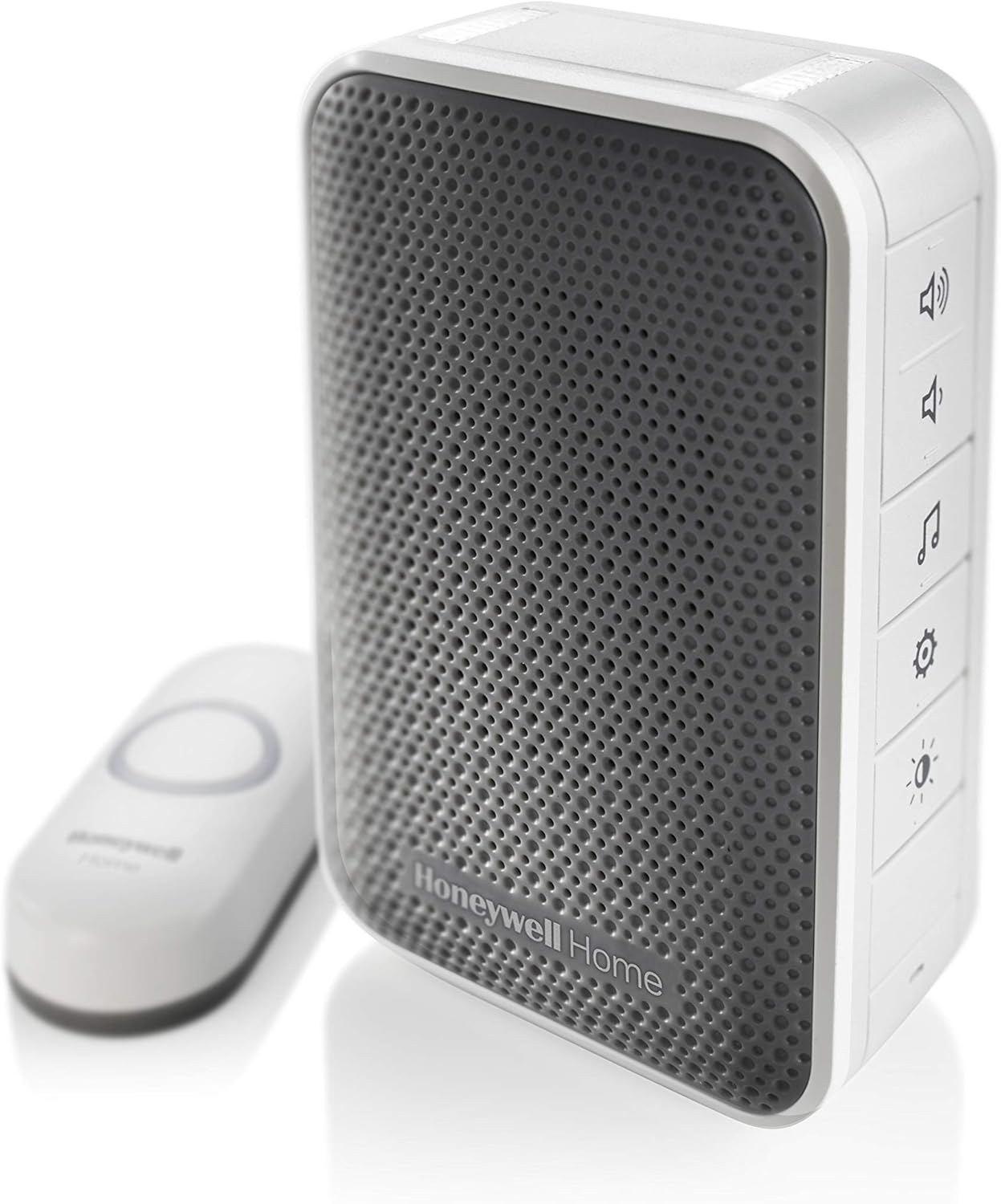
Image: The Honeywell Home Series 3 Portable Wireless Doorbell unit and its accompanying push button.
2. Batteriinstallation
The portable doorbell unit requires 4 C batteries (not included). Open the battery compartment, insert the batteries according to the polarity markings, and close the compartment securely. The wireless push button also requires batteries (typically a CR2032 coin cell, check the push button's specific instructions for details) which should be installed before mounting.
3. Montering af trykknappen
Choose a suitable location for the wireless push button, typically near your front door. Use the provided mounting hardware (screws or adhesive pads) to securely attach the push button to the desired surface. Ensure the location allows for optimal wireless range to the doorbell unit.

Billede: Forside view of the doorbell unit and push button, illustrating their design.
4. Placing the Doorbell Unit
The doorbell unit can be placed on any flat surface or mounted to a wall using the integrated mounting option. Position the unit in a central location within your home where the chime can be heard clearly from various rooms. Test the range by pressing the push button from outside.

Image: The portable doorbell unit placed on a shelf, demonstrating its compact size and versatile placement options.
5. Pairing (if necessary)
Your doorbell unit and push button should come pre-paired. If you are adding additional transmitters or need to re-pair, refer to the detailed pairing instructions in the included user manual. This typically involves pressing a pairing button on the doorbell unit and then activating the push button within a short timeframe.
Betjeningsvejledning
The doorbell unit features several buttons on its side for easy control:
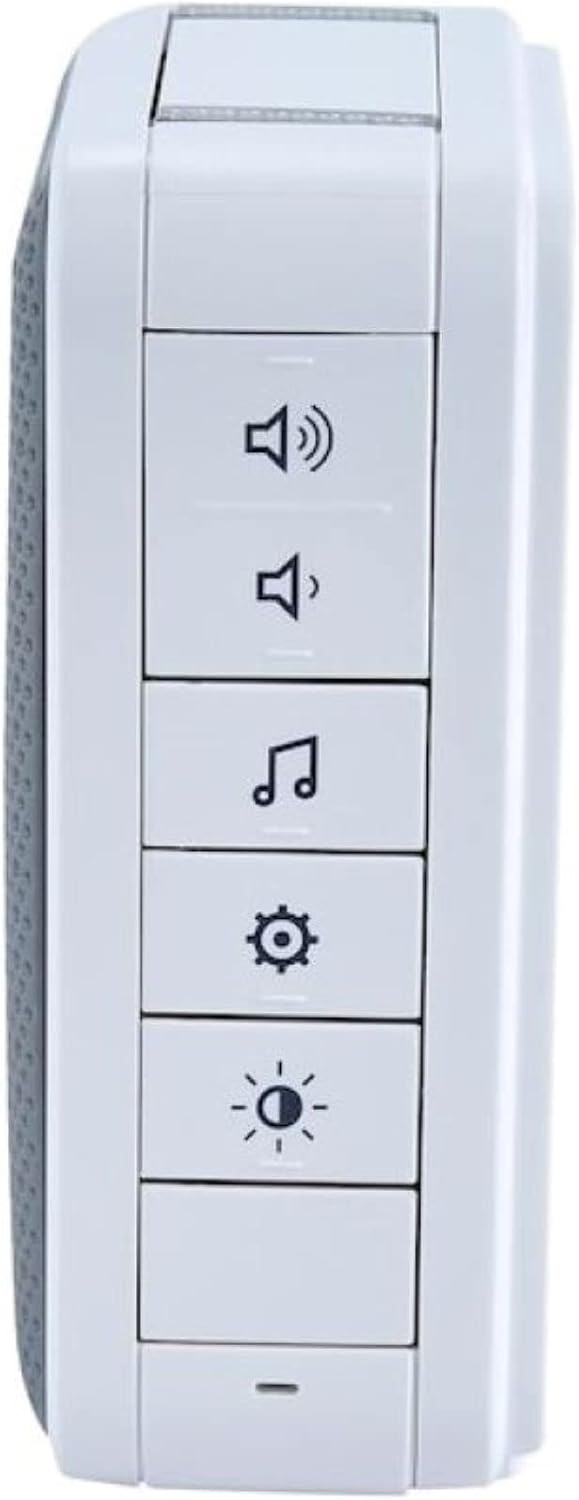
Billede: Side view of the doorbell unit, highlighting the volume, chime, settings, and light control buttons.
- Lydstyrkejustering: Use the volume up (🔊) and volume down (🔉) buttons to adjust the chime loudness.
- Valg af klokkespil: Press the music note (🎵) button to cycle through the 6 available chime tunes.
- Strobe lys: The doorbell unit includes an LED strobe light that provides a visual alert when the doorbell is pressed. This is particularly useful in noisy environments or for individuals with hearing impairments.
- Indstillinger: The gear icon (⚙️) button may offer additional settings or pairing options. Refer to the full manual for advanced configurations.
- Lysstyring: The light bulb icon (💡) button controls the unit's light features, such as the halo light or night mode.
Opretholdelse
Udskiftning af batteri
The portable doorbell unit has a battery life of up to 2 years. When the batteries are low, the unit may indicate this with a visual or audible alert. Replace all 4 C batteries in the doorbell unit and the battery in the push button as needed to ensure continuous operation. Use high-quality alkaline batteries for best performance.
Rensning
Wipe the doorbell unit and push button with a soft, dry cloth. Avoid using abrasive cleaners or solvents that could damage the surfaces.
Fejlfinding
- Ingen klokkelyd: Check if the doorbell unit's batteries are correctly installed and charged. Ensure the volume is not set to minimum or mute. Verify the push button's battery.
- Dårlig rækkevidde: Ensure the doorbell unit and push button are within the specified 250-foot range. Obstructions like thick walls or large metal objects can reduce range. Try repositioning the doorbell unit.
- Interferens: Other wireless devices may cause interference. Try changing the chime frequency or repositioning the units away from other electronics.
- Enheden svarer ikke: If the unit becomes unresponsive, try removing and reinserting the batteries to perform a soft reset. If issues persist, re-pairing the push button with the doorbell unit may be necessary.
Specifikationer
| Fabrikant | Honeywell Home |
| Modelnummer | RDWL313A2000/E |
| Varens vægt | 8 ounce |
| Produktdimensioner | 5.91 x 2.76 x 8.5 tommer |
| Farve | Grå |
| Stil | Wireless Doorbell w/Push Button Strobe Light |
| Materiale | Plast |
| Strømkilde | Batteridrevet |
| Batterier påkrævet | Yes (AA batteries required for push button, C batteries for doorbell unit) |
| Battericelletype | Alkalisk |
| Inkluderede komponenter | Mounting Hardware, RDWL313A Portable Wireless Doorbell, User Manual, Wireless Push Button |

Image: Dimensional diagram of the doorbell unit and push button for installation planning.
Garanti og support
This Honeywell Home product comes with a manufacturer's warranty. For specific warranty details, please refer to the warranty card included in your product packaging or visit the official Honeywell Home website. For technical support, troubleshooting assistance, or to inquire about replacement parts, please contact Honeywell Home customer service through their official channels.


