1. Introduktion
The Whistler CR93 is a high-performance laser radar detector designed to provide comprehensive protection against various speed monitoring technologies. This device features 360-degree detection, an internal GPS for red light and speed camera alerts, and advanced false alert filtering systems. This manual provides detailed instructions for the proper installation, operation, and maintenance of your CR93 detector.

Image 1.1: The Whistler CR93 Laser Radar Detector, a compact black device with a blue OLED display and illuminated buttons.
2. Hvad er der i æsken
Bekræft at alle komponenter er til stede i pakken:
- Whistler CR93 Laser Radar Detector
- 12V netledning
- USB Update Cord
- Dash Pad
- Forrudebeslagsæt
- Brugervejledning

Image 2.1: The Whistler CR93 retail box displaying the detector and its included accessories.
3. Opsætning og installation
Proper placement of the CR93 is crucial for optimal performance. Ensure the detector has a clear view of the road ahead and behind.
3.1 Monteringsmuligheder
The CR93 can be mounted on the windshield using the provided bracket or placed on the dashboard using the dash pad.
- Forrudemontering: Attach the suction cups to the windshield, ensuring a firm grip. Slide the detector onto the bracket.
- Dash Pad Mount: Place the non-slip dash pad on a flat, level surface of your dashboard. Position the detector on the pad.

Image 3.1: The Whistler CR93 detector positioned on a car dashboard, demonstrating a typical installation.
3.2 Strømtilslutning
Connect the 12V power cord to the detector and plug the other end into your vehicle's cigarette lighter or 12V accessory outlet.
4. Betjeningsvejledning
Familiarize yourself with the controls and display of your CR93 detector.
4.1 Betjeningselementer og display
The CR93 features an OLED text display and clearly labeled buttons for easy operation.

Billede 4.1: Top view of the Whistler CR93, highlighting the 'DARK', 'QUIET', 'CITY', and 'MENU' buttons.

Image 4.2: A close-up of the CR93's blue OLED display, showing time and mode information.
4.2 Tænd/sluk og lydstyrke
Press and hold the 'PWR/VOL' button on the side of the unit to power on or off. Rotate the 'PWR/VOL' dial to adjust the alert volume.
4.3 Operating Modes (City/Highway)
The CR93 offers different sensitivity modes to minimize false alerts:
- Highway Mode: Provides full sensitivity for all bands, suitable for open road driving.
- City Modes (City, City 1, City 2): Reduces sensitivity to X and K bands to prevent false alerts from automatic door openers and other urban sources. Press the 'CITY' button to cycle through these modes.

Image 4.3: The CR93 display indicating 'CIUDAD' (City) mode, demonstrating the bilingual display feature.
4.4 GPS Features
The internal GPS provides alerts for red light and speed camera locations. The database can be updated via the USB port.
- Red Light Camera Alerts: Notifies you of upcoming red light cameras.
- Speed Camera Alerts: Warns you about fixed speed camera locations.
- Databaseopdateringer: Connect the detector to a computer via the USB update cord to download the latest GPS database from the Whistler webwebsted.
4.5 False Alert Filtering
The CR93 incorporates advanced technologies to reduce false alerts:
- Traffic Flow Signal Rejection (TFSR): Helps eliminate alerts from radar-based traffic flow sensors.
- Field Disturbance Sensor Rejection (FDSR): Recognizes and filters out false alerts caused by lane departure and collision avoidance systems in newer vehicles.
4.6 Signature ID Features
- Radar Signature ID (RSID): Displays specific Ka-band radar frequencies (e.g., Ka 33.8, 34.0, 34.3, 34.7, 35.5) when detected.
- Laser Signature ID (LSID): Indicates the Pulses Per Second (PPS) transmitted by speed laser or other laser sources.
4.7 Andre funktioner
- POP Mode Detection: Detects brief bursts of radar used for instant speed measurement.
- Bilingual Voice Alerts: Provides audible alerts in both English and Spanish.
- Bilingual OLED Text Display: Displays information in English or Spanish.
- Vehicle Battery Saver: Automatically turns off the detector if the vehicle's ignition is off for an extended period.
5. Vedligeholdelse
To ensure the longevity and optimal performance of your Whistler CR93, follow these maintenance guidelines:
- Rensning: Brug en blød, damp cloth to clean the exterior of the detector. Do not use abrasive cleaners or solvents.
- Opbevaring: When not in use, store the detector in a cool, dry place away from direct sunlight and extreme temperatures.
- Kabelpleje: Avoid kinking or pinching the power and USB cords.
6. Fejlfinding
If you encounter issues with your CR93, refer to the following common problems and solutions:
| Problem | Mulig årsag | Løsning |
|---|---|---|
| Detektoren tænder ikke. | No power from 12V outlet; faulty power cord. | Check vehicle's 12V outlet fuse; ensure power cord is securely connected. |
| Frequent false alerts. | Operating in City mode in a rural area; interference from other vehicle systems. | Switch to a City mode (City 1 or City 2) or enable TFSR/FDSR features. |
| No GPS alerts. | Outdated GPS database; poor GPS signal. | Update GPS database via USB; ensure clear view of the sky for GPS reception. |
| Weak detection range. | Hindret view; operating in City mode on highway. | Ensure clear line of sight; switch to Highway mode for maximum sensitivity. |
7. Specifikationer
Detailed technical specifications for the Whistler CR93 Laser Radar Detector:
- Produktdimensioner: 4.93" L x 3.12" B x 1.31" H
- Varens vægt: 12 ounce
- Modelnummer: CR93
- Understøttede frekvensbånd: X, K, Ka, Ku
- Strømkilde: 12V DC (Vehicle Battery Powered)
- Skærmtype: OLED (Bilingual English/Spanish)
- Særlige funktioner: Internal GPS, 360° Max Coverage, POP Mode Detection, RSID, LSID, TFSR, FDSR, Bilingual Voice Alerts, Vehicle Battery Saver
- UPC: 052303407796
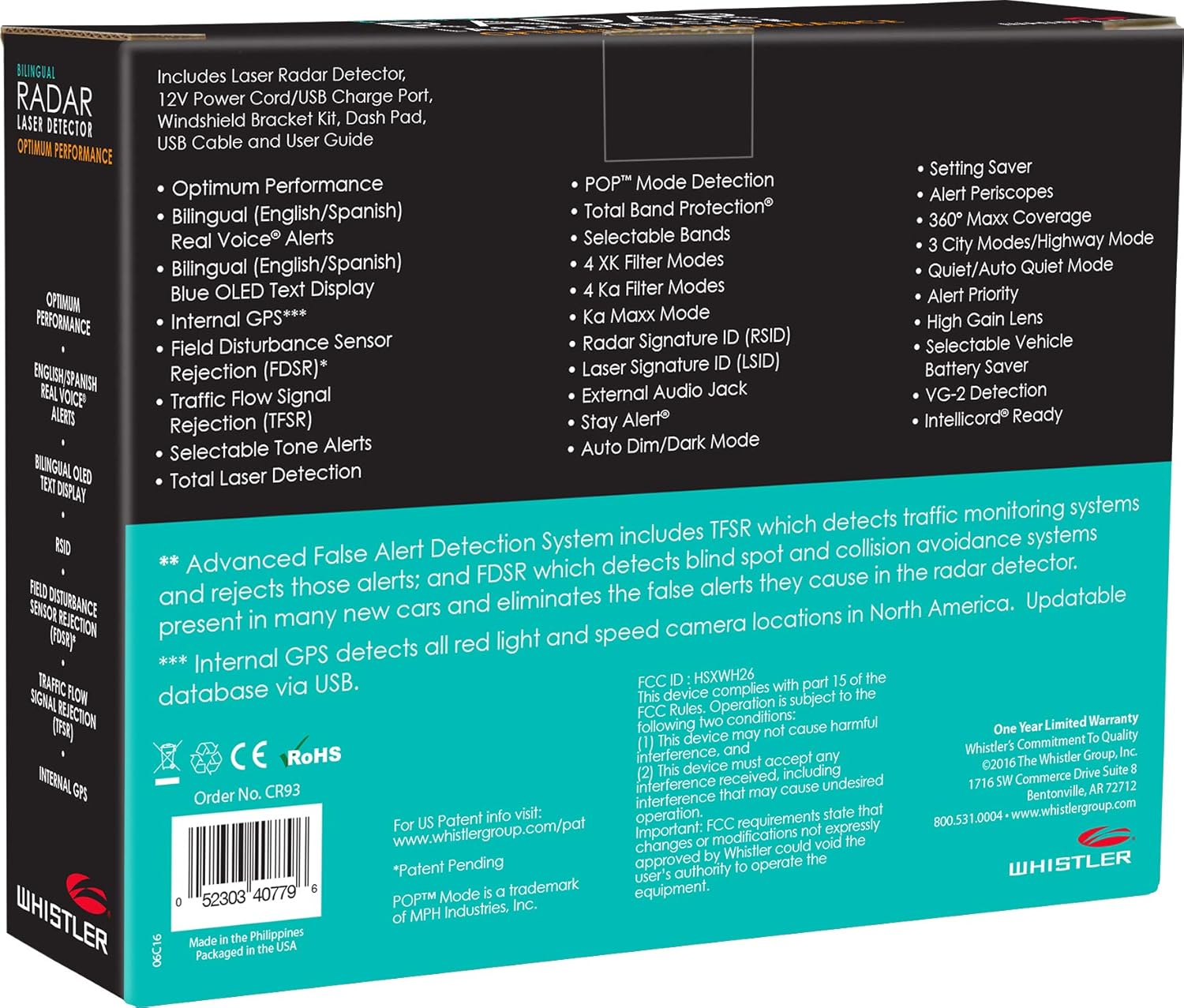
Image 7.1: The back of the CR93 retail box, listing key features and specifications.
8. Garanti og support
8.1 Producentens garanti
The Whistler CR93 Laser Radar Detector includes a limited 1-year manufacturer warranty. Please refer to the warranty card included in your package for specific terms and conditions.
8.2 Kundesupport
For technical assistance, troubleshooting, or warranty claims, please contact Whistler customer support. Contact information can be found on the official Whistler webwebstedet eller i den medfølgende brugervejledning.


