1. Introduktion
This manual provides comprehensive instructions for the HP Elite x2 1012 G1 Tablet PC, model W0S24UT#ABA. It covers setup, operation, maintenance, and troubleshooting to ensure optimal performance and user experience. Please read this manual thoroughly before using your device.
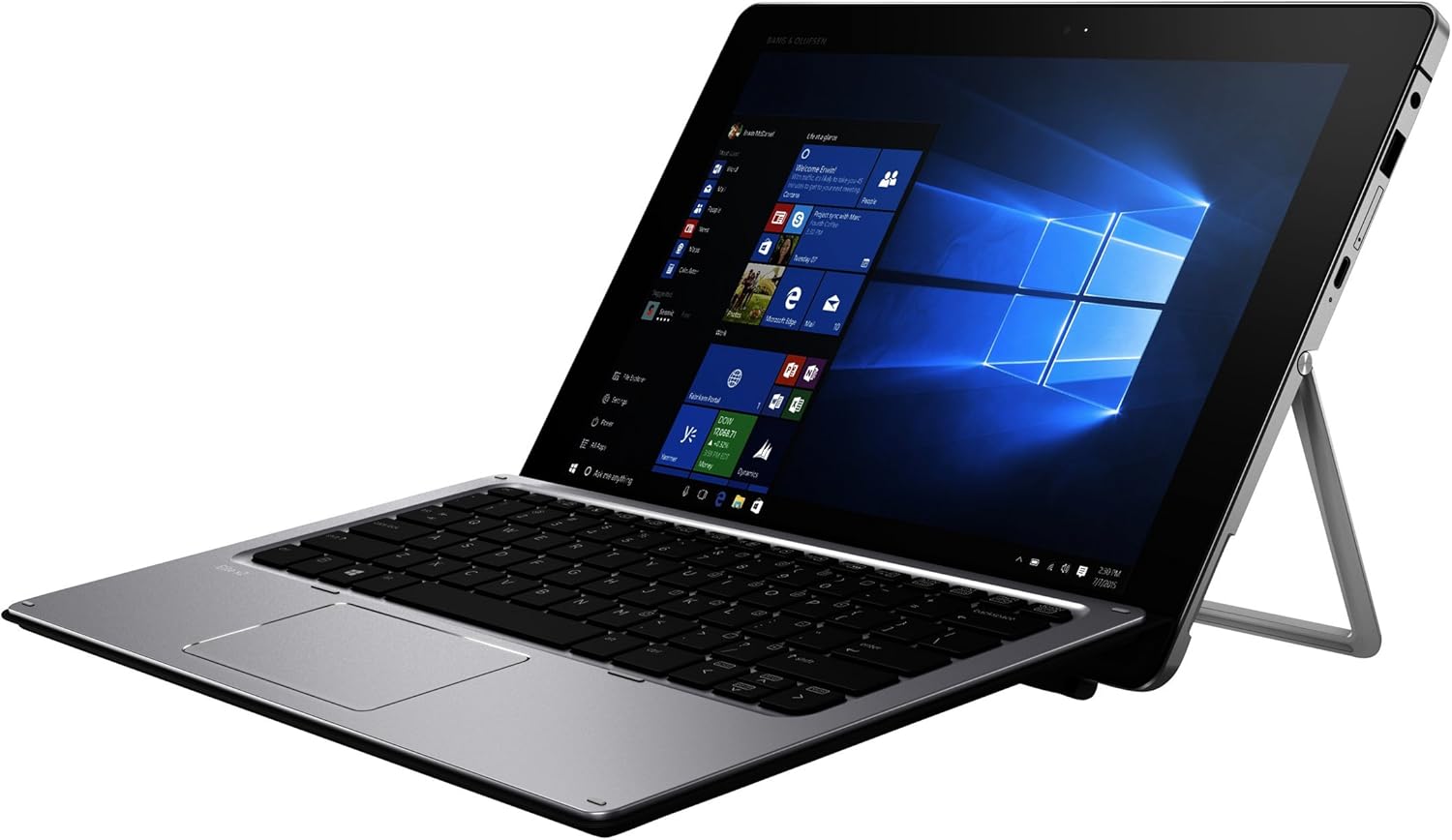
Figure 1: HP Elite x2 1012 G1 Tablet PC in laptop mode.
2. Hvad er der i æsken
Kontroller, at alle komponenter er til stede i emballagen:
- HP Elite x2 1012 G1 Tablet
- HP Elite x2 1012 G1 Travel Keyboard
- 4-cell battery (integrated)
- Strømadapter
- WACOM active capacitive pen

Figure 2: Included components: Tablet, Travel Keyboard, and WACOM Active Pen.
3. Indledende opsætning
3.1 Opladning af enheden
Before first use, fully charge the tablet. Connect the power adapter to the tablet's charging port and then to a power outlet. The charging indicator light will illuminate.
3.2 Attaching the Travel Keyboard
Align the magnetic connector on the HP Elite x2 1012 G1 Travel Keyboard with the corresponding port on the bottom edge of the tablet. The keyboard will snap into place magnetically.

Figure 3: HP Elite x2 1012 G1 with Travel Keyboard attached, ready for use.
3.3 Tænding og indledende konfiguration
- Press and hold the power button located on the side of the tablet until the HP logo appears.
- Følg instruktionerne på skærmen for at fuldføre Windows 10 Pro-opsætningen, herunder valg af sprog, netværksforbindelse og oprettelse af brugerkonto.
4. Operating the HP Elite x2 1012 G1
4.1 Tablet Mode and Keyboard Mode
The HP Elite x2 1012 G1 can be used as a standalone tablet or as a laptop with the attached keyboard. Windows 10 Pro automatically detects the presence of the keyboard and adjusts the interface accordingly.

Figure 4: The integrated kickstand allows for adjustable viewing angles in laptop mode.
4.2 Using the WACOM Active Pen
The WACOM Active Pen allows for precise input, drawing, and note-taking directly on the touchscreen. It supports pressure sensitivity for a natural writing and drawing experience. Refer to Windows Ink Workspace for pen-specific features.
4.3 Porte og stik
- USB 3.0-porte: Connect external devices such as USB drives, mice, or printers.
- USB-C-port: For charging, data transfer, and video output (with compatible adapters).
- Kombinationsstik til hovedtelefoner/mikrofon: Tilslut lydenheder.
- MicroSD -kortplads: Expand storage capacity.
5. Vedligeholdelse og pleje
5.1 Rengøring af enheden
- Brug en blød, fnugfri klud lidt damprengøres med vand eller en skærmrens, der er specielt designet til elektronik, til at rengøre skærmen.
- For the chassis and keyboard, use a dry, soft cloth. Avoid harsh chemicals or abrasive materials.
5.2 Pleje af batterier
- For at forlænge batteriets levetid, undgå ekstreme temperaturer.
- Lad batteriet aflades delvist med jævne mellemrum, før det genoplades.
5.3 Softwareopdateringer
Regularly check for and install operating system and driver updates to ensure optimal performance and security. These can typically be found through Windows Update or the HP Support Assistant application.
6. Fejlfinding
6.1 Enheden tændes ikke
- Ensure the device is fully charged. Connect the power adapter and wait a few minutes before attempting to power on again.
- Prøv en anden stikkontakt eller adapter, hvis en tilgængelig.
6.2 Tastaturet reagerer ikke
- Verify that the keyboard is securely attached to the tablet's magnetic connector.
- Genstart tabletten.
- Check for any physical obstructions in the connector ports.
6.3 Touchscreen Issues
- Rengør skærmen for at fjerne snavs eller pletter.
- Genstart enheden.
- Ensure that the display drivers are up to date.
7. Specifikationer
| Feature | Detalje |
|---|---|
| Model | HP Elite x2 1012 G1 (W0S24UT#ABA) |
| Skærmstørrelse | 12 tommer |
| Skærmopløsning | 1920 x 1080 pixels (Max: 1920x1280 Pixels) |
| Processor | 1.2 GHz Intel Core i7-5500U (2 Processors) |
| VÆDDER | 8 GB LPDDR3 (1866 MHz) |
| Opbevaring | SSD (256 GB Flash Memory Size) |
| Grafik | Integreret Intel HD Graphics 515 |
| Operativsystem | Windows 10 Pro 64-bit Edition |
| Trådløs type | 802.11abg |
| USB-porte | 4 x USB 3.0 porte |
| Bag Webcam opløsning | 5 MP |
| Varens vægt | 1.81 pund |
| Produktdimensioner | 18.1 x 11.6 x 3 tommer |
| Farve | Sølv |
| Først tilgængelig | 21. marts 2016 |
Note: Specifications are subject to change without notice. For the most current information, please refer to the official HP product page.
8. Garanti og support
For warranty information, technical support, and service inquiries, please visit the official HP support website or contact HP customer service. Keep your purchase receipt and product serial number readily available.
HP Support Webwebsted: www.hp.com/support
Produktlink: Amazon-produktside