Indledning
The Skullcandy Uproar Wireless On-Ear Headphones provide a comfortable and convenient audio experience. Designed for extended wear, these headphones feature Bluetooth connectivity and a built-in microphone for hands-free control.
Nøglefunktioner:
- Bluetooth trådløs teknologi
- Op til 10 timers batterilevetid
- Plush On-Ear Cushions for Comfort
- Built-in Microphone with Call, Track, and Volume Control
Pakkens indhold
Ensure all items are present in your Skullcandy Uproar Wireless Headphone package:
- Skullcandy Uproar trådløse hovedtelefoner
- USB opladningskabel
- Brugervejledning (dette dokument)
Produkt overview

Figur 1: Forside view of the Skullcandy Uproar Wireless On-Ear Headphones in Royal Blue.
Kontrol og porte:
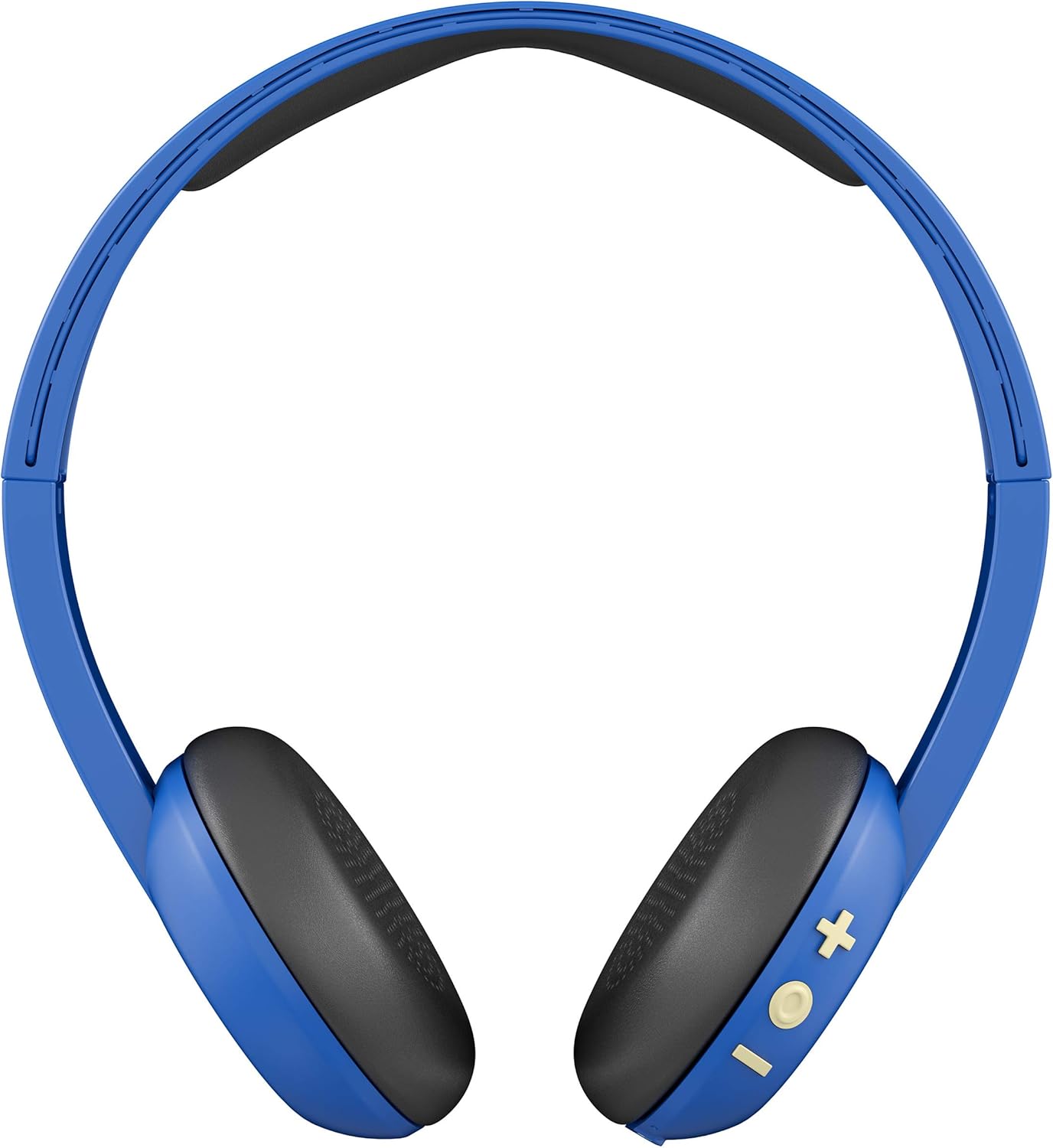
Figur 2: Tilbage view showing the control buttons (+, -, and multi-function) on the right ear cup.

Figur 3: Detaljeret view of the control buttons (+ for volume up/track forward, - for volume down/track backward, and multi-function button for power/play/pause/calls).

Figur 4: Sideprofile of the Skullcandy Uproar Wireless On-Ear Headphones, highlighting the adjustable headband.
- Multifunktionsknap: Tænd/sluk, afspil/pause, besvar/afslut opkald.
- Knap til lydstyrke op (+): Increase volume, Track forward.
- Knap til lydstyrke ned (-): Decrease volume, Track backward.
- Mikrofon: Integreret til opkald.
- USB opladningsport: Til genopladning af hovedtelefonerne.
Opsætning
1. Charging Your Headphones:
- Locate the USB charging port on your Uproar headphones.
- Connect the provided USB charging cable to the headphone's charging port and to a USB power source (e.g., computer, wall adapter).
- LED-indikatoren lyser under opladning og skifter farve eller slukker, når den er fuldt opladet.
2. Bluetooth-parring:
- Sørg for, at dine hovedtelefoner er slukket.
- Press and hold the Multi-function Button for approximately 5 seconds until the LED indicator flashes blue and red, indicating pairing mode.
- Aktiver Bluetooth på din enhed (smartphone, tablet, computer) og søg efter tilgængelige enheder.
- Select "Uproar Wireless" from the list of available devices.
- Once connected, the LED indicator on the headphones will flash blue periodically.
Video 1: Official Skullcandy Uproar product overview and features, including a visual demonstration of the headphones.
Betjeningsvejledning
Tænd/sluk:
- Tænd: Tryk og hold multifunktionsknappen nede i 3 sekunder.
- Sluk: Tryk og hold multifunktionsknappen nede i 5 sekunder.
Musik kontrol:
- Afspil/pause: Tryk én gang på multifunktionsknappen.
- Lydstyrke op: Press the Volume Up (+) Button.
- Skrue ned for lyden: Press the Volume Down (-) Button.
- Spor frem: Press and hold the Volume Up (+) Button for 2 seconds.
- Spor bagud: Press and hold the Volume Down (-) Button for 2 seconds.
Opkaldskontrol:
- Besvar/afslut opkald: Tryk én gang på multifunktionsknappen.
- Afvis opkald: Tryk og hold multifunktionsknappen nede i 2 sekunder.
Opretholdelse
- Rensning: Brug en blød, tør klud til at rengøre hovedtelefonerne. Undgå at bruge skrappe kemikalier eller slibende materialer.
- Opbevaring: Opbevar hovedtelefonerne et køligt, tørt sted væk fra ekstreme temperaturer og direkte sollys.
- Vandtæthed: Disse hovedtelefoner er ikke vandafvisende. Undgå kontakt med væsker.
Fejlfinding
| Spørgsmål | Løsning |
|---|---|
| Hovedtelefoner tænder ikke | Ensure the headphones are fully charged. Connect them to a power source using the USB cable. |
| Kan ikke parres via Bluetooth |
|
| Ingen lyd eller lav lydstyrke |
|
Specifikationer
| Feature | Detalje |
|---|---|
| Modelnavn | Oprør |
| Varemodelnummer | S5URJW-546 |
| Forbindelsesteknologi | Bluetooth |
| Trådløs kommunikationsteknologi | Bluetooth |
| Bluetooth rækkevidde | 10 meter |
| Batterilevetid | 10 timer |
| Audio driver type | Dynamisk Driver |
| Impedans | 32 Ohm |
| Kontroltype | Lydstyrkekontrol, fjernbetjening |
| Mikrofon | Indbygget |
| Støjkontrol | None (Passive Noise Isolation from On-Ear design) |
| Vandmodstandsniveau | Ikke vandafvisende |
| Materiale | Kunstlæder |
| Varens vægt | 9.4 ounce (0.27 kilo) |
| Produktdimensioner | 7.3 x 3.1 x 7.3 tommer |
Garanti og support
The Skullcandy Uproar Wireless On-Ear Headphones come with a one-year manufacturer's warranty. For warranty claims or technical support, please visit the official Skullcandy webwebsted eller kontakt deres kundeservice.
For yderligere support og produktinformation kan du besøge Skullcandy-butikken på Amazon.


