Indledning
OttLite Creative Curves LED-skrivebord Lamp is designed to provide high-contrast, low-glare illumination, making it ideal for various activities such as reading, crafting, puzzles, and general desk work. Its space-saving design and flexible neck allow you to move the light exactly where you need it. This lamp features touch-sensitive controls for adjusting brightness levels and utilizes energy-efficient Natural Daylight LEDs engineered to reduce eyestrain and render colors accurately, ensuring a healthier way to see.
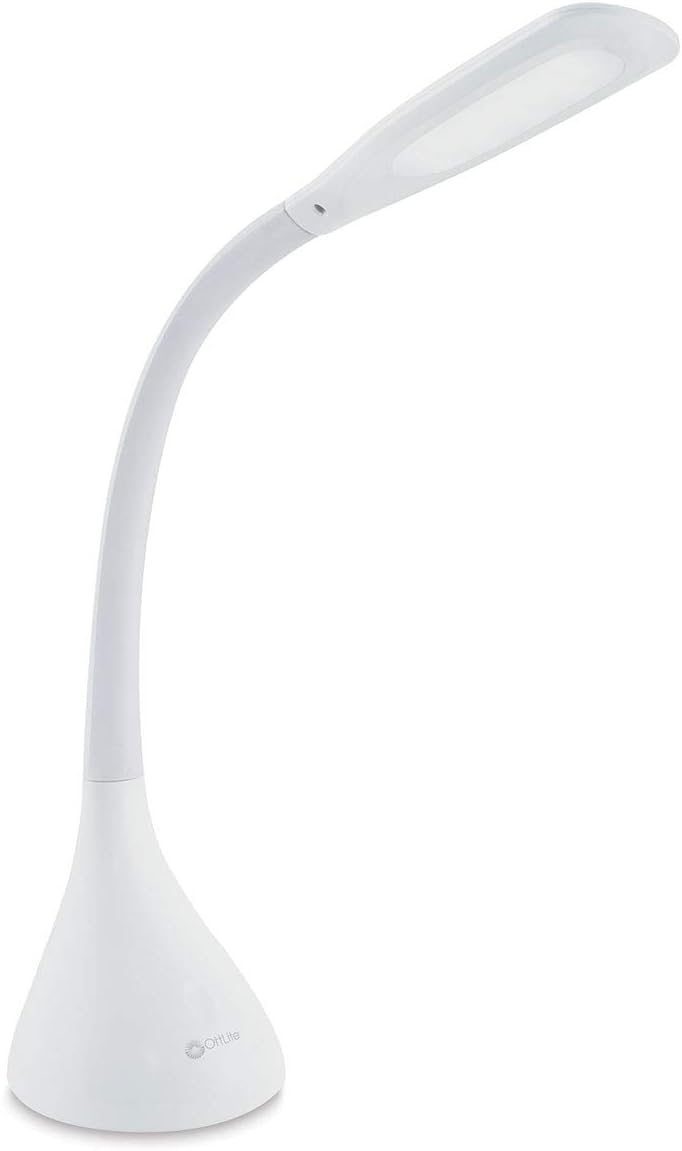
Figure 1: OttLite Creative Curves LED Desk Lamp.
Opsætning
OttLite Creative Curves LED-skrivebord Lamp requires minimal assembly. Simply remove the lamp from its packaging and place it on a stable, flat surface. Ensure the lamp is positioned where the power cord can reach a standard electrical outlet.
- Pak alle komponenter ud af æsken.
- Placer lamp base on your desired surface. The lamp's base is designed for stability.
- Plug the A/C adapter into the power port located on the back of the lamp grundlag.
- Insert the A/C adapter into a standard 120V electrical outlet.

Figur 2: Den lamp's flexible neck allows for easy adjustment of light direction and height.
Betjeningsvejledning
OttLite Creative Curves LED-skrivebord Lamp features intuitive touch-sensitive controls for power and brightness adjustment.
- Tænd/sluk: Lightly touch the power button icon (⏻) på l'enamp base for at dreje lamp til eller fra.
- Juster lysstyrke: Lamp tilbyder 4 lysstyrkeniveauer. Med lamp on, repeatedly touch the power button icon to cycle through the brightness settings (low, medium, high, brightest).
- Placering: Utilize the flexible neck to position the light exactly where needed for optimal illumination of your workspace. The neck can extend up to 20 inches.
Video 1: Demonstration of the OttLite Creative Curves LED Desk Lamp's touch controls and brightness settings. This video shows how to easily adjust the light for various tasks.
Lamp also features a USB port for charging compatible devices. Locate the USB port on the lamp base and connect your device's charging cable.
Opretholdelse
To ensure the longevity and optimal performance of your OttLite Creative Curves LED Desk Lampfølg disse enkle vedligeholdelsesretningslinjer:
- Rensning: Afbryd lamp fra strømkilden før rengøring. Brug en blød, tør klud til at tørre afampoverflader. Undgå at bruge slibende rengøringsmidler, opløsningsmidler eller barske kemikalier, da disse kan beskadige overfladen eller de elektroniske komponenter.
- LED-levetid: Lamp uses long-lasting OttLite Natural Daylight LEDs, rated for up to 40,000 hours of use. These LEDs are not user-replaceable.
- Opbevaring: Hvis du opbevarer lamp Sørg for, at den er ren og tør i en længere periode. Opbevar den et køligt, tørt sted væk fra direkte sollys og ekstreme temperaturer.
Fejlfinding
If you encounter issues with your OttLite Creative Curves LED Desk LampSe venligst følgende almindelige fejlfindingstrin:
| Problem | Mulig årsag | Løsning |
|---|---|---|
| Lamp tændes ikke. | Not plugged in; power outlet issue; faulty adapter. | Sørg for, at AC-adapteren er korrekt tilsluttet i begge stikamp og en fungerende stikkontakt. Test stikkontakten med en anden enhed. |
| Lamp slukker ikke. | Berøringsstyringsfejl. | Tag stikket ud af lamp from the power outlet for 30 seconds, then plug it back in. Ensure the touch control area is clean and dry. If the issue persists, contact customer support. |
| Brightness levels are not changing. | Touch control not registering. | Ensure you are lightly touching the power button icon. Clean the touch control area. |
Specifikationer
- Model: A30009-FFP
- Mærke: OttLite
- Lyskildetype: LED
- Lysstyrke: 364 lumen
- Farvetemperatur: 5000 Kelvin
- Wattage: 6.8 watt
- Voltage: 120 volt
- Produktdimensioner: 5.25 cm D x 5.25 cm B x 11.25 cm H (justerbar højde op til 23.75 cm)
- Varens vægt: 2.53 pund
- Grundmateriale: Acrylonitril-butadienstyren
- Udfør type: Lakeret
- Switch Type: Røre
- Forbindelse: USB (til opladning)
- Certificering: UL-listet
Garantioplysninger
OttLite provides a limited warranty for its products. The warranty covers OttLite bulbs for 1 year from the date of purchase and OttLite lamps and accessories (excluding batteries) for 2 years from the date of purchase. This warranty does not cover damages resulting from the use of the product for any purpose other than its intended use. Please note that warranty coverage excludes OttLite items purchased "as is" or from unauthorized retailers.
Gem venligst dit købsbevis for garantikrav.
Kundesupport
For further assistance, technical support, or warranty inquiries, please contact OttLite Customer Service. You can find contact information and additional resources on the official OttLite website or through their Amazon Brand Store.
Online ressourcer:
- OttLite Amazon Brand Store
- Besøg www.ottlite.com for product registration, FAQs, and contact details.


