Indledning
This manual provides comprehensive instructions for the installation, operation, and maintenance of your Armor All 3-in-1 Universal Phone Mount. Please read these instructions carefully before use to ensure proper functionality and safety. Retain this manual for future reference.
Produkt overview
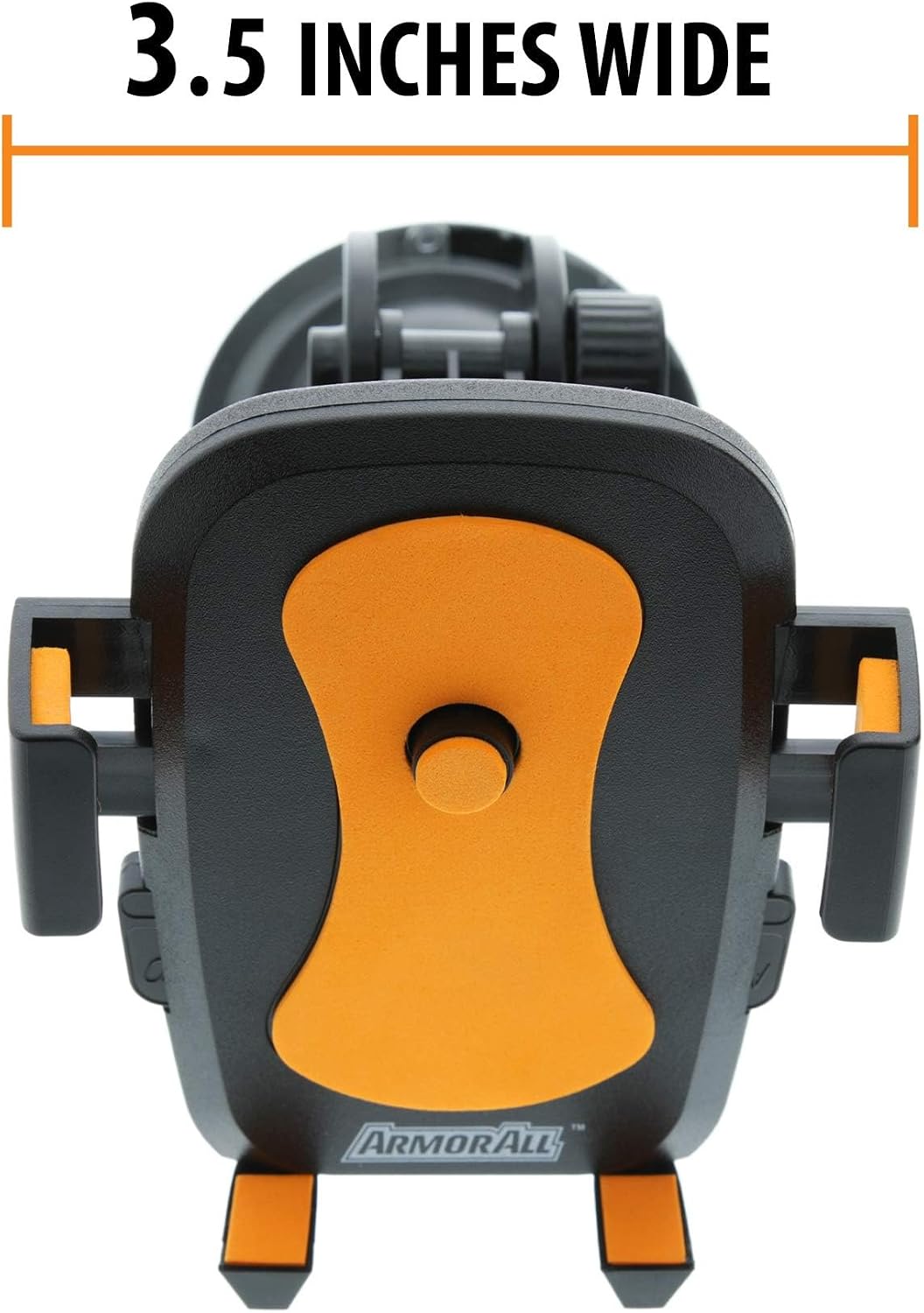
The Armor All 3-in-1 Universal Phone Mount is designed to securely hold your smartphone in a vehicle. It offers versatile mounting options for the dashboard, windshield, or air vent. The mount features an adjustable grip, 360-degree rotation, and a quick-release button for ease of use.
Pakkeindhold:
- One Universal Suction Phone/GPS Mount

Opsætning og installation
The mount offers three primary installation methods: dashboard, windshield, and air vent. Choose the method that best suits your vehicle and viewpræference.
1. Dashboard or Windshield Mounting (Suction Cup)
- Rengør overfladen: Ensure the dashboard or windshield surface is clean, dry, and free of dust or oils.
- Placer monteringen: Place the suction cup firmly against the desired smooth, flat surface.
- Aktiver sugning: Press down on the suction cup and then push the lever down to create a strong vacuum seal.
- Juster vinkel: Use the adjustable arm and ball joint to position the phone cradle at your preferred viewing angle. Tighten any locking nuts to secure the position.


2. Air Vent Mounting
- Attach Vent Clip: Securely attach the vent clip accessory to the back of the phone cradle.
- Insert into Vent: Carefully slide the vent clip onto one of your vehicle's air vent blades. Ensure it is firmly seated.
- Juster vinkel: Adjust the phone cradle to your desired viewvinkel.

Betjeningsvejledning
Isætning af din smartphone:
- Open Arms: Squeeze the side release buttons on the mount to open the adjustable side arms. They will click and stay in the open position.
- Sted Telefon: Gently place your smartphone against the trigger button located in the center of the mount. The arms will automatically close and secure your device.


Fjernelse af din smartphone:
- Press the quick-release button located on the side of the mount. The arms will open, allowing you to safely remove your phone with one hand.
Justering Viewing Angle (360° Rotation):
- The mount features a 360-degree rotatable ball joint. Loosen the locking nut (if present), adjust your phone to portrait or landscape orientation, and then tighten the nut to secure the position.

Opladningsadgang:
- The mount is designed with reserved space at the bottom to allow easy access for charging cables while your phone is secured.

Opretholdelse
- Rensning: Tør holderen af med en blød kludamp klud. Undgå at bruge slibende rengøringsmidler eller opløsningsmidler, da disse kan beskadige materialet.
- Sugekoppleje: If the suction cup loses adhesion, rinse it with warm water and let it air dry. This can help restore its stickiness.
- Opbevaring: Når den ikke er i brug i længere perioder, skal den opbevares køligt og tørt, væk fra direkte sollys.
Fejlfinding
| Problem | Mulig årsag | Løsning |
|---|---|---|
| Mount not adhering to surface (suction cup) | Surface is dirty, oily, or uneven; suction cup is dirty or worn. | Clean the mounting surface and the suction cup. Ensure the surface is smooth and flat. Re-engage the suction lever firmly. |
| Telefonen holdes ikke sikkert fast | Side arms not fully closed; phone too wide for the mount. | Ensure the phone is placed against the trigger button to fully engage the arms. Verify your phone's width is within the mount's capacity (up to 3.5 inches). |
| Vent clip is loose | Clip not fully inserted into vent blade; vent blades are too thin or thick. | Ensure the vent clip is securely attached to a stable vent blade. Some vent designs may not be compatible. |
| Mount wobbles or shifts | Locking nuts are loose; mounting surface is unstable. | Tighten all adjustable locking nuts. Ensure the suction cup or vent clip is firmly secured to a stable part of the vehicle. |
Specifikationer
- Model: AMK3-0117-BLK
- Mærke: Rustning Alle
- Fabrikant: Jem tilbehør
- Monteringstype: Suction (Dashboard/Windshield), Vent
- Kompatible enheder: Smartphones (up to 3.5 inches wide)
- Særlige funktioner: 360° Rotatable, Quick Release Button
- Produktdimensioner: 4 x 3 x 7 tommer
- Varens vægt: 6.4 ounce
Garanti og support
Specific warranty information for the Armor All 3-in-1 Universal Phone Mount (Model AMK3-0117-BLK) is not provided in this manual. For warranty details, product support, or to inquire about replacement parts, please contact Armor All customer service or refer to the product packaging for contact information.


