1. Introduktion
This manual provides detailed instructions for the setup, operation, and maintenance of your Excelvan EHD11 Mini LED Projector. Please read this manual thoroughly before using the projector to ensure proper operation and to extend the product's lifespan. Keep this manual for future reference.
2. Vigtige sikkerhedsinstruktioner
To prevent fire or electric shock, do not expose this appliance to rain or moisture. Observe the following safety precautions:
- Do not block any ventilation openings. Ensure adequate space around the projector for proper airflow.
- Anbring ikke projektoren på en ustabil vogn, stativ eller bord.
- Do not operate the projector near water or moisture.
- Brug kun tilbehør/tilbehør specificeret af producenten.
- Unplug this projector during lightning storms or when unused for long periods.
- Overlad al service til kvalificeret servicepersonale.
- Undgå at se direkte ind i projektorlinsen, når lamp er tændt.
3. Pakkens indhold
Kontroller venligst, at alle varer er til stede og i god stand:
- Excelvan EHD11 Projector
- Strømkabel
- Fjernbetjening
- AV-kabel
- Brugermanual
4. Produktet er slutview
4.1 Projector Front and Top View

Billede 4.1: Forside og top view of the Excelvan EHD11 projector, showing the lens, ventilation, and control buttons (Source, Menu).
4.2 Projektor bagside View og havne

Billede 4.2: Bagside view of the Excelvan EHD11 projector, highlighting the dual built-in speakers and various input/output ports including USB, HDMI, VGA, AV, and audio out.
4.3 Tilslutningsmuligheder

Image 4.3: Diagram illustrating the wide range of devices compatible with the projector, such as PCs, smartphones, USB storage, TV set-top boxes, game consoles, DVD players, digital cameras, and external speakers.
5. Opsætning
5.1 Placering og projektionsafstand
Position the projector on a stable, flat surface. The projection distance directly affects the screen size. Refer to the diagram below for recommended distances and corresponding screen sizes.

Image 5.1: Chart detailing the relationship between projection distance (in meters) and screen size (in inches) for a 16:9 aspect ratio, ranging from 32 inches at 1.2 meters to 200 inches at 6 meters.
5.2 Strømtilslutning
Connect the power cable to the projector's power input and then to a power outlet. The power indicator light will illuminate.
5.3 Tilslutning af indgangskilder
The projector supports multiple input sources. Connect your desired device (e.g., PC, DVD player, game console, USB drive) to the corresponding port on the rear of the projector using the appropriate cable (HDMI, VGA, AV, USB).
5.4 Fokus- og Keystone-justering
After powering on, adjust the focus ring around the lens until the image is clear. If the image appears trapezoidal, use the keystone correction dial to square the image. The projector supports a ±15° keystone adjustment.
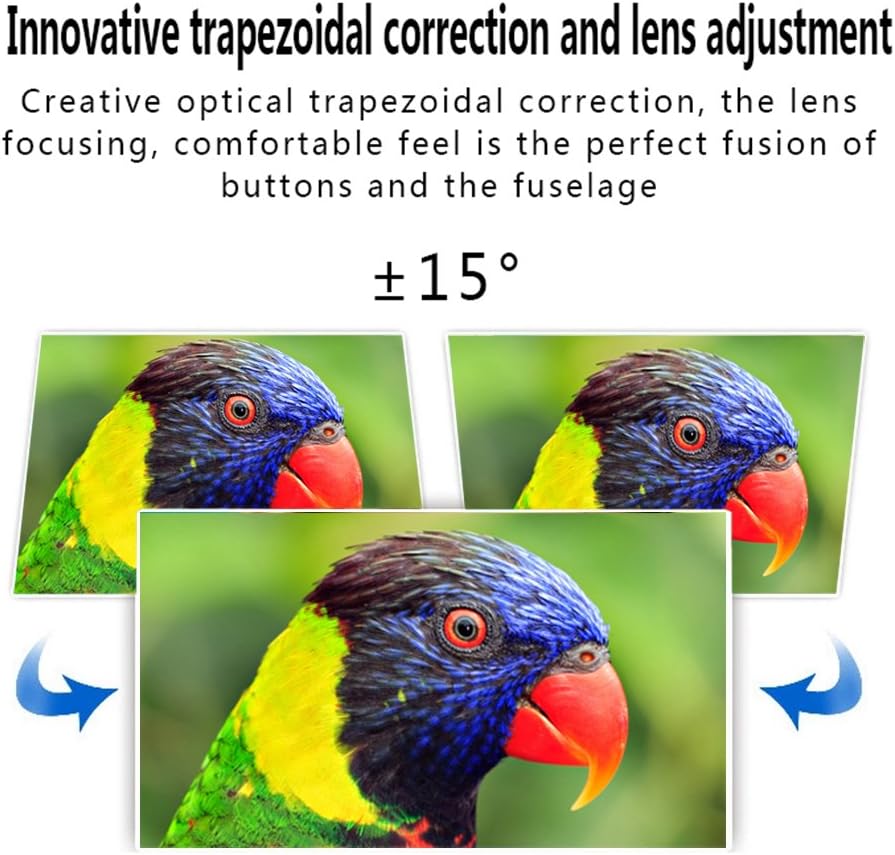
Image 5.4: Visual representation of the ±15° trapezoidal correction and lens adjustment feature, showing how to correct distorted images.
6. Betjeningsvejledning
6.1 Tænd/sluk
Tryk på tænd/sluk-knappen på projektoren eller fjernbetjeningen for at tænde eller slukke enheden.
6.2 Kildevalg
Press the 'Source' button on the projector or remote control to cycle through available input sources (HDMI1, HDMI2, USB1, USB2, VGA, AV, YPbPr, TV/DTV). Select the input corresponding to your connected device.
6.3 Menunavigation
Press the 'Menu' button to access the projector's settings. Use the arrow keys on the projector or remote to navigate, and 'OK' or 'Enter' to confirm selections. Adjust settings such as picture mode, aspect ratio, sound mode, and language.
6.4 Lydudgang
The projector features built-in speakers. For enhanced audio, connect external speakers to the 'Audio Out' port using a 3.5mm audio cable.
7. Vedligeholdelse
7.1 Rengøring af linser
Use a soft, lint-free cloth and a specialized lens cleaning solution to gently wipe the projector lens. Avoid abrasive materials or excessive pressure.
7.2 Ventilation
Regularly check that the projector's ventilation openings are clear of dust and debris. Blocked vents can lead to overheating and affect performance. Do not place the projector on soft surfaces that may obstruct airflow.
8. Fejlfinding
| Problem | Mulig årsag | Løsning |
|---|---|---|
| Intet billede på skærmen | Power cable disconnected; Incorrect input source selected; Input device not powered on or connected properly. | Check power connection; Select correct input source; Ensure input device is on and cables are secure. |
| Billedet er sløret | Fokus ikke justeret. | Juster fokusringen på projektorlinsen. |
| Image is distorted (trapezoidal) | Keystone ikke justeret. | Juster keystone-korrektionshjulet. |
| Ingen lyd | Volume too low; Audio cables not connected; Incorrect audio output selected on source device; External speakers not connected or powered. | Increase volume; Check audio cable connections; Ensure source device is outputting audio; Connect external speakers if desired. |
| Input source needs to be set every time | Projector defaults to a specific input or does not save last setting. | Manually select the desired input source after powering on. Check menu settings for an 'Auto Source' or 'Last Input' option if available. |
9. Specifikationer
- Mærke: Excelvan
- Model: EHD11 (FBA_151224-F6)
- Skærmtype: LCD
- Skærmopløsning: 1920 x 1080 (Full HD supported)
- Forbindelse teknologi: HDMI,USB,VGA,AV
- Speciel funktion: 3D-Ready, Portable
- Varens vægt: 6.49 pund
- Pakkedimensioner: 16.9 x 13.1 x 8.5 tommer
- Fabrikant: Excelvan
- Dato først tilgængelig: 8. november 2014
10. Garanti og support
For garantioplysninger eller teknisk support henvises til den dokumentation, der blev leveret ved køb, eller kontakt din forhandler. Gem din købskvittering som købsbevis.


