1. Introduktion
The ZIOCOM Ground Loop Noise Isolator is designed to eliminate unwanted buzzing or humming noises caused by ground loops in audio systems. This compact and easy-to-use device ensures clear, uninterrupted sound quality for your car audio system or home stereo setup.
Ground loops occur when audio components are connected to different power sources, creating a difference in ground potential that results in audible noise. This isolator effectively breaks the ground loop, allowing for a clean audio signal.
2. Produktet er slutview
The ZIOCOM Ground Loop Noise Isolator is a passive device, meaning it requires no external power. It features 3.5mm audio jacks for simple inline connection.
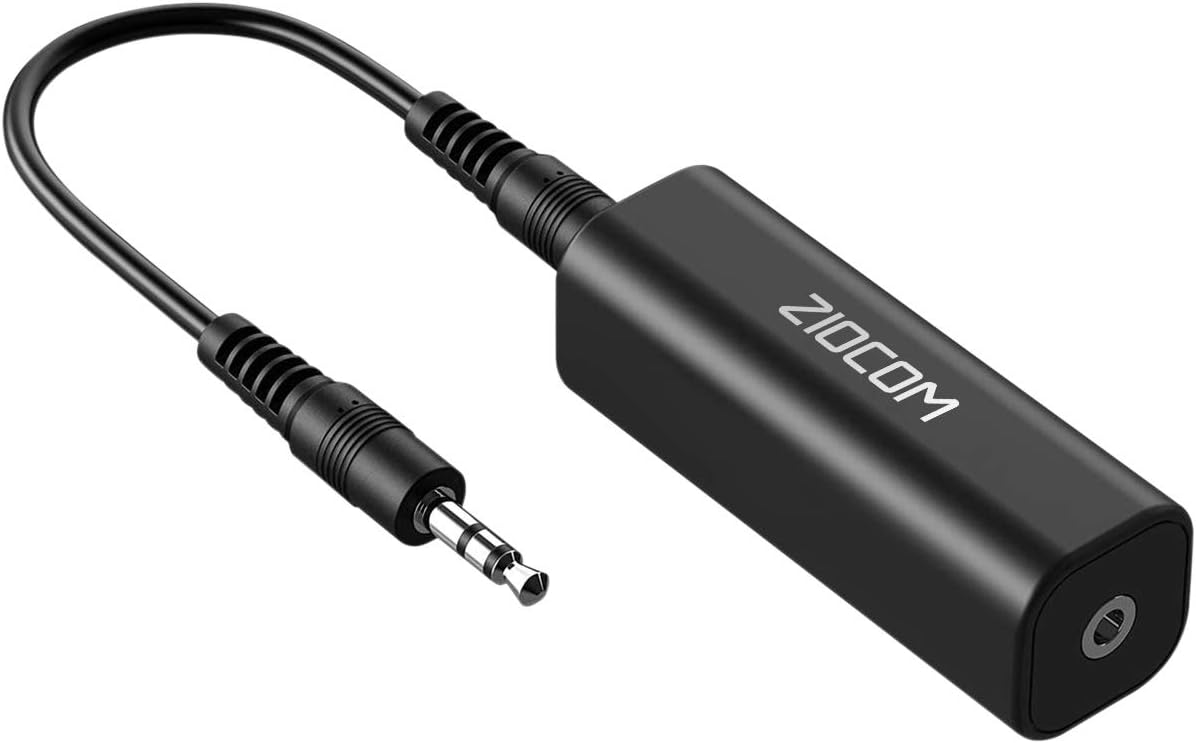
Figure 2.1: ZIOCOM Ground Loop Noise Isolator with 3.5mm cable.
Nøglefunktioner:
- Eliminates Buzzing Noise: Specifically designed to remove ground loop induced noise from audio signals.
- Passivt design: No external power supply or battery required.
- Plug and Play: Simple to connect with 3.5mm audio cables.
- Bred kompatibilitet: Works with any audio device featuring 3.5mm audio jacks, including car audio systems and home stereos.
- Kompakt størrelse: Small and lightweight for easy portability and discreet installation.
3. Opsætning og installation
The ZIOCOM Ground Loop Noise Isolator is designed for straightforward installation. Follow these steps to integrate it into your audio system:
- Identificér støjkilden: Determine which audio connection is causing the ground loop noise. This typically occurs when an audio source (e.g., smartphone, MP3 player) and a speaker system (car stereo, home speakers) share different power grounds.
- Disconnect Audio Cables: Ensure all audio connections between the source and the speaker system are disconnected.
- Connect the Isolator: Insert one end of a 3.5mm audio cable into the audio output of your source device (e.g., phone, tablet). Connect the other end of this cable to the input jack of the ZIOCOM Ground Loop Noise Isolator.
- Connect to Speaker System: Use another 3.5mm audio cable to connect the output jack of the ZIOCOM Ground Loop Noise Isolator to the AUX input of your car stereo or home speaker system.

Figure 3.1: Connection diagram for the Ground Loop Noise Isolator.
Once connected, the isolator will immediately begin filtering out the ground loop noise. No additional configuration or power is needed.

Figur 3.2: Eksample installation in a car audio system.

Figur 3.3: Eksample installation with a home stereo system.
4. Betjeningsvejledning
The ZIOCOM Ground Loop Noise Isolator operates automatically once connected. There are no buttons, switches, or software to control. Simply ensure it is properly connected inline between your audio source and your speaker system.
The device works by isolating the ground paths, preventing electrical interference from traveling through the audio signal. This results in a clean, clear audio output.

Figure 4.1: Noise filtering principle of the isolator.
5. Vedligeholdelse
The ZIOCOM Ground Loop Noise Isolator requires minimal maintenance due to its passive and durable design.
- Rensning: Wipe the device with a soft, dry cloth to remove dust or smudges. Do not use liquid cleaners or abrasive materials.
- Opbevaring: Store the isolator in a cool, dry place when not in use.
- Håndtering: Avoid dropping the device or subjecting it to excessive force, which could damage internal components or connectors.
6. Fejlfinding
If you experience issues with your ZIOCOM Ground Loop Noise Isolator, refer to the following common problems and solutions:
| Problem | Mulig årsag | Løsning |
|---|---|---|
| Buzzing/Humming noise persists. | The noise is not caused by a ground loop, or the ground loop is complex. | Ensure the noise is indeed a ground loop (often a constant hum or buzz that changes with engine RPM in cars). Verify all connections are secure. If the noise persists, the issue may stem from other electrical interference or faulty components not related to ground loops. |
| Audio volume is reduced or sound quality is degraded. | Some passive isolators can slightly attenuate the audio signal. | Increase the volume on your audio source or speaker system. While minimal, some signal loss can occur with passive devices. Ensure the audio cables used are of good quality. |
| Ingen lydudgang. | Incorrect connection or faulty cable. | Check all 3.5mm cable connections to ensure they are fully inserted and connected to the correct input/output jacks. Test with different audio cables to rule out cable issues. |
7. Specifikationer
| Attribut | Detalje |
|---|---|
| Modelnummer | G01 |
| Varens vægt | 0.635 ounce |
| Produktmål (L x B x H) | 4.72 x 2.95 x 0.75 tommer |
| Connector Type | Hjælpestik (3.5 mm jack) |
| Farve | Sort |
| Kompatible enheder | MP3 Player, Speaker, Car Audio Systems, Home Stereos |
| Fabrikant | ZIOCOM |
| Første ledige dato | 16. december 2015 |
8. Garanti og support
The ZIOCOM Ground Loop Noise Isolator (Model G01) comes with a 1-års garanti fra købsdatoen. Denne garanti dækker fejl i materialer og udførelse ved normal brug.
For warranty claims, technical support, or any inquiries regarding your ZIOCOM product, please contact ZIOCOM customer service through their official channels. You can find more information and contact details by visiting the ZIOCOM Store on Amazon.
Gem venligst din købsbevis for at validere garantien.


