Indledning
The Bloody Gaming B740 Wired Optical Gaming Keyboard is designed for high-performance gaming, featuring optical switches for rapid response times and an ergonomic wrist rest for comfort during extended use. This manual provides comprehensive instructions for setup, operation, and maintenance of your new keyboard.
Nøglefunktioner
- Ergonomic Integrated Wrist Rest: Designed for comfortable typing and gaming sessions, reducing wrist strain.
- LED Backlit Gaming Keyboard: Features pre-set animations and static lighting modes with adjustable brightness. Note: All rows are LED, not RGB, and lights are static.
- Anti-Ghosting & Durability: Equipped with award-winning Optical Gaming Switches (Light Strike) for 0.2ms response times. Features floating ABS Keycaps, 8 extra silicon keycaps, and is fully water resistant. Offers 100% anti-ghosting and full N-key rollover.
- PC Optical Gaming Keyboard Compatibility: Compatible with Windows 10, 8, 7, Vista, XP, and limited Mac OS support. Works with major computer brands and gaming PCs.
- Konsolkompatibilitet: Compatible with Xbox One for keyboard-enabled games.
Pakkens indhold
- Bloody Gaming B740 Keyboard
- USB kabel
- 8 Extra Silicon Keycaps (for WASD, etc.)
Opsætningsvejledning
- Pak tastaturet ud: Tag forsigtigt tastaturet og alt tilbehør ud af emballagen.
- Tilslut til computer: Insert the USB cable from the keyboard into an available USB port on your computer.
- Driverinstallation (automatisk): The operating system will typically detect and install the necessary drivers automatically. Allow a few moments for this process to complete.
- Valgfri softwareinstallation: For advanced customization, macros, and lighting effects, download and install the Bloody software from the official Bloody Gaming website. Refer to the software's documentation for detailed instructions.
- Placering: Place the keyboard on a stable, flat surface. Utilize the integrated wrist rest for optimal ergonomic comfort.
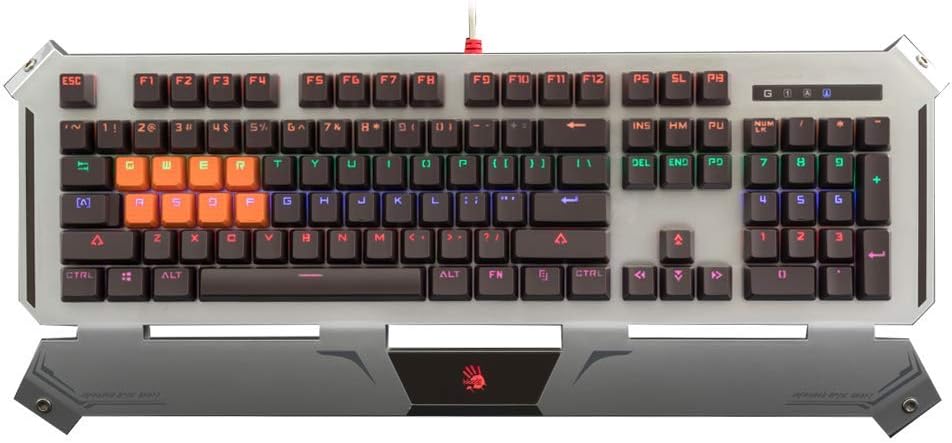
Image: The Bloody Gaming B740 keyboard, showcasing its full layout and silver-colored frame with an integrated wrist rest.
Betjeningsvejledning
Grundlæggende betjening
The Bloody B740 functions as a standard QWERTY keyboard. Simply type as you would with any other keyboard. The optical switches provide a fast and responsive typing experience.
LED Backlighting Control
The keyboard features pre-set LED lighting modes. Use the Function (FN) key in combination with specific F-keys to control the backlighting:
- FN+F12: Cycle through different lighting modes (e.g., static, breathing, off, various pre-set animations).
- FN + pil op: Increase LED brightness.
- FN + pil ned: Decrease LED brightness.

Billede: Et nærbillede view of the keyboard's keys illuminated with multi-color backlighting, highlighting the keycap design.
Spilfunktioner
- Anti-ghosting og N-nøgleovergang: The keyboard supports 100% anti-ghosting and full N-key rollover, ensuring every key press is registered accurately, even during rapid, simultaneous inputs.
- Optical Switches (Light Strike): The LK Gen 1 optical switches provide an ultra-fast 0.2ms response time, giving a competitive edge in gaming.
- FN+F8: Deaktiver Windows-tasten for at forhindre utilsigtede afbrydelser under spil.
- Brugerdefinerbare tastaturer: The keyboard comes with 8 extra silicon keycaps, typically for WASD and other common gaming keys, which can be swapped for enhanced tactile feel and identification.

Image: The Bloody B740 keyboard with some keys, including WASD, replaced with orange silicon keycaps, demonstrating customization options.

Image: A close-up of the keyboard showing two removed keycaps, illustrating their design and how they attach to the switches.
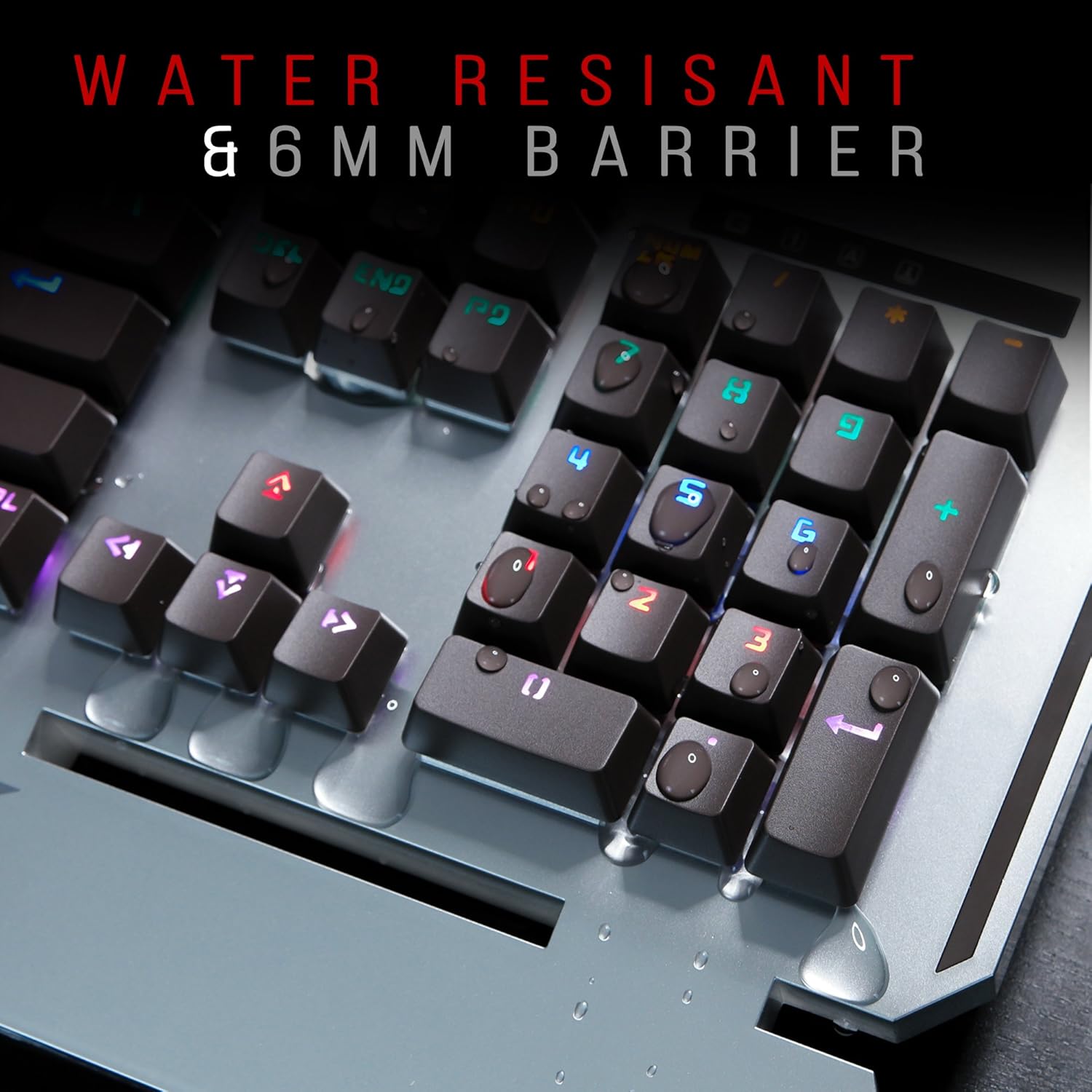
Image: A diagram comparing the 0.2ms response time of Light Strike optical switches to the 30ms response time of traditional metal switches, emphasizing speed.
Vedligeholdelse og pleje
- Rensning: Use a soft, dry cloth to wipe down the keyboard surface. For dust between keys, use compressed air. For stubborn dirt, a slightly damp en klud med mild sæbe kan bruges, så det sikres, at der ikke kommer væske ind i tastaturet.
- Vandtæthed: The B740 is designed to be water/splash resistant. In case of spills, immediately unplug the keyboard, wipe off excess liquid, and allow it to air dry completely before reconnecting. Do not submerge the keyboard.
- Udskiftning af tastatur: If you wish to replace keycaps, gently pull them straight up to remove. Align the new keycap with the switch stem and press down firmly until it clicks into place.
- Opbevaring: When not in use for extended periods, store the keyboard in a cool, dry place away from direct sunlight.

Image: A close-up of the keyboard with water droplets on the keys, illustrating its water-resistant design and 6mm barrier.
Fejlfinding
- Tastaturet reagerer ikke:
- Sørg for, at USB-kablet er korrekt tilsluttet til både tastaturet og computeren.
- Prøv at tilslutte tastaturet til en anden USB-port.
- Genstart din computer.
- Test tastaturet på en anden computer for at afgøre, om problemet er med tastaturet eller computeren.
- Baggrundsbelysning virker ikke eller er dæmpet:
- Press FN + Up Arrow to increase brightness.
- Press FN + F12 to cycle through lighting modes; ensure it's not set to "off".
- Sørg for, at tastaturet modtager tilstrækkelig strøm fra USB-porten.
- Nøgler registreres ikke eller dobbelttastes:
- Kontrollér for snavs eller fremmedlegemer under de berørte taster.
- Gently remove and re-seat the keycap.
- Kontakt kundesupport, hvis problemet fortsætter.
- Softwareproblemer:
- Ensure you have the latest version of the Bloody software installed from the official webwebsted.
- Prøv at geninstallere softwaren.
- Check for any conflicting software on your system.
Specifikationer
| Feature | Detalje |
|---|---|
| Modelnummer | B740A |
| Produktdimensioner | 8.27 x 19.49 x 1.65 tommer |
| Varens vægt | 3.11 pund |
| Fabrikant | A4tech |
| Forbindelsesteknologi | USB |
| Tastaturbeskrivelse | QWERTY |
| Antal nøgler | 104 |
| Særlige funktioner | Backlit, Ergonomic, Water Resistant, Wrist Rest |
| Farve | Sølv |
| Materiale | Acrylonitril-butadienstyren |
| Switch Type | Optical (Light Strike) |
| Svartid | 0.2 ms |
Garanti og support
For warranty information and technical support, please refer to the official Bloody Gaming webwebstedet eller kontakt deres kundeservice direkte. Gem din købskvittering som købsbevis i tilfælde af garantikrav.
Fabrikant: A4tech
Mærke: Blodig
Webwebsted: www.bloody.com (Generel website, specific support link may vary)


