Indledning
Thank you for choosing the DB Drive 8-inch Pro Audio Midrange Car Stereo Component Speaker System. This manual provides essential information for the proper installation, operation, and maintenance of your new audio system. Please read this manual thoroughly before attempting installation or use to ensure optimal performance and safety.
Pakkens indhold
Bekræft, at alle nedenstående varer er til stede i din pakke:
- Two (2) DB Drive 300 Watts 8-inch Pro Audio Midrange Speakers
- Two (2) 1-inch (25mm) Aluminum Pro Audio Tweeters
- Two (2) 12dB per Octave Passive Crossover Networks
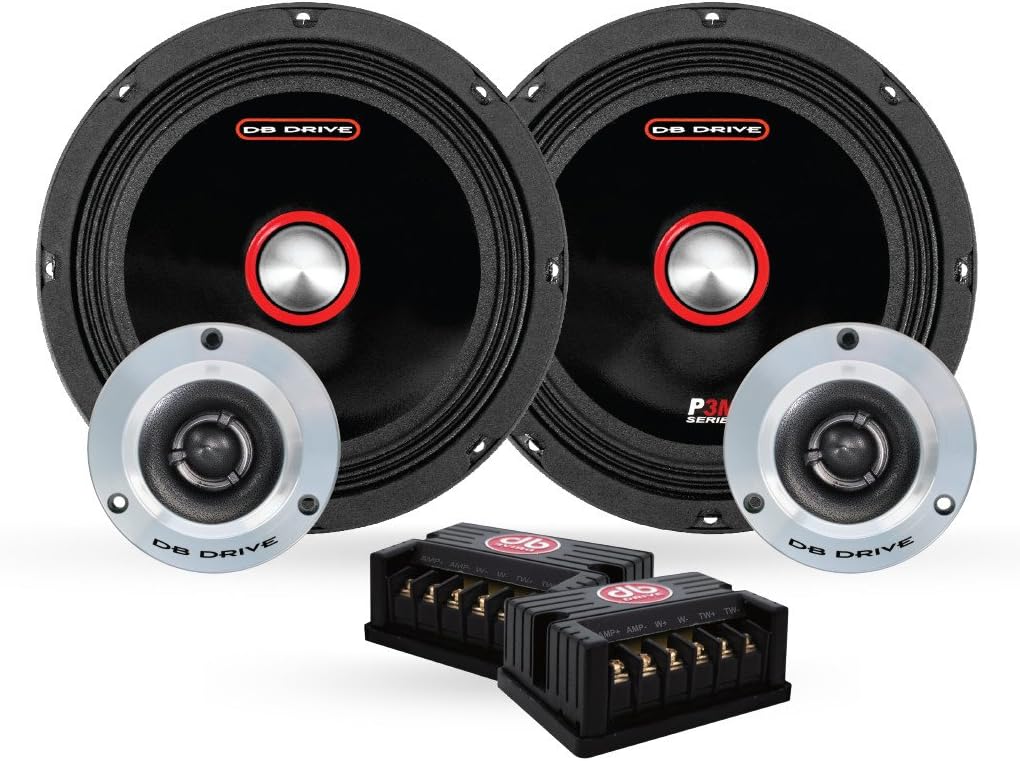
Image: All components of the DB Drive 8-inch Pro Audio Midrange Car Stereo Component Speaker System, including two midrange speakers, two tweeters, and two passive crossover networks.
Vigtige sikkerhedsoplysninger
Overhold følgende sikkerhedsforanstaltninger under installation og drift:
- Elektrisk sikkerhed: Frakobl altid bilens negative pol på batteriet, inden du påbegynder elektrisk arbejde, for at undgå kortslutninger og elektrisk stød.
- Professionel installation: If you are unsure about any aspect of the installation, consult a qualified professional car audio installer.
- Høreværn: Prolonged exposure to high volume levels can cause permanent hearing damage. Operate your audio system at moderate levels.
- Ventilation: Ensure adequate ventilation around all components, especially amplifiers, to prevent overheating.
- Sikker montering: Securely mount all speakers and components to prevent them from becoming projectiles in the event of a sudden stop or collision.
Installationsvejledning
Proper installation is crucial for optimal performance. Follow these steps carefully.
Før du begynder
- Gather necessary tools: wire strippers, crimpers, screwdrivers, drill, mounting hardware.
- Plan your speaker placement to ensure proper sound staging and clearance.
- Frakobl køretøjets batteri.
Montering af mellemtonehøjttalerne
The 8-inch midrange speakers require a suitable mounting location, typically in door panels or custom enclosures. Ensure the mounting surface is rigid and free from obstructions.
- Carefully mark the cutout diameter for the speaker.
- Cut the opening using appropriate tools, ensuring a clean edge.
- Position the speaker in the opening and mark the screw holes.
- Bor pilothuller til monteringsskruerne.
- Secure the speaker using the provided mounting screws, ensuring it is flush and tight. Do not overtighten.

Billede: Side profile of a DB Drive 8-inch midrange speaker, illustrating its shallow mount design and cloth edge surround.
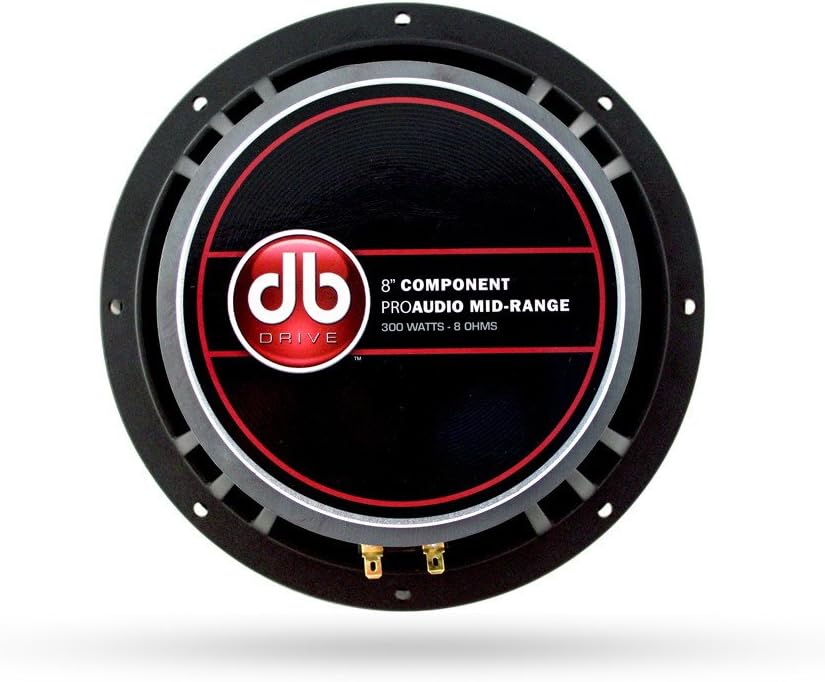
Billede: Bagside view of a DB Drive 8-inch midrange speaker, showing the mounting frame and speaker terminals for wiring connections.
Montering af diskanthøjttalerne
The 1-inch tweeters can be flush-mounted or surface-mounted depending on your vehicle's interior and desired sound dispersion. Refer to the tweeter's specific mounting hardware for detailed instructions.
Wiring the Crossover Network
The passive crossover network separates the audio signal into appropriate frequency ranges for the midrange speaker and tweeter. Each crossover has clearly labeled input and output terminals.
- AMP Input: Tilslut højttalerudgangskablerne fra din ampliber til 'AMP' input terminals on the crossover. Observe correct polarity (+ to + and - to -).
- WOOFER Output: Connect the wires from the 'WOOFER' output terminals on the crossover to the 8-inch midrange speaker.
- TWEETER Output: Connect the wires from the 'TWEETER' output terminals on the crossover to the 1-inch tweeter.
Sørg for, at alle forbindelser er sikre og korrekt isolerede for at forhindre kortslutninger.
Opretter forbindelse til Amplivligere
Connect the 'AMP' input of the crossover network to the corresponding speaker output channels of your car amplifier. Sørg for amplifier is capable of handling the speaker system's power requirements (300 Watts peak power). Refer to your amplifier's manual for specific wiring diagrams and settings.
Betjening af dit højttalersystem
Once installed, reconnect your vehicle's battery. Power on your car stereo and amplifier. Start with the volume at its lowest setting and gradually increase it to a comfortable listening level. Adjust your amplifier's gain and crossover settings according to its manual and your personal preference for optimal sound quality.
Pleje og vedligeholdelse
To ensure the longevity and performance of your DB Drive speaker system, follow these maintenance guidelines:
- Rensning: Brug en blød, tør klud til at tørre højttalergitrene og -rammerne af. Undgå at bruge skrappe kemikalier eller slibende rengøringsmidler.
- Undgå fugt: Keep the speakers dry. While designed for car environments, excessive moisture can damage components.
- Ekstreme temperaturer: Avoid exposing the speakers to extreme temperatures for prolonged periods, as this can affect material integrity.
- Sikre forbindelser: Kontrollér regelmæssigt alle ledningsforbindelser for at sikre, at de forbliver tætte og fri for korrosion.
Fejlfinding af almindelige problemer
If you experience problems with your speaker system, consult the following table before seeking professional assistance.
| Problem | Mulig årsag | Løsning |
|---|---|---|
| Ingen lyd fra højttalere |
|
|
| Forvrænget lyd |
|
|
| Intermitterende lyd |
|
|
Tekniske specifikationer
Detailed specifications for the DB Drive 8-inch Pro Audio Midrange Car Stereo Component Speaker System:
| Feature | Specifikation |
|---|---|
| Mærke | DB DREV |
| Højttaler type | Surround Sound Component System |
| Højttaler størrelse | 8 Inches (Midrange) |
| Diskant-diameter | 1 tomme (25 mm) |
| Højttaler Maksimal udgangseffekt | 300 watt |
| Stemmespole | 1.5-inch (38mm) High Temperature |
| Surroundmateriale | Cloth Edge |
| Kurvemateriale | Støbt aluminium |
| Crossover netværk | 12dB per Octave Passive |
| Monteringstype | Shallow Mount Application |
| Antal genstande | 2 (Set of 2 Speakers) |
| Anbefalet anvendelse af produktet | Bilstereo |
Garantioplysninger
This DB Drive speaker system comes with a Et års garanti from the date of purchase. This warranty covers manufacturing defects in materials and workmanship under normal use. It does not cover damage caused by improper installation, accident, misuse, abuse, negligence, or unauthorized modification. Please retain your proof of purchase for warranty claims.
Kundesupport
For technical assistance, warranty service, or general inquiries, please contact DB Drive customer support through their official website or the retailer where the product was purchased. Have your product model number and proof of purchase ready when contacting support.


