1. Introduktion
This manual provides detailed instructions for the setup, operation, maintenance, and troubleshooting of your JOOAN 1080P Wireless Indoor Security Camera, Model 366. This camera is designed for indoor surveillance, offering features such as 1080P video resolution, two-way audio, night vision, and motion detection, making it suitable for monitoring homes, pets, or babies.
Please read this manual thoroughly before using the product to ensure correct installation and optimal performance.
2. Pakkeliste
Når du åbner pakken, skal du kontrollere, at alle nedenstående varer er til stede og i god stand:
- JOOAN WiFi Camera x 1
- Power Plug x 1
- Data Line (USB Cable) x 1
- Install Bracket x 1 (for wall or ceiling mounting)
- Instructions (User Manual) x 1
- Screw Pack x 1 (for bracket installation)

Image: Contents of the JOOAN camera package, including the camera, power adapter, USB cable, mounting bracket, instruction manual, and screw pack.
3. Opsætningsvejledning
3.1 Tænding af kameraet
- Connect the provided USB cable to the camera's power input port.
- Plug the other end of the USB cable into the power plug adapter.
- Insert the power plug into a standard electrical outlet. The camera will power on and initiate its startup sequence.
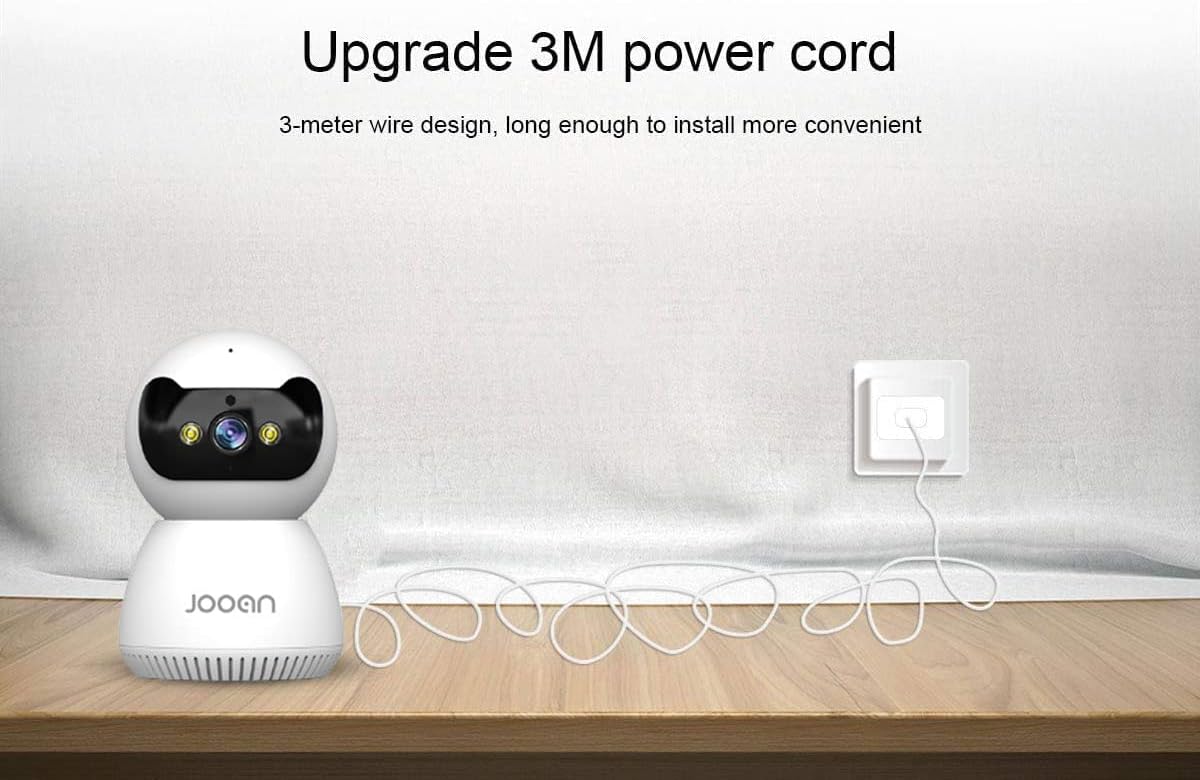
Image: The JOOAN camera connected to its 3-meter power cord and adapter, ready for power connection.
3.2 App download og installation
To operate the camera, you need to download the official JOOAN application on your smartphone or tablet.
- Scan the QR code provided in the included instruction manual or search for 'JOOAN' in your device's app store (Google Play Store for Android, Apple App Store for iOS).
- Download og installer applikationen.
- Opret en ny konto, eller log ind, hvis du allerede har en.
3.3 Wi-Fi-forbindelse
The camera connects to your home Wi-Fi network. Vigtig: This camera is primarily compatible with 2.4GHz Wi-Fi networks. Connection to 5GHz Wi-Fi networks may not be supported or stable.
- Sørg for, at din smartphone er forbundet til et 2.4 GHz Wi-Fi-netværk.
- Open the JOOAN app and follow the on-screen instructions to add a new device.
- Select your Wi-Fi network and enter the password when prompted.
- The app will guide you through the pairing process, which may involve scanning a QR code displayed on your phone with the camera or using audio pairing. Ensure your phone's volume is up during audio pairing.
- Once connected, the camera's indicator light will change, and the app will confirm successful pairing.

Image: The JOOAN camera on a pedestal, illustrating its wireless connectivity. While the image mentions 'Dual-Band WiFi 2.4/5G Hz', users should note that compatibility is primarily with 2.4GHz networks.
3.4 Montering af kameraet
The camera can be placed on a flat surface or mounted to a wall or ceiling using the provided bracket.
- Desktopplacering: Simply place the camera on a stable, flat surface in your desired monitoring area.
- Væg/loft montering:
- Vælg et passende sted til montering.
- Use the mounting bracket as a template to mark screw holes on the wall or ceiling.
- Drill pilot holes and insert the provided wall anchors if necessary.
- Secure the mounting bracket using the screws.
- Attach the camera to the bracket by twisting it until it locks into place.
4. Betjeningsvejledning
4.1 Live View og panorering/tilt-kontrol
Once connected, open the JOOAN app to access the live video feed from your camera.
- Levende View: The main screen of the app displays the real-time video feed.
- Panorering/vip: Use the directional controls within the app to remotely rotate the camera horizontally (355° Pan) and vertically (45° Tilt) to adjust the viewvinkel.
- Digital zoom: Pinch to zoom on the live feed to magnify specific areas.
- Forudindstillede punkter: Configure up to 6 preset viewing angles for quick navigation.

Image: A JOOAN camera mounted on a ceiling, demonstrating its 355° pan and 45° tilt capabilities, controlled via a smartphone app. Features like 4X digital zoom and preset points are also highlighted.
4.2 Tovejslyd
The camera features a built-in microphone and speaker, allowing for two-way communication.
- Tryk på mikrofonikonet i appen for at tale gennem kameraets højttaler.
- Listen to audio from the camera's environment through your smartphone.
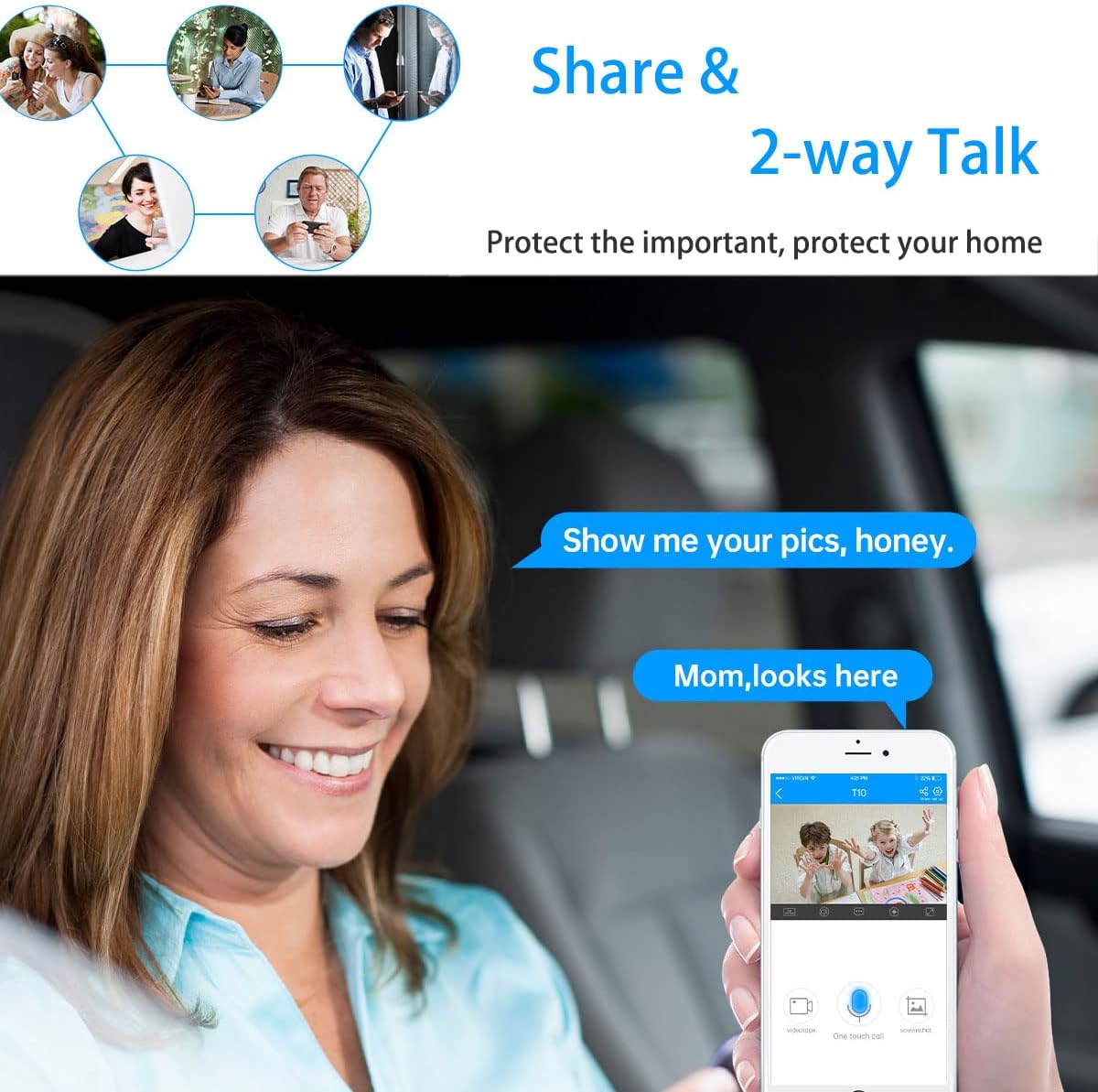
Image: A woman in a car using a smartphone app to engage in two-way communication through the JOOAN camera, demonstrating the 'Share & 2-way Talk' feature.
4.3 Nattesynstilstande
The camera offers multiple night vision modes for clear monitoring in low-light conditions.
- Infrarød (IR) nattesyn: Automatically activates in low light, providing clear black and white video using 8 IR LEDs.
- Farve Night Vision: Utilizes 2 white lights to provide color video in low light.
- Smart nattesyn: Combines IR and white light. Floodlights can turn on automatically upon detection of a moving human shape, providing enhanced visibility and deterrence.
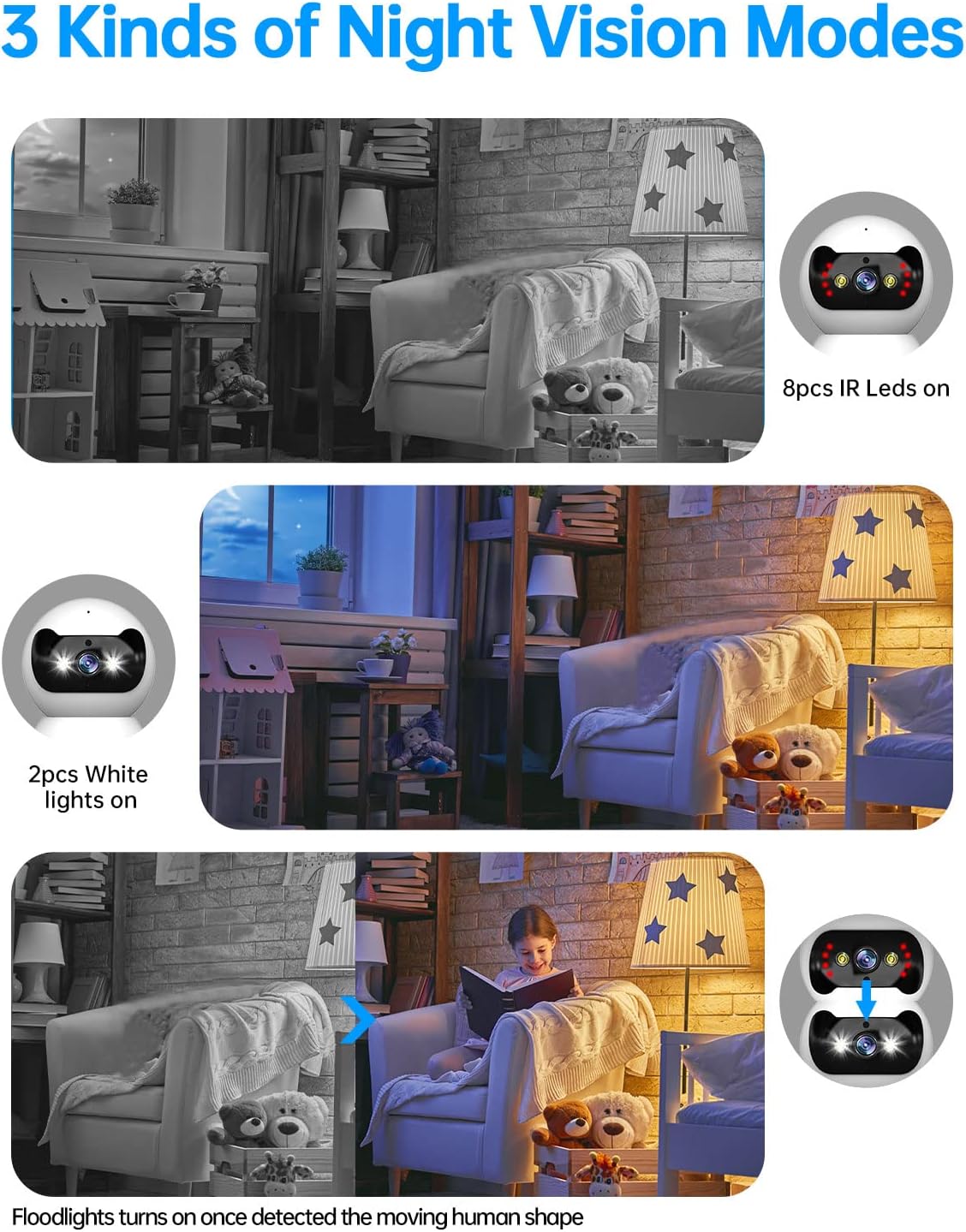
Image: Three panels illustrating the JOOAN camera's night vision capabilities: standard infrared (8 IR LEDs), color night vision (2 white lights), and smart night vision where floodlights activate upon motion detection.
4.4 Bevægelsesdetektion og advarsler
The camera can detect motion and send alerts to your smartphone.
- Aktiver bevægelsesdetektion i appindstillingerne.
- Juster følsomhedsniveauerne for at minimere falske alarmer.
- Modtag push-notifikationer på din telefon, når der registreres bevægelse.
- The camera supports automatic tracking, following detected movement within its field of view.

Image: A JOOAN camera mounted on a ceiling, demonstrating its automatic tracking feature by highlighting a person moving through a room with red detection zones.
4.5 Optagelse og afspilning
Kameraet understøtter videooptagelse, typisk til et microSD-kort (medfølger ikke) eller cloud-lagring (abonnement kan være påkrævet).
- Insert a compatible microSD card into the camera's slot (refer to app for maximum supported capacity).
- Configure recording settings (e.g., continuous recording, motion-triggered recording) in the app.
- Få adgang til optaget footage through the app's playback feature, typically organized by date and time.
5. Vedligeholdelse
5.1 Rengøring
To maintain optimal image quality, keep the camera lens clean.
- Sørg for, at kameraet er slukket, inden rengøring.
- Use a soft, dry, lint-free cloth to gently wipe the lens and camera body.
- Avoid using harsh chemicals, solvents, or abrasive materials, as these can damage the camera's surface or lens.
5.2 firmwareopdateringer
Periodically check for firmware updates through the JOOAN app. Firmware updates can improve performance, add new features, and enhance security.
- Access the camera settings in the app.
- Look for a 'Firmware Update' or 'About Device' section.
- Follow the on-screen prompts to download and install any available updates. Ensure the camera remains powered during the update process.
5.3 Nulstilling af enheden
If you encounter persistent issues or wish to reconfigure the camera, a factory reset may be necessary.
- Locate the reset button on the camera (refer to the product diagram in the app or included manual).
- With the camera powered on, use a pin or a straightened paperclip to press and hold the reset button for approximately 5-10 seconds until you hear a voice prompt or see the indicator light change.
- The camera will restart, and all settings will revert to factory defaults. You will need to re-add the camera to the app.
6. Fejlfinding
This section addresses common issues you might encounter with your JOOAN camera.
6.1 Kameraet opretter ikke forbindelse til Wi-Fi
- Tjek Wi-Fi-bånd: Ensure your router is broadcasting a 2.4GHz Wi-Fi signal and your phone is connected to it during setup. The camera may not support 5GHz networks.
- Wi-Fi adgangskode: Double-check that the Wi-Fi password entered in the app is correct.
- Signalstyrke: Place the camera closer to your Wi-Fi router to ensure a strong signal.
- Routerindstillinger: Ensure your router's firewall or security settings are not blocking the camera.
- Nulstil kamera: Perform a factory reset on the camera and attempt the setup process again.
6.2 Dårlig billedkvalitet
- Ren linse: Rengør forsigtigt kameralinsen med en blød, tør klud.
- Netværkshastighed: Ensure your internet connection has sufficient upload speed for streaming high-definition video.
- Belysning: Adjust ambient lighting conditions. For night vision, ensure no obstructions are blocking the IR or white lights.
6.3 Problemer med tovejslyd
- App-volumen: Check the volume settings on your smartphone and within the JOOAN app.
- Kameralydstyrke: Ensure the camera's speaker volume is not muted or set too low in the app.
- Interferens: Move the camera away from other electronic devices that might cause audio interference.
6.4 Bevægelsesdetektion virker ikke
- Enable Feature: Bekræft, at bevægelsesdetektion er aktiveret i kameraindstillingerne i appen.
- Følsomhed: Adjust the motion detection sensitivity. If it's too low, it might miss events.
- Detektionszone: Ensure the area you want to monitor is within the camera's detection zone.
7. Specifikationer
| Mærke | JOOAN |
| Modelnummer | 366 |
| Effektiv videoopløsning | 720 Pixels (Note: Product is marketed as 1080P) |
| Forbindelsesteknologi | Trådløs (Wi-Fi) |
| Trådløs kommunikationsteknologi | Wi-Fi (Primarily 2.4GHz) |
| Særlige funktioner | HD 720p, Pan/Tilt Visibility, Two-Way Talk, Easy Setup |
| Indendørs/Udendørs brug | Indendørs |
| Night Vision Range | 30 fod |
| Lyskildetype | Infrarød |
| Alert Type | Kun bevægelse |
| Kontrolmetode | Remote (via Smartphone/Tablet App) |
| Kompatible enheder | Desktop, smartphone, tablet |
| Strømkilde | AC/DC |
| Voltage | 12 volt |
| Wattage | 4.2 watt |
| Varedimensioner (L x B x H) | 1.77 x 1.85 x 2.05 tommer |
| Varens vægt | 12 ounce |
| Farve | Hvid |
| Materiale | Glas |
| Videooptagelsesformat | MPEG-4 |
8. Garantioplysninger
Specific warranty details for the JOOAN 1080P Wireless Indoor Security Camera (Model 366) are typically provided with the product packaging or on the manufacturer's official website. Please refer to these sources for comprehensive information regarding warranty coverage, terms, and conditions.
9. Kundesupport
For technical assistance, product inquiries, or further support, please visit the official JOOAN website. You may find FAQs, additional resources, and contact information for their customer service team there.
Webwebsted: Visit the JOOAN Store on Amazon (for generel mærkeinformation)


