Indledning
The Superior Electronics Freedom 2in1 is a universal programmable remote control designed to operate up to two different audio/video devices. This manual provides comprehensive instructions for setup, operation, maintenance, and troubleshooting to ensure optimal performance and longevity of your device.
Sikkerhedsoplysninger
- Udsæt ikke fjernbetjeningen for direkte sollys, varmekilder eller ekstreme temperaturer.
- Undgå at tabe fjernbetjeningen eller udsætte den for kraftige stød.
- Fjernbetjeningen må ikke nedsænkes i vand eller andre væsker.
- Opbevar batterier utilgængeligt for børn. Søg omgående læge ved indtagelse.
- Bortskaf brugte batterier i henhold til lokale regler.
Pakkens indhold
Kontroller venligst, at alle varer er til stede i pakken:
- Superior Electronics Freedom 2in1 Universal Remote Control
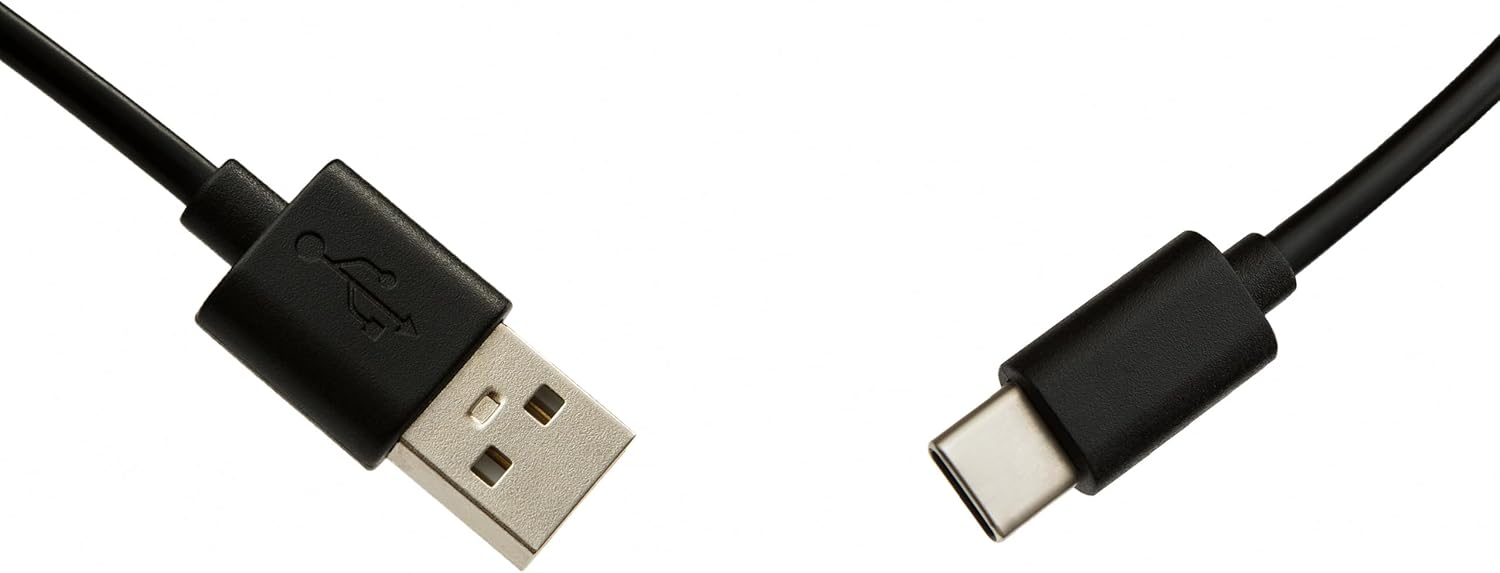
- USB-C Cable for programming
- Brugervejledning (dette dokument)
Opsætning
1. Batteriinstallation
Fjernbetjeningen kræver to AAA-batterier (medfølger ikke). Sådan installeres:
- Åbn dækslet til batterirummet på bagsiden af fjernbetjeningen.
- Isæt to AAA-batterier, og sørg for at polerne vender korrekt (+ og -).
- Luk batterirummets dæksel forsvarligt.
2. Programmering af din fjernbetjening
The Superior Electronics Freedom 2in1 remote control is programmable via a computer using the included USB-C cable and Superior's dedicated software. This allows for quick and accurate setup for a wide range of devices.
- Download software: Visit the official Superior Electronics website to download the latest programming software for your Freedom 2in1 remote.
- Tilslut fjernbetjening: Connect the remote control to your computer using the provided USB-C cable.
- Start software: Open the Superior programming software on your computer.
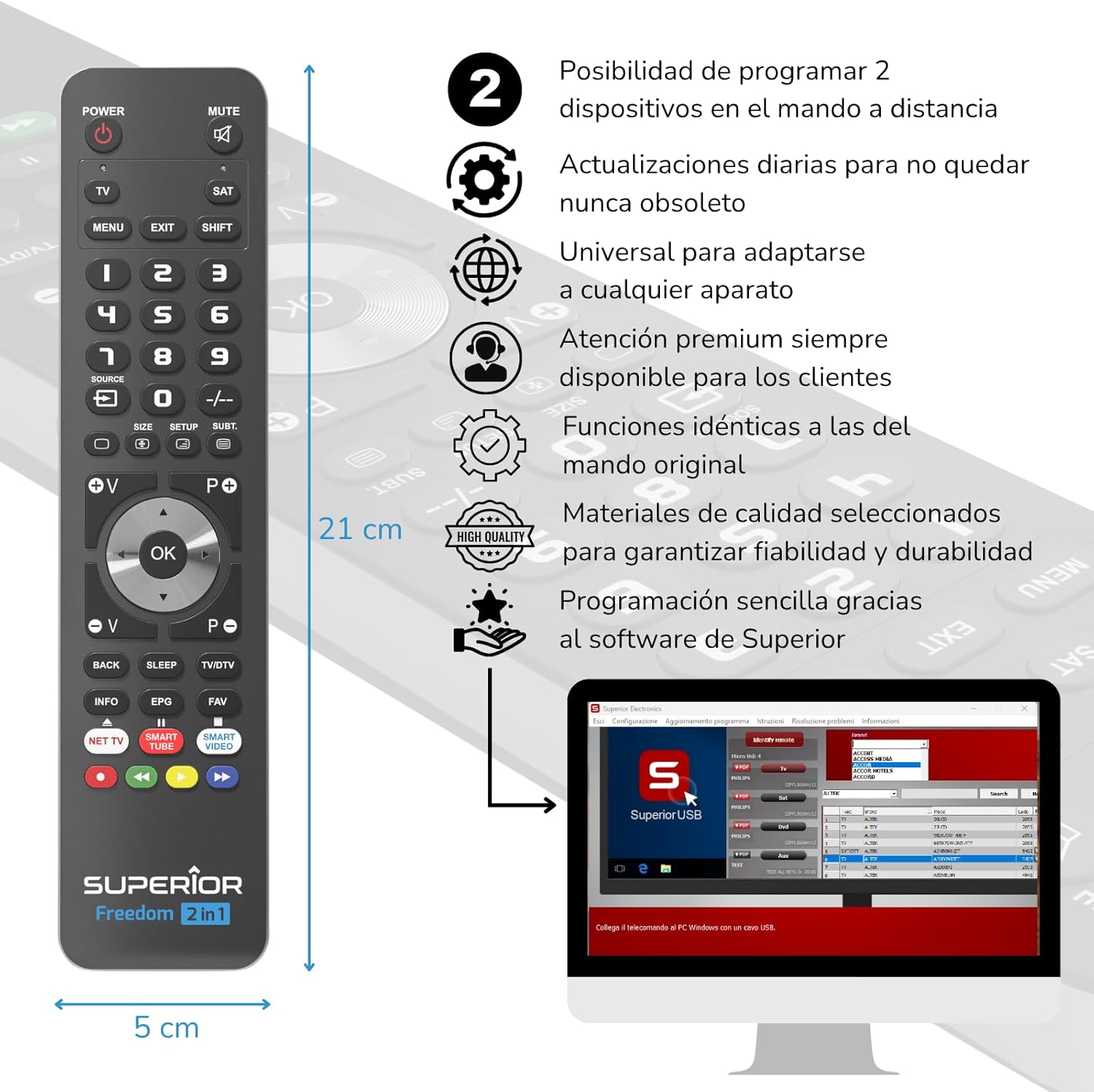
- Vælg enhed: Follow the on-screen instructions to select the brand and model of the device you wish to control (e.g., TV, SAT, DVD, Soundbar). The software utilizes a leading European database with over 260,000 compatible devices.
- Program: Initiate the programming process. Programming is typically completed in less than one minute by double-clicking the desired brand and model within the software.
- MAP Function: The dedicated MAP function allows you to recover the original remote control functions on the Superior Freedom keypad, ensuring all original functionalities are available.

Betjeningsvejledning
Once programmed, your Superior Electronics Freedom 2in1 remote control is ready for use. It can control up to two devices, such as TVs, Smart TVs, decoders, DVD players, projectors, and soundbars.

Knapfunktioner overview:
- MAGT: Tænder eller slukker den valgte enhed.
- STUM: Slår lyden fra eller til.
- TV / SAT: Selects the device to be controlled (e.g., TV or Satellite receiver).
- MENU / EXIT: Accesses or exits the device's menu.
- FLYTTE: Activates secondary functions of certain buttons.
- 0-9: Number buttons for direct channel input.
- KILDE: Changes the input source on your TV.
- , Adjusts channel up/down or navigates through menus.
- SIZE / SETUP / SUBT.: Specific functions depending on the device.
- Volume (V+/-) / Channel (P+/-): Justerer lydstyrken og skifter kanal.
- Navigation (Op, Ned, Venstre, Højre, OK): Navigerer gennem menuer og bekræfter valg.
- BACK / SLEEP / TV/DTV: Returns to previous screen, sets sleep timer, or switches between TV/Digital TV modes.
- INFO / EPG / FAV: Displays information, Electronic Program Guide, or Favorite channels.
- NET TV / SMART TUBE / SMART VIDEO: Dedicated buttons for smart TV applications.
- Farveknapper (rød, grøn, gul, blå): Used for specific functions within menus or smart TV apps.
The maximum operating range of the remote control is 10 meters.
Opretholdelse
Rensning
To clean the remote control, use a soft, dry cloth. Do not use abrasive cleaners, solvents, or chemical agents, as these may damage the surface or internal components.
Udskiftning af batteri
When the remote control's performance diminishes or it stops responding, it is likely time to replace the batteries. Follow the battery installation steps outlined in the Setup section.
Fejlfinding
- Fjernbetjeningen svarer ikke: Ensure batteries are correctly inserted and not depleted. Replace batteries if necessary.
- Device not controlling: Verify that the remote is pointed directly at the device's IR receiver. Ensure there are no obstructions between the remote and the device.
- Forkerte funktioner: The remote may not be programmed correctly for your specific device model. Re-program the remote using the Superior Electronics software and ensure you select the correct brand and model.
- Begrænset funktionalitet: If some functions are missing, use the MAP function in the programming software to ensure all original remote functions are mapped to the Freedom 2in1.
If issues persist after following these steps, please contact Superior Electronics customer support.
Specifikationer
| Modelnummer | SUPTUB002 |
| Mærke | Overlegen elektronik |
| Dimensioner | 23 x 5 x 1.5 cm |
| Vægt | 80 g |
| Batterier påkrævet | 2 x AAA (medfølger ikke) |
| Forbindelse | USB-C (for programming) |
| Maksimalt antal understøttede enheder | 2 |
| Maksimal rækkevidde | 10 meter |
| Kompatible enheder | TVs, Smart TVs, Decoders, DVD players, Projectors, Soundbars, Hi-Fi systems |
Garanti og support
Superior Electronics is committed to providing high-quality products and excellent customer service.
- Softwareopdateringer: Enjoy free and constant updates for your remote control's programming database, ensuring compatibility with new devices.
- Kundeservice: Premium customer assistance is available 7 days a week to address any questions or issues you may encounter.
For further assistance, please visit the official Superior Electronics webwebstedet eller kontakt deres kundesupport direkte.


