Indledning
This manual provides essential instructions for the installation, operation, and maintenance of your Planet Audio PATV65 ATV/UTV Sound System. Please read this manual thoroughly before using the product to ensure proper functionality and safety. The PATV65 is a weatherproof, amplified sound system designed for powersports vehicles, featuring Bluetooth connectivity, auxiliary input, and an integrated LED lightbar.
Sikkerhedsoplysninger
- Always ensure the vehicle's power is disconnected before installation to prevent electrical shock or damage.
- Securely mount the unit to prevent movement during vehicle operation, which could cause injury or damage.
- Do not operate the sound system at excessively high volumes for prolonged periods, as this may impair hearing or obscure important sounds from your surroundings.
- Ensure all wiring is properly insulated and protected from moving parts, heat, and sharp edges.
- This product is designed for 12V DC power sources only.
- Professional installation is strongly recommended to ensure proper and safe functionality.
Pakkens indhold
Bekræft at alle varer er til stede i pakken:
- Planet Audio PATV65 Sound System Unit
- Bluetooth Multi-function Remote Controller
- Monteringssæt til styr
- Quick-Connect Power Accessory Extension Adaptor
- High-Strength Nylon Mounting Straps (4x)
- Brugermanual

Image: The Planet Audio PATV65 sound system with its included accessories: the main unit, a wired remote control, a power adapter, and various mounting hardware components.
Produkt overview
The Planet Audio PATV65 is a robust audio solution for your ATV or UTV, engineered for outdoor environments. Key features include:
- Integreret Amplivligere: Powers the 6.5-inch poly injection cone speakers and 1.5-inch high-performance dome tweeters.
- Bluetooth-forbindelse: Allows wireless audio streaming from compatible devices.
- Hjælpeindgang: A 3.5mm input for wired connection to audio sources.
- USB opladningsport: Provides power for charging mobile devices.
- IPX5 Weatherproof Rating: Designet til at modstå forskellige vejrforhold.
- Built-in LED Lightbar: Enhances visibility and provides additional illumination.
- Multi-function Remote: Wired remote for controlling power, volume, track, and LED lightbar.

Billede: En frontvinklet view of the Planet Audio PATV65 sound system, showcasing its two speaker grilles, central control panel, and the wired remote control with its power cable.


Image: Icons illustrating key features: Plug & Play, Built-in Amplifier, Fully Marinized, IPX5 Rated Bluetooth Remote Control, Aux Input, USB Charging, Audio Streaming, and Built-in LED Lights.
Opsætning og installation
Følg disse trin for korrekt installation:
- Mounting the Sound System:
- Identify a secure location on your ATV/UTV rack or roll bar that does not obstruct your view eller køretøjets betjeningselementer.
- Use the provided high-strength nylon mounting straps to firmly secure the PATV65 unit. Ensure the unit is stable and does not vibrate excessively.
- Montering af fjernbetjeningen:
- Attach the handlebar mounting kit to a convenient location on your handlebars.
- Secure the Bluetooth multi-function remote controller to the handlebar mount.
- Strømtilslutning:
- Connect the quick-connect power accessory extension adaptor to the PATV65 unit.
- Connect the other end of the power adaptor directly to your vehicle's 12V battery terminals (red to positive, black to negative). Ensure a secure connection.
- Alternatively, if your vehicle has a 12V accessory outlet, you may use the provided cigarette lighter adapter for power.
- Kabelstyring:
- Route all cables away from moving parts, exhaust systems, and sharp edges. Use cable ties to secure loose wiring.

Billede: Top og bund views of the Planet Audio PATV65 unit, showing the speaker grilles on the top and the mounting points on the bottom.
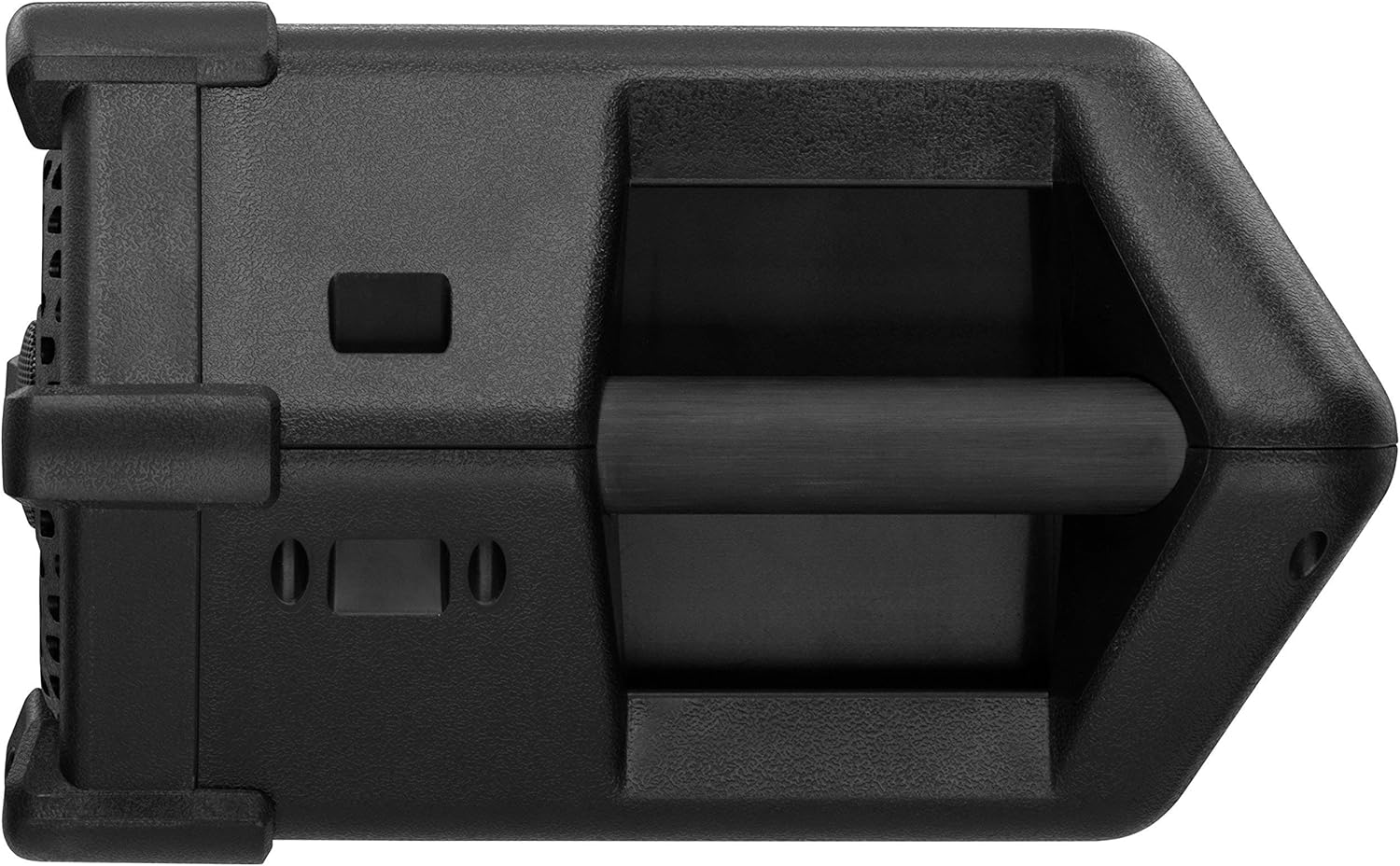
Billede: En sideprofile view of the Planet Audio PATV65, highlighting the integrated handles for secure mounting.
Betjeningsvejledning
Tænd/sluk
Press and hold the power button on the multi-function remote control to turn the unit on or off.
Bluetooth-parring
- Ensure the PATV65 is powered on.
- Aktiver Bluetooth på din mobilenhed, og søg efter tilgængelige enheder.
- Select "Planet Audio PATV65" from the list.
- Once paired, the unit will confirm the connection, and you can begin streaming audio.
Auxiliary Input Usage
Connect your audio device (e.g., MP3 player, smartphone) to the 3.5mm auxiliary input jack on the PATV65 unit using a standard audio cable. The unit will automatically switch to auxiliary mode or can be selected via the remote.
Lydkontrol
Use the multi-function remote control to:
- Adjust volume (Volume Up/Down buttons).
- Play/Pause audio (Play/Pause button).
- Skip tracks (Next/Previous Track buttons).
LED Lightbar Operation
The integrated LED lightbar can be controlled using a dedicated button on the multi-function remote. Press the button to cycle through light modes or turn the lightbar on/off.

Image: The Planet Audio PATV65 sound system with its front-facing LED lightbar fully illuminated, demonstrating its lighting capability.
USB opladning
Connect your USB-compatible device to the USB charging port on the PATV65 unit to charge it while the sound system is powered on.
Opretholdelse
- Rensning: Brug en blød, damp cloth to clean the exterior of the unit. Do not use harsh chemicals or abrasive cleaners.
- Vejrbeskyttelse: While the unit is weatherproof (IPX5 rated), avoid submerging it in water. Ensure all port covers are securely closed when not in use to maintain water resistance.
- Kabelinspektion: Periodically check all wiring and connections for signs of wear, corrosion, or damage. Replace any damaged components immediately.
Fejlfinding
| Problem | Mulig årsag | Løsning |
|---|---|---|
| Ingen strøm | Løs strømforbindelse, sprunget sikring, lavt bilbatteri. | Check all power connections. Inspect the fuse in the power adaptor. Ensure vehicle battery is charged. |
| Ingen lydudgang | Volume too low, incorrect source selected, device not paired (Bluetooth), faulty audio cable (Aux). | Increase volume. Verify Bluetooth pairing or Aux cable connection. Ensure correct input mode is selected. |
| Bluetooth forbinder ikke | Device too far, PATV65 not in pairing mode, interference. | Ensure device is within 10 meters. Restart PATV65 and mobile device. Clear previous Bluetooth connections on your device. |
| LED lightbar not working | Lightbar off, power issue. | Press the LED lightbar button on the remote. Check power connections to the unit. |
| Dårlig lydkvalitet | Source audio quality, interference, damaged speakers. | Try a different audio source. Ensure no strong electromagnetic interference. Contact support if speakers are damaged. |
Specifikationer

Image: A diagram showing the key dimensions of the Planet Audio PATV65 unit: 28.5 inches in width, 11.6 inches in depth, and 7.9 inches in height.
| Feature | Detalje |
|---|---|
| Modelnavn | PATV65 |
| Højttaler type | Outdoor, Powersports |
| Højttaler størrelse | 6.5 tommer (woofer), 1.5 tommer (diskant) |
| Maksimal udgangseffekt | 450 watt |
| Impedans | 4 Ohm |
| Forbindelsesteknologi | Bluetooth |
| Bluetooth rækkevidde | Op til 10 meter (33 fod) |
| Hjælpeindgang | 3.5 mm jack |
| USB opladning | Ja |
| Vejrbestandighed | IPX5 Rated (Water Resistant) |
| Strømkilde | 12V DC (batteridrevet) |
| Produktmål (L x B x H) | 28.5 cm x 11.6 cm x 7.9 cm |
| Varens vægt | 14.25 pund |
| Inkluderede komponenter | Sound system, remote, mounting kit, power adapter, straps |
Garanti og support
Planet Audio provides a 3-year Platinum Online Dealer Warranty for this product when purchased through Amazon.com. For warranty claims or technical support, please contact Planet Audio customer service or refer to their official website. Professional installation is strongly encouraged to ensure proper and safe functionality and to maintain warranty validity.
For yderligere hjælp, besøg Planet Audio Store on Amazon.


