Indledning
The GPX BCA209R Portable AM/FM Boombox with CD and Cassette Player is designed to provide versatile audio entertainment. This unit allows you to enjoy music from various sources including AM/FM radio, audio CDs, and cassette tapes. It also features an auxiliary input for connecting external audio devices and the ability to record radio or CD content directly to cassette tapes. Its portable design, complete with a convenient carry handle, makes it ideal for use at home or on the go.
Pakkens indhold
- GPX BCA209R Portable AM/FM Boombox
- AC strømkabel
- Brugervejledning (dette dokument)
Please inspect the package contents carefully to ensure all items are present and undamaged.
Kontrol og funktioner
Familiarize yourself with the various controls and features of your boombox for optimal use.

Figur 1: Forside View of the Boombox. This image displays the main controls and audio components, including the top-loading CD player, front-loading cassette deck, and integrated stereo speakers. The control buttons for playback, radio tuning, and mode selection are visible above the cassette deck.
Kontrol på frontpanelet:
- POWER -knap: Tænder eller slukker for enheden.
- FUNKTIONSvælger: Switches between CD, Radio (AM/FM), and Cassette/AUX modes.
- VOLUME-kontrol: Justerer lydudgangsniveauet.
- TUNING-knap: Used to tune into AM or FM radio stations.
- CD Controls: Afspil/pause, Stop, Spring fremad, Spring tilbage, Program, Gentag.
- Cassette Controls: Play, Stop/Eject, Fast Forward, Rewind, Record.
- LCD-skærm: Viser spornummer, radiofrekvens og tilstand.
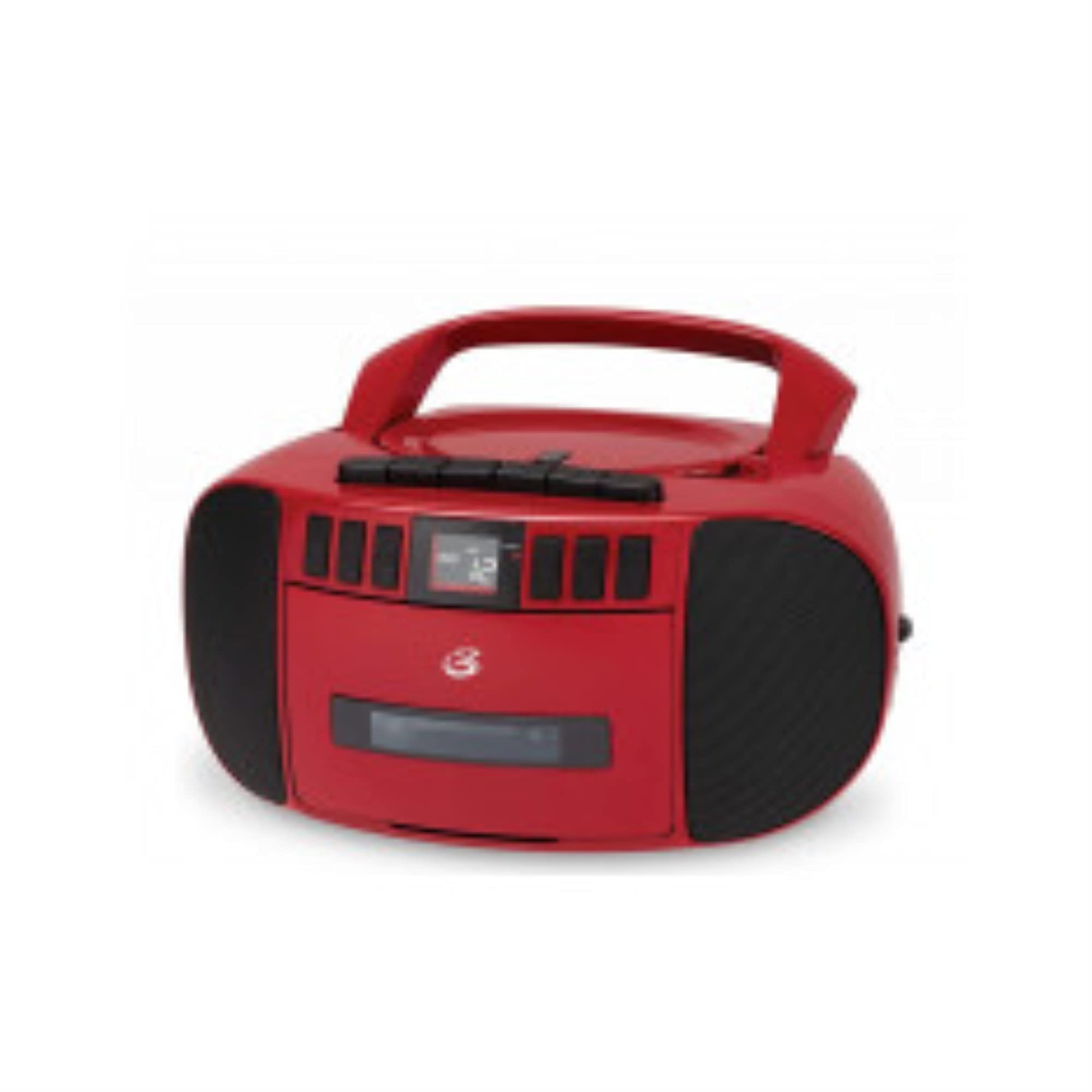
Figur 2: Side View of the Boombox. This image shows the side of the unit, featuring the extendable telescopic antenna for radio reception and the auxiliary input jack for connecting external audio devices.
Rear/Side Panel Features:
- AC strømindgang: Connects the included AC power cable.
- Batterirum: Holds 6 "C" size batteries (not included) for portable operation.
- Teleskopantenne: Forlænges for forbedret FM-radiomodtagelse.
- AUX IN -stik: Connects external audio devices using a 3.5mm audio cable.
Opsætning
Strømforsyning til enheden:
Your boombox can be powered by either AC power or batteries.
AC strøm:
- Sørg for, at enheden er slukket.
- Insert the small end of the AC power cable into the AC power input jack on the back of the boombox.
- Plug the other end of the AC power cable into a standard wall outlet (AC 120V ~ 60Hz).
Batteristrøm:
- Sørg for, at enheden er slukket og frakoblet vekselstrøm.
- Åbn batterirummets dæksel i bunden af enheden.
- Insert 6 "C" size batteries (not included), ensuring correct polarity (+/-) as indicated inside the compartment.
- Luk batterirummets dæksel forsvarligt.
Note: Fjern batterierne, hvis enheden ikke skal bruges i længere tid, for at forhindre lækage.
Antennejustering:
For optimal FM radio reception, fully extend the telescopic antenna. For AM reception, the unit has a built-in antenna, and you may need to rotate the entire unit for best signal.
Betjeningsvejledning
Radiodrift:
- Tryk på MAGT for at tænde enheden.
- Indstil FUNGERE vælgeren til "RADIO".
- Select the desired band (AM or FM) using the AM/FM switch (if present, otherwise it's usually part of the function selector or a separate switch).
- Drej på TUNING knappen for at finde den ønskede radiostation.
- Juster BIND control to a comfortable listening level.
- For FM, extend and adjust the telescopic antenna for best reception. For AM, rotate the unit for best reception.
CD-afspilning:
- Tryk på MAGT for at tænde enheden.
- Indstil FUNGERE vælgeren til "CD".
- Åbn lågen til cd-rummet ved forsigtigt at løfte den.
- Placer en CD med etiketsiden opad på spindlen.
- Close the CD compartment door securely. The display will show the total number of tracks.
- Tryk på AFSPIL/PAUSE knappen for at starte afspilning.
- Brug SKIP FREM or SKIP TILBAGE knapper til at navigere mellem spor.
- Trykke AFSPIL/PAUSE again to pause playback, and press it once more to resume.
- Tryk på STOP for at stoppe afspilning.
- Brug GENTAGE button to repeat the current track (Repeat One) or all tracks (Repeat All).
- Brug PROGRAM button to create a custom playback order for tracks.
Kassetteafspilning:
- Tryk på MAGT for at tænde enheden.
- Indstil FUNGERE selector to "CASSETTE" or "TAPE".
- Tryk på STOP/Skub ud knappen for at åbne kassettebåndoptagerens låge.
- Insert a cassette tape with the open edge facing forward.
- Close the cassette deck door securely.
- Tryk på SPIL knappen for at starte afspilning.
- Brug HURTIG FREM or SPOLE TILBAGE buttons to quickly move through the tape. Press SPIL or STOP/Skub ud to disengage.
- Tryk på STOP/Skub ud knappen for at stoppe afspilningen og skubbe båndet ud.
Optagelse på kassettebånd:
You can record from the radio or CD player directly to a cassette tape.
- Sæt et blankt eller optagbart kassettebånd i kassettebåndoptageren.
- Select the source you wish to record from (RADIO or CD) using the FUNGERE vælger.
- If recording from Radio, tune to the desired station. If recording from CD, ensure the CD is loaded and ready to play from the desired starting point.
- Tryk på OPTAGE knappen på kassettebåndoptageren. SPIL knappen aktiveres også automatisk.
- If recording from CD, press the SPIL button on the CD player simultaneously or immediately after pressing RECORD.
- Tryk på for at stoppe optagelsen STOP/Skub ud button on the cassette deck.
Using the AUX Input:
- Tryk på MAGT for at tænde enheden.
- Indstil FUNGERE selector to "AUX" or "CASSETTE/AUX" (if combined).
- Tilslut den ene ende af et 3.5 mm lydkabel (medfølger ikke) til AUX IN-stikket på boomboxen.
- Tilslut den anden ende af lydkablet til hovedtelefonstikket eller lydudgangen på din eksterne enhed (f.eks. smartphone, MP3-afspiller).
- Start afspilning på din eksterne enhed.
- Adjust the volume on both the boombox and your external device for optimal sound.
Opretholdelse
Rengøring af enheden:
- Tør enhedens yderside af med en blød, let fugtig klud.amp klæde. Brug ikke slibende rengøringsmidler eller opløsningsmidler.
- Brug en specialiseret CD-linserenser til CD-linser.
- For the cassette deck, periodically clean the tape heads, pinch rollers, and capstan with a cotton swab lightly dampafsluttet med isopropylalkohol.
Care of CDs and Cassettes:
- Handle CDs by the edges to avoid fingerprints on the playing surface.
- Opbevar cd'er i deres etuier, når de ikke er i brug.
- Keep cassette tapes away from strong magnetic fields and direct sunlight.
- Rør ikke ved tapeoverfladen.
Fejlfinding
| Problem | Mulig årsag | Løsning |
|---|---|---|
| Enheden tænder ikke. | No AC power or dead batteries. | Check AC power connection or replace batteries. |
| Ingen lyd. | Volume too low, incorrect function mode, or headphones connected. | Increase volume, select correct function (CD/Radio/Cassette/AUX), ensure no headphones are connected. |
| CD'en hopper eller afspilles ikke. | CD'en er snavset, ridset eller isat forkert. | Clean CD, try another CD, ensure CD is inserted label-side up. |
| Dårlig radiomodtagelse. | Antenna not extended/adjusted, or weak signal. | Fully extend and adjust FM antenna. Rotate unit for AM reception. Try a different location. |
| Cassette tape not playing or recording properly. | Tape heads dirty, tape tangled, or incorrect function mode. | Clean tape heads. Check tape for damage. Ensure function is set to CASSETTE. |
Specifikationer
| Modelnummer | BCA209R |
| Strømkilde | AC 120V ~ 60Hz or 6 x "C" Batteries (not included) |
| Radiofrekvens | AM: 530 - 1710 kHz, FM: 88 - 108 MHz |
| CD-kompatibilitet | CD, CD-R/RW |
| Højttaler type | Stereoanlæg |
| Forbindelse | Aux-indgang (3.5 mm) |
| Dimensioner (ca.) | 10.94 x 10.39 x 6.14 tommer (pakkemål) |
| Vægt (ca.) | 4 pund |
Garanti og support
For warranty information and technical support, please refer to the warranty card included with your product or visit the official GPX webwebsted. Gem din købskvittering som købsbevis i tilfælde af garantikrav.
Online ressourcer:
- Official GPX Webwebsted: www.gpx.com (Bemærk: Dette er en pladsholder URL, please refer to actual manufacturer webwebsted for support.)
- Product Support Page: Check the GPX website for a dedicated support page for model BCA209R.


