1. Introduktion og overview
The Amazon Basics 6-Sheet High-Security Micro-Cut Shredder is designed for home and office use, providing a secure way to dispose of sensitive documents and credit cards. Its micro-cut technology transforms paper into tiny confetti-like pieces, meeting high security level P-4 standards.
Nøglefunktioner omfatter:
- Micro-cut shredding for enhanced security.
- Capacity to shred up to 6 sheets of 20-pound bond paper simultaneously.
- Dedicated slot for shredding credit cards (one at a time).
- Ability to shred staples and small paper clips.
- Overheat protection with automatic shut-off.
- Convenient 3-mode power switch (Auto, Off, Reverse).
- Easy-to-empty 4.1-gallon bin.

Figure 1: The Amazon Basics 6-Sheet Micro-Cut Shredder in operation, demonstrating its ability to shred paper into small, secure particles.
2. Sikkerhedsoplysninger
Please read and understand all safety warnings before using this product to prevent injury or damage.
- Vigtig bemærkning: Spray eller opbevar ikke aerosolprodukter i eller omkring makuleringsmaskinen.
- Do not shred items like metallic credit cards, adhesive labels, or continuous forms.
- Hold løstsiddende tøj, smykker, hår og hænder væk fra papirindføringsåbningen.
- Tag altid stikket ud af stikkontakten, når makulatoren ikke er i brug, eller før rengøring.
- Supervise children and pets when the shredder is in use.
- Brug ikke makulatoren, hvis netledningen er beskadiget.
For more detailed safety guidelines, refer to the official Sikkerhedsoplysninger (PDF).
3. Opsætning
Follow these steps to set up your shredder:
- Pakker ud: Fjern forsigtigt alle komponenter fra emballagen.
- Placering: Place the shredder on a stable, flat surface near a standard electrical outlet. Ensure there is adequate space around the unit for ventilation.
- Samle: Place the shredder head securely onto the waste bin. Ensure it is properly seated to allow for safe operation.
- Strømtilslutning: Sæt netledningen i en jordet stikkontakt.

Figur 2: Forside view of the shredder, showing its compact design and the clear window for viewing shredded contents.
For detailed installation instructions, please consult the Installationsmanual (PDF).
4. Betjeningsvejledning
Your shredder features a 3-mode power switch located on the top of the unit.
- BIL: The shredder will automatically start when paper is inserted and stop when shredding is complete.
- OFF: Makulatoren er slukket.
- BAGLÆNS: Use this setting to clear paper jams by reversing the shredding mechanism.
4.1. Shredding Paper
- Sørg for, at afbryderen er sat til AUTO.
- Insert up to 6 sheets of 20-pound bond paper into the 8.7-inch paper-entry width slot. The shredder will automatically begin shredding.
- Once shredding is complete, the motor will stop.
4.2. Shredding Credit Cards
- Sørg for, at afbryderen er sat til AUTO.
- Insert one credit card at a time into the dedicated credit card slot.
- The shredder will destroy the card and stop automatically.
4.3. Overophedningsbeskyttelse
The shredder is designed for intermittent use. It has a maximum continuous run time of 3 minutes, followed by a 30-minute cool-down period. If the shredder runs continuously beyond its maximum run time, it will automatically shut off to protect the motor from overheating. An LED indicator will illuminate to signal an overheat condition. Allow the shredder to cool down before resuming operation.

Figure 3: Visual representation of the shredder's main features and capacities.
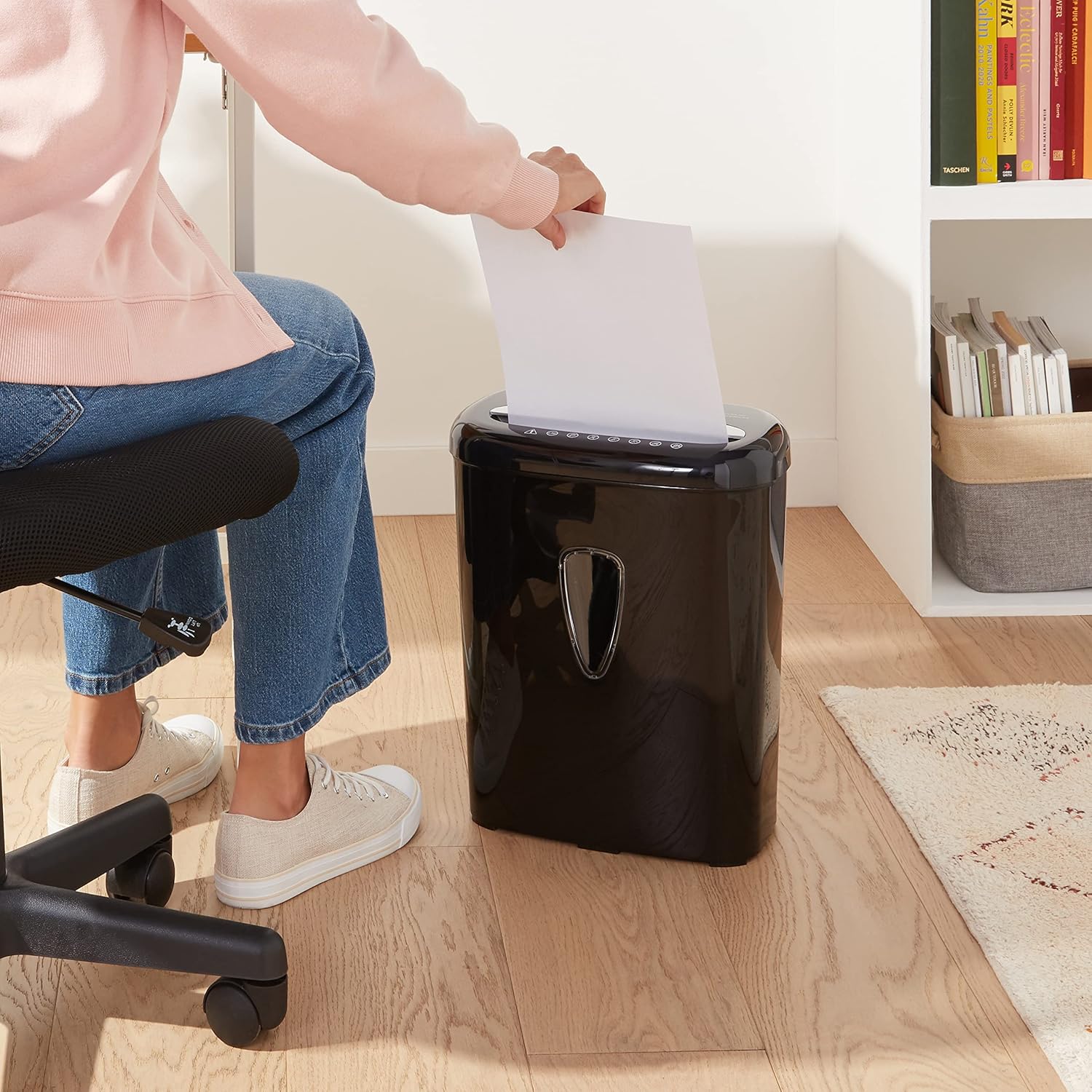
Figure 4: Proper technique for feeding documents into the shredder's paper entry slot.
5. Vedligeholdelse
Regelmæssig vedligeholdelse sikrer optimal ydeevne og forlænger levetiden på din makulator.
5.1. Emptying the Waste Bin
When the 4.1-gallon bin is full, lift the shredder head using the integrated lift handle and empty the shredded material. For convenience, you may line the bin with a standard trash bag.
5.2. Oiling the Shredder Blades
To maintain shredder performance and prevent jams, regularly oil the shredder blades. Apply shredder oil (or use lubricating sheets) across the paper entry slot. Run the shredder in reverse for a few seconds, then in auto mode to distribute the oil. This should be done after every 30 minutes of accumulated shredding or when performance decreases.
5.3. Rensning
Wipe the exterior of the shredder with a soft, dry cloth. Do not use abrasive cleaners or solvents. Periodically clear any paper dust or debris from around the shredding mechanism when the unit is unplugged.
6. Fejlfinding
Hvis du støder på problemer med din makulator, kan du se følgende almindelige problemer og løsninger:
| Problem | Mulig årsag | Løsning |
|---|---|---|
| Makulatoren tænder ikke. | Not plugged in; Power switch in OFF position; Overheated. | Ensure power cord is securely plugged in; Set switch to AUTO; Allow 30 minutes for cool-down. |
| Papirstop. | Too many sheets inserted; Paper inserted incorrectly. | Set switch to REVERSE to clear paper; Reduce sheet count; Insert paper straight. |
| Makulatoren stopper under drift. | Overheat protection activated; Waste bin full. | Allow 30 minutes for cool-down; Empty the waste bin. |
For more comprehensive troubleshooting steps, please refer to the Fejlfindingsvejledning (PDF).
7. Specifikationer
Detailed technical specifications for your Amazon Basics Shredder:
- Model: AU600MA-Parent
- Udskæringstype: Micro Cut
- Arkkapacitet: 6 sheets (20-pound bond paper)
- Kreditkortkapacitet: 1 card at a time
- Beholderkapacitet: 4.1 gallons
- Papirindtastningsbredde: 8.7 tommer
- Makuleringsstørrelse: 5/32 x 15/32 inches (4 x 12 mm)
- Sikkerhedsniveau: P-4
- Kontinuerlig kørselstid: 3 minutter
- Nedkølingstid: 30 minutter
- Varens vægt: 9.9 pund
- Produktdimensioner: 7.32 x 12.76 x 15.94 tommer
- Materiale Type: Plast
- Farve: Sort

Figure 5: Detailed dimensions of the shredder for proper placement and space planning.
8. Garanti og support
Your Amazon Basics shredder comes with a limited warranty. For specific warranty terms and conditions, please refer to the official Garanti (PDF) dokument.
For product support, technical assistance, or to inquire about replacement parts, please visit the Amazon Basics support page or contact customer service through your Amazon account.


